
Last updated on
Nov 9, 2026

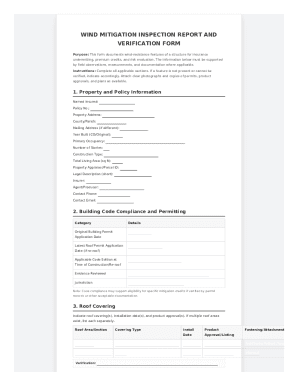
PA Windshield Survey Form - County of Berks 2008 free printable template
pdfFiller is not affiliated with any government organization

Fill out
Complete the form online in a simple drag-and-drop editor.

eSign
Add your legally binding signature or send the form for signing.

Share
Share the form via a link, letting anyone fill it out from any device.

Export
Download, print, email, or move the form to your cloud storage.
Why pdfFiller is the best tool for your documents and forms


End-to-end document management
From editing and signing to collaboration and tracking, pdfFiller has everything you need to get your documents done quickly and efficiently.
Accessible from anywhere
pdfFiller is fully cloud-based. This means you can edit, sign, and share documents from anywhere using your computer, smartphone, or tablet.
Secure and compliant
pdfFiller lets you securely manage documents following global laws like ESIGN, CCPA, and GDPR. It's also HIPAA and SOC 2 compliant.
What is PA Windshield Survey Form - County of Berks
The Windsheild Survey Form is a government document used by municipalities in Pennsylvania to document property damage following an event.
pdfFiller scores top ratings on review platforms




I feel like being able to do this (fill in forms) is almost a miracle. But like with most good things you have to practice, which I will be happy to do. Thank you.
I am about to try a "big" project: i.e. preparing a Pre-printed PDF format Quit Claim Deed. If PDFfiller doesn't work I will have to invest in a typewriter. I'll update this again if I can when I have finished.
Very cool and useful perfect for everything I needed.
Who needs PA Windshield Survey Form - County of Berks?
Explore how professionals across industries use pdfFiller.

PA Windshield Survey Form - County of Berks is needed by:
-
Municipal officials in Pennsylvania responsible for disaster assessment
-
Emergency management professionals conducting property damage surveys
-
Residents affected by natural disasters needing documentation
-
Insurance agents requiring damage reports for claims processing
-
Community leaders overseeing local recovery efforts
Comprehensive Guide to PA Windshield Survey Form - County of Berks
What is the Windsheild Survey Form?
The Windsheild Survey Form is an essential tool used by municipalities in Pennsylvania to document property damage. Its primary objective is to provide a systematic approach for recording damage after significant events, ensuring accurate assessments are made for recovery purposes. This form is specifically utilized by local authorities following damaging occurrences to facilitate timely response and aid in emergency management.
Purpose and Benefits of the Windsheild Survey Form
This form serves multiple critical purposes, particularly emphasizing the need for prompt reporting of property damage. Submitting the form within a 24-hour window helps municipalities initiate recovery processes swiftly. Structured assessments through the Windsheild Survey Form enable better emergency preparedness by identifying and categorizing damages effectively.
Utilizing this form streamlines the assessment and reporting process, allowing officials to advocate efficiently for state or federal assistance when necessary.
Key Features of the Windsheild Survey Form
The Windsheild Survey Form boasts distinctive attributes designed to facilitate thorough documentation of property damage. Key features include:
-
Fillable patterns, such as checkboxes, which streamline data entry for debris removal efforts.
-
Clear definitions of different categories of property damage, aiding in accurate reporting.
These features not only standardize data collection but also enhance collaboration among municipal agencies during disaster recovery.
Who Needs the Windsheild Survey Form?
Several stakeholders benefit from the Windsheild Survey Form, including:
-
Town officials who are responsible for post-disaster recovery.
-
Municipal employees tasked with damage assessment and reporting.
-
Emergency management teams that coordinate disaster response efforts.
These entities are frequently required to complete the form following natural disasters or other emergencies to ensure comprehensive reporting and facilitate recovery actions.
How to Fill Out the Windsheild Survey Form Online
Completing the Windsheild Survey Form online involves several straightforward steps:
-
Access the form through the designated online portal.
-
Fill in required fields, ensuring all information is accurate.
-
Check for common errors, such as incomplete sections or incorrect entries.
Users are encouraged to review all fields carefully to avoid mistakes that could delay processing.
Submission Process for the Windsheild Survey Form
Once completed, the Windsheild Survey Form must be submitted through specific channels. Submission methods include:
-
Online submission via designated websites.
-
Physical delivery to municipal offices.
It is crucial to adhere to submission deadlines, as failure to file on time may lead to unfavorable consequences for recovery efforts.
Security and Compliance When Using the Windsheild Survey Form
When completing the Windsheild Survey Form digitally, users can rest assured about security measures in place. pdfFiller implements robust protocols, including:
-
256-bit encryption to safeguard sensitive information.
-
Compliance with HIPAA and GDPR regulations, ensuring data protection.
These measures help maintain the integrity of the data handled within the form, providing peace of mind for users.
How pdfFiller Can Help You with the Windsheild Survey Form
pdfFiller plays a vital role in optimizing the completion of the Windsheild Survey Form. Users can benefit from features such as:
-
eSign capabilities that allow for quick and secure signatures.
-
Document management tools to organize and track submissions.
Utilizing pdfFiller's cloud-based platform simplifies the form-filling process, enhancing efficiency for municipalities across Pennsylvania.
Sample Completed Windsheild Survey Form
To assist users in understanding how to properly complete the Windsheild Survey Form, a sample filled-out form is provided. Key sections include:
-
Identification of damage types with specific categorization.
-
Notes on actions taken, such as debris removal and emergency measures.
This illustration aids in comprehending how to accurately report property damage, promoting effective communication between municipalities and state authorities.
How to fill out the PA Windshield Survey Form - County of Berks
-
1.To access the Windsheild Survey Form, visit pdfFiller's website and enter 'Windsheild Survey Form' in the search bar.
-
2.Once located, click on the form title to open it in pdfFiller's editing interface.
-
3.Before starting, gather necessary information including property details and damage assessments from your municipality.
-
4.Begin filling in the required fields, utilizing checkboxes for damage categories and input fields for specific descriptions.
-
5.Use the interface tools to navigate; click on a field to input data or check relevant boxes.
-
6.Review the completed form for accuracy, ensuring all fields are properly filled out to avoid common mistakes.
-
7.Once finalized, save your progress within pdfFiller or download a completed copy for your records.
-
8.To submit, follow the prompt to either send digitally through pdfFiller or print and submit the hard copy to the appropriate municipal office.

Who is eligible to use the Windsheild Survey Form?
Municipal officials and emergency management professionals in Pennsylvania are eligible to use the Windsheild Survey Form to document property damage.
What is the deadline for completing the Windsheild Survey Form?
The Windsheild Survey Form must be completed within 24 hours of the damage event to ensure accurate documentation.
How do I submit the Windsheild Survey Form once completed?
Once completed, the form can be submitted either electronically through pdfFiller or printed and handed over to local authorities.
What supporting documents are required with the form?
Generally, you may need to attach evidence such as photos of the damage and any previous inspections related to the property.
What are common mistakes to avoid when filling this form?
Ensure all required fields are filled and avoid omitting details in damage descriptions to prevent delays in processing.
How long does it take to process the Windsheild Survey Form?
Processing times may vary, typically taking a few days to weeks based on local administrative procedures.
Can I save my progress while filling out the form on pdfFiller?
Yes, pdfFiller allows you to save your progress, so you can return to complete the Windsheild Survey Form at your convenience.
PA Windshield Survey Form - County of Berks Form Versions
Related Content
Related Forms



Related Catalogs
Get the latest insights from our blog


If you believe that this page should be taken down, please follow our DMCA take down process
here
.
This form may include fields for payment information. Data entered in these fields is not covered by PCI DSS compliance.