
Last updated on
Oct 19, 2026

Get the free Form A2 for Remittances Abroad
We are not affiliated with any brand or entity on this form

Fill out
Complete the form online in a simple drag-and-drop editor.

eSign
Add your legally binding signature or send the form for signing.

Share
Share the form via a link, letting anyone fill it out from any device.

Export
Download, print, email, or move the form to your cloud storage.
Why pdfFiller is the best tool for your documents and forms


End-to-end document management
From editing and signing to collaboration and tracking, pdfFiller has everything you need to get your documents done quickly and efficiently.
Accessible from anywhere
pdfFiller is fully cloud-based. This means you can edit, sign, and share documents from anywhere using your computer, smartphone, or tablet.
Secure and compliant
pdfFiller lets you securely manage documents following global laws like ESIGN, CCPA, and GDPR. It's also HIPAA and SOC 2 compliant.
What is Form A2
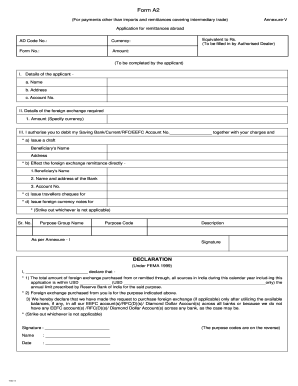
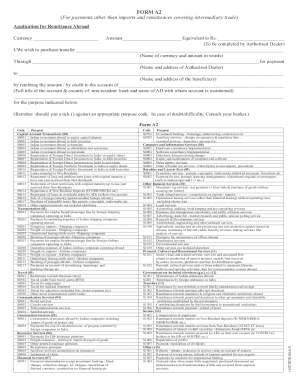
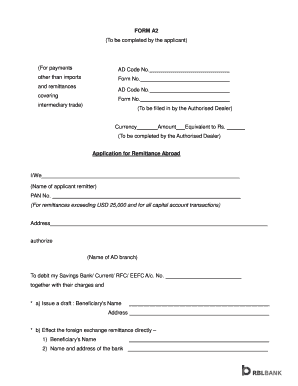
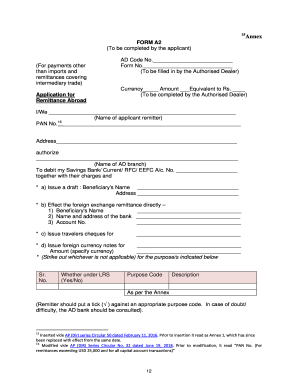
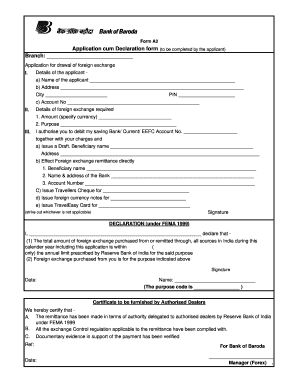
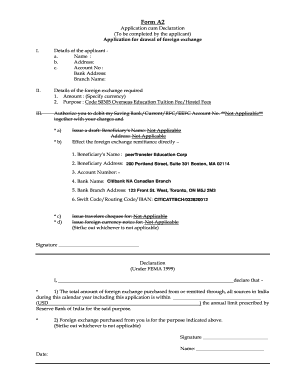
The Form A2 for Remittances Abroad is a business document used by applicants in India to authorize the bank to process foreign exchange remittances and comply with FEMA 1999 regulations.
pdfFiller scores top ratings on review platforms




Who needs Form A2?
Explore how professionals across industries use pdfFiller.

Form A2 is needed by:
-
Indian residents planning to send money abroad
-
Businesses making international payments
-
Individuals paying for education or medical expenses overseas
-
Citizens needing to support family members living abroad
-
Persons investing in foreign entities or services
Comprehensive Guide to Form A2
What is Form A2 for Remittances Abroad?
Form A2 plays a vital role in facilitating remittances abroad in India. This document is integral to compliance with the Foreign Exchange Management Act (FEMA) of 1999. It is utilized for various international money transfers and requires the applicant to provide crucial details regarding the remittance.
Purpose and Benefits of the Form A2 for Remittances Abroad
The Form A2 is essential for ensuring that international transactions adhere to regulatory requirements. This form offers numerous benefits:
-
Compliance with Indian Foreign Exchange regulations
-
Proper documentation for remittances
-
Facilitation of seamless financial transactions
By utilizing this form, users can ensure that their remittance process is efficient and legally compliant.
Key Features of the Form A2 for Remittances Abroad
This form is distinguished by several key features that streamline the remittance process. It typically includes fillable fields such as:
-
Applicant name
-
Beneficiary information
-
Required declarations as per FEMA
These fields ensure that all necessary information is captured, fostering accurate processing by the banks involved.
Who Needs the Form A2 for Remittances Abroad?
Various individuals and entities are required to complete the Form A2 for remittances abroad. Situations that necessitate this form include:
-
Individuals sending funds to relatives overseas
-
Businesses making international payments for services or goods
The universal need for this form across diverse transaction types highlights its importance in the global financial landscape.
Eligibility Criteria for the Form A2 for Remittances Abroad
Eligibility to complete the Form A2 is determined by specific criteria, including:
-
Residency status of the applicant
-
Purpose of the remittance
-
Any additional conditions as stipulated by the Reserve Bank of India (RBI) or FEMA
These criteria ensure that only the authorized individuals or entities can undertake foreign remittance activities.
How to Fill Out the Form A2 for Remittances Abroad Online (Step-by-Step)
Completing the Form A2 online is straightforward if you follow these steps:
-
Visit the designated online platform for filling out the form.
-
Enter the applicant name and relevant beneficiary details accurately.
-
Fill in the amount of foreign exchange to be remitted.
-
Review for accuracy and ensure all necessary fields are complete.
-
Submit or save the form electronically based on the guidance provided.
Common mistakes to avoid include missing signatures or incorrectly completed beneficiary information.
Common Errors and How to Avoid Them
When completing the Form A2, users often encounter several typical errors:
-
Incorrect personal or beneficiary details
-
Failure to sign the document
Ensuring careful attention to these details can help prevent delays in processing remittances.
Submission Methods and Delivery for Form A2 for Remittances Abroad
There are multiple methods available for submitting the completed Form A2:
-
In-person at designated bank branches
-
Online submission through bank platforms
-
Utilizing pdfFiller for electronic submissions
Delivery timeframes may vary depending on the submission method chosen, so users should check with their banks for specific timelines.
Security and Compliance for the Form A2 for Remittances Abroad
When submitting your Form A2, security is paramount. pdfFiller employs various measures to ensure sensitive information is protected:
-
256-bit encryption for data transmission
-
Compliance with SOC 2 Type II, HIPAA, and GDPR regulations
These security protocols ensure that user data remains confidential and secure throughout the remittance process.
Use pdfFiller for Your Remittance Form Needs
pdfFiller offers an efficient platform for filling out the Form A2 with various advantages:
-
Easy editing of documents
-
Secure electronic signatures
-
Access from any browser without needing downloads
Utilizing pdfFiller simplifies the remittance form process, enhancing user experience and compliance.
How to fill out the Form A2
-
1.Access pdfFiller and search for 'Form A2 for Remittances Abroad' in the template library to locate the form.
-
2.Open the form and examine the fillable fields designated for input, including 'Applicant Name', 'Address', 'Amount', and 'Beneficiary Details'.
-
3.Before starting, gather essential information such as your bank account details, beneficiary's information, and the purpose for the remittance.
-
4.Begin filling out the form by completing the 'Name' and 'Address' fields followed by entering the total 'Amount' you wish to remit.
-
5.Proceed to fill in the beneficiary's details, including their 'Name' and 'Address', ensuring accuracy to prevent delays.
-
6.Utilize the instruction section for guidance on filling the form correctly, paying attention to the declaration under FEMA 1999.
-
7.Once all necessary fields are completed, take a moment to review all entered information for accuracy and completeness.
-
8.Finalize the form by clicking the 'Save' option to retain your progress. You can also choose to download or print the form for submission.
-
9.If you are ready to submit, follow the guidance for electronic submission or print the form to deliver it in person to your bank.

What are the eligibility requirements for using Form A2?
To use Form A2, you must be an Indian resident planning to remit money abroad, fulfilling the purposes allowable under FEMA 1999, such as education or medical expenses.
Are there any deadlines for submitting Form A2?
There are typically no strict deadlines for submitting Form A2, but it is advisable to complete it before your remittance transaction to ensure timely processing by your bank.
How should I submit the completed Form A2?
You can submit the completed Form A2 to your bank directly. If electronic submission is available, use the bank's online platform for faster processing.
What supporting documents do I need when submitting Form A2?
Commonly required documents include proof of identity, purpose of remittance documentation (like admission letters for education), and any other supporting financial documents requested by your bank.
What common mistakes should I avoid when filling out Form A2?
Ensure accuracy in beneficiary details and avoid leaving fields blank. Double-check the declared amount and purpose of remittance to prevent rejection or delays in processing.
How long does it take to process Form A2?
Processing times for Form A2 vary by bank but usually range from a few hours to a couple of days, depending on the transaction's complexity and submission method.
What if my remittance purpose changes after submitting Form A2?
If the purpose of your remittance changes, you must inform your bank and may need to fill out a new Form A2 to accurately reflect the updated purpose.
Related Forms



Get the latest insights from our blog


If you believe that this page should be taken down, please follow our DMCA take down process
here
.
This form may include fields for payment information. Data entered in these fields is not covered by PCI DSS compliance.