
Last updated on
Oct 31, 2026

Get the free Safety Video Test Form
We are not affiliated with any brand or entity on this form

Fill out
Complete the form online in a simple drag-and-drop editor.

eSign
Add your legally binding signature or send the form for signing.

Share
Share the form via a link, letting anyone fill it out from any device.

Export
Download, print, email, or move the form to your cloud storage.
Why pdfFiller is the best tool for your documents and forms


End-to-end document management
From editing and signing to collaboration and tracking, pdfFiller has everything you need to get your documents done quickly and efficiently.
Accessible from anywhere
pdfFiller is fully cloud-based. This means you can edit, sign, and share documents from anywhere using your computer, smartphone, or tablet.
Secure and compliant
pdfFiller lets you securely manage documents following global laws like ESIGN, CCPA, and GDPR. It's also HIPAA and SOC 2 compliant.
What is Safety Test
The Safety Video Test Form is an Employment Form used by employers to assess employees' understanding of workplace safety procedures and protocols.
pdfFiller scores top ratings on review platforms




Who needs Safety Test?
Explore how professionals across industries use pdfFiller.

Safety Test is needed by:
-
Employers wanting to ensure safety compliance
-
HR professionals conducting safety training sessions
-
Managers assessing employee safety knowledge
-
Safety officers responsible for workplace assessments
-
New employees required to complete safety protocols
Comprehensive Guide to Safety Test
What is the Safety Video Test Form?
The Safety Video Test Form is a critical tool designed to assess employees' understanding of workplace safety procedures. This employee safety quiz aims to ensure that every staff member comprehends essential safety protocols and regulations to minimize risks on the job. The form includes a variety of question types, such as true/false and multiple-choice, allowing for a thorough evaluation of employee knowledge on safety measures.
Purpose and Benefits of the Safety Video Test Form
Employers should consider leveraging the Safety Video Test Form due to its numerous advantages. First, it plays a vital role in ensuring compliance with safety regulations, helping organizations avoid costly penalties. Furthermore, utilizing this safety compliance form enhances employee training and promotes professional development, which can lead to improved job performance. By engaging employees in safety training, companies can significantly reduce the occurrence of workplace incidents.
Key Features of the Safety Video Test Form
The Safety Video Test Form boasts several key features that enhance usability for both employers and employees. This fillable template offers a user-friendly design, making it easy for employees to navigate. It includes integration capabilities with other documents, allowing employers to streamline their safety assessment processes. Additionally, users have the option to digitally sign and eSign the form, facilitating a smooth submission process.
Who Needs to Complete the Safety Video Test Form?
The responsibility of completing the Safety Video Test Form typically falls on several key personnel within the organization. Employees who must undergo safety training are the primary users of this form. Additionally, managers overseeing workplace safety compliance are also accountable for ensuring that their teams complete the safety protocol quiz. New hires should complete this form during their orientation, while existing employees may be required to undergo ongoing assessments to maintain compliance.
How to Fill Out the Safety Video Test Form Online (Step-by-Step)
Completing the Safety Video Test Form online is a straightforward process. Follow these steps for an efficient completion:
-
Access the form through the designated platform.
-
Carefully read the instructions provided at the top.
-
Fill out each section of the form, ensuring to answer questions honestly.
-
Review your answers to avoid any inaccuracies.
-
Save the form using the designated button.
-
Submit the completed form online.
Review and Validation Checklist for the Safety Video Test Form
To ensure the Safety Video Test Form is completed accurately, a validation checklist is essential. Common errors include missing required fields and providing incorrect information. Take the time to review each answer for precision and ensure all necessary documents and supporting materials are included prior to submission to avoid delays.
Submission Methods for the Safety Video Test Form
The Safety Video Test Form can be submitted through various methods, ensuring flexibility for users. Options include online submission via the platform or, if required, sending a printed copy via mail. It is crucial to confirm successful submission and utilize any available tracking methods to ensure the form reaches the intended recipient promptly.
Security and Compliance for the Safety Video Test Form
Managing the Safety Video Test Form securely is vital to protect sensitive employee data. Implementing robust security measures, such as data encryption, ensures compliance with standards like HIPAA and GDPR. Additionally, maintaining document retention policies is essential for compliance audits and safeguarding organizational transparency.
Enhancements and Support for Using the Safety Video Test Form
pdfFiller significantly enhances the experience of using the Safety Video Test Form. With its cloud-based PDF editor, users can easily edit, fill out, and eSign forms securely. Furthermore, pdfFiller provides comprehensive support and resources to assist users, making it a valuable document management platform for all form needs.
Get Started with the Safety Video Test Form Today
Engage with the Safety Video Test Form by signing up for a free account with pdfFiller. Experience the ease and efficiency of managing your forms electronically, and discover the numerous benefits of having access to a versatile tool for your document needs. The safety video test form simplifies compliance and enhances employee safety evaluation and workplace safety training.
How to fill out the Safety Test
-
1.To access the Safety Video Test Form on pdfFiller, start by visiting the pdfFiller website. Use the search bar to type in 'Safety Video Test Form' to locate the form easily.
-
2.Once you find the form, click on it to open. You will be directed to the editing interface where you can begin filling out the form online.
-
3.Before you begin completing the fields, gather the necessary materials such as a copy of the safety video, any notes taken during the video, and a clear understanding of your workplace safety policies.
-
4.As you navigate through the form, each question will be clearly displayed. Utilize the tools on the side panel to select answers for true/false and multiple-choice questions.
-
5.Make sure to fill in the blanks where required, providing detailed answers based on your understanding from the safety video.
-
6.Once you have answered all questions, review your responses carefully for accuracy. Use pdfFiller’s review options to see any missed fields or errors.
-
7.After checking your responses, save the completed form. You can either download it in your preferred format for records or submit it directly through pdfFiller's submission options.

Who is eligible to fill out the Safety Video Test Form?
The Safety Video Test Form is intended for employees who have completed a safety video training. All employees in workplaces that require safety compliance are eligible to fill out this form.
What information do I need before starting the form?
Before starting the Safety Video Test Form, you should have completed the related safety video and any notes or materials that detail the workplace safety procedures and protocols.
How can I submit the Safety Video Test Form?
You can submit the form through pdfFiller by using the form's submission features. Alternatively, you may download it and submit it to your employer via email or a physical copy.
What are common mistakes to avoid while filling the form?
Common mistakes include leaving fields blank, misunderstanding questions, or giving incorrect answers based on your safety training. Always review before finalizing your submission.
Is notarization required for this form?
No, notarization is not required for the Safety Video Test Form. It can be completed and submitted by employees without any need for notarization.
How long does it take to complete the Safety Video Test Form?
Completing the Safety Video Test Form typically takes between 15 to 30 minutes, depending on the employee's familiarity with the safety protocols.
Can I edit my responses after submitting the form?
Once you submit the Safety Video Test Form, you typically cannot edit your responses unless your employer allows resubmission. You should clarify with your HR representative.
Related Forms
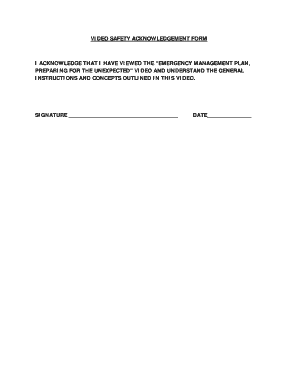


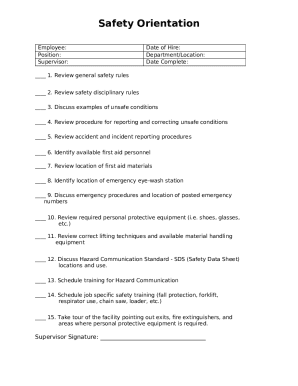

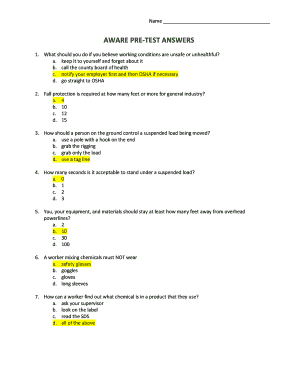

Related Catalogs
Get the latest insights from our blog


If you believe that this page should be taken down, please follow our DMCA take down process
here
.
This form may include fields for payment information. Data entered in these fields is not covered by PCI DSS compliance.