
Last updated on
Oct 31, 2026

Get the free Declaration Form for Tourist Visa
We are not affiliated with any brand or entity on this form

Fill out
Complete the form online in a simple drag-and-drop editor.

eSign
Add your legally binding signature or send the form for signing.

Share
Share the form via a link, letting anyone fill it out from any device.

Export
Download, print, email, or move the form to your cloud storage.
Why pdfFiller is the best tool for your documents and forms


End-to-end document management
From editing and signing to collaboration and tracking, pdfFiller has everything you need to get your documents done quickly and efficiently.
Accessible from anywhere
pdfFiller is fully cloud-based. This means you can edit, sign, and share documents from anywhere using your computer, smartphone, or tablet.
Secure and compliant
pdfFiller lets you securely manage documents following global laws like ESIGN, CCPA, and GDPR. It's also HIPAA and SOC 2 compliant.
What is Visa Consent Form
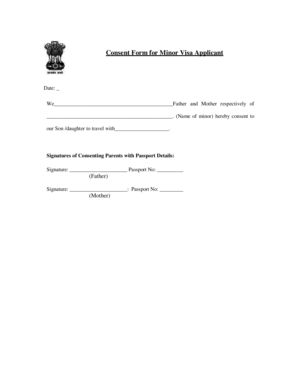
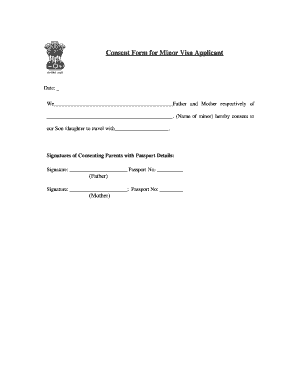
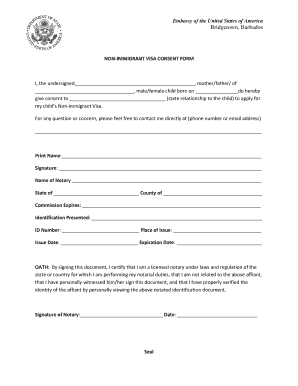
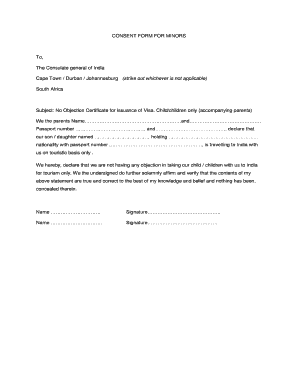
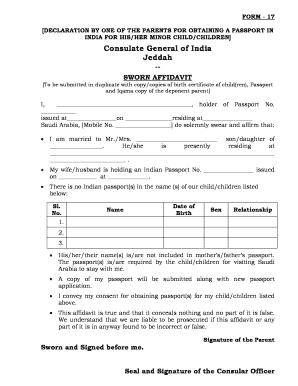
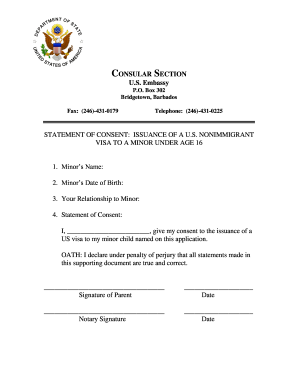
The Declaration Form for Tourist Visa is a document used by parents to provide consent for their child to apply for a tourist visa.
pdfFiller scores top ratings on review platforms




LOVING THE ABILITY TO HELP MY SCHOOL CLIENTS CREATE PERSONALIZED FLYERS FOR THEIR PICABOO YEARBOOK SALES.
Although I originally had an issue with getting my document to print, PDFfiller customer service representatives helped me to correct the issue and get access to the information on my document!
Who needs Visa Consent Form?
Explore how professionals across industries use pdfFiller.

Visa Consent Form is needed by:
-
Parents of minors traveling abroad
-
Guardians seeking permission for child visa applications
-
Families planning international vacations
-
Travel agencies assisting in visa processes
-
Schools arranging student travel programs
Comprehensive Guide to Visa Consent Form
What is the Declaration Form for Tourist Visa?
The Declaration Form for Tourist Visa is essential in the visa application process for minors traveling abroad. This form serves as a formal statement of parental consent, conveying the parent’s approval for their child’s international travel. For minors, obtaining parent consent is crucial, as it ensures that guardians take responsibility for their child's welfare during the trip.
This form not only facilitates smoother visa applications but also underscores the significance of parental guidance and protection in travel, especially for young travelers.
Purpose and Benefits of the Declaration Form for Tourist Visa
The primary function of the Declaration Form for Tourist Visa is to provide valid parental consent when applying for a visa for minors. By accurately completing the parent consent form, parents can significantly enhance the likelihood of a smooth visa application process. This form is instrumental in protecting the interests of both the child and the parent, ensuring that legal and safety considerations are clearly addressed during travel.
Utilizing the form effectively minimizes potential complications that may arise due to lack of consent or unclear documentation.
Key Features of the Declaration Form for Tourist Visa
The Declaration Form includes several essential components that must be completed accurately. Key features include:
-
Required fields such as parent details, child’s information, and travel specifics.
-
Specific signatures from parents or guardians, ensuring legal accountability.
-
Documentation requirements, which typically include a copy of the child's passport or PIO/OCI cards.
-
Digital fillability options and security features, notably available with pdfFiller for enhanced user experience.
Who Needs the Declaration Form for Tourist Visa?
This form is particularly important for parents or guardians of minors who are planning to travel internationally. The declaration is generally required in scenarios where the child is traveling without both parents or as part of a group. It is a comprehensive legal document that clarifies parental responsibilities and consent.
Understanding the necessity of the parent consent form ensures that families comply with legal norms and safeguard the child’s travel arrangements effectively.
How to Fill Out the Declaration Form for Tourist Visa Online
Filling out the Declaration Form for Tourist Visa online is straightforward with pdfFiller. Follow these steps to complete the form correctly:
-
Access the form using pdfFiller's platform.
-
Fill in the required fields such as names, passport details, and travel itinerary.
-
Ensure that all necessary signatures are added to validate the submission.
-
Review the completed form for accuracy before final submission.
Double-checking the information helps prevent issues during the application process, ensuring that all data is current and correct.
Submitting the Declaration Form for Tourist Visa
After completing the Declaration Form, various methods are available for submission. Parents can typically submit the form online or in person at the appropriate visa application center. It is essential to confirm submission successfully and track the application's status appropriately.
Keeping records of submission, including any reference numbers issued, aids in monitoring the visa application process.
Common Errors to Avoid When Completing the Declaration Form
When filling out the Declaration Form for Tourist Visa, being aware of common errors is crucial. Frequent mistakes include:
-
Incomplete fields that may cause delays in processing.
-
Missing signatures or necessary documentation.
-
Inaccurate details, such as passport numbers or travel dates.
Before submission, validating all information and double-checking entries helps avoid these pitfalls and enhances the application’s reliability.
Security and Privacy Considerations for the Declaration Form
pdfFiller prioritizes data protection and document security for users completing the Declaration Form for Tourist Visa. The platform complies with vital regulations such as HIPAA and GDPR, ensuring protection for sensitive personal data.
Guidelines for handling sensitive information while completing forms include using secure networks and avoiding public devices, maintaining privacy throughout the process.
Examples and Templates for the Declaration Form for Tourist Visa
For reference, various samples of completed Declaration Forms are available to guide users in filling out their forms correctly. Templates can be found through pdfFiller's resources, demonstrating effective form completion practices.
Utilizing templates can streamline the process, enabling parents to focus on accuracy and completeness.
Experience Seamless Form Completion with pdfFiller
Using pdfFiller for the Declaration Form for Tourist Visa promotes ease and efficiency in the form-filling process. Key features include electronic signing, convenient editing capabilities, and effective document management tailored for parents.
pdfFiller’s user-friendly interface, combined with robust security measures, makes it an ideal choice for completing vital immigration forms efficiently.
How to fill out the Visa Consent Form
-
1.Access the Declaration Form for Tourist Visa on pdfFiller by searching for its name in the search bar.
-
2.Once the form is displayed, click on it to open in the pdfFiller editor.
-
3.Before filling the form, gather necessary information such as the child's full name, passport number, and travel details.
-
4.Using the pdfFiller interface, click on the fields to enter the required details, ensuring all information is accurate.
-
5.If you're prompted for a parent's signature, select the designated area for signing and follow the prompts to add your electronic signature.
-
6.Fill out any additional checkboxes regarding the child traveling with parents or guardians as applicable.
-
7.Review the form for completeness, checking that all fields are filled, and the required signature is in place.
-
8.Once satisfied, save your changes in pdfFiller to ensure you don't lose any data.
-
9.You can download the completed form as a PDF or submit directly through pdfFiller if the submission method allows.
-
10.Follow any further instructions provided for submission or additional documentation required by the visa office.

Who is eligible to use the Declaration Form for Tourist Visa?
This form is designed for parents or legal guardians of minor children intending to apply for a tourist visa for travel. It ensures that they provide necessary consent for the visa application process.
What documents do I need to submit with this form?
You'll need to enclose a copy of the child's passport or PIO/OCI card along with the Declaration Form when submitting for a tourist visa.
How do I submit the Declaration Form for Tourist Visa?
You can submit the completed Declaration Form for Tourist Visa either by mailing it to the respective immigration authority or submitting it electronically if the option is available on the visa application website.
Is notarization required for this form?
No, the Declaration Form for Tourist Visa does not require notarization, but it must be signed by the parent or legal guardian.
What are common mistakes to avoid when filling out this form?
Common mistakes include forgetting to sign the form, providing incorrect or incomplete information, and failing to attach necessary supporting documents like the passport copy.
How long does it take to process the tourist visa once submitted?
Processing times for tourist visas can vary depending on the consulate or embassy, but you should allow at least 2-4 weeks for processing after submission.
Can I fill out this form in a language other than English?
The Declaration Form for Tourist Visa must be completed in English, as it is the primary language used for visa applications in India.
Related Forms



Get the latest insights from our blog


If you believe that this page should be taken down, please follow our DMCA take down process
here
.
This form may include fields for payment information. Data entered in these fields is not covered by PCI DSS compliance.