
Last updated on
Oct 31, 2026
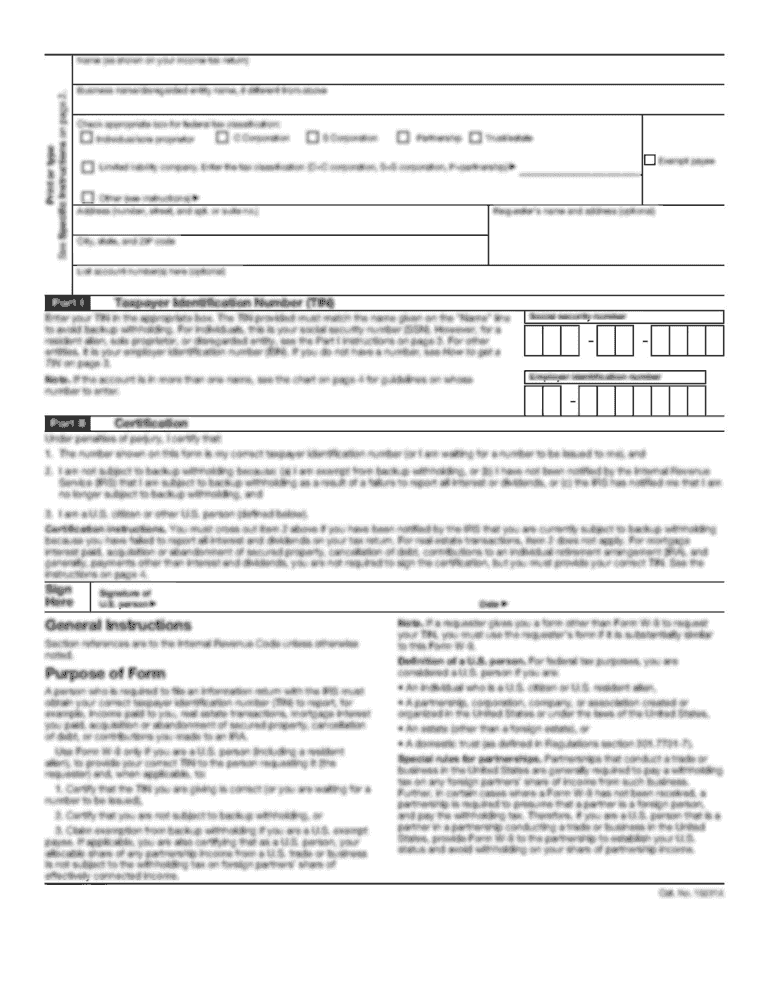
Get the free Segment 2 Contract
We are not affiliated with any brand or entity on this form

Fill out
Complete the form online in a simple drag-and-drop editor.

eSign
Add your legally binding signature or send the form for signing.

Share
Share the form via a link, letting anyone fill it out from any device.

Export
Download, print, email, or move the form to your cloud storage.
Why pdfFiller is the best tool for your documents and forms


End-to-end document management
From editing and signing to collaboration and tracking, pdfFiller has everything you need to get your documents done quickly and efficiently.
Accessible from anywhere
pdfFiller is fully cloud-based. This means you can edit, sign, and share documents from anywhere using your computer, smartphone, or tablet.
Secure and compliant
pdfFiller lets you securely manage documents following global laws like ESIGN, CCPA, and GDPR. It's also HIPAA and SOC 2 compliant.
What is Segment 2 Contract
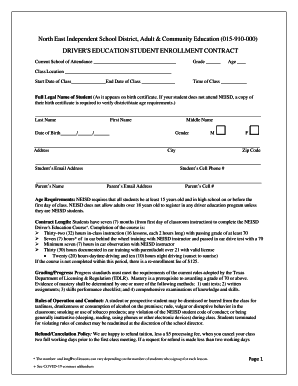
The Segment 2 Contract is a permission and consent form used by All Star Driver Education, Inc. to enroll students in their Segment 2 driver education program in Michigan.
pdfFiller scores top ratings on review platforms




Who needs Segment 2 Contract?
Explore how professionals across industries use pdfFiller.

Segment 2 Contract is needed by:
-
Students participating in driver education programs.
-
Parents or guardians providing consent for students.
-
School representatives verifying enrollment.
-
Driving instructors conducting the program.
-
Administrators managing driver education documentation.
Comprehensive Guide to Segment 2 Contract
What is the Segment 2 Contract?
The Segment 2 Contract is a vital document designed for driver education, specifically for students enrolled in Michigan's driving programs. This contract establishes a formal agreement among students, parents, and school representatives, facilitating a structured educational process. Included within the contract are legal disclaimers and a release of liability, ensuring clarity and protection for all parties involved.
By signing the Segment 2 Contract, all stakeholders acknowledge their roles and responsibilities within the driver education framework, creating a supportive environment for learning.
Purpose and Benefits of the Segment 2 Contract
The Segment 2 Contract serves several essential functions, particularly for students and parents. First, it ensures that consent and participation are documented, making the enrollment process more straightforward. A formal agreement reinforces the importance of responsible driving, while also providing students with a framework for their progress.
Moreover, this contract is crucial in documenting driving practice hours, which is a key requirement for successful completion of the driver education program. By formalizing these agreements, both students and parents can feel secure in the educational process.
Who Needs the Segment 2 Contract?
This contract requires signatures from three key stakeholders: parents or guardians, the student, and the school representative. Each party must complete their respective sections to facilitate enrollment in Segment 2 driver education programs. This ensures that all involved are informed and accountable for their roles, enhancing the overall educational experience.
Students enrolled in Segment 2 programs must have this contract completed to meet eligibility criteria, demonstrating their commitment to the program's standards and requirements.
How to Fill Out the Segment 2 Contract Online
Filling out the Segment 2 Contract online through pdfFiller is straightforward. Follow these steps to ensure accurate completion:
-
Gather necessary personal information, including the student’s full name, address, and contact numbers.
-
Fill in the required fields attentively, paying particular attention to the driving practice hours attestation.
-
After signing, remember to keep a copy for your records, which is essential for future reference.
Required Documents and Supporting Information
When completing the Segment 2 Contract, certain documents may be needed to ensure proper processing. Students and parents should gather the following:
-
Proof of previous driving hours for the student.
-
Identification documents showcasing the student's eligibility.
Having these documents prepared simplifies the completion process and minimizes any delays in enrollment and processing.
Signing the Segment 2 Contract: Digital vs. Wet Signatures
There are two options for signing the Segment 2 Contract: digital and traditional wet signatures. Understanding the differences is critical:
-
Digital signatures are legally valid in Michigan, offering convenience and efficiency.
-
Wet signatures may still be required in certain circumstances, depending on the institution’s policies.
To use a digital signature, follow the instructions provided by pdfFiller for eSigning the document quickly and securely.
Submission Methods for the Segment 2 Contract
Once the Segment 2 Contract is completed and signed, it can be submitted in several ways. Options include:
-
Emailing the completed contract to the designated school representative.
-
Submitting it in person at the school office.
It's crucial to confirm receipt to ensure that the submission is processed accordingly. Also, be mindful of any deadlines or potential fees associated with submission to avoid complications.
What Happens After Submitting the Segment 2 Contract?
After submission, students and parents can expect a few important follow-up actions. The processing timeline may vary, but you can track the status of the submission through the school's communication channels. If necessary, amendments can be made after submission, though it's advisable to rectify any issues promptly.
Ensuring Security and Compliance While Using the Segment 2 Contract
When handling the Segment 2 Contract, security is paramount. pdfFiller offers robust security measures, including 256-bit encryption to protect personal data. Compliance with state and federal regulations ensures that your information remains confidential while you manage and sign documents.
Using a trusted platform like pdfFiller adds peace of mind as you navigate the complexities of document management.
Experience Hassle-Free Document Management with pdfFiller
Utilizing pdfFiller for your Segment 2 Contract simplifies the entire process, making it easy to fill out and submit your forms. With its cloud-based accessibility, you can fill out the contract from anywhere. The platform's eSigning capabilities enhance the user experience, eliminating the need for cumbersome paperwork. Explore other features of pdfFiller to enjoy a comprehensive document management solution.
How to fill out the Segment 2 Contract
-
1.Access pdfFiller and log in to your account or create a new one if you don't have one.
-
2.Use the search bar to locate the Segment 2 Contract form by entering its name.
-
3.Once found, click on the form to open it in the pdfFiller editor.
-
4.Begin filling in the required fields, such as 'Student's Full Name', 'Address', and 'Birth Date'.
-
5.Consult any materials or guidelines provided by All Star Driver Education, Inc. to gather necessary information like driving practice hours.
-
6.Navigate through the form using the provided tools to add information into all the fillable fields.
-
7.For parental consent, ensure the parent or guardian completes their section accurately, including signature fields.
-
8.Once all information is entered, review the entire form thoroughly to ensure accuracy and completeness.
-
9.Utilize the 'Preview' feature in pdfFiller to see how your form will appear once finalized.
-
10.After reviewing the document, save your changes by clicking 'Save' in the toolbar.
-
11.Download the completed form to your device by selecting the 'Download' option from the menu.
-
12.You can also submit the form directly through pdfFiller if required by All Star Driver Education, Inc.

Who is eligible to complete the Segment 2 Contract?
The Segment 2 Contract must be completed by students enrolling in the Segment 2 driver education program, along with their parents or guardians, and a school representative.
When should I submit the Segment 2 Contract?
It is important to submit the Segment 2 Contract as early as possible before the start of the driver education program to ensure your enrollment is processed in time.
How do I submit the completed Segment 2 Contract?
The completed Segment 2 Contract can be submitted electronically through pdfFiller if the school permits, or printed and handed in physically to your driving school.
What supporting documents are needed for the Segment 2 Contract?
Typically, you may need to provide verification of driving practice hours logged by the student, which should be confirmed by a parent or guardian.
What are common mistakes to avoid when filling out the Segment 2 Contract?
Common mistakes include overlooking required signatures, providing inaccurate personal information, and failing to double-check the accuracy of driving practice hours.
How long does it take for the Segment 2 Contract to be processed?
Processing times can vary, but expect feedback from the driving school or confirmation of enrollment within a few business days after submitting the Segment 2 Contract.
Is notarization required for the Segment 2 Contract?
No, notarization is not required for the Segment 2 Contract, making the completion process simpler for all parties involved.
Related Forms





Get the latest insights from our blog


If you believe that this page should be taken down, please follow our DMCA take down process
here
.
This form may include fields for payment information. Data entered in these fields is not covered by PCI DSS compliance.