
Last updated on
Nov 15, 2026

Get the free Employee Health Insurance Claim Form
We are not affiliated with any brand or entity on this form

Fill out
Complete the form online in a simple drag-and-drop editor.

eSign
Add your legally binding signature or send the form for signing.

Share
Share the form via a link, letting anyone fill it out from any device.

Export
Download, print, email, or move the form to your cloud storage.
Why pdfFiller is the best tool for your documents and forms


End-to-end document management
From editing and signing to collaboration and tracking, pdfFiller has everything you need to get your documents done quickly and efficiently.
Accessible from anywhere
pdfFiller is fully cloud-based. This means you can edit, sign, and share documents from anywhere using your computer, smartphone, or tablet.
Secure and compliant
pdfFiller lets you securely manage documents following global laws like ESIGN, CCPA, and GDPR. It's also HIPAA and SOC 2 compliant.
What is Health Claim Form
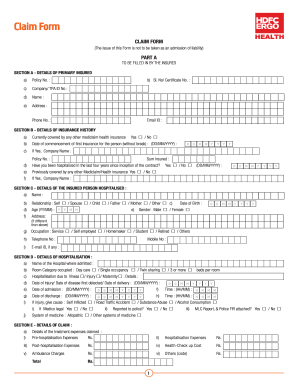
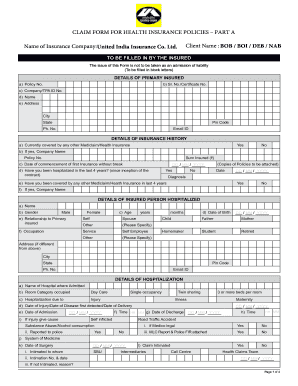
The Employee Health Insurance Claim Form is a document used by employees to request reimbursement for medical expenses incurred at non-network hospitals.
pdfFiller scores top ratings on review platforms




Who needs Health Claim Form?
Explore how professionals across industries use pdfFiller.

Health Claim Form is needed by:
-
Employees seeking reimbursement for medical expenses
-
HR representatives managing employee benefits
-
Insurance claim processors at health insurance companies
-
Accountants handling health-related reimbursements
-
Legal advisors reviewing insurance claims
-
Non-network hospitals submitting claims on behalf of patients
Comprehensive Guide to Health Claim Form
What is the Employee Health Insurance Claim Form?
The Employee Health Insurance Claim Form serves as a crucial document for employees seeking reimbursement for medical expenses, particularly when treatments are received at non-network hospitals. This form is issued by Max Bupa Health Insurance Company, a leading provider in India, ensuring that employees can process their claims effectively. Given the rising medical expenses, this form plays a vital role in facilitating reimbursements for necessary healthcare services.
Purpose and Benefits of the Employee Health Insurance Claim Form
Submitting the Employee Health Insurance Claim Form provides several advantages. Primarily, it enables employees to seek financial support for medical expenses incurred during treatment. The timely processing of these claims facilitates quicker reimbursement, alleviating the financial burden in critical times. Overall, this form streamlines the health insurance claim process, making it essential for all employees with health coverage.
Who Needs the Employee Health Insurance Claim Form?
The Employee Health Insurance Claim Form is necessary for all employees who have incurred medical expenses that they wish to have reimbursed. Specific scenarios include individual treatments as well as situations where family members are covered under the policy. Understanding who qualifies to submit this claim is crucial for receiving the entitled benefits from the health insurance provider.
Information You'll Need to Gather for the Claim Form
Before filling out the Employee Health Insurance Claim Form, it's essential to gather specific information to ensure accuracy. Key details include:
-
Employee information (name, date of birth, policy number)
-
Details of the insured person, if different from the employee
-
Employer’s information
-
Hospital details where treatment was received
-
A breakdown of medical expenses incurred
In addition to personal data, supporting documents may be required to validate the claim.
Step-by-Step Guide on How to Fill Out the Employee Health Insurance Claim Form Online
Filling out the Employee Health Insurance Claim Form online involves several straightforward steps:
-
Access the claim form on the relevant website.
-
Fill in your personal information accurately in the designated fields.
-
Input the policy number and details related to the hospital.
-
Provide a summary of the medical expenses incurred.
-
Review the information entered for accuracy before submission.
Utilizing these steps will help ensure a seamless experience while navigating the health insurance claim process.
Common Errors and How to Avoid Them
While completing the form, avoid common pitfalls to increase the likelihood of successful submission. Frequent mistakes include:
-
Omitting key information such as the policy number or hospital details.
-
Errors in personal details like name spelling or date of birth.
-
Failure to include necessary supporting documents.
It’s advisable to review the form thoroughly prior to submission to ensure all entries are accurate and complete.
Submission Methods and Delivery Options for the Claim Form
Employees can submit the completed Employee Health Insurance Claim Form through various delivery methods, including online submission and traditional mail. Each method has its own expected processing timeframe, which may vary based on the choice made. Be aware of any associated fees that might be incurred during the submission or processing of the claim.
What Happens After You Submit the Claim Form?
Once the claim form is submitted, it enters a processing phase where timelines for approval will vary. Tracking your claim is essential to stay updated on its status. If a claim is rejected, familiarize yourself with the reasons provided and understand the steps that can be taken for appeal or re-submission to ensure you receive the benefits for your medical expenses.
Security and Compliance in Handling the Claim Form
When filling out and submitting the Employee Health Insurance Claim Form, data protection is paramount. pdfFiller ensures compliance with HIPAA and GDPR, providing security measures such as encryption for all personal and medical information submitted. Safeguarding sensitive details during this process maintains the necessary privacy standards required by healthcare regulations.
Enhance Your Form-Filling Experience with pdfFiller
Using pdfFiller for filling out the Employee Health Insurance Claim Form can significantly enhance your experience. The platform offers essential features such as editing, e-signing, and sharing capabilities, all within a user-friendly cloud-based interface. This simplifies the process, ensuring that employees can complete and submit their claims efficiently.
How to fill out the Health Claim Form
-
1.To begin, access the Employee Health Insurance Claim Form by visiting pdfFiller and logging into your account or creating a new one if necessary.
-
2.Search for the form using keywords like 'Employee Health Insurance Claim Form' in the pdfFiller search bar to locate it quickly.
-
3.Once you have opened the form, review the sections to familiarize yourself with required fields, which include personal information, policy details, and medical expenses.
-
4.Before you start completing the form, gather all necessary documents such as your insurance policy number, employee ID, and any invoices or receipts related to your medical expenses.
-
5.Begin filling out the form by clicking on the designated fields to input your personal information, such as your name, date of birth, and contact details.
-
6.Next, carefully enter your insurance policy details and provide information about the non-network hospital where you received treatment.
-
7.In the expense breakdown section, list each medical expense item with corresponding amounts, ensuring that all entries match your supporting documents.
-
8.Make sure to review each completed section for accuracy before moving on to the next part of the form.
-
9.After completing the form, carefully read the instructions and any authorization sections, ensuring you fully understand them before signing.
-
10.Finally, save your completed form by clicking the save button on pdfFiller. You also have the options to download or submit the form directly through the platform for processing.

Who is eligible to use the Employee Health Insurance Claim Form?
The form is intended for employees covered by a health insurance policy and who have incurred medical expenses at non-network hospitals.
What supporting documents do I need to submit with the form?
You typically need to include itemized invoices or receipts from the non-network hospital, along with any relevant proof of payment and your insurance policy details.
How do I submit the completed claim form?
After completing the form, you can submit it directly through pdfFiller or print and mail it to your insurance company, as per their submission guidelines.
What are common mistakes to avoid when filling out this form?
Common mistakes include missing signatures, providing inaccurate or incomplete information, and failing to attach necessary supporting documents. Double-check all entries to avoid delays.
How long does it take to process the claim after submission?
The processing time for health insurance claims can vary but typically takes anywhere from a few days to several weeks, depending on the insurer's policies.
Is notarization required for the Employee Health Insurance Claim Form?
No, the Employee Health Insurance Claim Form does not require notarization; however, it must be signed by the claimant before submission.
What should I do if my claim is denied?
If your claim is denied, consult your insurer's claims department for a detailed explanation. You may have the right to appeal the decision based on their guidelines.
Related Content
Related Forms




Related Catalogs
Get the latest insights from our blog


If you believe that this page should be taken down, please follow our DMCA take down process
here
.
This form may include fields for payment information. Data entered in these fields is not covered by PCI DSS compliance.