
Last updated on
Oct 15, 2026

Get the free Cancer Requisition Form
We are not affiliated with any brand or entity on this form

Fill out
Complete the form online in a simple drag-and-drop editor.

eSign
Add your legally binding signature or send the form for signing.

Share
Share the form via a link, letting anyone fill it out from any device.

Export
Download, print, email, or move the form to your cloud storage.
Why pdfFiller is the best tool for your documents and forms


End-to-end document management
From editing and signing to collaboration and tracking, pdfFiller has everything you need to get your documents done quickly and efficiently.
Accessible from anywhere
pdfFiller is fully cloud-based. This means you can edit, sign, and share documents from anywhere using your computer, smartphone, or tablet.
Secure and compliant
pdfFiller lets you securely manage documents following global laws like ESIGN, CCPA, and GDPR. It's also HIPAA and SOC 2 compliant.
What is Cancer Requisition
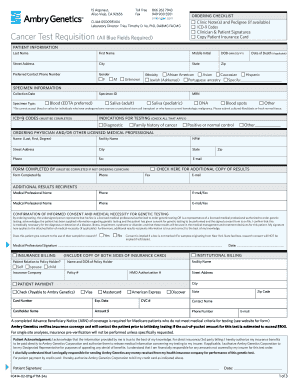
The Cancer Requisition Form is a healthcare document used by providers to request genetic testing for patients with cancer-related histories or suspicions.
pdfFiller scores top ratings on review platforms




Who needs Cancer Requisition?
Explore how professionals across industries use pdfFiller.

Cancer Requisition is needed by:
-
Patients seeking genetic testing for cancer
-
Ordering physicians requiring patient genetic information
-
Genetic counselors assisting in test preparations
-
Healthcare providers involved in oncology care
-
Medical record departments handling patient information
Comprehensive Guide to Cancer Requisition
What is the Cancer Requisition Form?
The Cancer Requisition Form is a vital document used in healthcare settings for requesting genetic testing. It allows healthcare providers to collect essential patient information, which plays a significant role in genetic analysis. This form is particularly relevant for patients who have a history or suspicion of cancer, ensuring that accurate and comprehensive information is gathered for effective testing outcomes.
Its importance cannot be overstated, as precise data collection enhances the likelihood of reliable genetic tests. Ethical handling of the form correlates directly to better patient care and outcomes.
Purpose and Benefits of the Cancer Requisition Form
The Cancer Requisition Form offers several advantages in the healthcare process, particularly in streamlining the genetic testing request. By providing a structured format, it ensures that all necessary information is documented, which facilitates accurate genetic analysis for cancer.
This form also enhances communication among healthcare providers, allowing for better collaboration and coordination of patient care. Users can rely on this tool to significantly improve the efficiency of genetic testing procedures.
Key Features of the Cancer Requisition Form
Key components of the Cancer Requisition Form include a variety of fields that users must complete to facilitate testing. These fields typically encompass:
-
Patient information
-
Clinical history
-
Family history
-
Sample details
Additionally, the form has signing requirements that vary based on the user’s role, ensuring that all requests are authorized appropriately. pdfFiller provides a fillable format that simplifies the process of completing this essential document.
Who Needs the Cancer Requisition Form?
Several roles utilize the Cancer Requisition Form, each with specific responsibilities and circumstances for its use:
-
Patients: They may fill out the form to provide critical health information.
-
Ordering Physicians: They complete the form to initiate genetic testing for their patients.
-
Genetic Counselors: They use the form to gather patient data and coordinate testing needs.
Understanding the distinctions between these roles and their eligibility for using the form is key to its effective implementation in clinical practice.
How to Fill Out the Cancer Requisition Form Online (Step-by-Step)
Filling out the Cancer Requisition Form online through pdfFiller is straightforward. To complete the form, follow these steps:
-
Access pdfFiller through your browser to locate the Cancer Requisition Form.
-
Enter the required patient information in the designated fields.
-
Provide clinical history and sample details accurately.
-
Review the form for completeness to minimize errors.
-
Submit the form electronically once finalized.
By adhering to these steps, users can efficiently navigate the filling process while avoiding common errors.
Submission Methods for the Cancer Requisition Form
Upon completing the Cancer Requisition Form, users can submit it through various methods, including:
-
Electronic submission via healthcare portals
-
Faxing to the designated office
It is crucial to know where to send the form to ensure timely processing. Additionally, secure document handling is vital to maintain compliance with healthcare regulations, safeguarding sensitive patient information.
What Happens After You Submit the Cancer Requisition Form?
After submitting the Cancer Requisition Form, users can expect the following:
-
Processing timelines for genetic testing will vary, so inquire about expected turnaround times.
-
Users may track the status of their submission through designated channels.
-
Follow-up actions may be necessary depending on the outcomes of the genetic testing.
This post-submission process is critical for users to understand, ensuring transparency and effective communication.
Security and Compliance When Using the Cancer Requisition Form
Security and compliance are paramount when handling the Cancer Requisition Form. pdfFiller implements robust security measures, including:
-
256-bit encryption for secure data transmission
-
HIPAA compliance to protect patient information
-
Data protection practices that uphold patient privacy
Users are encouraged to remain vigilant about security when submitting their medical documents, as this fosters trust and integrity in healthcare operations.
Experience the Benefits of Using pdfFiller for Your Cancer Requisition Form
Utilizing pdfFiller for the Cancer Requisition Form simplifies the form management process. The platform offers various features that enhance the user experience, including:
-
Edit and annotate forms directly online
-
Easily eSign documents for quick processing
-
Access forms from the cloud, simplifying document retrieval and management
By taking advantage of these features, users can effectively manage their Cancer Requisition Form needs.
How to fill out the Cancer Requisition
-
1.Access pdfFiller and search for the Cancer Requisition Form using the search bar.
-
2.Open the form by clicking on it, which will bring up the fillable document in the pdfFiller interface.
-
3.Before starting, gather necessary information including patient details, clinical history, and family history to ensure accurate completion.
-
4.Begin filling out the form by clicking in each field. Type or select the required information as per the instructions provided.
-
5.Ensure to address all sections, including patient information, physician details, and sample information, as incomplete submissions may delay processing.
-
6.Utilize pdfFiller's tools to add signatures where required. This can be done by selecting the signature line and following prompts to sign electronically.
-
7.Once filled, review the entire form for accuracy. Check each field to ensure all information is correct and legible.
-
8.Finalizing involves saving your work. Click the save icon to keep a copy of the completed form.
-
9.You can choose to download the form as a PDF, print it directly, or submit it electronically via the platform's submission options.

Who is eligible to use the Cancer Requisition Form?
The Cancer Requisition Form is intended for patients with a history or suspicion of cancer, their healthcare providers, and genetic counselors involved in requesting genetic testing.
Are there specific deadlines for submitting the form?
While the form itself does not specify deadlines, it is advisable to submit it as soon as possible to avoid delays in genetic testing and subsequent medical decisions.
How should the completed form be submitted?
The completed form can be submitted electronically via pdfFiller, printed for physical submission, or sent directly to the designated healthcare provider, depending on the instructions provided by your office.
What supporting documents are needed with this form?
Typically, supporting documents may include prior medical records, family medical history, and any relevant test results. Check with your healthcare provider for specific requirements.
What are common mistakes to avoid when filling out the form?
Common mistakes include leaving fields incomplete, providing illegible handwriting, and failing to sign where required. Review the form carefully before submission to ensure completeness.
How long does it take to process the Cancer Requisition Form?
Processing times can vary. Generally, once submitted, it may take a few days to a week for the requisition to be reviewed and acted upon by the laboratory.
What if I have questions while filling out the form?
If you have questions while filling out the form, consult with a healthcare provider or contact customer support at pdfFiller. They can provide guidance on any section of the form.
Related Forms





Get the latest insights from our blog


If you believe that this page should be taken down, please follow our DMCA take down process
here
.
This form may include fields for payment information. Data entered in these fields is not covered by PCI DSS compliance.