
Last updated on
Oct 19, 2026

Get the free Withdrawal Request Form
We are not affiliated with any brand or entity on this form

Fill out
Complete the form online in a simple drag-and-drop editor.

eSign
Add your legally binding signature or send the form for signing.

Share
Share the form via a link, letting anyone fill it out from any device.

Export
Download, print, email, or move the form to your cloud storage.
Why pdfFiller is the best tool for your documents and forms


End-to-end document management
From editing and signing to collaboration and tracking, pdfFiller has everything you need to get your documents done quickly and efficiently.
Accessible from anywhere
pdfFiller is fully cloud-based. This means you can edit, sign, and share documents from anywhere using your computer, smartphone, or tablet.
Secure and compliant
pdfFiller lets you securely manage documents following global laws like ESIGN, CCPA, and GDPR. It's also HIPAA and SOC 2 compliant.
What is IRA Annuity Withdrawal
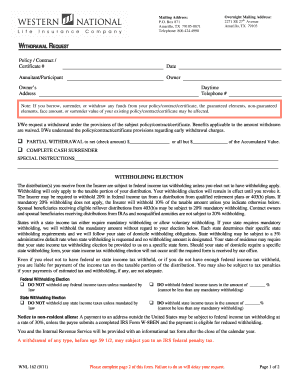
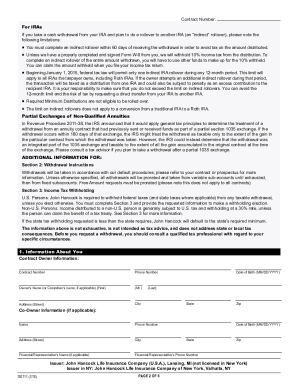
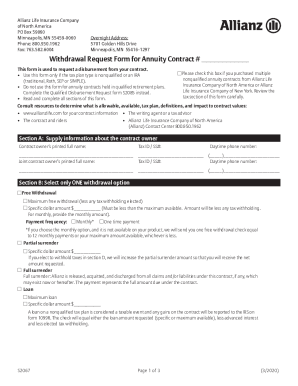
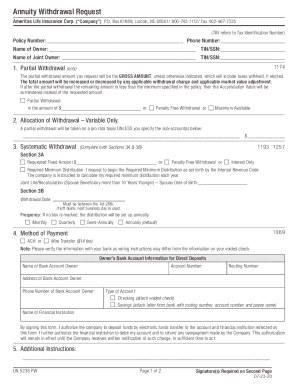
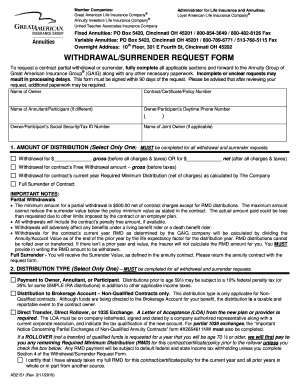
The Withdrawal Request Form is a financial document used by individuals with an IRA or Nonqualified Annuity to formally request withdrawals from their annuity contracts.
pdfFiller scores top ratings on review platforms




Who needs IRA Annuity Withdrawal?
Explore how professionals across industries use pdfFiller.

IRA Annuity Withdrawal is needed by:
-
IRA account holders seeking to withdraw funds
-
Co-owners of annuity contracts needing access to withdrawals
-
Tax professionals assisting clients with withdrawal requests
-
Financial advisors managing client annuity options
-
Individuals requiring tax withholding information for annuity payouts
Comprehensive Guide to IRA Annuity Withdrawal
What is the Withdrawal Request Form?
The Withdrawal Request Form is a crucial document for individuals seeking to make withdrawals from their Individual Retirement Accounts (IRAs) or Nonqualified Annuities. This form serves multiple purposes, including the facilitation of secure withdrawals and compliance with relevant financial regulations. Primarily, it targets owners and co-owners of annuity contracts, ensuring they have the necessary tools to manage their funds effectively.
Purpose and Benefits of Using the Withdrawal Request Form
Completing the Withdrawal Request Form is essential for various reasons, particularly when individuals seek to initiate withdrawals from their accounts. Using this form benefits users by ensuring compliance with financial institutions, thereby facilitating smoother transactions. Furthermore, it simplifies the withdrawal process by clearly outlining the necessary steps and requirements.
Key Features of the Withdrawal Request Form
The Withdrawal Request Form includes several vital sections that streamline the withdrawal process:
-
Personal Information: Collects essential details such as name and Social Security Number (SSN).
-
Withdrawal Options: Allows users to specify how they wish to withdraw their funds.
-
Tax Withholding Elections: Provides options for withholding taxes on the withdrawn amount.
-
Authorization and Certification: Ensures users comply with W-9 requirements.
-
Security Features: Submitting through pdfFiller ensures data encryption and secure handling.
Who Needs the Withdrawal Request Form?
Individuals eligible to utilize the Withdrawal Request Form include both IRA owners and co-owners of annuity contracts. Clarifying the roles within the withdrawal process is essential, as both the Owner and Co-Owner have distinct responsibilities. This ensures a smoother transaction and compliance with all necessary regulations.
How to Fill Out the Withdrawal Request Form Online: Step-by-Step Guide
Filling out the Withdrawal Request Form can be done easily through pdfFiller. Here is a step-by-step guide to ensure accuracy:
-
Navigate to pdfFiller and access the Withdrawal Request Form.
-
Enter the Owner name(s), SSN(s)/TIN in the designated fields.
-
Select the withdrawal option that best suits your needs.
-
Indicate tax withholding preferences as required.
-
Review all entered information for accuracy before submission.
-
Sign and date the form as the Owner or Co-Owner.
Common Errors and How to Avoid Them
While completing the Withdrawal Request Form, individuals may encounter several common pitfalls. Here are some tips to avoid these errors:
-
Double-check personal information to ensure accuracy.
-
Verify withdrawal amounts to prevent under or over-withdrawing.
-
Review tax withholding elections to ensure compliance.
Submission Methods and Delivery Options for the Withdrawal Request Form
Once the Withdrawal Request Form is completed, users have multiple submission methods at their disposal. These include:
-
Online Submission: Utilize pdfFiller for a quick electronic submission.
-
Paper Submission: Print and mail the completed form if preferred.
Be sure to track submissions and understand the expected processing times for each method to stay informed on the status of your request.
Security and Compliance Considerations
Security is paramount when handling sensitive personal information. Submitting the Withdrawal Request Form through pdfFiller incorporates advanced security features, including 256-bit encryption. Additionally, compliance with regulations such as HIPAA and GDPR ensures that your personal financial data is handled with the highest standards of protection.
Sample Completed Withdrawal Request Form
To assist users in filling out their own Withdrawal Request Form, a visual guide of a completed form is invaluable. This sample illustrates the correct way to fill in each section, providing clarity on the required information. It serves as a practical reference for ensuring compliance with all submission standards and requirements.
How pdfFiller Supports You in Completing the Withdrawal Request Form
pdfFiller offers various features designed to support users in efficiently completing the Withdrawal Request Form. With tools for editing, signing, and securely submitting your withdrawal requests, users can navigate the process smoothly. Leveraging pdfFiller’s capabilities allows individuals to create, edit, and submit their forms with confidence and peace of mind.
How to fill out the IRA Annuity Withdrawal
-
1.Access pdfFiller and use its search feature to locate the Withdrawal Request Form by typing its name in the search bar.
-
2.Open the form in pdfFiller's interface, ensuring you can view all sections clearly.
-
3.Gather necessary information like your personal identification, Social Security Number (SSN) or Taxpayer Identification Number (TIN), and details of the annuity contract you plan to withdraw from.
-
4.Start completing the form by entering your name, SSN/TIN in the Owner name(s) field, and providing any co-owner details if applicable.
-
5.Select withdrawal options presented in the form, like penalty-free amounts or different withdrawal choices based on your contract type.
-
6.Review the section regarding tax withholding elections and indicate your preferences by checking the appropriate boxes.
-
7.Fill out the payment instructions section with details on how you prefer to receive your funds, making sure your banking information is clear and accurate if applicable.
-
8.Complete any authorization sections by reading the statements carefully and providing your signature, along with the date and title if needed.
-
9.Before finalizing, carefully review all filled fields to ensure there are no errors or missed areas for completion.
-
10.Once everything is correctly filled out, save your work and download the completed form directly from pdfFiller.
-
11.You can then submit the form according to the instructions provided, whether by mailing or electronically, based on your selected submission method.

Who is eligible to use the Withdrawal Request Form?
Individuals with an Individual Retirement Account (IRA) or Nonqualified Annuity are eligible to use the Withdrawal Request Form to request withdrawals.
What information do I need to gather before filling out the form?
Before starting, ensure you have your personal identification, SSN or TIN, details of your annuity contract, and preferences for withdrawal options and tax withholding.
How do I submit the completed Withdrawal Request Form?
You can submit the completed form by mailing it to the appropriate insurance company or electronically if that option is available, as outlined in the submission instructions.
Are there any common mistakes to avoid when completing the form?
Common mistakes include leaving fields blank, not signing the form where required, and failing to check the appropriate tax withholding selections. Always double-check your entries.
How long does it take to process the Withdrawal Request Form?
Processing times may vary but typically it can take several business days for your request to be reviewed and processed once submitted.
Do I need to notarize the Withdrawal Request Form?
No, the Withdrawal Request Form does not require notarization, making it simpler to complete and submit.
What if I have questions while filling out the form?
If you have questions while filling out the form, consider reaching out to your financial advisor or contacting customer service for guidance based on the specific requirements of the form.
Related Forms


Get the latest insights from our blog


If you believe that this page should be taken down, please follow our DMCA take down process
here
.
This form may include fields for payment information. Data entered in these fields is not covered by PCI DSS compliance.