
Last updated on
Nov 9, 2026

GA form UP Factory Minor Health free printable template
pdfFiller is not affiliated with any government organization

Fill out
Complete the form online in a simple drag-and-drop editor.

eSign
Add your legally binding signature or send the form for signing.

Share
Share the form via a link, letting anyone fill it out from any device.

Export
Download, print, email, or move the form to your cloud storage.
Why pdfFiller is the best tool for your documents and forms


End-to-end document management
From editing and signing to collaboration and tracking, pdfFiller has everything you need to get your documents done quickly and efficiently.
Accessible from anywhere
pdfFiller is fully cloud-based. This means you can edit, sign, and share documents from anywhere using your computer, smartphone, or tablet.
Secure and compliant
pdfFiller lets you securely manage documents following global laws like ESIGN, CCPA, and GDPR. It's also HIPAA and SOC 2 compliant.
What is GA form UP Factory Minor Health
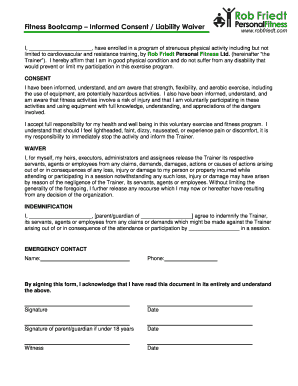
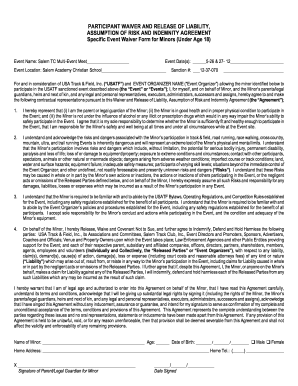
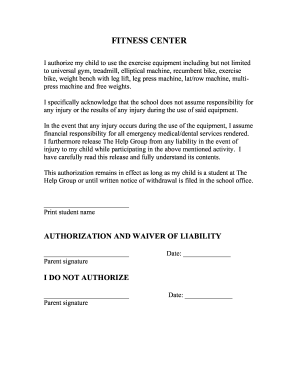
The Minor Health & Fitness Liability Waiver is a legal document used by parents or legal guardians to enroll their child in a fitness program, acknowledging risks and waiving liability for injuries.
pdfFiller scores top ratings on review platforms




Who needs GA form UP Factory Minor Health?
Explore how professionals across industries use pdfFiller.

GA form UP Factory Minor Health is needed by:
-
Parents enrolling their children in fitness programs
-
Legal guardians of minors participating in physical activities
-
Fitness coaches and trainers conducting youth programs
-
Sports organizations requiring parental consent for participation
-
Recreational facilities offering youth fitness activities
-
Schools providing after-school fitness programs
Comprehensive Guide to GA form UP Factory Minor Health
What is the Minor Health & Fitness Liability Waiver?
The Minor Health & Fitness Liability Waiver serves as a legal document designed to protect both parents and fitness program providers. This waiver is crucial for enrolling a child in fitness or coaching programs, allowing parents to acknowledge the risks involved in physical activities. By signing this waiver, parents and guardians accept responsibility and facilitate a safer environment for children participating in such activities.
Purpose and Benefits of the Minor Health & Fitness Liability Waiver
This waiver provides several key advantages, ensuring protection for both the parent or legal guardian and the program provider. It facilitates informed consent, allowing both parties to understand the risks associated with physical activities. Additionally, by using the waiver, potential legal disputes related to injuries are significantly minimized.
-
Protection for both parent/legal guardian and program provider
-
Facilitates informed consent for activities
-
Prevention of legal disputes over injuries
Who Needs the Minor Health & Fitness Liability Waiver?
The target audience for this waiver includes parents or legal guardians and participants in fitness programs. It is essential for a child to have this waiver signed prior to engaging in any fitness activity, ensuring acknowledgement of risks and responsibilities. Generally, this requirement applies to participants below a certain age, typically under 18 years old.
-
Parent/legal guardian must sign
-
Participant must also provide their signature
-
Specific age requirements may vary by program
How to Fill Out the Minor Health & Fitness Liability Waiver Online
To complete the waiver online, users can access it through pdfFiller. Follow these steps to ensure accurate submission of the form:
-
Navigate to the waiver form on pdfFiller.
-
Fill in all required fields, providing accurate information.
-
Ensure to acknowledge voluntary participation by signing the relevant section.
Review and Validation Checklist for the Minor Health & Fitness Liability Waiver
Before submitting your waiver, ensure accuracy by following this checklist:
-
Verify that all required signatures are present, both from the parent/legal guardian and the participant.
-
Check for any common errors, such as missing information or typos.
-
Review the document for clarity and completeness.
How to Sign the Minor Health & Fitness Liability Waiver
When signing the waiver, there are two signing methods to consider:
-
Digital signatures can be utilized for easy and secure signing via pdfFiller.
-
Wet signatures are acceptable if preferred, though they may require physical presence.
In cases where witnessing or notarizing is necessary, state regulations will dictate requirements. However, notarization is not typically required for this type of waiver.
Where to Submit the Minor Health & Fitness Liability Waiver
Once the waiver is completed, submission can be done in several ways:
-
Email the signed document to the program provider.
-
Submit in person at designated locations.
After submission, remember to keep a copy of the signed waiver for your personal records, ensuring you have documentation of your child's participation.
Security and Compliance for the Minor Health & Fitness Liability Waiver
When handling sensitive information, security is paramount. pdfFiller implements various security measures, including:
-
256-bit encryption for data protection.
-
Compliance with HIPAA and GDPR standards to safeguard user data.
This commitment to security ensures users can trust pdfFiller with their document management needs.
Sample of a Completed Minor Health & Fitness Liability Waiver
For reference, a sample version of a filled-out waiver is available. This example highlights key sections, including:
-
Information fields for both the parent/legal guardian and the participant.
-
Signature lines to affirm understanding of the waiver's terms.
The completed example serves as a helpful guide, ensuring users meet all requirements outlined in the waiver.
Empower Your Child's Fitness Journey with Confidence
Utilizing pdfFiller for your waiver needs offers a seamless experience. The platform's features make filling out the waiver straightforward and secure. With this simple process, you can confidently enroll your child in fitness programs, ensuring their active participation in healthy activities.
How to fill out the GA form UP Factory Minor Health
-
1.To begin, access pdfFiller and search for the Minor Health & Fitness Liability Waiver form. Once located, click to open it in the editor.
-
2.Navigate through the document. You'll find interactive fields where you can input necessary information, such as your child's name and the names of the signers.
-
3.Before filling out the form, ensure you have your child's personal details, such as age and emergency contact information, on hand for accurate completion.
-
4.Carefully read through the entire document. Fill in each required field, including declaring your intent to enroll your child and consent to the terms outlined.
-
5.Review the content diligently to ensure all information is correct. Check for any missed fields or errors before finalizing the form.
-
6.After reviewing, use pdfFiller’s save function to store a copy of the completed form. You can also download it in various formats, such as PDF or Word.
-
7.If required, submit the completed waiver directly to the fitness program or print it to hand in physically. Ensure that both the participant and the parent/legal guardian sign the document.

Who needs to sign the Minor Health & Fitness Liability Waiver?
Both the parent or legal guardian and the participant must sign the Minor Health & Fitness Liability Waiver. This ensures that both parties understand and accept the risks associated with physical activities.
Is notarization required for this waiver?
No, the Minor Health & Fitness Liability Waiver does not require notarization. This streamlines the process for families enrolling their children in fitness programs.
What information is necessary to complete the form?
To complete the form, gather your child’s name, age, emergency contact information, and both the guardian's and participant's signatures. Having these details ready will make the completion process smoother.
How can I submit the completed waiver?
You can submit the completed Minor Health & Fitness Liability Waiver digitally through your fitness program's portal, or print and hand it in physically at the program's location.
What are the common mistakes to avoid when filling out this waiver?
Be sure to double-check all fields for accuracy, especially names and dates. It's also crucial to ensure both required signatures are included before submission to avoid delays.
What is the purpose of this waiver?
The waiver serves to inform parents and guardians of the potential risks involved in physical activities and to legally protect the fitness organization from liability related to injuries or damages.
Are there any deadlines for submitting the waiver?
Typically, waivers should be submitted before the start of the fitness program. Check with the specific program provider for any deadlines to ensure timely enrollment.
Related Forms



Related Catalogs
Get the latest insights from our blog


If you believe that this page should be taken down, please follow our DMCA take down process
here
.
This form may include fields for payment information. Data entered in these fields is not covered by PCI DSS compliance.