
Last updated on
Nov 9, 2026

TX RentalLease Commercial Lease Agreement 2017 free printable template
pdfFiller is not affiliated with any government organization

Fill out
Complete the form online in a simple drag-and-drop editor.

eSign
Add your legally binding signature or send the form for signing.

Share
Share the form via a link, letting anyone fill it out from any device.

Export
Download, print, email, or move the form to your cloud storage.
Why pdfFiller is the best tool for your documents and forms


End-to-end document management
From editing and signing to collaboration and tracking, pdfFiller has everything you need to get your documents done quickly and efficiently.
Accessible from anywhere
pdfFiller is fully cloud-based. This means you can edit, sign, and share documents from anywhere using your computer, smartphone, or tablet.
Secure and compliant
pdfFiller lets you securely manage documents following global laws like ESIGN, CCPA, and GDPR. It's also HIPAA and SOC 2 compliant.
What is TX RentalLease Commercial Lease Agreement
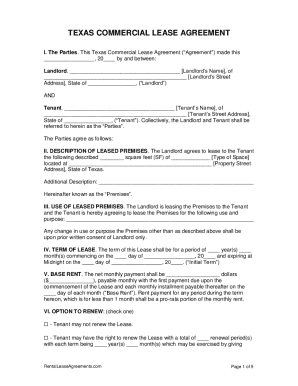
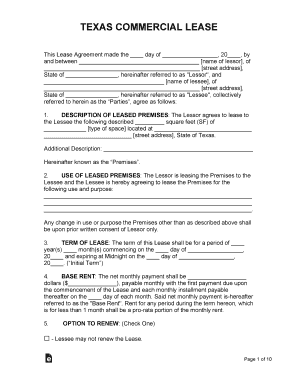
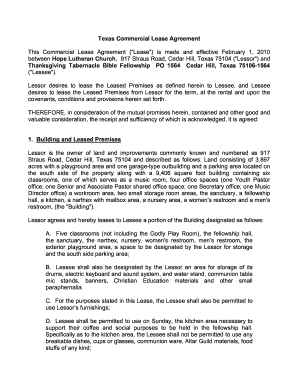
The Texas Commercial Lease Agreement is a legal document used by landlords and tenants to outline the terms of leasing commercial property in Texas.
pdfFiller scores top ratings on review platforms




Who needs TX RentalLease Commercial Lease Agreement?
Explore how professionals across industries use pdfFiller.

TX RentalLease Commercial Lease Agreement is needed by:
-
Landlords seeking to lease commercial property in Texas
-
Tenants looking for a commercial space to lease
-
Real estate agents facilitating commercial leases
-
Property management companies managing commercial properties
-
Investors exploring commercial leasing options
Comprehensive Guide to TX RentalLease Commercial Lease Agreement
What is the Texas Commercial Lease Agreement?
The Texas Commercial Lease Agreement serves as a crucial legal document outlining the contractual relationship between landlords and tenants in Texas. This agreement defines the terms and conditions under which commercial property is leased, ensuring both parties understand their responsibilities. Typical terms included in the agreement encompass lease duration, rent details, and specific duties of both the landlord and tenant, which are essential to uphold in commercial real estate transactions.
Key Features of the Texas Commercial Lease Agreement
Essential elements of the Texas Commercial Lease Agreement make it uniquely suited for commercial transactions. Common sections include a detailed premises description, lease term specifications, and rent payment details. Additionally, the agreement often contains clauses that address security deposits, utilities, and dispute resolution, ensuring clarity for both parties. Utilizing a fillable form template with explicit instructions simplifies the process for users, making it accessible and user-friendly.
Who Needs the Texas Commercial Lease Agreement?
This lease agreement is intended for landlords and tenants engaged in commercial property transactions. Scenarios in which this lease may be essential include those renting retail spaces, office buildings, or other commercial properties. Without a written agreement, both parties may face significant legal implications, making the existence of this document vital for safeguarding their interests.
How to Fill Out the Texas Commercial Lease Agreement Online
To successfully complete the Texas Commercial Lease Agreement online, begin by accessing the form through pdfFiller. Follow these steps to ensure accurate completion:
-
Open the Texas Commercial Lease Agreement template on pdfFiller.
-
Carefully fill out each field, providing necessary information such as name and lease details.
-
Double-check all entries for accuracy to prevent any common errors.
Taking these steps will streamline the process and facilitate a smooth filling experience.
Understanding Key Terms in the Texas Commercial Lease Agreement
When navigating the Texas Commercial Lease Agreement, understanding key terms is critical for both landlords and tenants. Essential definitions include "tenant," "landlord," "rent," and "security deposit." Clarification of specific clauses helps alleviate confusion for first-time users, ensuring that parties involved are fully informed. A solid grasp of these definitions can prevent potential disputes in the future.
Security and Compliance in the Texas Commercial Lease Agreement
Addressing security and compliance is paramount when handling the Texas Commercial Lease Agreement. pdfFiller incorporates robust security features such as 256-bit encryption, ensuring that all documents are handled securely. Compliance with regulations like SOC 2 Type II, HIPAA, and GDPR further reinforces the importance of confidentiality and data protection when processing sensitive lease agreements.
How to eSign the Texas Commercial Lease Agreement
eSigning the Texas Commercial Lease Agreement offers convenience and legality. It is essential to understand the difference between digital signatures and wet signatures. Users can follow these steps to eSign using pdfFiller:
-
Open the completed lease agreement in pdfFiller.
-
Navigate to the eSign feature and follow prompts to input your signature.
-
Confirm and save the signed document for your records.
eSigning provides a quicker, efficient alternative to traditional signing methods.
Post-Completion Steps for the Texas Commercial Lease Agreement
After completing the Texas Commercial Lease Agreement, users should follow these important post-completion steps:
-
Download the final agreement for your records.
-
Save and print a copy for personal use or further distribution.
-
Submit the lease agreement to the appropriate party, ensuring it reaches them promptly.
Maintaining a copy of the lease is crucial for personal records and future reference.
Benefits of Using pdfFiller for Your Texas Commercial Lease Agreement
pdfFiller streamlines the process of managing the Texas Commercial Lease Agreement with various features designed for user convenience. Its capabilities include editing, organizing, and sharing documents effortlessly. The platform assures users of strict security measures when handling sensitive leases, creating a trustworthy environment. The overall accessibility and ease of use make pdfFiller a top choice for those managing their lease agreements online.
Next Steps for Your Texas Commercial Lease Agreement
To get started with your Texas Commercial Lease Agreement, visit pdfFiller and explore the comprehensive resources available for completing your form. With a streamlined process and robust support options, users can create their lease agreement today, contributing to peace of mind in their commercial dealings.
How to fill out the TX RentalLease Commercial Lease Agreement
-
1.Access pdfFiller and search for the Texas Commercial Lease Agreement template using the search bar.
-
2.Open the selected form in the editor to start filling it out.
-
3.Ensure you have all necessary information on hand, including names, contact details, property address, lease terms, and payment amounts.
-
4.Begin by entering the landlord’s name and contact information in the designated fields at the top of the document.
-
5.Next, fill in the tenant’s information, ensuring accuracy in names and addresses.
-
6.Specify the premises being leased by entering the complete address and description of the commercial property.
-
7.Indicate the lease term by writing the start and end dates in the appropriate fields.
-
8.Fill in the rent payment details, including the amount, due dates, and payment method.
-
9.Complete any additional sections regarding common areas, security deposits, utilities, and other specific terms.
-
10.Use checkboxes and blank fields provided to ensure all necessary options are clearly indicated.
-
11.After entering all information, review the document thoroughly to check for any errors or missing details.
-
12.Save your changes by clicking the save button in pdfFiller, ensuring you have your version saved.
-
13.You can download the completed lease agreement as a PDF or submit it directly through pdfFiller, following on-screen prompts.

What do I need to fill out this form?
To complete the Texas Commercial Lease Agreement, you will need information such as the landlord's and tenant's names, property details, lease term, rent amount, payment due dates, and any special terms that apply.
Is notarization required for this lease agreement?
No, the Texas Commercial Lease Agreement does not require notarization, but it is recommended to sign in front of witnesses for added legal protection.
How do I submit the lease agreement after filling it out?
Once you have completed the Texas Commercial Lease Agreement, you can submit it through pdfFiller by following the on-screen submission prompts or download it for personal use.
What are common mistakes to avoid when filling out the form?
Ensure all names and addresses are accurately spelled and that the lease details align with your agreement to avoid disputes later. Double-check for missing signatures.
What happens if I miss a payment deadline stated in the lease?
Missing a payment deadline could lead to penalties or disputes outlined in the lease agreement. It's important to adhere to the payment schedule provided.
Can the lease terms be changed after signing?
Changes to lease terms after signing can typically only be made if agreed upon by both parties and documented in writing as an amendment to the original lease.
How long does the lease agreement last?
The duration of the lease agreement is defined within the form. It is up to the landlord and tenant to agree on the start and end dates for the lease term.
TX RentalLease Commercial Lease Agreement Form Versions
Related Forms



Related Catalogs
Get the latest insights from our blog


If you believe that this page should be taken down, please follow our DMCA take down process
here
.
This form may include fields for payment information. Data entered in these fields is not covered by PCI DSS compliance.