
Last updated on
Oct 31, 2026

Mr. Tim Turner Freedom Documents 2017-2026 free printable template
pdfFiller is not affiliated with any government organization

Fill out
Complete the form online in a simple drag-and-drop editor.

eSign
Add your legally binding signature or send the form for signing.

Share
Share the form via a link, letting anyone fill it out from any device.

Export
Download, print, email, or move the form to your cloud storage.
Why pdfFiller is the best tool for your documents and forms


End-to-end document management
From editing and signing to collaboration and tracking, pdfFiller has everything you need to get your documents done quickly and efficiently.
Accessible from anywhere
pdfFiller is fully cloud-based. This means you can edit, sign, and share documents from anywhere using your computer, smartphone, or tablet.
Secure and compliant
pdfFiller lets you securely manage documents following global laws like ESIGN, CCPA, and GDPR. It's also HIPAA and SOC 2 compliant.
What is Mr. Tim Turner Freedom Documents
The Freedom Documents Manual is a legal guide used by individuals to navigate personal sovereignty and government interactions through various legal and financial procedures.
pdfFiller scores top ratings on review platforms




etter than I imagined. Get court access, and you will be a hero...
Once I got use the new software I was feeling more confident.
Who needs Mr. Tim Turner Freedom Documents?
Explore how professionals across industries use pdfFiller.

Mr. Tim Turner Freedom Documents is needed by:
-
Individuals seeking to understand legal processes involving the U.S. government
-
People filing IRS forms or financial documents
-
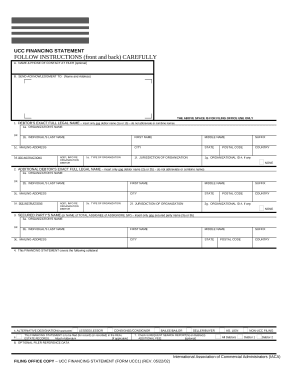
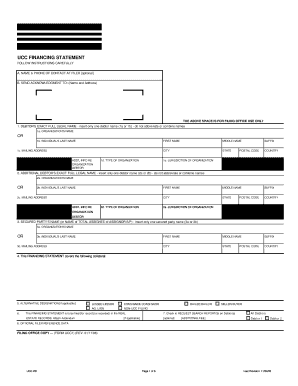
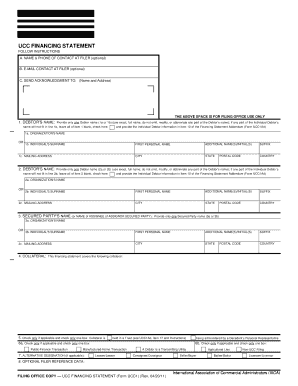
Those in need of Power of Attorney and UCC-1 Financing Statements
-
Users requiring guidance on notary presentment and legal notices
-
Consumers interested in sovereignty documents
Comprehensive Guide to Mr. Tim Turner Freedom Documents
What is the Freedom Documents Manual?
The Freedom Documents Manual serves as a comprehensive resource for individuals navigating legal and financial processes. It aims to assist users seeking personal sovereignty and offers guidance on interactions with government entities. Included in the manual are key legal forms, such as the UCC-1 Financing Statement and IRS Form 56, which are essential for effective compliance in various situations.
This manual helps clarify the purpose of specific legal notice forms, empowering users in their dealings with financial systems and enhancing their understanding of sovereignty documentation.
Benefits of Using the Freedom Documents Manual
Utilizing the Freedom Documents Manual provides several advantages for managing paperwork efficiently. Primarily, it simplifies complex legal procedures, making it accessible for users who may be unfamiliar with these processes. By providing clear instructions, it empowers individuals to take charge of their legal rights and navigate the often-daunting legal landscape with confidence.
Additionally, users benefit from the comprehensive nature of the manual, which streamlines various legal and financial documentation requirements.
Key Features of the Freedom Documents Manual
-
A detailed description of components included for user guidance
-
Specific instructions for recording and mailing essential documents
-
Clear information about notarization requirements as detailed in the manual
-
Step-by-step support ensuring compliance with legal procedures
The features of the Freedom Documents Manual are designed to ensure that users can follow each process easily, thereby avoiding potential legal pitfalls.
Who Should Use the Freedom Documents Manual?
The Freedom Documents Manual is tailored for individuals engaged with the legal and financial systems. Its relevance is particularly pronounced for those filing specific documents that require a comprehensive understanding of legal forms. Scenarios where the manual proves essential include situations involving personal sovereignty and various legal requirements.
This tool is indispensable for users navigating U.S. legal forms, enabling them to better manage their legal obligations and rights.
How to Fill Out the Freedom Documents Manual Online
To effectively fill out forms referenced in the Freedom Documents Manual, follow these steps:
-
Access the form you need through the designated platform.
-
Review each field and input the required information with attention to detail.
-
Utilize field-by-field instructions to ensure accuracy and completeness.
-
Validate the information entered before submission to minimize errors.
This systematic approach helps streamline the completion process and enhances the reliability of your submissions.
Notarization and Signing Requirements
Understanding the distinction between digital and wet signatures is essential for using the Freedom Documents Manual. Certain documents may require specific notarization standards, which must be adhered to for acceptance. Users are advised to seek local notary services, ensuring that their documents meet legal standards for notarization.
Notarizing guidelines provided in the manual should be followed meticulously to avoid delays in processing or rejection of submissions.
Submission Processes for the Freedom Documents Manual
When it comes to submitting forms referenced in the Freedom Documents Manual, there are several methods available:
-
Submit via standard mail, ensuring all required accompanying documents are included.
-
Utilize electronic submission options where applicable, observing security protocols.
-
Track your submission through relevant channels to verify receipt and processing status.
Familiarizing yourself with the associated fees and deadlines is also crucial to ensure timely submissions.
Common Errors and How to Avoid Them
Users often encounter frequent mistakes when filling out or submitting the Freedom Documents Manual. To mitigate these issues, implementing a thorough review checklist prior to submission is advised. Key areas to focus on include:
-
Accuracy of personal data
-
Correct sequencing of documents
In the event of errors, it’s important to understand the procedures for correction or amendment of submissions, thereby maintaining compliance with legal standards.
Understanding the Consequences of Filing Issues
Failing to file documents or experiencing late filing has specific repercussions that can impact users significantly. Compliance with legal requirements is critical; otherwise, individuals may face legal implications or financial penalties. Strategies to mitigate risks associated with filing errors include systematic record-keeping and proactive engagement with legal guidelines.
How pdfFiller Supports You with the Freedom Documents Manual
pdfFiller significantly simplifies the process of managing the Freedom Documents Manual. Essential features include eSigning capabilities, robust document security measures, and a user-friendly interface for form management. By utilizing pdfFiller’s functionalities, users can navigate their legal documents seamlessly and efficiently.
This platform ensures that sensitive documents are handled with the highest security protocols, providing peace of mind throughout the entire process.
How to fill out the Mr. Tim Turner Freedom Documents
-
1.Access pdfFiller and search for 'Freedom Documents Manual' in the templates section.
-
2.Open the form to view it in the pdfFiller editor interface, allowing you to interact with all fields directly.
-
3.Before filling out the form, gather relevant personal information, including any specific details about your legal status or financial needs.
-
4.Navigate through each section of the manual, completing the necessary fields with accurate information pertaining to your situation.
-
5.Use the 'highlight' feature to emphasize sections where signatures or notarization is required, ensuring you don't overlook them.
-
6.Once all fields are filled, take a moment to review the entire document for any errors or missing information.
-
7.Finalize the document by using the 'save' feature to download it to your device securely or submit directly from pdfFiller if required.

Who can fill out the Freedom Documents Manual?
The Freedom Documents Manual is designed for individuals seeking to address specific legal and financial procedures. It is particularly useful for those unfamiliar with the legal requirements for sovereignty documents or IRS forms.
Is notarization required for this form?
Yes, notarization is required for certain sections of the Freedom Documents Manual, especially those related to legal notices and financial documents. Ensure you understand which parts require a notary's signature.
What documents are needed to complete the manual?
Before filling out the Freedom Documents Manual, gather necessary personal information, any related IRS documents, and details for legal procedures to ensure accurate completion.
How do I submit the completed manual?
You can submit the Freedom Documents Manual by downloading the completed form from pdfFiller and mailing it to the appropriate government agency or party, as indicated in the guidelines.
What are common mistakes to avoid when using this form?
Common mistakes include failing to notarize required sections, leaving fields blank, or providing inaccurate personal information. Always double-check your entries before submission.
How long does the processing take for documents filed using this manual?
Processing times can vary based on the specific agency and document type. Typically, it can take several weeks for legal and financial documents to be processed by government entities.
Are there any fees associated with filing these documents?
Yes, filing fees may apply depending on the specific legal documents you are submitting. It's important to check with the applicable agency for their fee structure.
Related Forms




Related Catalogs
Get the latest insights from our blog


If you believe that this page should be taken down, please follow our DMCA take down process
here
.
This form may include fields for payment information. Data entered in these fields is not covered by PCI DSS compliance.