
Last updated on
Oct 31, 2026

Get the free HIPAA Authorization for Research
We are not affiliated with any brand or entity on this form

Fill out
Complete the form online in a simple drag-and-drop editor.

eSign
Add your legally binding signature or send the form for signing.

Share
Share the form via a link, letting anyone fill it out from any device.

Export
Download, print, email, or move the form to your cloud storage.
Why pdfFiller is the best tool for your documents and forms


End-to-end document management
From editing and signing to collaboration and tracking, pdfFiller has everything you need to get your documents done quickly and efficiently.
Accessible from anywhere
pdfFiller is fully cloud-based. This means you can edit, sign, and share documents from anywhere using your computer, smartphone, or tablet.
Secure and compliant
pdfFiller lets you securely manage documents following global laws like ESIGN, CCPA, and GDPR. It's also HIPAA and SOC 2 compliant.
What is HIPAA Research Authorization
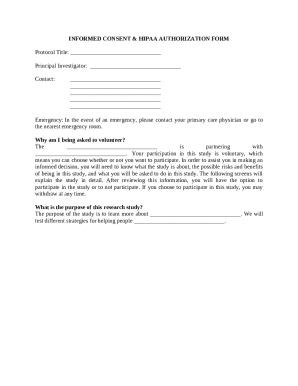
The HIPAA Authorization for Research is a healthcare form used by research participants to consent to the use and disclosure of their health information in research studies.
pdfFiller scores top ratings on review platforms




Who needs HIPAA Research Authorization?
Explore how professionals across industries use pdfFiller.

HIPAA Research Authorization is needed by:
-
Research participants in medical studies
-
Personal representatives signing on behalf of participants
-
Healthcare institutions conducting research
-
Researchers needing health data access
-
Ethics committees reviewing research protocols
-
Legal representatives in health-related matters
Comprehensive Guide to HIPAA Research Authorization
What is the HIPAA Authorization for Research?
The HIPAA Authorization for Research is a critical form that ensures compliance with the Health Insurance Portability and Accountability Act (HIPAA) regulations. This authorization allows healthcare providers to obtain consent from research participants for the use and disclosure of their health information in research studies. It is essential because it protects the privacy of individuals while enabling valuable medical research.
This form includes several essential components, such as a detailed description of the health information to be used, the specific research purposes, and the entities receiving the information. Each section must be clearly defined to ensure that participants understand how their data will be utilized.
Purpose and Benefits of the HIPAA Authorization for Research
The primary purpose of the HIPAA Authorization for Research is to facilitate the disclosure of health information while protecting participants' rights. By completing this form, individuals contribute to medical advancements through research studies, which can lead to groundbreaking discoveries and improved patient care.
Benefits to research participants include enhanced privacy safeguards and empowerment in the consent process. Participants who sign the authorization can be confident that their personal data will be handled with care, thus making informed choices about their involvement in research efforts.
Who Needs the HIPAA Authorization for Research?
This form is required for all individuals participating in research studies, including research participants and personal representatives. The necessity of the HIPAA Authorization arises in various circumstances, such as clinical trials and academic research projects, where personal health information needs to be disclosed for study purposes.
Eligibility to sign the form may vary, with specific criteria set for personal representatives acting on behalf of participants. Understanding who is eligible to sign ensures compliance and protects participants' rights throughout the research process.
How to Fill Out the HIPAA Authorization for Research Online (Step-by-Step)
Filling out the HIPAA Authorization for Research is a straightforward process, especially when using platforms like pdfFiller. Follow these steps to complete the form online:
-
Access the form through pdfFiller and select the option to fill it out.
-
Complete all required fields, including personal information and the entities receiving the health information.
-
Clearly specify the research purposes for which the information will be used.
-
Review all information for accuracy before proceeding to submit the form.
Key Features of the HIPAA Authorization for Research
This form includes several key features designed to enhance user experience. Critical sections cover vital elements such as:
-
A description of the health information being disclosed.
-
The revocation clause, allowing participants to withdraw consent at any time.
-
Fillable fields and checkboxes to clearly delineate informed consent requirements.
Moreover, using plain language in the form ensures participants can easily understand their rights and obligations, fostering clarity throughout the process.
How to Sign the HIPAA Authorization for Research
Signing the HIPAA Authorization for Research can be accomplished through both digital and wet signature options, depending on individual preference and requirements. The digital signature is often faster and more secure, while wet signatures may be necessary in some cases.
When signing online, it's important to ensure that all validity and security measures are adhered to, protecting the integrity of the submission. Correct execution of the signature is vital to prevent any delays in the research process.
Submission Methods for the HIPAA Authorization for Research
Once the form is completed and signed, it can be submitted through various methods. Options include:
-
Submitting online via a designated portal.
-
Mailing the completed form to the appropriate research organization.
-
Delivering it in person if needed for faster processing.
It is important to include any required supporting documents with the submission and to track the submission status to ensure receipt and compliance with research protocols.
Common Errors and How to Avoid Them
When completing the HIPAA Authorization for Research, participants need to be aware of common errors that can lead to delays or rejections. Typical mistakes include:
-
Missing signatures from either the participant or the personal representative.
-
Providing incorrect information in any of the specified fields.
Carefully reviewing the form before submission will help minimize these errors. Following the provided instructions closely ensures compliance with HIPAA and supports a smooth research process.
Utilizing pdfFiller for Your HIPAA Authorization for Research
pdfFiller offers a range of features designed to streamline the process of completing and submitting the HIPAA Authorization for Research. Users can easily edit text, fill out fields, and ensure their submissions are secure and compliant with industry regulations.
Utilizing the tools available on pdfFiller, such as eSigning and document management features, can significantly enhance the overall user experience when handling sensitive documents like the HIPAA Authorization for Research.
How to fill out the HIPAA Research Authorization
-
1.To begin, access pdfFiller and search for 'HIPAA Authorization for Research' in the template library.
-
2.Once you have located the form, click on it to open it in the pdfFiller interface.
-
3.Before filling out the form, gather necessary information, including participant details and specific health information to be disclosed.
-
4.Start with the 'Signature of Research Participant' field and provide your signature using the signing tool in pdfFiller.
-
5.Next, fill in your printed name and the date in the respective fields.
-
6.If you are a personal representative, complete the 'Signature of Personal Representative' field following the same process.
-
7.Use the fillable text boxes to describe the health information and specify the research purposes comprehensively.
-
8.Check all entered information for accuracy and ensure it reflects your consent clearly.
-
9.Review the completed form for any missed fields or signatures before finalizing.
-
10.Once satisfied with the form, save your progress. You can download it as a PDF or share it directly via email through pdfFiller.

Who can sign the HIPAA Authorization for Research?
The form can be signed by the research participant themselves or a personal representative authorized to act on their behalf. Ensure that the signer is clearly identified.
Is there a deadline to submit the HIPAA Authorization for Research?
While the form should be completed before participating in the study, check with the research team regarding specific timelines for submission as they may vary.
How should I submit the completed HIPAA Authorization for Research?
You may submit the completed form either in person to the research team or electronically through secure email, as per the instructions provided by the researcher.
Do I need to provide additional documents with the authorization form?
Generally, no additional documents are required. However, keep any relevant health records ready if the researcher requests them for a complete assessment.
What are common mistakes to avoid when completing this form?
Ensure all fields are filled out accurately, avoid leaving any sections blank, and double-check that all signatures are present to prevent delays.
How long does it take to process the HIPAA Authorization for Research?
Processing times can vary. Typically, the research team will confirm receipt and validity of the authorization quickly, but follow up if you have not received acknowledgment.
Can I revoke my authorization after signing?
Yes, participants may revoke their authorization at any time, but this must be communicated to the research team in writing, following the specific procedures they provide.
Related Forms


Related Catalogs
Get the latest insights from our blog


If you believe that this page should be taken down, please follow our DMCA take down process
here
.
This form may include fields for payment information. Data entered in these fields is not covered by PCI DSS compliance.