
Last updated on
Oct 31, 2026

Get the free Ages and Stages Questionnaire Results
We are not affiliated with any brand or entity on this form

Fill out
Complete the form online in a simple drag-and-drop editor.

eSign
Add your legally binding signature or send the form for signing.

Share
Share the form via a link, letting anyone fill it out from any device.

Export
Download, print, email, or move the form to your cloud storage.
Why pdfFiller is the best tool for your documents and forms


End-to-end document management
From editing and signing to collaboration and tracking, pdfFiller has everything you need to get your documents done quickly and efficiently.
Accessible from anywhere
pdfFiller is fully cloud-based. This means you can edit, sign, and share documents from anywhere using your computer, smartphone, or tablet.
Secure and compliant
pdfFiller lets you securely manage documents following global laws like ESIGN, CCPA, and GDPR. It's also HIPAA and SOC 2 compliant.
What is ASQ Results Form
The Ages and Stages Questionnaire Results is a report card template used by schools to assess a child's developmental skills and monitor progress through parental review.
pdfFiller scores top ratings on review platforms




Who needs ASQ Results Form?
Explore how professionals across industries use pdfFiller.

ASQ Results Form is needed by:
-
Parents seeking child development insights
-
Teachers conducting student evaluations
-
Child psychologists assessing developmental milestones
-
Schools preparing educational assessments
-
Healthcare providers monitoring early childhood development
Comprehensive Guide to ASQ Results Form
What is the Ages and Stages Questionnaire Results?
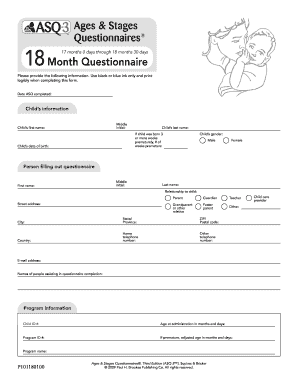
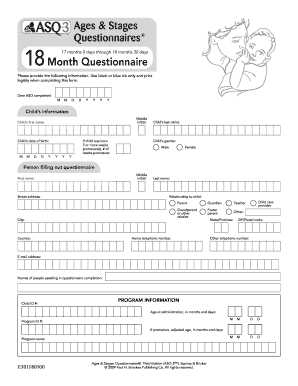
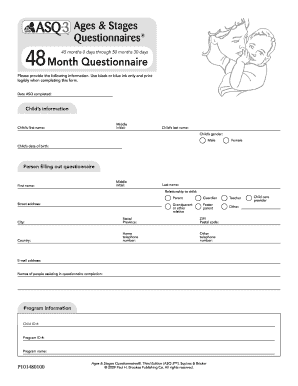
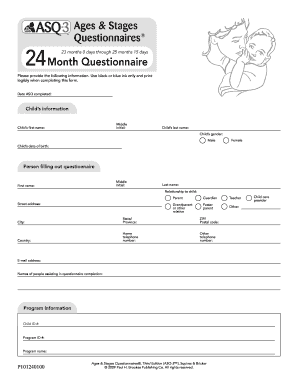
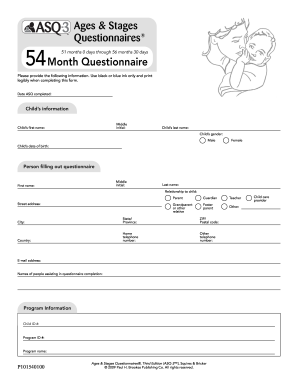
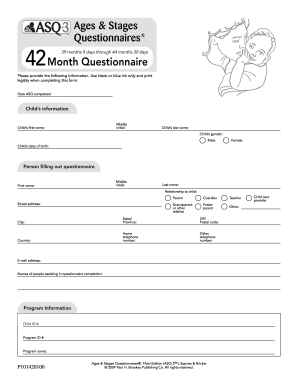
The Ages and Stages Questionnaire is a vital child development assessment form focusing on key developmental skills in young children. This questionnaire gathers insights into various areas, including social, communication, fine motor, gross motor, problem-solving, and personal-social skills. The main components of the form include fields for the child's name, date of birth (DOB), the date of assessment, and a required parent signature, underscoring the parental role in the evaluation process.
Purpose and Benefits of the Ages and Stages Questionnaire Results
This assessment form serves multiple crucial purposes. Firstly, it helps monitor child progress across various developmental domains, offering a structured way to track growth over time. Equally important is the involvement of parents, who are required to sign the form, reinforcing their engagement and responsibility in the developmental assessment process. This promotes a collaborative approach in children's educational journeys and ensures a comprehensive view in educational assessment reports.
Key Features of the Ages and Stages Questionnaire Results
-
Ability to track multiple developmental domains, including social interactions and motor skills.
-
Fillable fields for easy data entry and management.
-
Clear and concise instructions provided to guide users through the process.
-
User-friendly format designed for accessible completion and understanding.
Who Needs the Ages and Stages Questionnaire Results?
This important form is specifically designed for parents of young children and educational professionals. Scenarios where a developmental assessment may be necessary include routine school evaluations, identification of developmental delays, or preparation for entering educational settings. Understanding who needs this form facilitates targeted outreach and support.
How to Fill Out the Ages and Stages Questionnaire Results Online (Step-by-Step)
-
Gather all required information, including the child's personal details and developmental observations.
-
Navigate to pdfFiller and locate the Ages and Stages Questionnaire Results form.
-
Fill in the appropriate fields, making sure to check for correct entries.
-
Review the form for any missing information, particularly signatures and dates.
-
Submit the completed form following the instructions provided for online submission.
Common Errors and How to Avoid Them
Common errors such as missing signatures or incorrect dates can hinder the effectiveness of the Ages and Stages Questionnaire Results. To avoid these mistakes, users should review all entries before submission to ensure completeness and accuracy. A validation checklist can help guide parents through this process, mitigating the chances of errors.
Submission Methods and Delivery of the Ages and Stages Questionnaire Results
Once users complete the form, multiple submission options are available. These include electronic submission via pdfFiller and traditional print-and-mail methods. Following submission, users can receive confirmation and utilize tracking features to ensure their forms are received and processed as intended.
Security and Compliance for the Ages and Stages Questionnaire Results
pdfFiller is committed to safeguarding user data, implementing robust security protocols, including 256-bit encryption. Furthermore, the platform adheres to strict compliance regulations such as HIPAA and GDPR, ensuring children’s developmental information is handled with utmost privacy and protection. This focus on privacy and data protection validates the security measures in place.
Cómo pdfFiller Facilita el Uso del Formulario
pdfFiller enhances the user experience by offering simplicity in form completion, coupled with advanced editing features. Users can fill out the Ages and Stages Questionnaire Results online without any downloads, facilitating a seamless process. Additionally, secure sharing options and digital signature capabilities make it convenient for parents and educators alike.
Take the Next Step with Your Ages and Stages Questionnaire Results
Parents and educators are encouraged to utilize pdfFiller to efficiently manage the Ages and Stages Questionnaire Results. The platform provides support for navigating each step of the process, ensuring a smooth experience while prioritizing user security during form submission.
How to fill out the ASQ Results Form
-
1.Access the Ages and Stages Questionnaire Results form on pdfFiller by searching for the form title in the pdfFiller document library.
-
2.Once opened, navigate through the interactive fields by clicking on the sections labeled 'Name', 'DOB', 'Date', and 'Parent Signature'.
-
3.Gather all necessary information, including your child’s name, date of birth, the date of assessment, and ensure the parent signature is ready before starting.
-
4.Fill in each specified area with accurate details, ensuring clarity and legibility, and utilize pdfFiller's tools to adjust any text size or format as needed.
-
5.Proceed to review each completed field for correctness, utilizing the ‘Preview’ function to see how the form appears when filled out.
-
6.Finalize your form by saving your changes, which can be done by clicking on ‘Save’ or ‘Download’, depending on your submission preference.
-
7.If you need to submit the form electronically, use the 'Submit' function to send the form directly through pdfFiller. If printing is preferred, select 'Print' to obtain a physical copy.

Who is eligible to fill out the Ages and Stages Questionnaire Results form?
Parents of children undergoing developmental assessments are eligible to fill out this form, especially after a school evaluation.
What information will I need to gather before completing the form?
Before completing the form, gather your child's name, date of birth, the date of assessment, and ensure you have the parent signature available.
How do I submit the Ages and Stages Questionnaire Results form once completed?
You can submit the form electronically via pdfFiller’s submission options or print it for manual submission at your child's school.
What are common mistakes to avoid while filling out the form?
Common mistakes include incorrect personal details, failing to sign the form, or not verifying the assessment date, which could lead to processing delays.
Is notarization required for this form?
No, notarization is not required for the Ages and Stages Questionnaire Results form according to the provided metadata.
How long does it take to process the submitted form?
Processing times may vary depending on the institution; typically, it may take several days to a few weeks to review and discuss the outcomes.
Can I save a partially filled form on pdfFiller?
Yes, you can save a partially filled form on pdfFiller and return to complete it later.
Related Forms



Related Catalogs
Get the latest insights from our blog


If you believe that this page should be taken down, please follow our DMCA take down process
here
.
This form may include fields for payment information. Data entered in these fields is not covered by PCI DSS compliance.