
Last updated on
Oct 31, 2026

Get the free Philippines Travel Itinerary Form
We are not affiliated with any brand or entity on this form

Fill out
Complete the form online in a simple drag-and-drop editor.

eSign
Add your legally binding signature or send the form for signing.

Share
Share the form via a link, letting anyone fill it out from any device.

Export
Download, print, email, or move the form to your cloud storage.
Why pdfFiller is the best tool for your documents and forms


End-to-end document management
From editing and signing to collaboration and tracking, pdfFiller has everything you need to get your documents done quickly and efficiently.
Accessible from anywhere
pdfFiller is fully cloud-based. This means you can edit, sign, and share documents from anywhere using your computer, smartphone, or tablet.
Secure and compliant
pdfFiller lets you securely manage documents following global laws like ESIGN, CCPA, and GDPR. It's also HIPAA and SOC 2 compliant.
What is Travel Itinerary
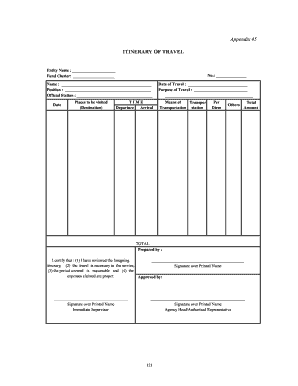
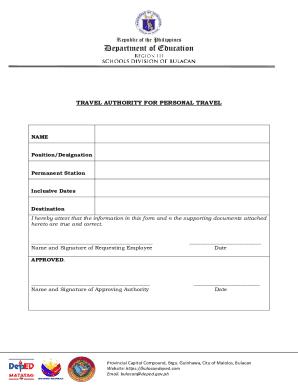
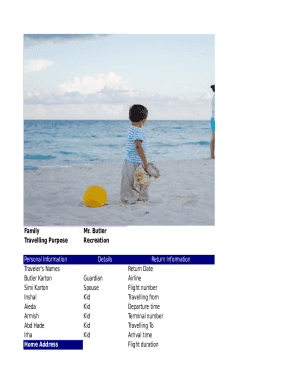
The Philippines Travel Itinerary Form is a document used by employees of the Department of Education to detail official travel plans and expenses.
pdfFiller scores top ratings on review platforms




Who needs Travel Itinerary?
Explore how professionals across industries use pdfFiller.

Travel Itinerary is needed by:
-
Department of Education Employees
-
Public School Administrators
-
Travel Coordinators
-
Finance Officers
-
Human Resource Personnel
-
Officers-In-Charge
-
Schools Division Superintendents
Comprehensive Guide to Travel Itinerary
What is the Philippines Travel Itinerary Form?
The Philippines Travel Itinerary Form is a document used by employees of the Department of Education to formally outline their travel plans for official purposes. This form ensures that all travel activities are documented, thereby promoting accountability and adherence to regulations. The need for such a form is crucial for the Department of Education as it provides a structured approach to manage and track travel expenditures and itineraries.
Purpose and Benefits of the Philippines Travel Itinerary Form
Documenting travel through the Philippines Travel Itinerary Form serves several key purposes. Firstly, it aids in compliance with government regulations, ensuring that all official travel is justified and recorded appropriately. Additionally, using this form can lead to better budget management as it helps to track and forecast travel-related expenses. Furthermore, it enhances transparency within the department's operations.
Key Features of the Philippines Travel Itinerary Form
The Philippines Travel Itinerary Form contains several critical components, including required fields that must be filled out. Essential sections of the form include the employee's name, purpose of travel, travel dates, and itinerary details. Furthermore, it is mandatory for both the employee and the Officer-In-Charge to sign the form, certifying the information provided. This signing requirement adds another layer of accountability to the submission process.
Who Needs the Philippines Travel Itinerary Form?
This form is primarily intended for employees of the Department of Education who are planning official travel. Various scenarios necessitate the use of this form, such as attending conferences, workshops, or any other sanctioned events requiring travel. Employees must understand when filling out the form is required to ensure compliance with department regulations.
How to Fill Out the Philippines Travel Itinerary Form Online
Filling out the Philippines Travel Itinerary Form online is straightforward. Here’s a step-by-step guide:
-
Access the form on an online PDF editor like pdfFiller.
-
Begin with filling in the required fields, including your name and purpose of travel.
-
Provide travel dates and itinerary details accurately.
-
Finish by obtaining the necessary signatures from both you and your Officer-In-Charge.
Field-by-Field Instructions for the Philippines Travel Itinerary Form
Each section of the form requires specific information:
-
Employee's Name: Enter your full name as per official records.
-
Purpose of Travel: Clearly state the reason for the travel.
-
Travel Dates: Indicate the start and end dates of your journey.
-
Signatures: Ensure both you and the Officer-In-Charge sign to validate the document.
Submission Requirements for the Philippines Travel Itinerary Form
Upon completing the form, it is essential to follow specific steps for submission. To submit the form:
-
Review the completed form for accuracy and completeness.
-
Submit it via the preferred method indicated by your department, whether electronically or in paper format.
-
Be mindful of any deadlines for submission to avoid delays.
Common Errors and How to Avoid Them When Filling Out the Philippines Travel Itinerary Form
Many users encounter typical pitfalls when completing the form. Common mistakes include:
-
Omitting required fields, which can lead to rejections.
-
Providing inaccurate information regarding travel dates or purposes.
-
Failing to secure necessary signatures before submission.
To ensure a successful application, double-check all entries for accuracy and completeness.
How to Save and Share the Philippines Travel Itinerary Form PDF
Once the form is completed, saving and sharing it can be done easily with pdfFiller:
-
Use the save function to download the form as a PDF.
-
Take advantage of sharing options available on pdfFiller to send the document securely.
-
Ensure that you utilize document security features to protect sensitive information.
Your Digital Documentation Solution
Leverage pdfFiller for a convenient approach to filling and managing travel forms. With features such as eSignature and document encryption, you can ensure not only the completion of your forms but also their security. This platform simplifies the travel form filling process, making it more efficient and manageable.
How to fill out the Travel Itinerary
-
1.Access the Philippines Travel Itinerary Form on pdfFiller by visiting the website and searching for the form by name.
-
2.Open the form to view the blank fields that require your input, ensuring you are familiar with the layout and requirements.
-
3.Before filling out the form, gather necessary information such as your name, position, travel purpose, itinerary details, and any allowable expenses.
-
4.Start completing the form by entering your name in the designated field, followed by your position within the Department of Education.
-
5.Continue filling in the purpose of travel and input the itinerary details, making sure to provide accurate dates, locations, and any expenses that apply.
-
6.If you need to certify the form, locate the certification section, and be prepared to sign it once all details are accurately filled.
-
7.Review all entries carefully, checking for any errors or missing information that may need attention before finalizing the form.
-
8.Once satisfied with the completed form, utilize pdfFiller’s save function to store a copy on your device or download it in your preferred format.
-
9.If submission is necessary, follow provided guidelines within pdfFiller for submitting the form electronically or print it for manual submission.

Who is eligible to use the Philippines Travel Itinerary Form?
The form is specifically designed for employees of the Department of Education in the Philippines who are documenting their official travel.
What is the submission process for the travel itinerary form?
The completed form must be certified by the employee and approved by the Officer-In-Charge before submission to the appropriate division of the Department of Education.
What information do I need to fill out the form?
You will need your personal details such as name and position, the purpose of travel, a detailed itinerary including dates and places, and any allowable expenses for reimbursement.
Are there any deadlines associated with this form?
While specific deadlines aren’t mentioned, it is advisable to complete and submit your travel itinerary form well in advance of your planned travel dates to ensure approval and compliance.
What common mistakes should I avoid when filling out the form?
Ensure that all fields are accurately completed, pay attention to the certification requirements, and double-check dates and expenses to prevent any submission issues.
How do I save or submit the form once completed?
On pdfFiller, use the save feature to store your completed form or opt for the download option to keep a copy. Follow local submission guidelines for any formal submission requirements.
Is notarization required for the Philippines Travel Itinerary Form?
No, this form does not require notarizing; however, both the employee and Officer-In-Charge must sign it for it to be considered valid.
Related Forms

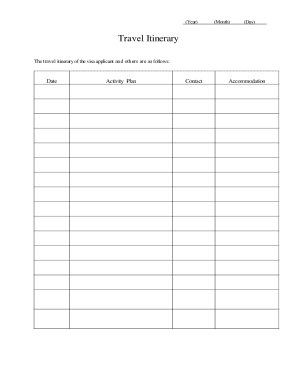
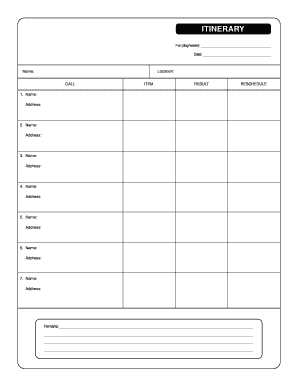
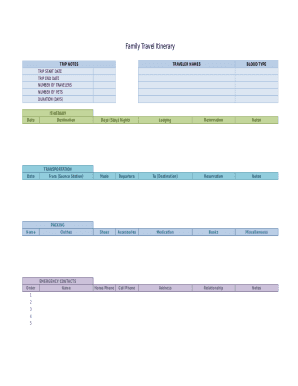
Related Catalogs
Get the latest insights from our blog


If you believe that this page should be taken down, please follow our DMCA take down process
here
.
This form may include fields for payment information. Data entered in these fields is not covered by PCI DSS compliance.