
Last updated on
Oct 31, 2026

Get the free Revision Planner Template
We are not affiliated with any brand or entity on this form

Fill out
Complete the form online in a simple drag-and-drop editor.

eSign
Add your legally binding signature or send the form for signing.

Share
Share the form via a link, letting anyone fill it out from any device.

Export
Download, print, email, or move the form to your cloud storage.
Why pdfFiller is the best tool for your documents and forms


End-to-end document management
From editing and signing to collaboration and tracking, pdfFiller has everything you need to get your documents done quickly and efficiently.
Accessible from anywhere
pdfFiller is fully cloud-based. This means you can edit, sign, and share documents from anywhere using your computer, smartphone, or tablet.
Secure and compliant
pdfFiller lets you securely manage documents following global laws like ESIGN, CCPA, and GDPR. It's also HIPAA and SOC 2 compliant.
What is Revision Planner
The Revision Planner Template is an educational document used by students to organize their study schedule and revision timetable effectively.
pdfFiller scores top ratings on review platforms




Who needs Revision Planner?
Explore how professionals across industries use pdfFiller.

Revision Planner is needed by:
-
Students preparing for exams
-
Teachers creating revision guides
-
Parents assisting children with study plans
-
Educational institutions offering study resources
-
Academic advisors helping students manage time
-
Tutors providing personalized support
Comprehensive Guide to Revision Planner
What is the Revision Planner Template?
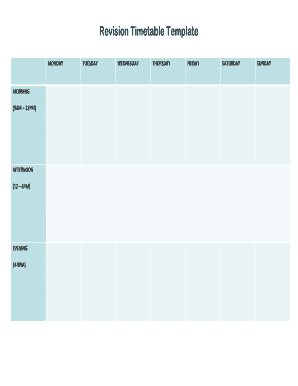
The Revision Planner Template is designed to assist students in organizing their study schedules effectively. It serves as a structured tool that helps in planning revision sessions across various subjects. Students can utilize this fillable format to create a personalized study plan tailored to their needs.
This user-friendly template aids students in managing their time efficiently, facilitating a more organized approach to their academic workload.
Why Use the Revision Planner Template?
Employing a revision planner significantly benefits students aiming for academic success. This tool supports effective time management, which can lead to reduced stress levels during preparation for exams. A well-structured planner encourages personalized study sessions, fostering better exam performance.
By committing to a tailored academic planning form, students can elevate their study habits and overall performance.
Key Features of the Revision Planner Template
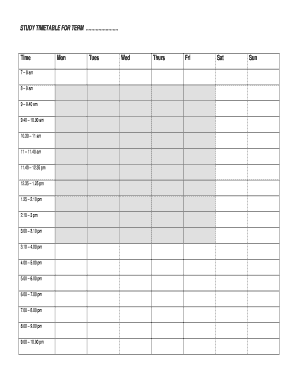
The Revision Planner Template boasts a user-friendly grid layout that incorporates 25-minute study blocks followed by 5-minute breaks, promoting focused study sessions. Additionally, customizable sections for subjects and dates enhance its practicality.
This template is available in a fillable PDF format, allowing easy editing and printing for students who prefer physical copies.
Who Can Benefit from the Revision Planner Template?
The primary users of the Revision Planner Template are high school and college students. Various student types, such as high achievers and procrastinators, can find scenarios where this template assists in maximizing their study potential.
By using a well-structured student revision planner, learners can better manage their academic responsibilities and achieve their goals.
How to Fill Out the Revision Planner Template Online
Filling out the Revision Planner Template online is straightforward. Follow these steps:
-
Open the fillable PDF in a compatible viewer.
-
Select your subjects and enter the corresponding dates in the designated fields.
-
Allocate study time based on your individual deadlines and study preferences.
-
Ensure all sections are filled out adequately before saving.
Focusing on specific fields allows for a more tailored study approach.
Common Mistakes to Avoid When Using the Revision Planner Template
Students often make several common mistakes when using their revision planners. These include:
-
Underestimating time needed for study.
-
Failing to update the planner regularly.
-
Not balancing subjects effectively across the week.
To prevent these issues, students should allocate adequate time for each subject, maintain regular updates, and create balance in their study schedule.
How to Download and Use the Revision Planner Template Safely
To download the Revision Planner Template, visit pdfFiller and follow the on-screen instructions. The platform employs robust security measures to ensure that user data remains protected during download and usage.
Once the template is filled, it can be saved, shared, or printed securely, providing flexibility in managing academic tasks.
Using pdfFiller for an Enhanced Experience with the Revision Planner Template
pdfFiller enhances the user experience by offering various tools to customize the Revision Planner Template effectively. With features designed to secure sensitive information, students can confidently handle their academic planning.
The platform also offers easy access through cloud-based solutions, ensuring that users can manage their revision schedules effortlessly.
Submit Your Completed Revision Planner Template
If you need to share your completed revision planner, follow these methods:
-
Share via email directly from pdfFiller.
-
Save the document and upload it to a collaborative platform for group access.
These submission methods ensure that your planning can reach tutors, peers, or study groups swiftly.
Unlock Your Academic Potential with Our Revision Planner Template
Take control of your study habits and improve your grades by utilizing the Revision Planner Template. The combination of structured planning and the ease of using pdfFiller empowers students to achieve maximum effectiveness in their studies.
How to fill out the Revision Planner
-
1.To access the Revision Planner Template on pdfFiller, navigate to the pdfFiller website and use the search function to locate the template by its name.
-
2.Once you find the template, click on it to open the document in the pdfFiller interface.
-
3.Familiarize yourself with the layout, which includes sections for subjects, dates, and time blocks to organize your revision.
-
4.Before filling out the form, gather all necessary information, including subjects needing revision and specific dates for exams.
-
5.Using pdfFiller's text tool, click on the blank fields to enter the names of subjects and respective dates for each segment of your revision schedule.
-
6.Ensure to allocate appropriate 25-minute study blocks for each subject followed by 5-minute breaks to enhance focus and retention.
-
7.Review your entries for any errors and make adjustments as needed to ensure a balanced study timetable.
-
8.Once the form is complete, save your changes regularly to avoid losing any information.
-
9.To finalize the form, use the preview option on pdfFiller to check your completed Revision Planner Template.
-
10.After confirming everything is correct, you can save the document in your desired format, download it for your records, or submit it online if required.

Who can use the Revision Planner Template?
The Revision Planner Template is designed primarily for students preparing for exams, but it can also be useful for teachers, tutors, and parents assisting with study organization.
What subjects can I include in the template?
You can fill the Revision Planner Template with any subjects you need to revise. Think about your current coursework and prioritize subjects based on their difficulty and upcoming exams.
Is there a specific deadline for filling out the Revision Planner Template?
While there is no formal deadline for filling out the template, it's recommended to complete it at least a few weeks before your exams to ensure ample study time across all subjects.
How do I save my completed Revision Planner Template?
Once you finish filling out the Revision Planner Template, you can save your work by clicking the save button on pdfFiller. You can then choose to download it or print it for your convenience.
What common mistakes should I avoid when filling out the template?
Common mistakes include not allocating enough time for breaks, overloading a single day with too many subjects, or forgetting to include specific subjects. Make sure to review your plan carefully.
Can I edit the Revision Planner Template after saving it?
Yes, you can return to pdfFiller to open and edit your saved Revision Planner Template at any time, making adjustments as your study needs change.
How does using the Revision Planner Template help in exam preparation?
Using the Revision Planner Template helps structure your study sessions, ensuring balanced focus on different subjects, maximizing productivity, and reducing stress as exams approach.
Related Forms


Related Catalogs
Get the latest insights from our blog


If you believe that this page should be taken down, please follow our DMCA take down process
here
.
This form may include fields for payment information. Data entered in these fields is not covered by PCI DSS compliance.