
Last updated on
Oct 31, 2026

Get the free SEIT Session Notes Form
We are not affiliated with any brand or entity on this form

Fill out
Complete the form online in a simple drag-and-drop editor.

eSign
Add your legally binding signature or send the form for signing.

Share
Share the form via a link, letting anyone fill it out from any device.

Export
Download, print, email, or move the form to your cloud storage.
Why pdfFiller is the best tool for your documents and forms


End-to-end document management
From editing and signing to collaboration and tracking, pdfFiller has everything you need to get your documents done quickly and efficiently.
Accessible from anywhere
pdfFiller is fully cloud-based. This means you can edit, sign, and share documents from anywhere using your computer, smartphone, or tablet.
Secure and compliant
pdfFiller lets you securely manage documents following global laws like ESIGN, CCPA, and GDPR. It's also HIPAA and SOC 2 compliant.
What is SEIT Notes
The SEIT Session Notes Form is a document used by service providers and parents/guardians to document a child's progress in Special Education Itinerant Teacher (SEIT) services.
pdfFiller scores top ratings on review platforms




Who needs SEIT Notes?
Explore how professionals across industries use pdfFiller.

SEIT Notes is needed by:
-
Service Providers documenting session details and IEP goals.
-
Parents/Guardians needing to consent and review notes.
-
Special Education administrators monitoring service effectiveness.
-
IEP team members tracking student progress.
-
Teachers looking to collaborate on student support.
Comprehensive Guide to SEIT Notes
What is the SEIT Session Notes Form?
The SEIT Session Notes Form is a crucial document used to track special education itinerant services for children. This form is specifically designed to clearly document the child's progress toward their Individualized Education Program (IEP) goals and to record details about each session's activities. Accurate use of the SEIT session notes form is essential for ensuring compliance and tracking educational milestones effectively.
Utilizing a specialized special education notes template helps service providers maintain organized and legible records, which facilitate ongoing assessments and adaptations in teaching strategies.
Purpose and Benefits of the SEIT Session Notes Form
The SEIT Session Notes Form ensures precise documentation of a child's educational journey, highlighting their progress and areas needing improvement. This detailed record assists in creating a transparent line of communication between service providers and parents or guardians, thereby fostering collaborative support for the child's development.
By maintaining a comprehensive record that tracks IEP goals, the form provides valuable insights and facilitates meaningful discussions about the child's progress during meetings. The service provider signature form aspect ensures accountability from both parties, enhancing trust and reliability.
Key Features of the SEIT Session Notes Form
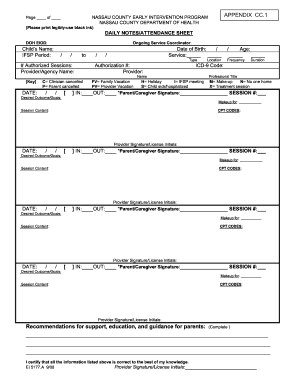
This form includes essential fillable fields that are critical for thorough documentation. Key components encompass the child’s name, date of birth (DOB), service provider’s name, and specific session details such as date and time.
-
Signature lines required for both service providers and parents or guardians.
-
Check boxes for documenting specific IEP goals addressed during the session.
-
Session summary section to capture observations and outcomes.
The inclusion of a parent guardian consent form ensures that all parties are aware of the services being rendered and can contribute effectively to the child's educational plan.
Who Needs the SEIT Session Notes Form?
The primary users of the SEIT Session Notes Form are service providers supplying SEIT services to children with special needs. This includes therapists, educators, and other professionals involved in the delivery of tailored educational programs.
Additionally, parents or guardians of children benefiting from these services play a critical role in the form's utilization, as their engagement is vital for maintaining an accurate representation of the child's progress. This form is essential not only for educational tracking but also for compliance with documentation requirements necessary for funding and accountability within the special education system.
How to Fill Out the SEIT Session Notes Form Online
Filling out the SEIT Session Notes Form online is an efficient process. Follow these steps for accurate completion:
-
Access the SEIT Session Notes Form on the platform.
-
Enter the child’s name and date of birth in the designated fields.
-
Complete each section, including session details and observed progress.
-
Ensure that both the service provider's and parent’s signature fields are filled appropriately.
It is crucial to revisit the completed form to confirm that all information is accurate and comprehensive before final submission.
Common Errors and How to Avoid Them
When completing the SEIT Session Notes Form, users often encounter frequent errors that can compromise the integrity of the documentation. Common mistakes include:
-
Failure to include necessary signatures, which are essential for validation.
-
Inputting incorrect dates for sessions, leading to discrepancies.
-
Neglecting to summarize the session adequately, which impacts the clarity of progress tracking.
To avoid these pitfalls, it is advisable to have a checklist that ensures every section is completed and reviewed thoroughly before submission.
How to Sign the SEIT Session Notes Form Online
Signing the SEIT Session Notes Form online offers flexibility through different signature options. Users can choose between digital signatures and traditional wet signatures, both of which are valid for this purpose. Understanding the legal implications of electronic signatures can enhance compliance while facilitating efficient completion of the form.
Digital signatures not only streamline the process but are also widely accepted, thereby ensuring that the documentation is both secure and legally binding.
Security and Compliance for the SEIT Session Notes Form
Security is paramount when handling sensitive educational documents such as the SEIT Session Notes Form. The platform employs robust data protection measures, including 256-bit encryption, to safeguard personal information. This high level of security ensures compliance with regulations such as HIPAA and GDPR, which govern the privacy of student information.
Users can rest assured that their data is managed securely, enabling them to focus on providing essential educational services without compromising privacy.
Using pdfFiller for the SEIT Session Notes Form
pdfFiller offers an advanced platform for managing the SEIT Session Notes Form efficiently. With features designed to enhance usability, pdfFiller allows users to edit, fill out, and securely sign forms with ease.
-
Access the SEIT Session Notes Form directly on the pdfFiller platform.
-
Utilize bulk editing options for convenience in managing multiple forms.
-
Experience secure cloud storage for easy retrieval and record-keeping.
This empowers service providers and parents alike to manage their documentation tasks seamlessly and effectively.
Next Steps After Completing the SEIT Session Notes Form
Once the SEIT Session Notes Form has been completed, there are essential steps to follow. First, ensure that the form is submitted to the appropriate educational body or institution responsible for the child’s oversight.
It is also important to maintain a tracking system for submission, allowing for follow-up as needed. This ensures that all documentation is accounted for and aids in any necessary evaluations or support adjustments moving forward.
How to fill out the SEIT Notes
-
1.Visit pdfFiller and log in or create an account if you don’t already have one.
-
2.Use the search function to find the SEIT Session Notes Form or upload it directly if you have it saved on your device.
-
3.Open the form in pdfFiller’s editor for easy fillable field access.
-
4.Start by entering the child's name and date of birth in the appropriate fields.
-
5.Fill in the service provider’s name, as well as details of the session such as the date and activities covered.
-
6.Review the IEP goals addressed during the session and mark them as needed.
-
7.Add a summary of the session to provide insights into the child's response and engagement.
-
8.Ensure that both the service provider and parent/guardian signatures are included and correctly placed on the form.
-
9.Double-check all filled-in information for accuracy and completeness.
-
10.Once you are satisfied with the form, save it to your pdfFiller account.
-
11.You can then download the completed form or submit it directly as required by your institution.

Who is eligible to use the SEIT Session Notes Form?
The SEIT Session Notes Form is available for use by service providers delivering SEIT services and parents/guardians of children receiving these services.
Are there deadlines for submitting the completed form?
While there may not be specific deadlines for this form, it's best to submit it promptly after each session to ensure accurate tracking of the child's progress.
How do I submit the SEIT Session Notes Form?
You can submit the form by downloading it from pdfFiller and sending it via email or printing it out to hand in, according to your institution's policies.
What supporting documents are required with this form?
Typically, no additional documents are needed with the SEIT Session Notes Form, but always check with your service provider's requirements for any specific needs.
Are there common mistakes to avoid when filling out the form?
Ensure all fields are filled accurately, particularly the child's information and signatures. Review for any omissions before submission to avoid delays.
What are the processing times for this form?
Processing times vary based on institution policies. Make sure to follow up with the relevant parties to ensure timely handling of the form.
Can I edit the SEIT Session Notes Form after saving it?
Yes, you can always reopen the form in pdfFiller to make edits before finalizing it or submitting it.
Related Forms


Related Catalogs
Get the latest insights from our blog


If you believe that this page should be taken down, please follow our DMCA take down process
here
.
This form may include fields for payment information. Data entered in these fields is not covered by PCI DSS compliance.