
Last updated on
Oct 31, 2026

Get the free General Liability Release Form
We are not affiliated with any brand or entity on this form

Fill out
Complete the form online in a simple drag-and-drop editor.

eSign
Add your legally binding signature or send the form for signing.

Share
Share the form via a link, letting anyone fill it out from any device.

Export
Download, print, email, or move the form to your cloud storage.
Why pdfFiller is the best tool for your documents and forms


End-to-end document management
From editing and signing to collaboration and tracking, pdfFiller has everything you need to get your documents done quickly and efficiently.
Accessible from anywhere
pdfFiller is fully cloud-based. This means you can edit, sign, and share documents from anywhere using your computer, smartphone, or tablet.
Secure and compliant
pdfFiller lets you securely manage documents following global laws like ESIGN, CCPA, and GDPR. It's also HIPAA and SOC 2 compliant.
What is Massage Liability Release
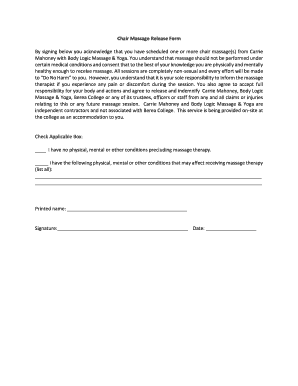
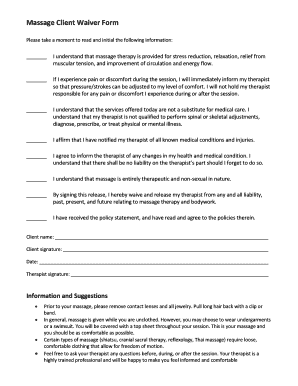
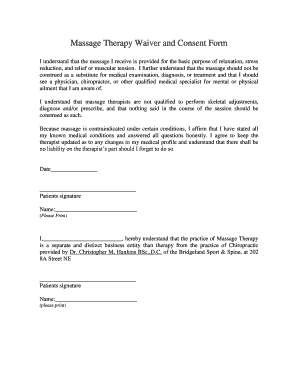
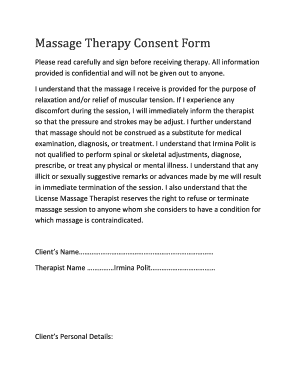
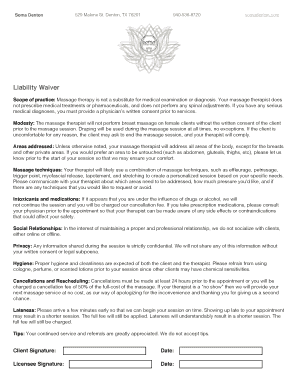
The General Liability Release Form is a legal document used by clients to grant permission for massage therapy services while acknowledging the associated risks and responsibilities.
pdfFiller scores top ratings on review platforms




Who needs Massage Liability Release?
Explore how professionals across industries use pdfFiller.

Massage Liability Release is needed by:
-
Clients seeking massage therapy services
-
Massage therapists providing professional services
-
Wellness centers offering massage therapy
-
Insurance companies assessing liability risks
-
Legal professionals advising on client agreements
-
Health practitioners recommending massage treatments
Comprehensive Guide to Massage Liability Release
What is the General Liability Release Form?
The General Liability Release Form is designed to ensure that clients acknowledge the inherent risks involved in massage therapy. This form plays a crucial role in outlining the responsibilities of both the therapist and the client while ensuring that consent is obtained before proceeding with any therapy. By signing this form, clients confirm they understand the potential risks, which helps protect the therapist from any legal claims that may arise.
The significance of the client consent form for massage therapy cannot be overstated, as it fosters transparency and trust between clients and therapists, allowing for a more professional therapeutic environment. The General Liability Release Form, often referred to as a massage therapy release form, serves as a vital document in safeguarding all parties involved.
Purpose and Benefits of the General Liability Release Form
The General Liability Release Form provides essential protection for both massage therapists and their clients. Firstly, it secures therapists and their businesses against legal claims related to any incidents that may occur during therapy sessions. Secondly, this form establishes clear communication regarding the risks associated with massage therapy, fostering an understanding of what clients may encounter during their session.
In addition to these protections, this liability waiver for massage helps enhance the professionalism of therapeutic practices. By ensuring that clients are properly informed about the risks, therapists can effectively manage expectations and establish a safe, trusting environment.
Key Features of the General Liability Release Form
The General Liability Release Form includes several essential elements that facilitate its proper use. Fillable fields such as ‘Print Name’ and ‘Signature’ are crucial for personalizing the document. Additionally, clear instructions are provided for clients, guiding them on how to complete the form accurately.
Another noteworthy detail is that notarization is not required for the General Liability Release Form, simplifying the process for clients. This allows for easy and efficient completion without any added steps, making it accessible for all parties involved.
Who Needs the General Liability Release Form?
Several parties should utilize the General Liability Release Form to ensure proper compliance and protection. Primarily, clients receiving massage therapy must fill out this form, which is especially important if they are minors, as legal guardians must also provide consent. Additionally, massage therapists and businesses offering therapeutic services are required to implement this form as a standard practice.
Furthermore, medical professionals or clinics integrating massage therapy into their services should adopt this form to protect themselves and their clients. Implementing a massage therapy agreement ensures everyone involved understands their roles and responsibilities.
How to Fill Out the General Liability Release Form Online
Filling out the General Liability Release Form online is a straightforward process. To begin, access the form through pdfFiller, where each section is broken down for clarity. Clients should carefully complete all fillable fields to ensure accuracy.
Here’s how to fill out the form:
-
Open the General Liability Release Form in pdfFiller.
-
Fill in your details in the ‘Print Name’ field.
-
Review any instructions regarding specific sections.
-
Sign the form electronically.
-
Save your completed form for personal records.
Using pdfFiller for digital completion offers numerous advantages, including ease of access and enhanced security.
Signing the General Liability Release Form: Digital vs. Wet Signatures
The signing process for the General Liability Release Form offers flexibility, allowing clients to choose between digital signatures and traditional wet signatures. Digital signatures, facilitated by pdfFiller, provide a legally valid means of signing documents, which is particularly useful for clients looking for convenience.
To eSign the form online, clients can follow these steps:
-
Access the form in pdfFiller.
-
Select the eSign option.
-
Follow the prompts to complete your digital signature.
-
Save and submit the form as directed.
This flexibility ensures that whether clients choose a digital or wet signature, their consent remains valid and secure.
Where to Submit the General Liability Release Form
Submitting the completed General Liability Release Form is an important step that requires attention to detail. Clients should follow specific instructions provided by their therapists or clinics regarding the submission method, whether that be via email or in-person delivery.
Upon completion, the form should be sent as follows:
-
Check with your therapist for preferred submission methods.
-
Email the form securely if instructed.
-
Hand-deliver the form during your next appointment if applicable.
When using pdfFiller to share the completed form, clients can rest assured knowing their sensitive information is protected with robust security features, ensuring confidentiality throughout the submission process.
After Completing the General Liability Release Form
Once the General Liability Release Form is completed, clients should consider the next steps to ensure everything is in order. Expect a confirmation of receipt from your therapist or clinic, which may include information about timelines for processing the form.
Additionally, it is essential for clients to review the entire form for accuracy before submission. Keeping a record of the signed document is crucial for both clients and therapists, ensuring that all parties have access to the necessary information related to the therapy sessions.
Why Choose pdfFiller for Your General Liability Release Form Needs
Utilizing pdfFiller for the General Liability Release Form offers several benefits. Firstly, its features enable users to easily edit, eSign, and manage their documents within a secure environment. Compliance with regulations such as HIPAA and GDPR reassures users regarding the handling of sensitive data.
Furthermore, pdfFiller's user-friendly experience requires no software downloads, making it accessible from any browser. This convenience allows clients and therapists alike to manage their documents efficiently and securely, promoting a seamless experience.
Your Next Steps with pdfFiller
To get started with your General Liability Release Form, simply access pdfFiller and begin the process. The ease and efficiency of using the platform for document management cannot be overstated. Join a community of over 100 million users who trust pdfFiller for their form needs, ensuring a reliable experience for every document.
How to fill out the Massage Liability Release
-
1.To access the General Liability Release Form, visit pdfFiller and search for the form name.
-
2.Once located, open the form in pdfFiller's editor interface to begin filling it out.
-
3.You will see multiple fields, such as 'Print Name' and 'Signature'.
-
4.Before starting, gather necessary information such as your name and any relevant details regarding your massage therapy session.
-
5.Begin by clicking into the 'Print Name' field and enter your full name clearly.
-
6.Next, navigate to the 'Signature' field and use your mouse or touchpad to sign your name electronically.
-
7.As you complete each section, be sure to carefully read through any instructions or tips provided in the form.
-
8.Review all entries for accuracy, ensuring that you understand and acknowledge the risks and responsibilities outlined in the document.
-
9.After completing the form, look for options to save your progress and then proceed to finalize it.
-
10.You can download the completed form to your device or submit it electronically through pdfFiller’s submission methods.

Who needs to sign the General Liability Release Form?
The General Liability Release Form must be signed by the client receiving massage therapy services, as they are acknowledging the risks and liabilities involved.
Is notarization required for this form?
No, the General Liability Release Form does not require notarization. It must simply be signed by the client.
What information do I need before filling out the form?
Before filling out the form, gather basic personal information such as your full name and any specific details about the massage therapy session.
How do I submit the completed form?
Once you have completed the General Liability Release Form, you can either download it to your device or submit it electronically through pdfFiller.
What if I make a mistake while filling out the form?
If you make a mistake, you can easily clear that field and re-enter the correct information before finalizing the form. Always double-check your entries.
How long does it take to process the General Liability Release Form?
The processing time depends on how you are submitting it. Immediate electronic submissions through pdfFiller are instant, while mailed forms may take longer.
Are there any fees associated with using pdfFiller for this form?
Using pdfFiller may involve fees depending on your subscription level. Check their pricing page for specific details related to document editing and submission.
Related Forms





Get the latest insights from our blog


If you believe that this page should be taken down, please follow our DMCA take down process
here
.
This form may include fields for payment information. Data entered in these fields is not covered by PCI DSS compliance.