
Last updated on
Oct 31, 2026

Get the free Paramedical Diploma Registration Form
We are not affiliated with any brand or entity on this form

Fill out
Complete the form online in a simple drag-and-drop editor.

eSign
Add your legally binding signature or send the form for signing.

Share
Share the form via a link, letting anyone fill it out from any device.

Export
Download, print, email, or move the form to your cloud storage.
Why pdfFiller is the best tool for your documents and forms


End-to-end document management
From editing and signing to collaboration and tracking, pdfFiller has everything you need to get your documents done quickly and efficiently.
Accessible from anywhere
pdfFiller is fully cloud-based. This means you can edit, sign, and share documents from anywhere using your computer, smartphone, or tablet.
Secure and compliant
pdfFiller lets you securely manage documents following global laws like ESIGN, CCPA, and GDPR. It's also HIPAA and SOC 2 compliant.
What is Paramedical Diploma Registration
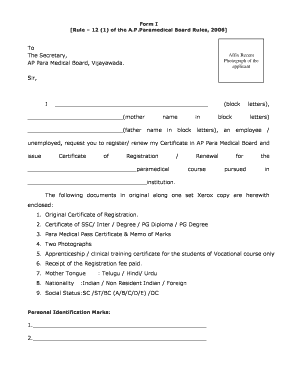
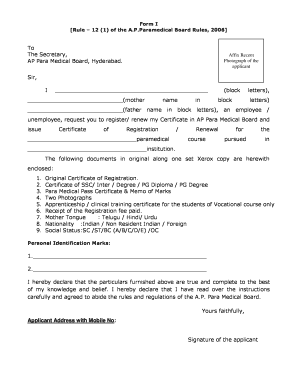
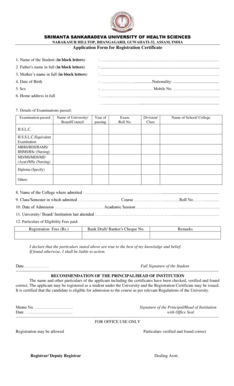
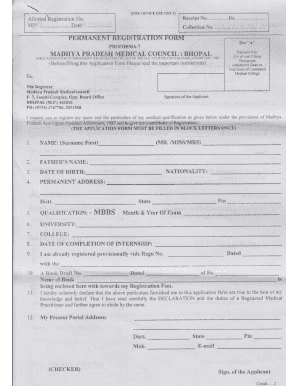
The Paramedical Diploma Registration Form is an educational document used by candidates to enroll in paramedical diploma courses in Uttar Pradesh, India.
pdfFiller scores top ratings on review platforms




Who needs Paramedical Diploma Registration?
Explore how professionals across industries use pdfFiller.

Paramedical Diploma Registration is needed by:
-
Prospective students seeking paramedical education in Uttar Pradesh
-
Educational institutions offering paramedical courses
-
Parents and guardians of candidates applying for diploma programs
-
Training centers requiring student registration documentation
-
Administrators managing enrollment processes within schools
Comprehensive Guide to Paramedical Diploma Registration
What is the Paramedical Diploma Registration Form?
The Paramedical Diploma Registration Form serves as the primary document for enrolling candidates in paramedical courses in Uttar Pradesh. This form collects essential personal details, including the candidate's name, date of birth, and contact information, along with required signatures. Prospective students must complete this Uttar Pradesh enrollment form accurately to initiate their application process.
Benefits of Using the Paramedical Diploma Registration Form
Filling out the paramedical diploma registration form correctly is vital for successful enrollment in medical training programs. Utilizing tools such as pdfFiller can significantly streamline this process by providing an easy-to-use platform for completing and submitting applications. Some benefits include:
-
Increased chances of successful enrollment
-
Simplified document management and sharing
-
Enhanced accuracy through fillable fields
-
Time-saving by reducing errors
Who Needs the Paramedical Diploma Registration Form?
This form targets potential students seeking to enroll in paramedical courses, as well as educational institutions responsible for admitting candidates. Both candidates and principals must provide necessary signatures, ensuring accountability and compliance in the enrollment process.
Eligibility Criteria for the Paramedical Diploma Registration
To qualify for completion of the paramedical diploma registration form, candidates must meet specific educational and age requirements. Eligibility factors include:
-
Completion of high school or equivalent
-
Meeting minimum age thresholds established by the institution
Potential candidates should verify that they fulfill all prerequisites prior to filling out the form to ensure a smooth enrollment experience.
Required Documents and Supporting Materials
When submitting the diploma course application form, candidates must provide several supporting documents, including:
-
High school certificates
-
Mark sheets from previous examinations
-
Proof of identity and address
Gathering these materials in advance simplifies the submission process and prevents delays.
How to Fill Out the Paramedical Diploma Registration Form Online
To complete the medical training registration form online using pdfFiller, follow these steps:
-
Access the form on the pdfFiller platform.
-
Input personal information in the designated fields, including the Candidate’s Name and Date of Birth.
-
Ensure all required fields are accurately filled.
-
Sign the form electronically.
Utilizing pdfFiller allows candidates to complete the form efficiently and without error.
Common Errors and How to Avoid Them
When filling out the diploma course application form, candidates often encounter common mistakes. Frequent errors include:
-
Incorrect personal details entry
-
Missing signatures from required parties
-
Failure to attach necessary documents
To enhance accuracy, candidates should double-check all entered information and ensure that all signatures and documents are included prior to submission.
Submission Methods and Delivery
Completed forms must be submitted through designated channels outlined by the respective institution. Important aspects to consider for submission include:
-
Understanding submission deadlines
-
Choosing appropriate submission formats (online or offline)
-
Tracking options to verify receipt of the application
Following these guidelines ensures candidates are well-prepared for the submission process.
What Happens After You Submit the Form?
Upon submission of the diploma course application form, candidates can expect to receive confirmation from the institution. This confirmation may include details such as application status and potential next steps. Utilizing pdfFiller also aids in tracking application progress effectively.
Experience Secure and Efficient Form Filling with pdfFiller
pdfFiller enhances the form-filling experience through features that prioritize security and user efficiency. Key aspects of pdfFiller include:
-
256-bit encryption to protect sensitive information
-
Compliance with privacy standards, including HIPAA and GDPR
-
User-friendly interface for easy navigation and form completion
These features make it a go-to solution for handling forms like the paramedical diploma registration form efficiently and securely.
How to fill out the Paramedical Diploma Registration
-
1.Access the Paramedical Diploma Registration Form on pdfFiller by searching for its title or using the provided link to the document.
-
2.Once the form is open, navigate through the fillable fields using your mouse or keyboard to click into each area.
-
3.Before starting, gather necessary information such as your personal details, date of birth, and parents' names to ensure quick completion.
-
4.Begin filling in the form by entering your name in the 'Candidate’s Name' field using English capital letters as instructed.
-
5.Continue to fill in the required fields like 'Mother’s Name', 'Father’s Name', and 'Date of Birth', ensuring accuracy in each entry.
-
6.Use the signature field to insert your candidate signature electronically. Ensure this is completed as it is a mandatory part of the application.
-
7.After completing the form, review each entry for any errors or omissions to ensure all information is accurate and complete.
-
8.Follow the on-screen prompts to save your completed form as a PDF file. You may also download it for offline storage.
-
9.If required, you can submit the form directly through pdfFiller’s submission options or print it to mail or deliver it in person.

Who is eligible to apply for the Paramedical Diploma Registration Form?
Candidates intending to enroll in paramedical diploma courses in Uttar Pradesh are eligible to apply. This typically includes those who have completed their high school education.
Is there a deadline for submitting the Paramedical Diploma Registration Form?
Deadlines can vary based on the educational institution, so it's essential to check with the specific training center or school offering the diploma course for their submission timeline.
What is the submission method for this form?
The Paramedical Diploma Registration Form can be submitted online via pdfFiller, or you may download and print it for submission in-person or via postal mail to the designated training center.
What supporting documents are required with the form?
A photocopy of the high school certificate and mark sheets must accompany the form upon submission. Ensure these documents are properly collected before filling the application.
What common mistakes should I avoid when filling out the form?
To avoid common mistakes, ensure all fields are filled accurately, especially personal information. Double-check for signatures and required enclosures before submission.
How long does it take to process the application once submitted?
Processing times can differ by institution, but it typically takes a few weeks to receive confirmation of your enrollment. Check with the respective training center for specific timelines.
Are there any fees associated with this registration form?
While specific fees are not mentioned in the metadata, most educational institutions may charge a registration fee. Confirm with the training center for accurate information regarding any associated costs.
Related Forms





Related Catalogs
Get the latest insights from our blog


If you believe that this page should be taken down, please follow our DMCA take down process
here
.
This form may include fields for payment information. Data entered in these fields is not covered by PCI DSS compliance.