
Last updated on
Oct 31, 2026

New NCD Survey - Pastors Form 2007-2026 free printable template
We are not affiliated with any brand or entity on this form

Fill out
Complete the form online in a simple drag-and-drop editor.

eSign
Add your legally binding signature or send the form for signing.

Share
Share the form via a link, letting anyone fill it out from any device.

Export
Download, print, email, or move the form to your cloud storage.
Why pdfFiller is the best tool for your documents and forms


End-to-end document management
From editing and signing to collaboration and tracking, pdfFiller has everything you need to get your documents done quickly and efficiently.
Accessible from anywhere
pdfFiller is fully cloud-based. This means you can edit, sign, and share documents from anywhere using your computer, smartphone, or tablet.
Secure and compliant
pdfFiller lets you securely manage documents following global laws like ESIGN, CCPA, and GDPR. It's also HIPAA and SOC 2 compliant.
What is New NCD Survey - Pastors Form
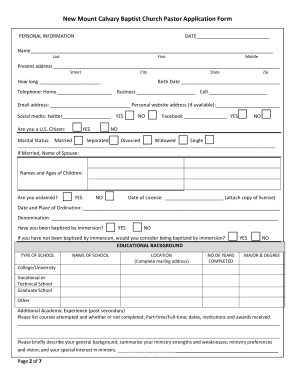
The Pastor’s Form is a survey document used by churches to collect contact and demographic information from pastors or church leadership.
pdfFiller scores top ratings on review platforms




Who needs New NCD Survey - Pastors Form?
Explore how professionals across industries use pdfFiller.

New NCD Survey - Pastors Form is needed by:
-
Church leaders needing to gather demographic data
-
Pastors completing NCD surveys
-
Church administration staff for data collection
-
Religious organizations analyzing church growth
-
Church planting initiatives requiring vital statistics
Comprehensive Guide to New NCD Survey - Pastors Form
What is the Pastor’s Form?
The Pastor’s Form serves as a vital survey tool within the church community. This document is specifically designed to collect essential contact and demographic information from pastors and church leaders. By facilitating the gathering of this data, the Pastor’s Form plays a crucial role in supporting the NCD Survey and contributing to the overall health of the church.
A well-structured Pastor’s Form not only simplifies data collection but also enhances insights into the church's demographic landscape, making it easier for church leadership to understand their community.
Purpose and Benefits of the Pastor’s Form
Utilizing the Pastor’s Form offers numerous advantages to churches aiming for growth and better community engagement. First and foremost, it helps establish a comprehensive understanding of church demographics, which is essential for effective planning and outreach programs.
Moreover, the Pastor’s Form promotes improved communication and connection among church leadership, ensuring everyone is aligned in their mission. Another significant benefit is its role in long-term strategic planning, directly supporting ongoing church development and potential planting efforts.
Key Features of the Pastor’s Form
The Pastor’s Form is designed with user efficiency in mind, featuring fillable fields and checkboxes that streamline data collection. Key sections of the form include:
-
Contact information
-
Background of the pastor
-
General church details
Instructions within the form are clear and concise, enabling users to navigate the various sections with ease and accuracy.
Who Needs the Pastor’s Form?
The Pastor’s Form is intended for specific audiences within the religious community. Primarily, it targets churches seeking valuable demographic data from pastors and church leaders. Additionally, prospective church planters looking to gain insight into the community would find the form beneficial.
Moreover, church administration and leadership teams focused on strategic growth should prioritize completing this form to ensure comprehensive data-driven decisions.
How to Fill Out the Pastor’s Form Online (Step-by-Step Guide)
Completing the Pastor’s Form online is straightforward. Here’s a step-by-step guide:
-
Access the Pastor’s Form through the designated link.
-
Fill out the contact information section, ensuring all required fields are completed.
-
Provide background details regarding the pastor and church.
-
Complete additional sections, such as church size and growth data.
-
Review all information for accuracy before submitting.
To ensure data integrity, it’s advisable to double-check for completeness and correctness.
Common Errors and How to Avoid Them When Completing the Pastor’s Form
When filling out the Pastor’s Form, users may encounter typical mistakes that can compromise the quality of data submitted. Common errors include:
-
Omitting necessary contact information
-
Misunderstanding specific section requirements
To avoid these pitfalls, carefully review the form sections and ensure all required information is accurately filled in before submitting. This practice is essential for providing reliable data.
Digital Signatures and Submission Methods for the Pastor’s Form
For signing and submitting the Pastor’s Form, users have the option between digital signatures and traditional ones. Digital signatures offer a more convenient method, while traditional signatures may be required in certain circumstances.
The completed form must be submitted through the designated platform, and users can track their submission status to ensure it has been received and processed.
Security and Compliance Aspects of the Pastor’s Form
Data security is paramount when handling the Pastor’s Form. The document utilizes 256-bit encryption to protect sensitive information. Compliance with regulations such as HIPAA and GDPR further ensures that user data remains private and secure.
It’s essential to follow best practices for data protection when dealing with religious forms, safeguarding the confidentiality of all submitted information.
Utilizing pdfFiller for Your Pastor’s Form Needs
pdfFiller enhances the experience of completing the Pastor’s Form with its robust features for filling, editing, and eSigning documents. This platform simplifies the form completion process, allowing users to access the form from any browser without the need for downloads.
The user-friendly interface of pdfFiller promotes efficiency, making it a practical choice for churches looking to streamline their data collection efforts.
Sample of a Completed Pastor’s Form
Providing a visual reference, a sample filled Pastor’s Form is available to guide users in completing their own forms. This example highlights best practices to ensure accuracy across all sections.
Users are encouraged to refer to this completed sample for clarity and to better understand how to provide the necessary information effectively.
How to fill out the New NCD Survey - Pastors Form
-
1.To begin, access pdfFiller and log in to your account. If you don't have an account, create one using your email address.
-
2.Once logged in, use the search bar to locate the Pastor’s Form. You may enter its name directly.
-
3.Open the form from the results and wait for it to load fully in the pdfFiller interface.
-
4.Review the form layout. Familiarize yourself with the various sections designed for collecting pastor information, church size, and growth metrics.
-
5.Before starting the form, gather necessary information including contact details, background information, and data about your church’s demographics.
-
6.Begin filling out the form by clicking into each text field, and type your responses directly. Use checkboxes for applicable options.
-
7.If needed, make use of the fillable fields’ pre-set instructions visible within the form for guidance.
-
8.Once all sections are filled out, scroll to the top or bottom and click 'Review' to see all entries.
-
9.After reviewing, if everything looks correct, click on 'Save' to keep the progress.
-
10.To download a copy for your records, click on 'Download' and select your preferred file format, or choose 'Submit' if you are ready to complete the process.
-
11.Remember to double-check that all required fields are filled before submission.

Who is eligible to fill out the Pastor’s Form?
The Pastor’s Form can be filled out by pastors or designated church leaders. It is essential that the person completing the form has accurate and relevant information regarding the church.
Is there a deadline for submitting the Pastor’s Form?
While specific deadlines may vary based on church requirements or NCD Survey schedules, it’s recommended to complete the form as soon as possible to ensure timely data collection.
What methods can I use to submit the completed form?
You can submit the completed form through pdfFiller by simply clicking the 'Submit' button after finishing, or by downloading it and emailing it directly to the relevant church administration.
What documents do I need to support my entries in the form?
Typically, you will need access to your church’s demographic data and the pastor's background information. No additional documents are mandatory unless specified by your church administration.
What are common mistakes to avoid when completing the Pastor’s Form?
Common mistakes include missing required fields, providing incorrect information, and forgetting to save progress. Always review your entries before submission to avoid these errors.
How long does it take to process the submitted Pastor's Form?
Processing times for the Pastor’s Form can vary. Generally, after submission, church administrators will review the information and may take a few days to finalize it.
Can I edit the Pastor’s Form after saving it in pdfFiller?
Yes, you can edit the Pastor’s Form anytime in pdfFiller before you officially submit it. Simply reopen the saved form to insert or modify the information as needed.
Related Forms

Get the latest insights from our blog


If you believe that this page should be taken down, please follow our DMCA take down process
here
.
This form may include fields for payment information. Data entered in these fields is not covered by PCI DSS compliance.