
Last updated on
Nov 6, 2026

Oncology Hematology Specialists Patient Information Packet free printable template
pdfFiller is not affiliated with any government organization

Fill out
Complete the form online in a simple drag-and-drop editor.

eSign
Add your legally binding signature or send the form for signing.

Share
Share the form via a link, letting anyone fill it out from any device.

Export
Download, print, email, or move the form to your cloud storage.
Why pdfFiller is the best tool for your documents and forms


End-to-end document management
From editing and signing to collaboration and tracking, pdfFiller has everything you need to get your documents done quickly and efficiently.
Accessible from anywhere
pdfFiller is fully cloud-based. This means you can edit, sign, and share documents from anywhere using your computer, smartphone, or tablet.
Secure and compliant
pdfFiller lets you securely manage documents following global laws like ESIGN, CCPA, and GDPR. It's also HIPAA and SOC 2 compliant.
What is Oncology Hematology Specialists Patient Information Packet
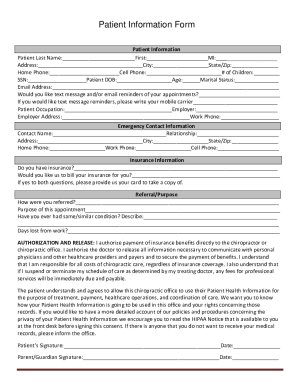
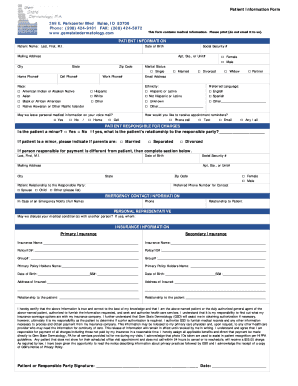
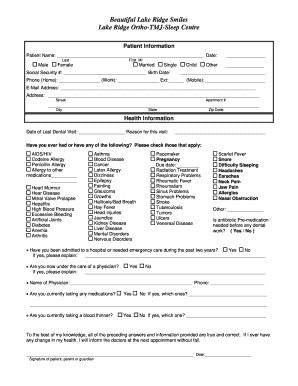
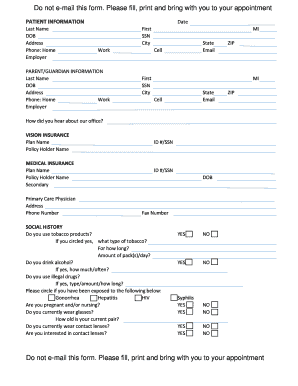
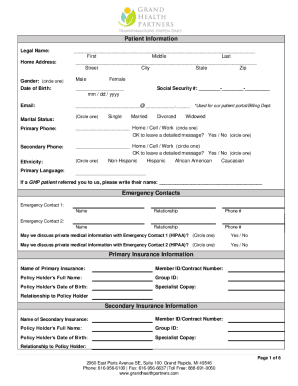
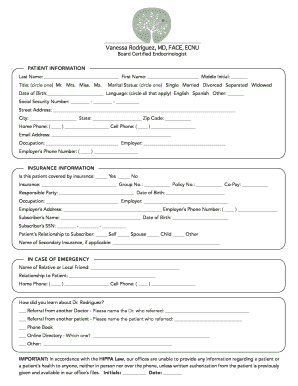
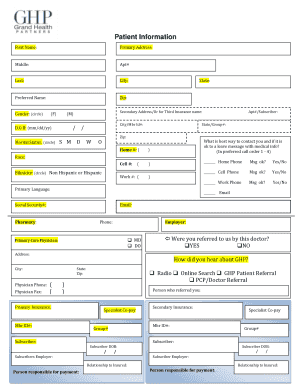
The Patient Information Form is a healthcare document used by new patients to provide essential personal and medical information during registration.
pdfFiller scores top ratings on review platforms




Who needs Oncology Hematology Specialists Patient Information Packet?
Explore how professionals across industries use pdfFiller.

Oncology Hematology Specialists Patient Information Packet is needed by:
-
New patients at healthcare facilities
-
Guardians filling out for minors
-
Healthcare providers requiring patient information
-
Insurance companies processing claims
-
Administrative staff managing patient records
-
Emergency contact individuals
Comprehensive Guide to Oncology Hematology Specialists Patient Information Packet
What is the Patient Information Form?
The Patient Information Form is a crucial document in the healthcare landscape, serving as a key resource during initial patient registration. This form collects essential information, including demographics, insurance details, and health history, which are pivotal for delivering appropriate medical care. Accurate completion of this form ensures that healthcare providers can maintain comprehensive patient records and facilitate billing and insurance claims effectively.
It primarily encompasses data such as names, addresses, and medical history, allowing practitioners to better understand patient backgrounds from the first point of contact. By streamlining the intake process, this healthcare form enhances the overall efficiency of patient management in various medical settings.
Purpose and Benefits of the Patient Information Form
The Patient Information Form serves several beneficial purposes for both healthcare providers and patients. For providers, having accurate patient records is paramount; it directly influences claims submissions and billing accuracy. A well-completed form helps in establishing a clear communication channel, ensuring that all necessary information is available for patient care planning.
For patients, the benefits are equally significant. They can experience a more streamlined registration process, which reduces wait times and facilitates better care coordination among healthcare teams. Importantly, this form requires a signature, which is essential for authorizing the release of information and accepting financial responsibilities related to healthcare services.
Key Features of the Patient Information Form
The Patient Information Form is designed to be user-friendly, equipped with various fillable fields such as 'Last name', 'First name', 'Birth date', and options for gender and marital status. This structured approach simplifies the data entry process for patients and guardians alike.
-
Includes a clear signature line for accountability.
-
Utilizes checkboxes for convenient selections.
-
Facilitates quick navigation through patient demographics.
Incorporating these components makes the form not only functional but also vital for eliciting the necessary information efficiently.
Who Needs the Patient Information Form?
The target audience for the Patient Information Form includes new patients and guardians providing information for minors. Any individual visiting a healthcare provider for the first time, or those changing providers, will need to complete this critical document.
It's essential in scenarios where a healthcare history needs to be established quickly to ensure appropriate care and treatment options are utilized effectively.
How to Fill Out the Patient Information Form Online (Step-by-Step)
Completing the Patient Information Form online using pdfFiller is straightforward. Follow these steps to ensure accuracy:
-
Access the Patient Information Form on pdfFiller.
-
Fill out each section, ensuring to provide complete information for all fields.
-
Review the inputs for accuracy, paying special attention to demographics and health history.
-
Sign the form electronically or prepare to print for wet signature if needed.
By adhering to these instructions, users can efficiently complete the form while preventing common errors that could arise during the process.
Digital Signature vs. Wet Signature Requirements
Understanding the signature requirements is critical for submitting the Patient Information Form. A digital signature offers a secure and compliant way to authorize forms electronically. pdfFiller ensures that electronic signatures meet stringent security measures, providing peace of mind in handling sensitive data.
However, in certain instances, a wet signature may still be necessary, primarily depending on specific state regulations or the preferences of certain healthcare providers. It’s advisable to verify signature requirements based on individual circumstances.
How to Download, Print, and Submit the Patient Information Form
After filling out the Patient Information Form, users have several options for handling the completed document:
-
Download and save a copy for personal records.
-
Print the form for in-person submission, if required.
-
Submit the form via email or deliver it in person at the healthcare provider's office.
This flexibility in submission methods ensures that patients can choose the most convenient way to provide their information to healthcare providers.
Security and Privacy Considerations
Using pdfFiller for the Patient Information Form guarantees the safety of your sensitive data. The platform employs robust encryption methods alongside compliance with regulations such as HIPAA and GDPR to protect patient privacy.
It is essential to follow best practices for handling this information, such as avoiding unsecure networks and ensuring the chosen platform is reputable. Security measures are paramount when filling out healthcare forms to safeguard personal data against unauthorized access.
Maximize Your Experience with pdfFiller
Leveraging pdfFiller not only simplifies the patient registration process but also enhances overall document management capabilities for healthcare forms. Users can benefit from a variety of features, including cloud storage for easy access and editing across devices.
With tools designed to streamline form completion and management, patients can enjoy a more efficient and effective experience when handling necessary healthcare documentation.
How to fill out the Oncology Hematology Specialists Patient Information Packet
-
1.Access the Patient Information Form on pdfFiller by entering the official website and searching for the form's name in the search bar.
-
2.Once located, click on the form to open it in the pdfFiller editor. You can quickly navigate through the document using the sidebar that displays all the fields available.
-
3.Before filling out the form, gather essential information such as personal identification details, insurance information, and emergency contacts to ensure a smooth completion process.
-
4.Start by entering the requested personal information in the designated fields, including 'Last name,' 'First name,' and 'Birth date.' Use the dropdown menus for gender and marital status selections.
-
5.After completing all sections, review the form thoroughly for accuracy. Ensure all fields are filled out correctly and check for any missing information.
-
6.Finally, upon confirming that the form is complete and accurate, save your progress. You can download the filled form as a PDF, or submit it directly through pdfFiller's submission options.
-
7.If you plan to print the form for physical submission, ensure that any required signatures from you or your guardian are added before finalizing.

Who is eligible to fill out the Patient Information Form?
The Patient Information Form is intended for new patients seeking healthcare services, including adults, minors with a guardian's assistance, and individuals needing to register with a healthcare provider.
What information is required to complete this form?
Essential information includes personal demographics like name and birth date, insurance details, emergency contacts, and health history to help healthcare providers deliver appropriate care.
How do I submit the Patient Information Form?
You can submit the form through pdfFiller directly, or download it and bring a printed copy to your healthcare provider. Always follow specified submission guidelines provided by the facility.
Are there any common mistakes to avoid while filling out the form?
Common mistakes include leaving mandatory fields blank, providing incorrect information, and forgetting to sign the document. Carefully review each section to minimize errors.
What is the processing time for the Patient Information Form?
Processing time may vary by healthcare provider, but typically, recognizing completed forms and updating patient records can take a few days. Check with your provider for specific timelines.
What supporting documents do I need to attach?
You may need to provide insurance cards, a valid ID, or other medical documents depending on the healthcare provider's requirements. It's best to check ahead for specific needs.
Can a guardian fill out the form on behalf of a minor?
Yes, a guardian can complete the Patient Information Form for a minor. The guardian must provide their details and sign the form, indicating their authority to act on the child's behalf.
Related Forms



Get the latest insights from our blog


If you believe that this page should be taken down, please follow our DMCA take down process
here
.
This form may include fields for payment information. Data entered in these fields is not covered by PCI DSS compliance.