
Last updated on
Oct 31, 2026

CA Advanced Home Medical Doctor’s Order Form (RX) 2016-2026 free printable template
pdfFiller is not affiliated with any government organization

Fill out
Complete the form online in a simple drag-and-drop editor.

eSign
Add your legally binding signature or send the form for signing.

Share
Share the form via a link, letting anyone fill it out from any device.

Export
Download, print, email, or move the form to your cloud storage.
Why pdfFiller is the best tool for your documents and forms


End-to-end document management
From editing and signing to collaboration and tracking, pdfFiller has everything you need to get your documents done quickly and efficiently.
Accessible from anywhere
pdfFiller is fully cloud-based. This means you can edit, sign, and share documents from anywhere using your computer, smartphone, or tablet.
Secure and compliant
pdfFiller lets you securely manage documents following global laws like ESIGN, CCPA, and GDPR. It's also HIPAA and SOC 2 compliant.
What is CA Advanced Home Medical Doctor’s Order Form (RX)
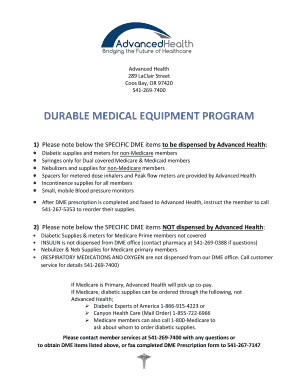
The California DME Form is a healthcare document used by patients and physicians to order home medical equipment and supplies.
pdfFiller scores top ratings on review platforms




Who needs CA Advanced Home Medical Doctor’s Order Form (RX)?
Explore how professionals across industries use pdfFiller.

CA Advanced Home Medical Doctor’s Order Form (RX) is needed by:
-
Patients requiring home medical equipment.
-
Guardians of patients needing medical supplies.
-
Physicians prescribing durable medical equipment.
-
Medical facilities ordering supplies for patients.
-
Insurance companies processing claims for medical equipment.
-
Healthcare providers involved in patient care.
Comprehensive Guide to CA Advanced Home Medical Doctor’s Order Form (RX)
What is the California DME Form?
The California DME Form serves as a crucial document for ordering home medical equipment and supplies. This form is specifically designed to support patients who require durable medical equipment (DME). By outlining the necessity for a physician's signature alongside that of the patient or guardian, the form streamlines the process of acquiring essential medical supplies.
In addition to patient identification data, the form emphasizes the importance of capturing accurate information to facilitate efficient healthcare delivery.
Purpose and Benefits of the California DME Form
The California DME Form benefits both patients and healthcare providers in several significant ways. First, it expedites the ordering process for necessary medical supplies, ensuring that patients receive what they need without delays. Additionally, the authorization for insurance benefits assignment allows healthcare providers to get reimbursed efficiently, enhancing cash flow for services rendered.
-
Supports patient health by ensuring timely access to medical equipment.
-
Facilitates a smoother interaction between patients and healthcare providers.
Key Features of the California DME Form
This form contains several important components, each designed to gather essential information. Among the fillable fields are patient details such as name, date of birth, and social security number, which are vital for processing orders effectively. The form also includes sections requiring signatures from both the physician and the patient or guardian.
Additionally, it provides checkboxes that allow for the selection of specific medical equipment, ensuring that all necessary items are accounted for in the order.
Who Needs the California DME Form?
The California DME Form is intended for use by several key individuals in the healthcare process. Physicians are responsible for filling out the form with the patient's information, which may include new treatments or equipment rentals. Patients and guardians also play a crucial role, as their signatures are required to authorize the release of medical equipment.
-
Scenarios that necessitate the use of this form include new treatment plans and equipment rentals.
-
Eligibility criteria for utilizing the form typically involve obtaining a medical necessity determination.
How to Fill Out the California DME Form Online (Step-by-Step)
To fill out the California DME Form online, following a clear set of instructions is essential. Begin by visiting pdfFiller and locating the form. The process can be completed in a few simple steps:
-
Fill in the required patient details, including name and contact information.
-
Provide specific information regarding the needed medical equipment.
-
Ensure all necessary signatures from the physician and patient/guardian are completed.
Utilizing digital features such as eSigning enhances convenience and ensures that the form is completed accurately and efficiently.
Common Errors and How to Avoid Them
When filling out the California DME Form, certain pitfalls are commonly encountered that can lead to rejection. Typical mistakes include missing signatures or providing incorrect information. To avoid these mistakes, a thorough verification of all details before submission is advisable.
-
Create a checklist to validate each field has been addressed appropriately.
-
Review all required signatures to ensure completeness.
How to Submit the California DME Form
Submitting the completed California DME Form can be accomplished in multiple ways. Users can choose to submit the form online, mail it, or deliver it in person. It's essential to pay attention to submission timelines and deadlines to ensure that the request is processed without delays.
After submission, users can expect to receive confirmation and may be able to track the status of their submission, ensuring transparency throughout the process.
Security and Compliance for the California DME Form
Handling sensitive documents like the California DME Form necessitates stringent security measures. pdfFiller employs 256-bit encryption and adheres to both HIPAA and GDPR compliance, ensuring patient information remains protected. The importance of data protection and privacy cannot be overstated, as it protects users from potential data breaches.
Make Handling the California DME Form Easier with pdfFiller
Utilizing pdfFiller offers numerous advantages for managing the California DME Form. Users can easily edit, sign, and share their forms using a convenient, cloud-based platform. With features such as fillable forms and secure eSigning, pdfFiller enhances the overall experience of handling medical forms.
Users are encouraged to take advantage ofpdfFiller’s capabilities to simplify the form-filling process and ensure accuracy and compliance.
How to fill out the CA Advanced Home Medical Doctor’s Order Form (RX)
-
1.Access pdfFiller and search for 'California DME Form' in the search bar on the homepage.
-
2.Click on the form title to open it within the pdfFiller interface.
-
3.Gather necessary information such as patient details, equipment specifications, and insurance information before starting.
-
4.Complete each fillable field including patient name, date of birth, and social security number by clicking on the fields and typing the required information.
-
5.Utilize the checkboxes present to select the specific home medical equipment needed by the patient.
-
6.Ensure both required fields for physician and patient/guardian signatures are completed by clicking on the signature lines.
-
7.Once all fields are filled in, review the entire form for accuracy, checking all entered information against your documents.
-
8.Use the 'Save' function to keep a copy of the filled form on pdfFiller.
-
9.To download the completed form, click on the 'Download' button, or select 'Submit' if you wish to send it directly to a designated entity.

Who is eligible to use the California DME Form?
Any patient or guardian needing to order home medical equipment in California is eligible. In addition, physicians who prescribe or oversee the equipment orders must also be involved in completing this form.
Is there a deadline for submitting the California DME Form?
There is typically no specific deadline for submitting the California DME Form, but it is advisable to submit it as soon as possible to avoid delays in receiving necessary medical equipment.
How can I submit the completed California DME Form?
The completed California DME Form can be submitted electronically through pdfFiller or printed and mailed to the appropriate medical provider or insurance company as specified.
What supporting documents do I need when submitting the California DME Form?
You may need to include evidence of medical necessity such as a prescription from the physician and patient insurance details for claims processing, depending on the submission method.
What are common mistakes to avoid when filling out the California DME Form?
Common mistakes include missing required signatures, incorrect patient details, and incomplete equipment specifications. Double-check all entered information and ensure all fields are filled correctly before submission.
What is the typical processing time for the California DME Form?
Processing times can vary by provider and insurance company. Generally, expect processing to take anywhere from a few days to a couple of weeks after submission, depending on the efficiency of the involved parties.
What concerns should I keep in mind regarding the California DME Form?
It's important to ensure all information is accurate and complete, as errors may lead to claim denials. Always confirm your eligibility for the requested equipment and the assigned benefits before submitting the form.
CA Advanced Home Medical Doctor’s Order Form (RX) Form Versions
Related Forms




Get the latest insights from our blog


If you believe that this page should be taken down, please follow our DMCA take down process
here
.
This form may include fields for payment information. Data entered in these fields is not covered by PCI DSS compliance.