
Last updated on
Oct 31, 2026

PA Civil Judicial Assignment Chart 2022-2026 free printable template
pdfFiller is not affiliated with any government organization

Fill out
Complete the form online in a simple drag-and-drop editor.

eSign
Add your legally binding signature or send the form for signing.

Share
Share the form via a link, letting anyone fill it out from any device.

Export
Download, print, email, or move the form to your cloud storage.
Why pdfFiller is the best tool for your documents and forms


End-to-end document management
From editing and signing to collaboration and tracking, pdfFiller has everything you need to get your documents done quickly and efficiently.
Accessible from anywhere
pdfFiller is fully cloud-based. This means you can edit, sign, and share documents from anywhere using your computer, smartphone, or tablet.
Secure and compliant
pdfFiller lets you securely manage documents following global laws like ESIGN, CCPA, and GDPR. It's also HIPAA and SOC 2 compliant.
What is PA Civil Judicial Assignment Chart
The PA Civil Judicial Assignment Chart is a legal document used by judicial clerks and attorneys to track the assignment of civil cases in Pennsylvania courts.
pdfFiller scores top ratings on review platforms




Who needs PA Civil Judicial Assignment Chart?
Explore how professionals across industries use pdfFiller.

PA Civil Judicial Assignment Chart is needed by:
-
Judicial clerks overseeing case assignments
-
Attorneys representing clients in civil cases
-
Court administrators managing civil procedure
-
Legal researchers studying case trends
-
Litigants wanting clarity on case assignments
Comprehensive Guide to PA Civil Judicial Assignment Chart
What is the PA Civil Judicial Assignment Chart?
The PA Civil Judicial Assignment Chart is a form used within the Pennsylvania judicial system to assign civil cases efficiently. This chart serves to clarify case assignments, streamlining the workflow within the legal system. Accurate completion of this form is crucial; any errors can hinder judicial processes, potentially delaying the resolution of cases.
Understanding its purpose helps users navigate through civil procedures effectively and avoid complications in their legal proceedings.
Benefits of the PA Civil Judicial Assignment Chart
The PA Civil Judicial Assignment Chart offers several advantages that enhance the efficiency of legal processes. Firstly, it streamlines judicial assignments, allowing cases to be processed more rapidly. This efficiency not only saves time but also reduces the burden on legal resources.
Additionally, using this chart ensures legal compliance, preventing potential penalties. Filing this document appropriately helps maintain access to judicial resources, which is essential for both defendants and plaintiffs.
Who Needs the PA Civil Judicial Assignment Chart?
Several key participants in the judicial system must submit the PA Civil Judicial Assignment Chart. This includes lawyers representing clients, defendants facing legal action, and plaintiffs initiating lawsuits. Specific scenarios necessitating the chart include court filings and legal proceedings, where assigning the case accurately is vital.
Understanding the target audience for this form ensures timely and correct submissions, which are essential for successful legal outcomes.
How to Fill Out the PA Civil Judicial Assignment Chart Online
To complete the PA Civil Judicial Assignment Chart online using pdfFiller, follow these steps:
-
Access the digital form on the pdfFiller platform.
-
Fill in each field accurately, ensuring all required information is provided.
-
Utilize features such as eSigning to securely sign the document.
-
Review the completed chart for any errors before submission.
Tips for using pdfFiller include leveraging editing tools to make necessary adjustments before finalizing your submission.
Common Errors When Filling Out the PA Civil Judicial Assignment Chart and How to Avoid Them
When completing the PA Civil Judicial Assignment Chart, users often encounter common pitfalls. Frequent mistakes include missing fields and entering incorrect data. To minimize these issues, create a validation checklist to ensure all entries are accurate before submission.
Adopting strategies such as double-checking each section and confirming details with clients can significantly enhance the quality of submissions.
Submission Process for the PA Civil Judicial Assignment Chart
Submitting the PA Civil Judicial Assignment Chart involves specific steps to ensure proper processing:
-
Submit the completed chart to the appropriate court or judicial office.
-
Be aware of any fees associated with the submission.
-
Note the submission deadlines to avoid penalties.
-
Keep track of your submission status to confirm its acceptance.
Late submissions can lead to consequences, so it’s crucial to adhere to all outlined timelines and procedures.
Security and Compliance When Using the PA Civil Judicial Assignment Chart
Handling the PA Civil Judicial Assignment Chart securely is imperative due to the sensitive nature of legal data. It is essential to ensure compliance with data protection regulations such as HIPAA and GDPR. PdfFiller prioritizes security through measures like 256-bit encryption, making document handling safe for users.
To enhance personal data protection, avoid sharing sensitive information over unsecured channels and ensure that your devices are appropriately secured.
What Happens After You Submit the PA Civil Judicial Assignment Chart?
After submitting the PA Civil Judicial Assignment Chart, users can expect a confirmation indicating receipt by the court. The review process will follow, where the submitted information is evaluated for completeness and accuracy.
Checking the application status is crucial, as it allows users to stay informed. If any corrections are necessary, guidance is available for amending submissions efficiently.
Engagement with pdfFiller for Your PA Civil Judicial Assignment Chart Needs
PdfFiller serves as a comprehensive solution for filling and managing the PA Civil Judicial Assignment Chart. The platform simplifies form completion with features such as editing, eSigning, and document management, optimizing the user experience.
User testimonials highlight the effectiveness of pdfFiller in tackling various document-related tasks, reinforcing its reliability in legal contexts.
How to fill out the PA Civil Judicial Assignment Chart
-
1.Start by navigating to pdfFiller's website and logging into your account, or create one if you don’t have it yet.
-
2.In the search bar, type 'PA Civil Judicial Assignment Chart' and select the form from the search results.
-
3.Once the form opens, familiarize yourself with the layout and available tools on pdfFiller’s interface, including the text fields, checkboxes, and customization options.
-
4.Before filling out the form, gather all necessary information, such as case numbers, parties involved, and dates relevant to the civil cases to ensure accuracy.
-
5.Begin filling in the required fields using clear, concise information. Use the toolbar options to adjust text size or format if necessary, and make sure all entries are legible.
-
6.As you fill in the form, periodically review your inputs for any errors or omissions, using the highlighting features to ensure no sections are overlooked.
-
7.After completing the form, take a moment to double-check all entries for accuracy and completeness. Make any necessary corrections before proceeding.
-
8.Once satisfied with the completed form, save your progress using the save button. You can download a copy for your records or submit it directly from pdfFiller.
-
9.To submit the form, follow the prompts to send it electronically to the appropriate court department or print it for in-person submission, depending on the required submission method.

What is the purpose of the PA Civil Judicial Assignment Chart?
The PA Civil Judicial Assignment Chart helps track the assignment of civil cases within Pennsylvania courts, ensuring all legal parties are aware of case statuses and assignments.
Who is eligible to use the PA Civil Judicial Assignment Chart?
The chart is primarily meant for judicial clerks, attorneys, and court administrators involved in civil litigation in Pennsylvania, helping manage and document case assignments.
How do I submit the completed form?
After completing the PA Civil Judicial Assignment Chart on pdfFiller, you can submit it electronically through the platform or download and print it for in-person submission at a Pennsylvania courthouse.
Are there deadlines associated with this form?
While the form itself may not have strict deadlines, it’s crucial to complete and submit it timely to comply with court schedules and procedural requirements.
What common mistakes should I avoid when filling out the form?
Ensure all required fields are filled correctly, double-check for typographical errors, and verify that all case information is accurate to avoid processing delays.
What should I have prepared before filling out the form?
Before starting the form, gather all pertinent case information including case numbers, involved parties, and dates relevant to your civil cases to ensure accurate entries.
How long does it take to process the PA Civil Judicial Assignment Chart?
Processing times for the chart may vary depending on the court's workload, but timely and accurate submission typically leads to quicker processing.
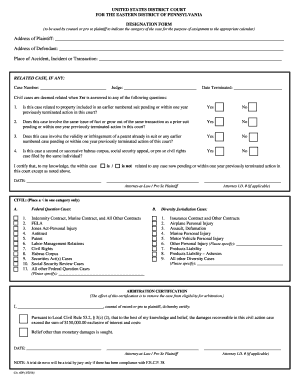
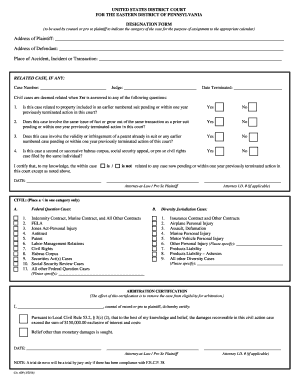
PA Civil Judicial Assignment Chart Form Versions
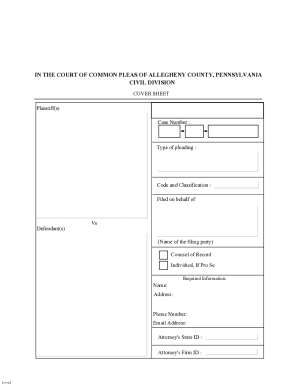
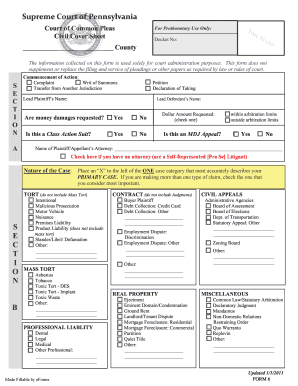
Related Forms


Get the latest insights from our blog


If you believe that this page should be taken down, please follow our DMCA take down process
here
.
This form may include fields for payment information. Data entered in these fields is not covered by PCI DSS compliance.