
Last updated on
Nov 6, 2026

PH University of the Philippines Open University Application for Leave of Absence (LOA) Form 201...
We are not affiliated with any brand or entity on this form

Fill out
Complete the form online in a simple drag-and-drop editor.

eSign
Add your legally binding signature or send the form for signing.

Share
Share the form via a link, letting anyone fill it out from any device.

Export
Download, print, email, or move the form to your cloud storage.
Why pdfFiller is the best tool for your documents and forms


End-to-end document management
From editing and signing to collaboration and tracking, pdfFiller has everything you need to get your documents done quickly and efficiently.
Accessible from anywhere
pdfFiller is fully cloud-based. This means you can edit, sign, and share documents from anywhere using your computer, smartphone, or tablet.
Secure and compliant
pdfFiller lets you securely manage documents following global laws like ESIGN, CCPA, and GDPR. It's also HIPAA and SOC 2 compliant.
What is PH University of the Philippines Open University Application for Leave of Absence (LOA) Form
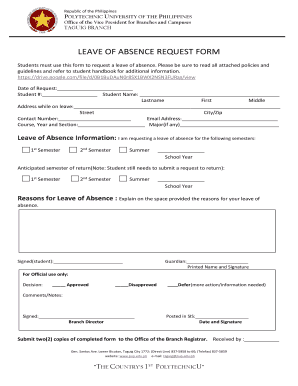
The University of the Philippines Leave of Absence Form is a document used by students to request a temporary break from their studies at the University of the Philippines Open University.
pdfFiller scores top ratings on review platforms




Who needs PH University of the Philippines Open University Application for Leave of Absence (LOA) Form?
Explore how professionals across industries use pdfFiller.

PH University of the Philippines Open University Application for Leave of Absence (LOA) Form is needed by:
-
University students needing a temporary leave from studies
-
Faculty secretaries responsible for processing leave requests
-
Deans approving leave of absence applications
-
Administrative staff managing student enrollment
-
University counselors advising students on academic breaks
Comprehensive Guide to PH University of the Philippines Open University Application for Leave of Absence (LOA) Form
What is the University of the Philippines Leave of Absence Form?
The University of the Philippines Leave of Absence Form is a crucial document used by students to request a temporary break from their academic studies. It provides a structured pathway for students facing various personal or academic challenges. The form is issued by the University of the Philippines Open University (UPOU), highlighting its significance in the institution’s academic management processes.
This form is vital for ensuring that the university can manage academic records and maintain the integrity of its enrollment system. Students must navigate the form carefully to ensure that their requests are processed smoothly and efficiently.
Purpose and Benefits of the University of the Philippines Leave of Absence Form
Students may request a leave of absence for several reasons, including personal health concerns, family emergencies, or the pursuit of professional opportunities. Utilizing the University of the Philippines LOA template allows students to formalize their temporary withdrawal while retaining their academic standing.
The benefits of using this form include the ability to officially pause studies without penalty, allowing students to return without complications. Notably, the form contributes to better academic planning and resource allocation for the university.
Who Needs the University of the Philippines Leave of Absence Form?
The primary users of the leave of absence form are students at the University of the Philippines. They play a critical role in initiating the process by accurately filling out the document. Additionally, the form involves signatures from key stakeholders, including the faculty secretary and the dean, to ensure proper oversight.
These signatures authenticate the requests and help maintain academic integrity, confirming that the leave aligns with university regulations.
Eligibility Criteria for the University of the Philippines Leave of Absence Form
To be eligible for filing a Leave of Absence, students must meet specific conditions set by the university. These may include being in good academic standing and providing a legitimate reason for their absence. The maximum duration for which a leave can be approved is generally up to one year from the term of effectivity.
It is essential for students to familiarize themselves with these criteria to avoid any misunderstandings during the application process.
How to Fill Out the University of the Philippines Leave of Absence Form Online
Filling out the University of the Philippines Leave of Absence Form online is streamlined through platforms like pdfFiller. To complete the form, follow these steps:
-
Access the form on the pdfFiller website.
-
Input your personal information, including your name and student number.
-
Select your program and major from the drop-down fields provided.
-
Indicate the term of effectivity for your leave.
-
State your reason for filing the leave.
-
Complete any payment details required, such as LOA fees.
-
Submit the form after obtaining all necessary signatures.
Review and Validation Checklist for the University of the Philippines Leave of Absence Form
Before submitting the Leave of Absence Form, students should ensure all required fields are filled. Here is a checklist to follow:
-
Name of Student
-
Student Number
-
Program and Major
-
Term of Effectivity
-
Reason for Filing
-
Signatures of the Faculty Secretary and Dean
Common errors to avoid include leaving fields blank or providing incorrect information. Taking the time to double-check these details can expedite the processing of your application.
Submission Methods and Delivery for the University of the Philippines Leave of Absence Form
Once completed, the form must be submitted according to university guidelines. Students can typically submit the form electronically or in-person at designated offices. Some submissions may require payment of a processing fee, so it’s essential to check specific requirements beforehand.
The processing time may vary, so students are encouraged to inquire about timelines to ensure they anticipate any delays based on their needs.
What Happens After You Submit the University of the Philippines Leave of Absence Form?
After submission, students will receive confirmation of their application status. They can track the progress of their requests through the university’s system. Possible outcomes include approval or rejection of the leave, and in some cases, students may be notified if further information is needed to proceed.
Being informed about the timeline and potential consequences of late filing can significantly affect a student's academic career.
Security and Compliance for the University of the Philippines Leave of Absence Form
pdfFiller prioritizes security when handling sensitive documents like the Leave of Absence Form. The platform employs 256-bit encryption and complies with regulations such as HIPAA and GDPR, ensuring that all student information remains confidential.
Students can feel secure knowing their data is protected while they complete essential academic forms online.
Why Choose pdfFiller to Complete Your University of the Philippines Leave of Absence Form?
Choosing pdfFiller to complete your University of the Philippines Leave of Absence Form offers several advantages. The platform allows for easy editing, signing, and managing of the document, simplifying the entire process for students.
With intuitive features and stringent security measures, pdfFiller ensures that handling this critical form is both efficient and safe.
How to fill out the PH University of the Philippines Open University Application for Leave of Absence (LOA) Form
-
1.Access pdfFiller and search for the 'University of the Philippines Leave of Absence Form' in the template library.
-
2.Open the form in pdfFiller's editor, which allows you to fill in fields electronically.
-
3.Before you start, gather necessary personal information such as your student ID, program details, and specific reasons for your leave.
-
4.Begin by filling in your personal details such as your name, student number, and program. Ensure all entries are accurate.
-
5.Proceed to fill in the 'Term of Effectivity' to specify the period you intend to take off.
-
6.In the 'Reason for Filing' section, clearly state the reason for your absence, ensuring it's concise and relevant.
-
7.Fill in the section for the 'LOA Fee Paid Under OR #' if applicable, including the related date and amount paid.
-
8.Carefully review all fields to ensure they are complete before proceeding to your signature.
-
9.Sign the form electronically, then proceed to invite the faculty secretary and dean for their signatures through pdfFiller's share feature.
-
10.After all signatures are collected, review the form once more for accuracy.
-
11.Finally, use pdfFiller's download option to save or print your completed form. You may also submit it directly if applicable.

Who is eligible to submit the Leave of Absence Form?
Students enrolled at the University of the Philippines Open University are eligible to submit the Leave of Absence Form. They must provide valid reasons for their request, and it must be approved by the Faculty Secretary and Dean.
Is there a deadline for submitting the Leave of Absence Form?
It's recommended to submit the Leave of Absence Form as early as possible to allow adequate processing time. Check with your academic calendar for specific deadlines related to term breaks.
How do I submit the Leave of Absence Form?
You can submit the completed Leave of Absence Form either by emailing it to the designated office or by physically submitting it according to university guidelines. Ensure all required signatures are collected before submission.
What supporting documents do I need when submitting this form?
Typically, you may need to attach any supporting documents that validate your reason for leave, such as medical certificates or personal statements, although specifics may vary by case.
What are common mistakes to avoid when filling out this form?
Common mistakes include incomplete fields, incorrect personal information, and failing to secure required signatures. Double-check all entries for accuracy before submission.
How long does it take to process the Leave of Absence Form?
Processing times can vary, but generally, it takes a few days to a few weeks, depending on the university's workload and the completeness of your submission.
Can the Leave of Absence be extended beyond one year?
No, the Leave of Absence must not exceed one year from the term of effectivity as per university regulations. If further leave is needed, additional applications should be submitted accordingly.
PH University of the Philippines Open University Application for Leave of Absence (LOA) Form Form Versions
Related Content
Related Forms




Get the latest insights from our blog



If you believe that this page should be taken down, please follow our DMCA take down process
here
.
This form may include fields for payment information. Data entered in these fields is not covered by PCI DSS compliance.