
Last updated on
Oct 30, 2026
Smartsheet Shipping Request Form Template 2018-2026 free printable template
pdfFiller is not affiliated with any government organization

Fill out
Complete the form online in a simple drag-and-drop editor.

eSign
Add your legally binding signature or send the form for signing.

Share
Share the form via a link, letting anyone fill it out from any device.

Export
Download, print, email, or move the form to your cloud storage.
Why pdfFiller is the best tool for your documents and forms


End-to-end document management
From editing and signing to collaboration and tracking, pdfFiller has everything you need to get your documents done quickly and efficiently.
Accessible from anywhere
pdfFiller is fully cloud-based. This means you can edit, sign, and share documents from anywhere using your computer, smartphone, or tablet.
Secure and compliant
pdfFiller lets you securely manage documents following global laws like ESIGN, CCPA, and GDPR. It's also HIPAA and SOC 2 compliant.
What is Smartsheet Shipping Request Form Template
The Shipping Request Form Template is a business document used by senders to request shipping services efficiently.
pdfFiller scores top ratings on review platforms




Who needs Smartsheet Shipping Request Form Template?
Explore how professionals across industries use pdfFiller.

Smartsheet Shipping Request Form Template is needed by:
-
Businesses needing to ship products
-
Logistics companies managing shipments
-
E-commerce retailers fulfilling orders
-
Individuals sending personal packages
-
Suppliers coordinating deliveries
Comprehensive Guide to Smartsheet Shipping Request Form Template
What is the Shipping Request Form Template?
The Shipping Request Form Template is a crucial document used by businesses to facilitate shipping requests. Its primary aim is to streamline communication regarding shipment details. This form typically includes essential fields such as sender and recipient information, shipping method options, and any special instructions necessary for the shipment.
Key fields in the form encompass sender and recipient details, the chosen shipping method, and any specific directions the sender may want to communicate. Using a shipping request form template can significantly improve the efficiency of shipping processes.
Purpose and Benefits of the Shipping Request Form Template
This form is essential for businesses looking to enhance their shipping operations. By clearly outlining shipment details, the shipping request form template facilitates efficient shipping requests and improves communication among involved parties.
Some benefits of using the shipping request form template include:
-
Streamlined communication between senders and carriers
-
Improved tracking of shipments
-
Opportunity to request optional insurance for valuable items
Key Features of the Shipping Request Form Template
The shipping request form template boasts several user-friendly features that make it effective for its intended purpose. It includes fillable fields designated for vital shipping details such as dates, shipment ID, and contact information.
Other important components of the form include:
-
Checkboxes for indicating if the shipment is residential
-
Options for selecting insurance
-
Fields for any special instructions from the sender
Who Needs the Shipping Request Form Template?
The shipping request form template is designed for a wide range of users, from individuals to businesses requiring shipping services. Various scenarios illustrate the utility of this form, particularly in the contexts of e-commerce and logistics companies.
Businesses that ship products frequently will find this form particularly beneficial. Whether a small online retailer or a large shipping company, the shipping request form can simplify the shipping process significantly.
How to Fill Out the Shipping Request Form Template Online (Step-by-Step)
Completing the shipping request form template accurately is crucial for ensuring effective shipping. Here is a step-by-step guide on how to fill out each field:
-
Start by entering today’s date at the top of the form.
-
Input the requested ship date and the expected delivery date.
-
Fill in the shipment request ID number for tracking purposes.
-
Provide complete sender and recipient details, including name, address, and contact information.
-
Select the shipping method that best fits your needs.
-
Indicate if the shipment is residential by checking the relevant box.
-
Optionally, choose insurance for the shipment and add any special instructions as necessary.
Common Errors and How to Avoid Them
When filling out the shipping request form template, users often encounter typical errors that can lead to complications. Common mistakes include:
-
Entering incorrect or incomplete addresses
-
Omitting important fields such as contact information
-
Choosing the wrong shipping method
To prevent these issues, double-check all provided information for accuracy and completeness before submitting the form.
How to Submit the Shipping Request Form Template
Submitting the completed shipping request form is straightforward. Users can deliver the form through various methods, including:
-
Emailing the filled form to the designated shipping contact
-
Physically delivering the printed form to the appropriate shipping office
After submission, be sure to inquire about any available tracking options to monitor the progress of your shipment effectively.
Security and Compliance for the Shipping Request Form Template
The security of information submitted through the shipping request form template is paramount. pdfFiller prioritizes user data safety with strong measures such as 256-bit encryption and adherence to compliance standards like SOC 2 Type II, HIPAA, and GDPR.
When completing shipping requests, it's crucial to ensure that sensitive information is adequately protected to prevent unauthorized access.
Sample of a Completed Shipping Request Form Template
For users to better understand how to fill out the shipping request form template, a sample of a completed form is available. This visual aid can provide clarity on how accurately to input the required information.
Users can access this sample through pdfFiller's platform, enabling them to fill out their own forms with confidence.
Experience Seamless Document Management with pdfFiller
pdfFiller offers comprehensive features that enhance the shipping process. Users can take advantage of capabilities such as editing, eSigning, and sharing PDFs to streamline their shipping requests.
The platform's user-friendly interface and robust support options ensure that users can manage their shipping documents efficiently, making the overall process smoother and more effective.
How to fill out the Smartsheet Shipping Request Form Template
-
1.Access pdfFiller and search for 'Shipping Request Form Template' to find the form quickly.
-
2.Open the form by clicking on it, and familiarize yourself with the layout and various fields available.
-
3.Before starting, gather necessary information such as sender and recipient details, shipping method preferences, and any special instructions you may have.
-
4.Begin by entering today's date in the designated field and include the requested ship date and delivery date.
-
5.Fill in the shipment request ID number, sender's name, company name, complete address including city, state, and ZIP code, phone number, and email address.
-
6.If applicable, check the box indicating whether the shipment is residential to ensure correct handling.
-
7.Select your preferred shipping method from the provided options and indicate if additional insurance is required by checking the appropriate box.
-
8.In the special instructions section, add any specific details that will assist the shipping process.
-
9.After filling in all required fields, thoroughly review your entries to ensure accuracy and completeness.
-
10.Once satisfied, save your completed form and choose to download, print, or submit it directly through pdfFiller.

Who can use the Shipping Request Form Template?
The Shipping Request Form Template can be utilized by businesses, individuals, and logistics professionals who require organized shipping services to fulfill their shipment needs.
What information do I need before filling out the form?
Before filling out the form, gather details regarding sender and recipient information, preferred shipping methods, insurance options, and any special instructions that may apply.
How do I submit the completed Shipping Request Form?
After completing the Shipping Request Form, you can submit it through pdfFiller by choosing the direct submission option or download it to send via email or print for physical mailing.
Are there any deadlines for submitting the form?
While there are generally no strict deadlines for submitting a shipping request form, provide it as soon as possible to ensure timely processing and shipping of your package.
What are common mistakes to avoid when filling out the form?
Common mistakes include omitting essential information, inaccurate addresses, and not specifying the shipping method or insurance requirements. Double-check all fields before submission.
What is the processing time for shipping requests?
Processing times for shipping requests can vary based on the shipping provider and the selected shipping method. It's best to check directly with the shipping service you intend to use.
Is notarization required for the Shipping Request Form?
No, notarization is not required for the Shipping Request Form Template. It can be completed and submitted without any notary involvement.
Related Forms



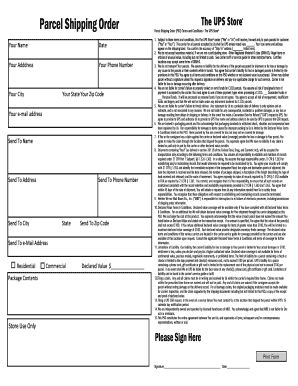
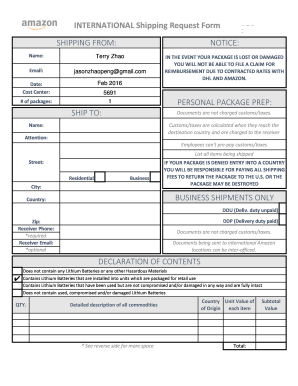

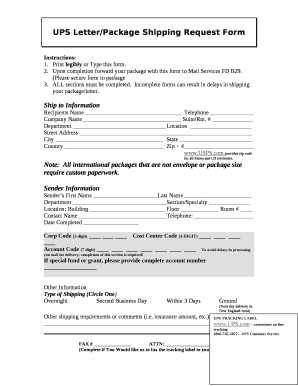
Related Catalogs
Get the latest insights from our blog


If you believe that this page should be taken down, please follow our DMCA take down process
here
.
This form may include fields for payment information. Data entered in these fields is not covered by PCI DSS compliance.