
Last updated on
Nov 10, 2026

IL 6002 ILFHP FECR 0114 2014 free printable template
pdfFiller is not affiliated with any government organization

Fill out
Complete the form online in a simple drag-and-drop editor.

eSign
Add your legally binding signature or send the form for signing.

Share
Share the form via a link, letting anyone fill it out from any device.

Export
Download, print, email, or move the form to your cloud storage.
Why pdfFiller is the best tool for your documents and forms


End-to-end document management
From editing and signing to collaboration and tracking, pdfFiller has everything you need to get your documents done quickly and efficiently.
Accessible from anywhere
pdfFiller is fully cloud-based. This means you can edit, sign, and share documents from anywhere using your computer, smartphone, or tablet.
Secure and compliant
pdfFiller lets you securely manage documents following global laws like ESIGN, CCPA, and GDPR. It's also HIPAA and SOC 2 compliant.
What is IL 6002 ILFHP FECR 0114
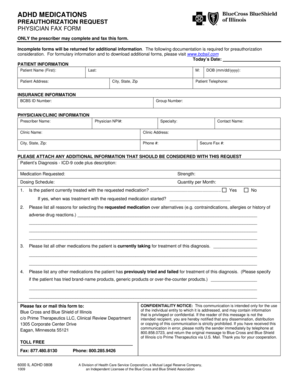
The Physician Fax Form is a medical records release document used by prescribers to request preauthorization for medication coverage from Blue Cross and Blue Shield of Illinois.
pdfFiller scores top ratings on review platforms




Who needs IL 6002 ILFHP FECR 0114?
Explore how professionals across industries use pdfFiller.

IL 6002 ILFHP FECR 0114 is needed by:
-
Healthcare providers seeking medication approval for patients
-
Patients requiring medication preauthorization
-
Medical offices managing patient records
-
Insurance coordinators in healthcare facilities
-
Pharmacists needing verification for medication dispensing
Comprehensive Guide to IL 6002 ILFHP FECR 0114
What is the Physician Fax Form?
The Physician Fax Form is a critical document utilized in the healthcare industry for requesting medication preauthorization from Blue Cross and Blue Shield of Illinois. This form serves the essential purpose of facilitating communication among healthcare providers, insurers, and patients regarding medication approval. It ensures that the prescribing physician can efficiently gather and submit necessary information to obtain coverage for prescribed medications.
By utilizing the physician fax form, prescribers streamline the process of securing medication preauthorization, thereby improving patient care and access to necessary treatments.
Purpose and Benefits of the Physician Fax Form
Prescribers are required to use the Physician Fax Form to initiate the medication coverage approval process. This form is indispensable as it not only helps in securing medication coverage but also enhances communication with insurance providers. By ensuring that all requisite information is included, the form plays a crucial role in reducing delays in treatment.
Benefits of utilizing the physician fax form include:
-
Streamlined communication with insurers.
-
Improved efficiency in medication authorization.
-
Timely patient care through expedited processing.
Key Features of the Physician Fax Form
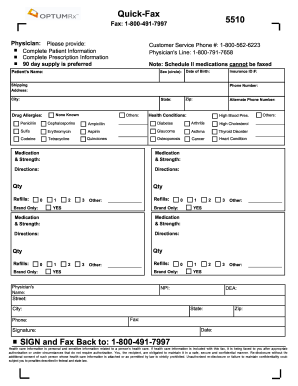
The Physician Fax Form includes several key features designed to facilitate its completion and ensure comprehensive information is provided. Essential fillable fields encompass:
-
Patient Name
-
Date of Birth (DOB)
-
BCBS ID Number
Additionally, the form incorporates checkboxes for 'Yes' and 'No' options, as well as specific instructions such as 'Incomplete forms will be returned for additional information,' guiding users in the correct completion process.
Who Needs the Physician Fax Form?
The primary users of the Physician Fax Form include prescribers and medical clinics involved in patient treatment. Each of these stakeholders must meet specific eligibility criteria to complete the form, which may vary depending on the patient's insurance coverage and medication needs.
Key requirements for completing the form typically include:
-
Accurate patient identification information.
-
Details regarding the prescribed medication.
-
Physician or clinic details.
How to Fill Out the Physician Fax Form Online (Step-by-Step)
To ensure an effective process for completing the Physician Fax Form, follow these steps using pdfFiller:
-
Access the Physician Fax Form template on pdfFiller.
-
Fill in the required fields, including patient information and medication details.
-
Pay particular attention to any checkboxes and specific instructions included in the form.
-
Review your entries for accuracy to avoid common errors.
-
Save your completed form and prepare for submission.
Common mistakes to watch out for include leaving required fields blank and incorrect patient details, which can lead to delays in processing.
Submission Methods for the Physician Fax Form
Once the Physician Fax Form is completed, it must be submitted via fax to the designated recipient. It's crucial to follow the guidelines for successful submission, including confirming the fax number and reviewing deadlines for submission to avoid delays.
Key aspects of the submission process involve:
-
Ensuring accurate and complete information is provided on the form.
-
Submitting the form within the required time frame.
-
Confirming receipt of the fax where possible.
Common Errors and How to Avoid Them
Several common mistakes may arise when completing the Physician Fax Form, which could hinder the approval process. Identifying these errors is essential for smooth processing.
Common errors to avoid include:
-
Inadvertently omitting required fields.
-
Providing incorrect insurance information.
-
Failing to follow instructions for submitting the form.
To mitigate these risks, double-check all entries, and seek guidance if uncertain about any aspect of the form.
Security and Compliance for the Physician Fax Form
Data protection and compliance are paramount when handling the Physician Fax Form, as it contains sensitive patient information. Prescribers must adhere to strict regulations regarding privacy and data protection, including HIPAA compliance.
pdfFiller implements robust security measures, including:
-
256-bit encryption to protect data.
-
SOC 2 Type II compliance for security standards.
-
Regular audits to ensure adherence to HIPAA and GDPR regulations.
Get Started with pdfFiller to Simplify Your Physician Fax Form Experience
To streamline your experience with the Physician Fax Form, consider utilizing pdfFiller's features, which facilitate the completion and submission of the form. The platform's capabilities for editing, sharing, and managing documents provide an efficient solution for prescribers.
By leveraging pdfFiller for this process, users can achieve greater convenience, improved accuracy, and enhanced document management, making the handling of medical records release forms more efficient.
How to fill out the IL 6002 ILFHP FECR 0114
-
1.To access the Physician Fax Form on pdfFiller, visit the website and use the search bar to locate the form by its name.
-
2.Once you find the form, click to open it in the pdfFiller editor. This will allow you to navigate through the document easily.
-
3.Before filling out the form, gather the necessary patient information including their name, date of birth, and Blue Cross Blue Shield ID number.
-
4.Use pdfFiller's interface to enter the patient information in the designated fields, ensuring all details are accurate and up to date.
-
5.You will also need to fill out physician and clinic information, ensuring that your credentials are clearly listed.
-
6.In the medication request section, provide specifics such as diagnosis, medication name, dosing schedule, and rationale for the medication choice.
-
7.As you complete each section, make sure to check the form for completeness, as incomplete submissions can delay processing.
-
8.After you finish filling out the form, review all entered information to confirm its accuracy before proceeding.
-
9.Once you are satisfied with the form, use pdfFiller to save your progress or download the finalized document in your preferred format.
-
10.Finally, follow the submission instructions provided on the form to fax it to the corresponding address for review.

What are the eligibility requirements for submitting the Physician Fax Form?
To submit the Physician Fax Form, you must be a licensed healthcare provider requesting medication preauthorization on behalf of a patient covered by Blue Cross and Blue Shield of Illinois.
Is there a deadline for submitting the Physician Fax Form?
While specific deadlines may vary, it’s important to submit the Physician Fax Form as soon as possible to avoid delays in patient medication coverage. Contact Blue Cross for any inquiry on deadlines.
How do I submit the Physician Fax Form once completed?
After completing the Physician Fax Form, fax it to the designated number specified on the form. Ensure that all required fields are filled out to prevent delays in processing.
What supporting documents are required to submit with this form?
Typically, supporting documents such as the patient's medical history and previous treatment records may be required. Check with Blue Cross to confirm any specific requirements.
What are common mistakes to avoid when filling out the Physician Fax Form?
Common mistakes include omitting necessary patient information, failing to sign the form, or sending incomplete documentation. Double-check all entries for accuracy before submission.
What is the expected processing time for the Physician Fax Form?
Processing times can vary, but generally, it takes around 5-10 business days for Blue Cross to review the Physician Fax Form and provide feedback on the preauthorization request.
Are there any fees associated with using the Physician Fax Form?
Typically, there are no direct fees for submitting the Physician Fax Form itself, but check with Blue Cross if there are any associated costs for processing or medication.
IL 6002 ILFHP FECR 0114 Form Versions
Related Forms



Get the latest insights from our blog


If you believe that this page should be taken down, please follow our DMCA take down process
here
.
This form may include fields for payment information. Data entered in these fields is not covered by PCI DSS compliance.