
Last updated on
Oct 31, 2026
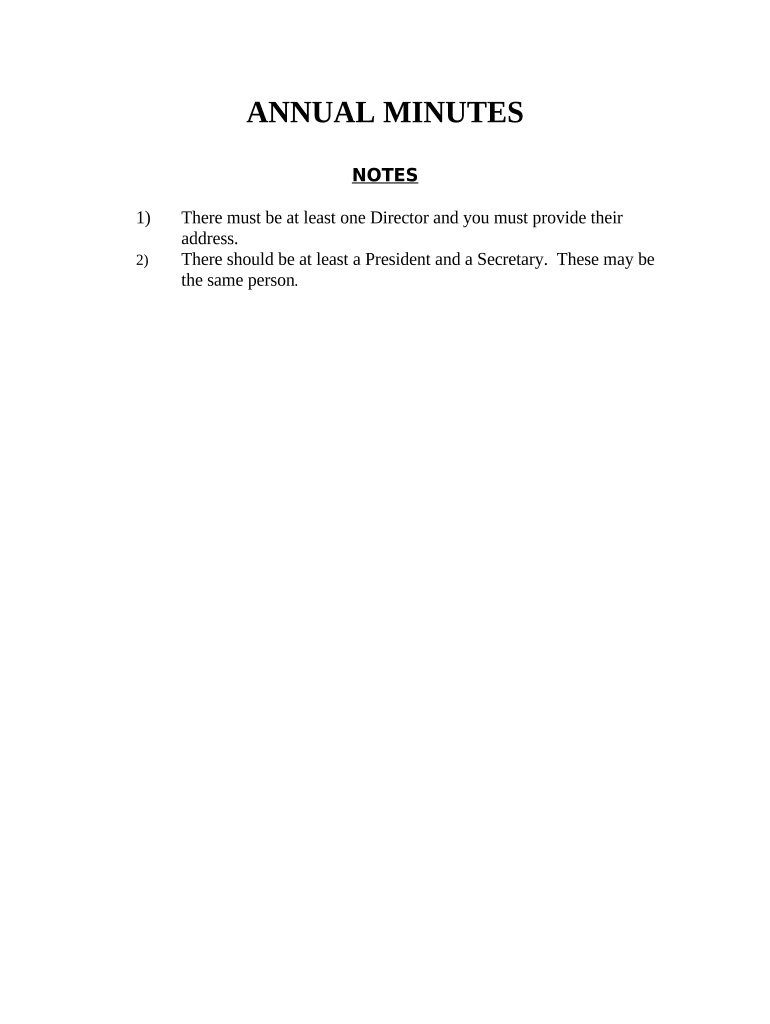
Get the free Kentucky Annual Corporate Minutes Form
We are not affiliated with any brand or entity on this form

Fill out
Complete the form online in a simple drag-and-drop editor.

eSign
Add your legally binding signature or send the form for signing.

Share
Share the form via a link, letting anyone fill it out from any device.

Export
Download, print, email, or move the form to your cloud storage.
Why pdfFiller is the best tool for your documents and forms


End-to-end document management
From editing and signing to collaboration and tracking, pdfFiller has everything you need to get your documents done quickly and efficiently.
Accessible from anywhere
pdfFiller is fully cloud-based. This means you can edit, sign, and share documents from anywhere using your computer, smartphone, or tablet.
Secure and compliant
pdfFiller lets you securely manage documents following global laws like ESIGN, CCPA, and GDPR. It's also HIPAA and SOC 2 compliant.
What is Kentucky Annual Minutes
The Kentucky Annual Corporate Minutes Form is a corporate document used by shareholders and directors to officially document actions taken in lieu of an annual meeting.
pdfFiller scores top ratings on review platforms




I love being able to use Pdfiller to create my documents. It is more convenient for me and gets the job done.
great purchase. I forgot about the free trial and the purchase was done automatically. I am however happy with the purchase
Easy to use. Zero importing issues. Great interface.
What do you like best?
Ease of use and the editing tools available.
What do you dislike?
It would be great if the system would take me straight to the My Docs page at login.
What problems are you solving with the product? What benefits have you realized?
Great for needed digital signatures on contracts, etc. We also use it to edit maps we use in our business for clarity.
What do you like best?
The ability to edit almost any part of a pdf has saved me on countless hours of retyping a document for one minor change. The interface is very easy as well
What do you dislike?
The only improvement I would like to see is the ability to remove sections (cut) and move others into the opening. I may be a novice and this ability does exist, but if it does not, I personally would find it beneficial
What problems are you solving with the product? What benefits have you realized?
I am able to correct sentances, paragraphs or simply small typos. The ability to adjust those without redoing an entire document is an amazing benefit.
What do you like best?
pdfFiller is so easy to use! I can upload my documents to sign, edit, add or delete information to them.
What do you dislike?
nothing! It has helped me tremendously in my business
What problems are you solving with the product? What benefits have you realized?
I can easily make edits to existing documents. I can add signatures to letters.
Who needs Kentucky Annual Minutes?
Explore how professionals across industries use pdfFiller.

Kentucky Annual Minutes is needed by:
-
Shareholders of Kentucky business corporations
-
Directors operating within Kentucky corporate entities
-
Corporate secretaries tasked with documentation
-
Business compliance officers
-
Legal agents handling corporate governance
-
Accountants managing corporate records
Comprehensive Guide to Kentucky Annual Minutes
What is the Kentucky Annual Corporate Minutes Form?
The Kentucky Annual Corporate Minutes Form is essential for corporate governance, serving as a record of significant actions taken by shareholders and directors during the year. This form allows companies to document decisions made in place of a traditional annual meeting, ensuring a transparent record for compliance and decision-making purposes.
Proper documentation is crucial, as it delineates the actions taken, including elections of directors and approvals of corporate actions. The form requires signatures from both shareholders and directors, indicating their agreement and acknowledgment of the documented minutes.
Purpose and Benefits of the Kentucky Annual Corporate Minutes Form
Maintaining corporate records is a legal necessity for Kentucky business corporations. The Kentucky Annual Corporate Minutes Form facilitates this requirement by providing an organized method to record decisions and actions, which is vital for legal compliance.
Accurate and accessible minutes benefit corporations by aiding in decision-making processes, supporting audits, and ensuring compliance with state laws. Failing to document corporate actions can lead to repercussions, including legal challenges or compliance issues.
Key Features of the Kentucky Annual Corporate Minutes Form
This form includes several important sections that capture various corporate actions. Notable features are sections designated for electing directors and officers, along with approving significant actions within the company.
Additionally, fillable fields allow users to easily enter names, addresses, and obtain necessary signatures, enhancing accessibility. Users can benefit from pdfFiller’s platform, which simplifies form usage and provides an intuitive interface for completing these essential corporate documents.
Who Needs the Kentucky Annual Corporate Minutes Form?
Shareholders, directors, and corporate secretaries are the primary users of the Kentucky Annual Corporate Minutes Form. Each role brings a level of responsibility to the filing process, ensuring that all necessary actions are formally documented.
All parties involved are required to sign the form, complying with the obligations set forth under the Kentucky Business Corporation Act. This form is an essential tool for maintaining compliance and effectively managing corporate governance.
How to Fill Out the Kentucky Annual Corporate Minutes Form Online
Filling out the Kentucky Annual Corporate Minutes Form online is a straightforward process. Users should first navigate to the fillable form fields accessible through pdfFiller’s platform.
-
Enter essential information, including names and addresses of shareholders and directors.
-
Provide details for corporate actions, including any elections and approvals.
-
Review all entered data for accuracy before proceeding.
-
Attach digital signatures as required by the specific roles involved.
Common tips for reviewing the completed form include checking that all fields are filled correctly and ensuring that all necessary signatures are captured before submitting.
Submission Methods and Delivery for the Kentucky Annual Corporate Minutes Form
Once the Kentucky Annual Corporate Minutes Form is completed, users have several submission options. The form can be submitted via email or traditional mail, and it may also require filing with corporate records.
It's important to adhere to filing deadlines to maintain compliance. Users should also be mindful of any applicable fees that may arise during the submission process in Kentucky.
Security and Compliance for the Kentucky Annual Corporate Minutes Form
Security is a top priority when using pdfFiller for handling the Kentucky Annual Corporate Minutes Form. The platform employs 256-bit encryption, ensuring that sensitive corporate documents are protected from unauthorized access.
pdfFiller’s compliance with HIPAA and GDPR regulations is critical when managing confidential information, providing users with peace of mind regarding data privacy and protection practices.
How to Access and Save the Kentucky Annual Corporate Minutes Form PDF
Accessing and saving the Kentucky Annual Corporate Minutes Form as a PDF is an essential step for record-keeping. Users can easily download the completed form following these steps:
-
Navigate to the download option within pdfFiller.
-
Select the format to save the document, choosing PDF for portability.
-
Organize and save the document in a secure location for future reference.
-
If needed, print a hard copy of the form for physical records.
What Happens After You Submit the Kentucky Annual Corporate Minutes Form?
After submitting the Kentucky Annual Corporate Minutes Form, users can expect a confirmation of receipt, often accompanied by a tracking number for monitoring the submission status. It's essential to keep an eye on the processing time, as further requests for information may arise.
If the form is rejected or needs corrections, users should understand the steps to address these issues effectively, ensuring that the documentation meets all necessary requirements.
Getting Started with pdfFiller to Complete Your Kentucky Annual Corporate Minutes Form
Using pdfFiller for your Kentucky Annual Corporate Minutes Form simplifies the document management process. The platform offers ease of use, allowing for efficient editing, eSigning, and organizing of your corporate documents.
Embracing digital solutions can enhance your ability to manage corporate forms securely and conveniently. Start today by utilizing pdfFiller to streamline your form-filling experience.
How to fill out the Kentucky Annual Minutes
-
1.Start by accessing pdfFiller and search for the 'Kentucky Annual Corporate Minutes Form'. You can find it quickly using the search bar.
-
2.Once you’ve located the form, click to open it. Familiarize yourself with the layout and the sections available for filling in.
-
3.Before filling out the form, gather necessary information such as names, addresses, and signatures of all shareholders and directors involved in the document.
-
4.Begin completing the form by filling in the designated fields. Be sure to enter accurate names, addresses, and positions to avoid any errors.
-
5.Utilize pdfFiller’s tools, like text boxes and signature fields, to navigate fully through the form. Scroll through various sections to ensure no blank fields remain.
-
6.After completing all fields, take a moment to review the filled-in information. Ensure names and details are correct and that all required signatures have been provided.
-
7.When everything looks correct, finalize the form by clicking the save option. You can then choose to download a copy for your records or submit it to your corporate filings directly through pdfFiller.
-
8.Confirm the submission method based on your needs, whether to print, email, or save for electronic filing.

Who is eligible to fill out the Kentucky Annual Corporate Minutes Form?
Eligible individuals include shareholders, directors, and corporate secretaries of Kentucky business corporations. They must be involved in the annual actions being documented.
What is the deadline for submitting the Kentucky Annual Corporate Minutes Form?
The form should be submitted and filed with corporate records as part of your annual reporting requirements, ideally prior to the end of your corporation's fiscal year.
How do I submit the Kentucky Annual Corporate Minutes Form once completed?
The completed form can be submitted through various methods such as printing and mailing, or electronic submission, depending on your corporate filing requirements and preferences.
Are there any supporting documents required when filing this form?
Typically, no additional supporting documents are required. However, it is advisable to keep copies of meeting minutes and any resolutions passed for your records.
What are common mistakes to avoid when filling out the form?
Common mistakes include failing to sign the document, missing required fields, and not keeping the form updated with current shareholder and director information.
How long does it take to process the Kentucky Annual Corporate Minutes Form?
Processing times can vary depending on how the form is filed. Electronic submissions may be processed faster versus traditional mailing methods.
Can I edit the Kentucky Annual Corporate Minutes Form once it’s filled out?
Yes, you can edit the form at any time before it is finalized and submitted. Use pdfFiller to make changes easily.
Related Forms


Related Catalogs
Get the latest insights from our blog



If you believe that this page should be taken down, please follow our DMCA take down process
here
.
This form may include fields for payment information. Data entered in these fields is not covered by PCI DSS compliance.