
Last updated on
Nov 6, 2026
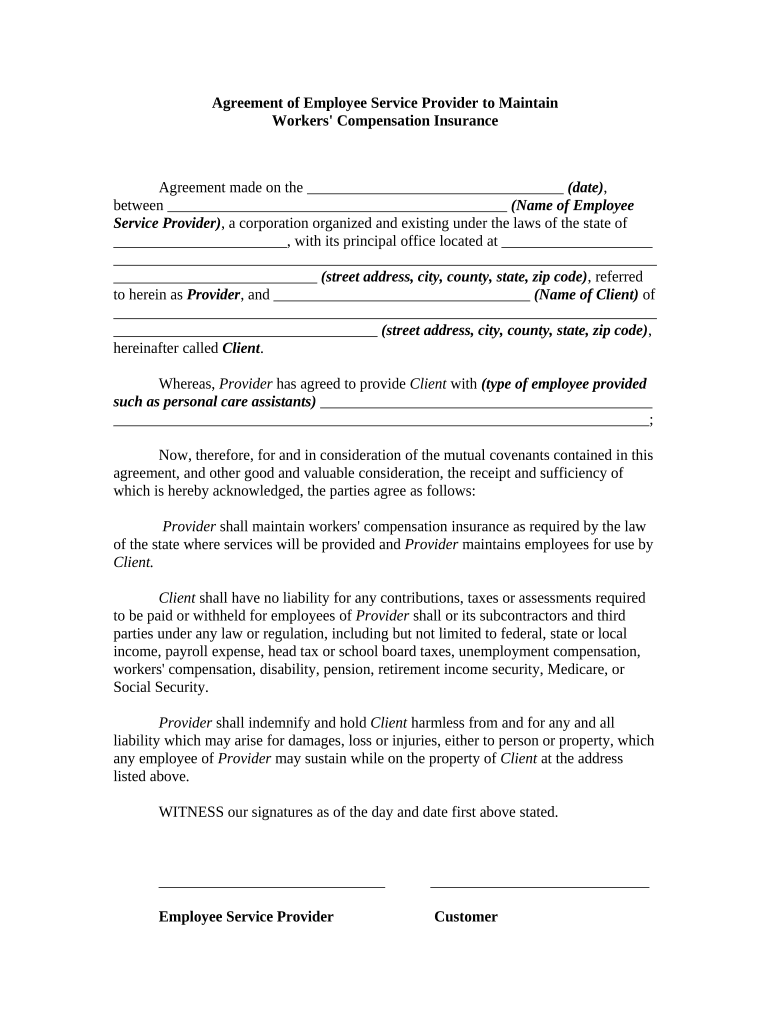
Get the free Employee Service Provider Workers' Compensation Agreement
We are not affiliated with any brand or entity on this form

Fill out
Complete the form online in a simple drag-and-drop editor.

eSign
Add your legally binding signature or send the form for signing.

Share
Share the form via a link, letting anyone fill it out from any device.

Export
Download, print, email, or move the form to your cloud storage.
Why pdfFiller is the best tool for your documents and forms


End-to-end document management
From editing and signing to collaboration and tracking, pdfFiller has everything you need to get your documents done quickly and efficiently.
Accessible from anywhere
pdfFiller is fully cloud-based. This means you can edit, sign, and share documents from anywhere using your computer, smartphone, or tablet.
Secure and compliant
pdfFiller lets you securely manage documents following global laws like ESIGN, CCPA, and GDPR. It's also HIPAA and SOC 2 compliant.
What is Workers' Comp Insurance Agreement
The Employee Service Provider Workers' Compensation Agreement is a legal document used by employee service providers and customers to ensure compliance with workers' compensation insurance requirements.
pdfFiller scores top ratings on review platforms




Thank you PDF Filler very much for prompt customer service, great support and easy fallible forms.
Simple and Powerful tool for my business
Ibelieve inhaling good faith and today I got it back,at this time I believe I will like your service and am looking forward to a long relationship.Thank You
PDF Filler is an excellent application, i don't know how i have gotten along without it
Excellent and speedy customer service…
Excellent and speedy customer service experience
Love PDF Filler. I have used for years and will continue to.
Who needs Workers' Comp Insurance Agreement?
Explore how professionals across industries use pdfFiller.

Workers' Comp Insurance Agreement is needed by:
-
Employee service providers requiring liability coverage
-
Clients hiring employee service providers
-
HR departments managing employee contracts
-
Legal professionals reviewing employment agreements
-
Business owners concerned about insurance compliance
Comprehensive Guide to Workers' Comp Insurance Agreement
What is the Employee Service Provider Workers' Compensation Agreement?
The Employee Service Provider Workers' Compensation Agreement is a legally binding document that outlines the responsibilities of both the Employee Service Provider and the Customer regarding workers' compensation insurance. This agreement is crucial in ensuring compliance with state-specific workers' compensation insurance laws, thereby protecting both parties from potential liabilities.
The agreement clearly identifies the parties involved—the Employee Service Provider, who hires employees to provide services, and the Customer, who hires the service provider. By formalizing their responsibilities, this document helps to mitigate risks associated with employee-related accidents and injuries that may occur on the customer's premises.
Purpose and Benefits of the Employee Service Provider Workers' Compensation Agreement
The primary purpose of this agreement is to protect both the Employee Service Provider and the Customer from various liabilities that can arise from workplace incidents. For the Employee Service Provider, it ensures adherence to legal obligations regarding workers' compensation insurance, which is vital for maintaining credibility in the industry. For the Customer, it mitigates potential legal risks associated with hiring external service providers.
Additionally, having a clear employment service contract can foster a cooperative relationship between the two parties, as well as ensure that everyone understands their obligations and rights regarding workplace safety and financial accountability.
Key Features of the Employee Service Provider Workers' Compensation Agreement
This agreement typically includes several critical elements:
-
The names of the Employee Service Provider and the Customer
-
The effective dates of the contract
-
A description of responsibilities for the Employee Service Provider
-
Explicit instructions on how to complete the document
-
Signature requirements for both parties
These features are essential for clarity, ensuring that both parties are aware of their obligations and the terms of the agreement.
Who Needs the Employee Service Provider Workers' Compensation Agreement?
This agreement is primarily utilized by businesses that hire external service providers. Scenarios where this agreement is particularly necessary include situations involving on-site services or temporary employees where risks may arise. Both the service provider and the customer must understand and agree to the terms laid out in the document to avoid potential misunderstandings and ensure compliance with applicable laws.
How to Fill Out the Employee Service Provider Workers' Compensation Agreement Online (Step-by-Step)
To fill out the form using pdfFiller, follow these steps:
-
Access the form on the pdfFiller platform.
-
Enter the date of the agreement in the specified field.
-
Fill in the names of the Employee Service Provider and the Customer.
-
Provide any necessary witness signatures as required.
-
Review the agreement for accuracy before finalizing.
Ensure that all fields are completed accurately to prevent delays in processing.
Common Errors to Avoid When Filling Out the Employee Service Provider Workers' Compensation Agreement
When completing the agreement, it is crucial to avoid frequent mistakes such as:
-
Leaving fields blank or incorrectly filled
-
Failing to obtain required signatures
-
Not adhering to state-specific requirements regarding the form
To ensure compliance and accuracy, double-check all information before submission. This practice will help to minimize processing delays.
How to Sign the Employee Service Provider Workers' Compensation Agreement
Signing the agreement can be done through either digital signatures or wet signatures. To eSign using pdfFiller, simply follow the platform's instructions for electronic signing, ensuring all parties complete their required sections. If a notarization is necessary based on state regulations, be sure to adhere to those requirements for the contract to be legally binding.
Security and Privacy for Your Employee Service Provider Workers' Compensation Agreement
Pdfs filled online often involve sensitive information. pdfFiller employs 256-bit encryption and complies with HIPAA and GDPR to protect personal and business data. It is essential that users are aware of the security measures in place when handling such documents, ensuring that confidentiality is maintained.
Storing and Managing Your Employee Service Provider Workers' Compensation Agreement
After completing the agreement, it is advisable to store the document securely. Options for managing access to the filled document can include using cloud storage solutions or platforms like pdfFiller for easy retrieval and sharing. Utilizing a centralized document management system can enhance organization and accessibility in the future.
Begin Your Employee Service Provider Workers' Compensation Agreement with pdfFiller
To start your process, utilize pdfFiller for easy access to the form. The platform offers a streamlined process with user-friendly features that make filling out the agreement straightforward. Employing a secure solution for handling sensitive documents ensures that your information is protected throughout the process.
How to fill out the Workers' Comp Insurance Agreement
-
1.Access pdfFiller and search for the Employee Service Provider Workers' Compensation Agreement template from your dashboard.
-
2.Open the form by clicking on it, which will launch the document in the pdfFiller editor interface.
-
3.Familiarize yourself with the form's layout and sections. Identify where each type of information needs to be entered, such as dates, names, and addresses.
-
4.Gather all necessary information before you begin filling out the form, including the service provider's full name, client details, and any relevant dates required for the agreement.
-
5.Click on each blank field to type in the required information. Ensure that all entries are accurate and reflect the agreed terms.
-
6.Follow the built-in instructions provided within the template for any specific sections that require special attention or additional details.
-
7.Review each completed field to ensure there are no errors or omissions. Confirm that all necessary information is filled in appropriately.
-
8.Once the form is fully completed, make sure to sign the document electronically using pdfFiller's signature tool.
-
9.After signing, save your changes by clicking the 'Save' button and choose your preferred format for download or submission.
-
10.To submit, follow the instructions on pdfFiller for either emailing the document directly or downloading it for mailing.

Who needs to use the Employee Service Provider Workers' Compensation Agreement?
Both employee service providers and clients who wish to formalize their agreement regarding workers' compensation insurance should use this document. It serves as a crucial legal tool for liability coverage.
What information do I need to fill out this form?
Before filling out the form, gather necessary details such as the names of both parties, their addresses, the date of the agreement, and any specific terms related to workers' compensation insurance.
Is notarization required for this form?
No, the Employee Service Provider Workers' Compensation Agreement does not require notarization. It only necessitates signatures from both parties to be considered valid.
Can I submit the form electronically?
Yes, you can submit the completed form electronically through pdfFiller by using the email send option or downloading it for manual submission via fax or postal service.
What are common mistakes to avoid when completing this form?
Common mistakes include leaving blank fields, entering incorrect information, and not reviewing the terms carefully. Double-check all entries for accuracy before submission.
How long does it take to process this agreement?
The processing time varies based on the parties involved. If submitted electronically via pdfFiller, the form can typically be finalized quickly, often on the same day.
What should I do if I need changes after signing the agreement?
If changes are needed after signing, both parties must agree to the modifications and document them appropriately. A new agreement may be necessary to reflect any changes made.
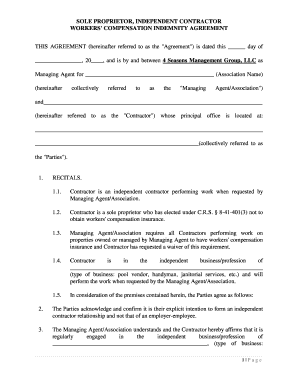

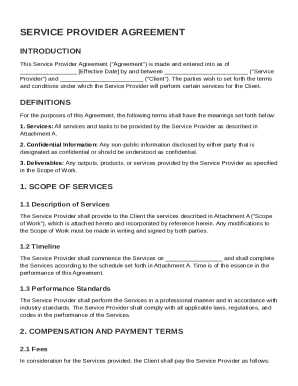
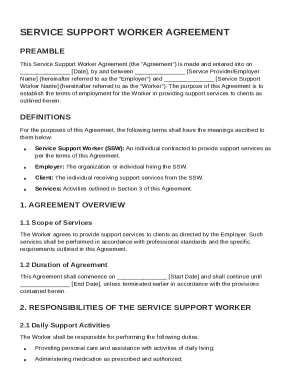


Related Catalogs
Get the latest insights from our blog


If you believe that this page should be taken down, please follow our DMCA take down process
here
.
This form may include fields for payment information. Data entered in these fields is not covered by PCI DSS compliance.