
Last updated on
Oct 31, 2026

Get the free Model Letter for Legal Filing
We are not affiliated with any brand or entity on this form

Fill out
Complete the form online in a simple drag-and-drop editor.

eSign
Add your legally binding signature or send the form for signing.

Share
Share the form via a link, letting anyone fill it out from any device.

Export
Download, print, email, or move the form to your cloud storage.
Why pdfFiller is the best tool for your documents and forms


End-to-end document management
From editing and signing to collaboration and tracking, pdfFiller has everything you need to get your documents done quickly and efficiently.
Accessible from anywhere
pdfFiller is fully cloud-based. This means you can edit, sign, and share documents from anywhere using your computer, smartphone, or tablet.
Secure and compliant
pdfFiller lets you securely manage documents following global laws like ESIGN, CCPA, and GDPR. It's also HIPAA and SOC 2 compliant.
What is Motion Letter
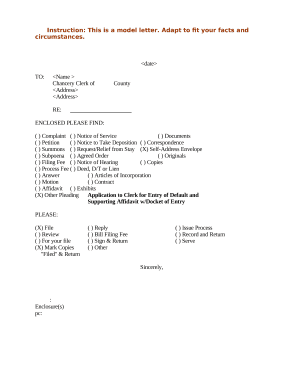
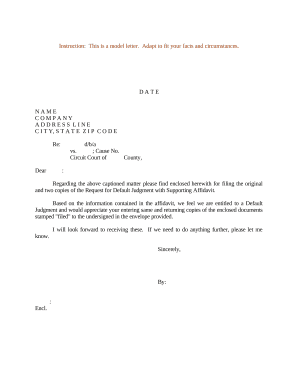
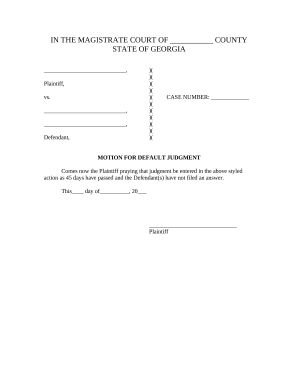
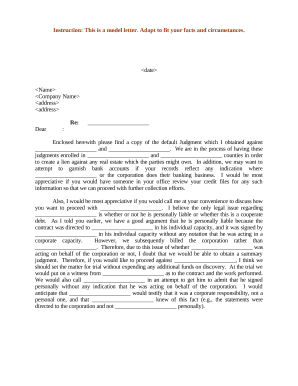
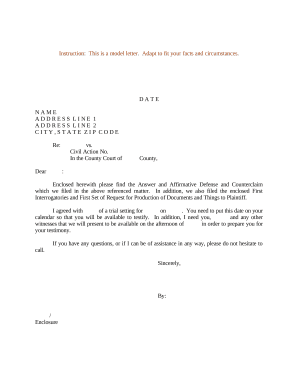
The Model Letter for Legal Filing is a legal document used by individuals to request the entry of a default and obtain filed documents. It includes an affidavit and a motion for default entry signed by the sender.
pdfFiller scores top ratings on review platforms




The PDF filler has been easy to navigate.
Wonderful, saves a lot of time dealing with document management.
at first its a little complicated to you but once you get used to it its great
Love how easy everything is and that you can sign any document!!! love it!!!
Its easy to use. It's extremely helpful that I can fax after my forms are filled out.
Really easy to edit, duplicate, share, save and print. I am very satisfied with the PDF filler application.
Who needs Motion Letter?
Explore how professionals across industries use pdfFiller.

Motion Letter is needed by:
-
Individuals filing for default in court
-
Lawyers preparing court documents for clients
-
Paralegals assisting with legal filings
-
Litigants seeking access to filed court documents
-
People involved in civil litigation proceedings
Comprehensive Guide to Motion Letter
What is the Model Letter for Legal Filing?
The Model Letter for Legal Filing serves as a template used in legal contexts to help individuals and attorneys submit requests effectively. This document typically includes essential components such as an affidavit and a motion for default. Its core purpose is to facilitate the process of requesting entries of default and obtaining necessary filed documents from the court.
This model letter template is crucial in ensuring that all required judicial communications are efficiently handled.
Purpose and Benefits of the Model Letter for Legal Filing
This letter simplifies the legal filing process by providing a standardized format that helps users meet court requirements seamlessly. The benefits of using this letter include:
-
Streamlined retrieval of necessary documents, minimizing delays.
-
A clear and organized structure that ensures compliance with legal standards.
By utilizing a motion for default template, users can avoid common pitfalls associated with informal requests.
Key Features of the Model Letter for Legal Filing
The model letter for legal filing is designed with user-friendliness in mind. Key features include:
-
Fillable fields allowing for easy customization of date, name, address, and signature.
-
Included instructions that guide users through the process of filling out and signing the documents correctly.
These features make the affidavit letter template accessible for both individuals and legal professionals alike.
Who Needs the Model Letter for Legal Filing?
Various individuals and professionals may find this model letter beneficial, including:
-
Individuals engaged in legal proceedings who may need to file for a default.
-
Attorneys and legal professionals supporting clients with their filings.
This broad target audience illustrates the utility of the motion for default template across different contexts.
How to Fill Out the Model Letter for Legal Filing Online
Utilizing pdfFiller to complete the model letter involves several steps:
-
Open the pdfFiller platform and access the model letter template.
-
Carefully fill in the fields such as date, name, and address.
-
Review each section to ensure accuracy and completeness.
-
Sign the document electronically to finalize the submission.
These instructions detail how each section of the legal filing letter should be completed, ensuring a smooth process for all users.
Common Errors and How to Avoid Them
When completing the model letter, users should be aware of common errors such as:
-
Omitting required signatures or initials.
-
Entering incorrect or outdated dates.
To validate the completed letter before submission, users should take the time to review each element carefully.
Submission Methods and Delivery for the Model Letter for Legal Filing
Once the model letter is completed, users have various methods for submission, which include:
-
Electronic submission options that allow for quick processing.
-
Traditional paper submissions, ensuring all necessary documents are included.
It's important to be aware of any relevant deadlines and processing times associated with the chosen submission method.
What Happens After You Submit the Model Letter for Legal Filing?
Upon submission of the model letter, users should anticipate the following:
-
Receiving a confirmation receipt for the submission, ensuring it was processed.
-
Tracking the status of the submission to stay informed on any updates or required actions.
Understanding possible outcomes can prevent confusion and facilitate the next steps that may be required.
Security and Compliance for Handling the Model Letter for Legal Filing
Users can be assured of the security of their sensitive documents through various measures. pdfFiller employs:
-
256-bit encryption for data protection during transfers.
-
Compliance with SOC 2 Type II, HIPAA, and GDPR standards, ensuring legal requirements are met.
This emphasis on security is vital when handling documents such as court document requests.
Experience the Ease of Filling Out the Model Letter for Legal Filing with pdfFiller
pdfFiller enhances the process of completing legal documents by offering:
-
Cloud editing capabilities that allow access from any internet-connected device.
-
eSigning features that facilitate quick signing without the need for printing.
Its user-friendly interface supports quick navigation, making it easier for individuals to manage their legal forms effectively.
How to fill out the Motion Letter
-
1.Access the Model Letter for Legal Filing by navigating to pdfFiller’s main page. Use the search bar to find the form or browse the Legal Forms category.
-
2.Open the selected form by clicking on it. This will direct you to the editable form interface where you can begin filling it out.
-
3.Before completing the form, gather all necessary information, including dates, recipient details, and any supporting documentation that you may need.
-
4.Begin by entering the date in the designated field, followed by your name and address in the appropriate sections of the form. PDFfiller allows easy click-to-type functionality.
-
5.Continue to fill in the recipient's name and address. Ensure that this information is accurate to facilitate proper delivery.
-
6.Locate the section for the affidavit and fill out any required information. This may include details about the default and any pertinent legal references.
-
7.Once all fields are filled, review the document carefully. Ensure that all the information is correct and that required fields are not left blank.
-
8.Finalize your form by adding your signature in the provided space. You can use the e-signature feature available in pdfFiller for this purpose.
-
9.After completing the form, save your changes using the save option. You can also download the form in various formats like PDF for your records.
-
10.To submit the form, follow the instructions specific to your court regarding filing. You can also send the document electronically if permitted.

Who is eligible to use the Model Letter for Legal Filing?
Anyone involved in a legal proceeding who needs to request the entry of a default or obtain filed documents can use this form. This includes individuals, lawyers, and legal representatives.
Is there a deadline for filing this letter?
Yes, deadlines may vary based on the specific court and case type. It's important to check with your local court to determine applicable submission timelines for your motion.
What methods are available for submitting the completed form?
The completed Model Letter for Legal Filing can typically be submitted in person at the courthouse or sometimes electronically, depending on local court rules. Always confirm with your jurisdiction's requirements.
What supporting documents do I need to include?
Along with the Model Letter, you might need to include any relevant affidavits and prior court documents. Always refer to your court guidelines for specific submission requirements.
What are common mistakes to avoid when filing this form?
Common mistakes include leaving blanks in required fields, providing incorrect recipient information, and missing signature and date. Always double-check the form before submission.
How long does it take to process the motion once submitted?
Processing times can vary by court, ranging from a few days to several weeks. It's advisable to check with your court's clerk for specific time estimates.
Can I edit the form after filling it out?
Yes, pdfFiller allows you to edit the document as needed before finalizing the submission. Be sure to save any changes made.



Related Catalogs
Get the latest insights from our blog


If you believe that this page should be taken down, please follow our DMCA take down process
here
.
This form may include fields for payment information. Data entered in these fields is not covered by PCI DSS compliance.