
Last updated on
Nov 6, 2026
OptumRx PEX6710-004 2012-2026 free printable template
pdfFiller is not affiliated with any government organization

Fill out
Complete the form online in a simple drag-and-drop editor.

eSign
Add your legally binding signature or send the form for signing.

Share
Share the form via a link, letting anyone fill it out from any device.

Export
Download, print, email, or move the form to your cloud storage.
Why pdfFiller is the best tool for your documents and forms


End-to-end document management
From editing and signing to collaboration and tracking, pdfFiller has everything you need to get your documents done quickly and efficiently.
Accessible from anywhere
pdfFiller is fully cloud-based. This means you can edit, sign, and share documents from anywhere using your computer, smartphone, or tablet.
Secure and compliant
pdfFiller lets you securely manage documents following global laws like ESIGN, CCPA, and GDPR. It's also HIPAA and SOC 2 compliant.
What is OptumRx PEX6710-004
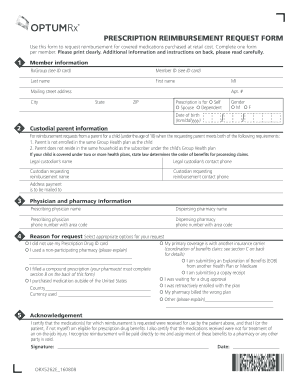
The Prescription Drug Reimbursement Form is a medical billing document used by members of a prescription drug plan to seek reimbursement for covered prescription drugs purchased at retail cost.
pdfFiller scores top ratings on review platforms




Who needs OptumRx PEX6710-004?
Explore how professionals across industries use pdfFiller.

OptumRx PEX6710-004 is needed by:
-
Members/Subscribers of prescription drug plans
-
Pharmacists processing reimbursement claims
-
Insurance companies evaluating claims
-
Healthcare providers assisting in reimbursement
-
Medical billing professionals managing claims
Comprehensive Guide to OptumRx PEX6710-004
What is the Prescription Drug Reimbursement Form?
The Prescription Drug Reimbursement Form is integral in the reimbursement process for prescription drugs. This form allows members and subscribers to seek reimbursement for prescription medications purchased at retail prices. Pharmacists also utilize this form to assist in the reimbursement submissions on behalf of patients. Users must provide certain information, including prescription details and receipts, to ensure a successful claim.
Purpose and Benefits of the Prescription Drug Reimbursement Form
Using the Prescription Drug Reimbursement Form streamlines the reimbursement process for out-of-pocket expenses associated with prescriptions. Timely reimbursement is essential for members, as it alleviates the financial burden of purchasing necessary medications. Key benefits include:
-
A straightforward and organized process for document submission.
-
Improved tracking capabilities for reimbursement requests.
-
The potential for significant savings on healthcare costs when claims are accurately submitted.
Key Features of the Prescription Drug Reimbursement Form
This form includes several essential features designed to facilitate its use. Notable aspects encompass:
-
Fillable fields that guide users on how to complete the form.
-
Specific instructions for compound prescriptions and coordination of benefits.
-
Signature requirements for both members and pharmacists to validate submissions.
Who Needs the Prescription Drug Reimbursement Form?
The Prescription Drug Reimbursement Form is necessary for individuals enrolled in a prescription drug plan. Members of such plans rely on this form to initiate the reimbursement process for their medications. Additionally, pharmacists are involved in submitting the completed forms and must ensure that eligibility requirements are met, enabling members to understand whether they qualify for reimbursement.
How to Fill Out the Prescription Drug Reimbursement Form Online
Completing the Prescription Drug Reimbursement Form online is a straightforward process. Follow these steps for successful submission:
-
Gather all necessary information, such as prescription details and receipts.
-
Complete the online form by following the instructions for each field.
-
Review your submission using the validation checklist to ensure accuracy before finalizing.
Submission Methods for the Prescription Drug Reimbursement Form
Once the Prescription Drug Reimbursement Form is filled out, users can submit it through various methods. Options include online submission and traditional mail, each with its pros and cons. It's crucial to attach required documents and supporting materials to your submission. Additionally, being aware of deadlines and processing times will help ensure a smooth reimbursement experience.
What Happens After You Submit the Prescription Drug Reimbursement Form?
After submission, users receive confirmation, allowing them to track the status of their reimbursement request. Depending on the outcome, members might need to take further steps if additional information is required. Understanding common rejection reasons can also prepare users for potential issues that may arise during the process.
Security and Compliance for the Prescription Drug Reimbursement Form
Handling sensitive information contained in the Prescription Drug Reimbursement Form requires stringent security measures. Measures such as encryption and adherence to HIPAA and GDPR guidelines ensure privacy and data protection throughout the submission process. pdfFiller prioritizes the security of all submitted documents, reassuring users as they manage their sensitive information.
Utilizing pdfFiller for Your Prescription Drug Reimbursement Form Needs
pdfFiller offers a user-friendly platform for editing, filling, and signing the Prescription Drug Reimbursement Form. With features that allow for the secure online creation and storage of forms, users can experience enhanced efficiency in managing their reimbursement processes. Leveraging pdfFiller simplifies the completion and submission of the form, making it a valuable resource for healthcare reimbursements.
How to fill out the OptumRx PEX6710-004
-
1.To access the Prescription Drug Reimbursement Form on pdfFiller, go to the pdfFiller website and use the search function to locate the form.
-
2.Once you've found the form, click on it to open it in the pdfFiller editor, where you can begin entering your information.
-
3.Ensure you have gathered all necessary information before starting, including the original prescription label receipt, patient details, and physician's information.
-
4.Use the form's fillable fields to enter information accurately. Make sure to complete fields regarding the patient and the prescriptions as instructed.
-
5.Pay attention to special instructions regarding compound prescriptions if applicable, and ensure you check all applicable boxes.
-
6.Review the completed form for accuracy; double-check all entries, and ensure that both the member/subscriber and pharmacist signatures are included.
-
7.Once you have finalized the form, navigate to the save or download options to save your completed document.
-
8.You can submit the form directly through pdfFiller or download it to your device for submission via email or postal service.

Who is eligible to use the Prescription Drug Reimbursement Form?
Members and subscribers of prescription drug plans who have purchased covered prescription medications at retail cost are eligible to use this form.
What documents are required to submit with the form?
To complete the Prescription Drug Reimbursement Form, you must include the original prescription label receipt, patient information, and details of the prescribing physician.
How do I submit the Prescription Drug Reimbursement Form?
You can submit the completed form either directly through the pdfFiller platform or download and email it to your insurance provider, following their submission guidelines.
Are there any common mistakes to avoid when filling out the form?
Common mistakes include failing to sign the form, leaving required fields blank, or not including the necessary supporting documents, such as the prescription receipt.
How long does it take to process the reimbursement once the form is submitted?
Processing times may vary, but typically allow several weeks for the reimbursement claims to be evaluated and approved by your insurance provider.
What should I do if my claim is denied?
If your claim is denied, consult your insurance provider for an explanation. You may be able to appeal the decision or provide additional documentation.
Is notarization required for this form?
No, the Prescription Drug Reimbursement Form does not require notarization, just signatures from the member/subscriber and pharmacist.
Related Forms



Get the latest insights from our blog


If you believe that this page should be taken down, please follow our DMCA take down process
here
.
This form may include fields for payment information. Data entered in these fields is not covered by PCI DSS compliance.