
Last updated on
Oct 4, 2026

WA F800-065-000 (Formerly F248-036-000) 2019-2026 free printable template
pdfFiller is not affiliated with any government organization

Fill out
Complete the form online in a simple drag-and-drop editor.

eSign
Add your legally binding signature or send the form for signing.

Share
Share the form via a link, letting anyone fill it out from any device.

Export
Download, print, email, or move the form to your cloud storage.
Why pdfFiller is the best tool for your documents and forms


End-to-end document management
From editing and signing to collaboration and tracking, pdfFiller has everything you need to get your documents done quickly and efficiently.
Accessible from anywhere
pdfFiller is fully cloud-based. This means you can edit, sign, and share documents from anywhere using your computer, smartphone, or tablet.
Secure and compliant
pdfFiller lets you securely manage documents following global laws like ESIGN, CCPA, and GDPR. It's also HIPAA and SOC 2 compliant.
What is WA F800-065-000 (Formerly F248-036-000)
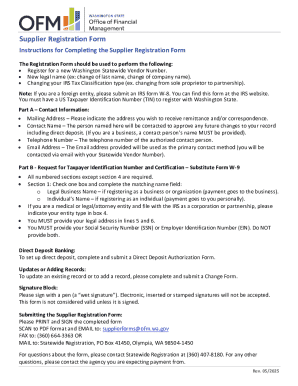
The Washington State Payee Registration Form is a government document used by individuals or businesses to register for receiving payments from the State of Washington.
pdfFiller scores top ratings on review platforms




Who needs WA F800-065-000 (Formerly F248-036-000)?
Explore how professionals across industries use pdfFiller.

WA F800-065-000 (Formerly F248-036-000) is needed by:
-
Individuals receiving state payments
-
Businesses seeking vendor registration
-
Authorized representatives of businesses
-
U.S. citizens applying for direct deposits
-
Tax filers in Washington State
-
Entities needing a W-9 for tax purposes
Comprehensive Guide to WA F800-065-000 (Formerly F248-036-000)
What is the Washington State Payee Registration Form?
The Washington State Payee Registration Form is an essential document that individuals and businesses use to register for receiving payments from the State of Washington. This form is significant as it ensures that payments are routed correctly to the designated payee.
Eligible users include both individuals and businesses that need to receive state payments. Importantly, the form must be signed by an authorized representative and a U.S. person to validate the registration.
Purpose and Benefits of the Washington State Payee Registration Form
Completing the Washington State Payee Registration Form allows users to receive payments from the state efficiently. By registering, payees can choose direct deposit, which offers several advantages over receiving checks.
-
Direct deposit provides quicker access to funds compared to checks.
-
It reduces the risk of lost or stolen checks.
-
The registration process also incorporates compliance with tax regulations through the submission of a W-9 form, ensuring that the information is accurate and complete.
Key Features of the Washington State Payee Registration Form
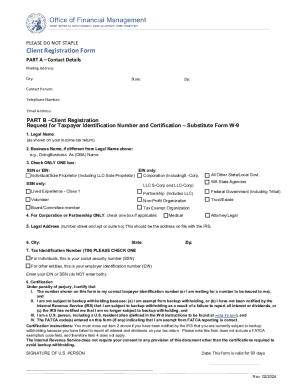
The Washington State Payee Registration Form includes various fillable fields that collect crucial information. Users will find sections for entering the legal name of the payee, along with the SSN or EIN, which are essential for identification.
-
Field for Financial Institution Name
-
Routing Number and Account Number entry sections
-
Payment option selections to indicate preference between direct deposit or checks
-
Instructions within the form guide users on how to fill it out correctly
Who Needs the Washington State Payee Registration Form?
This form is necessary for a range of users, including businesses, non-profits, and individual recipients of state payments. It is particularly mandatory for those needing to meet tax obligations.
-
Entities authorized to receive payments.
-
Individuals or organizations needing state funding.
-
Eligibility criteria include being an authorized representative or a U.S. person.
How to Fill Out the Washington State Payee Registration Form Online
Filling out the Washington State Payee Registration Form online involves a few key steps to ensure accuracy. Start by providing information in each designated field on the form.
-
Begin with your legal name and identification number.
-
Select your preferred payment method: direct deposit or check.
-
Verify all information entered for accuracy before submission to avoid common mistakes.
Submission Methods for the Washington State Payee Registration Form
Once the form is completed, users have various submission options available. Digital submission is often quicker and can be done through specified online platforms, while traditional mail serves as an alternative method.
-
Ensure all documents are included for a complete submission.
-
Follow best practices to confirm successful submission, such as retaining a copy for your records.
-
Some platforms offer tracking options to monitor registration status.
What Happens After You Submit the Washington State Payee Registration Form?
After submission, users can expect a confirmation of receipt from the State. Typical processing times vary, so it’s advisable to check in if you do not receive communication within the expected timeframe.
-
Next steps may include awaiting approval or potential follow-up actions.
-
Common reasons for registration rejection include missing information or discrepancies in provided data.
Security and Compliance When Using the Washington State Payee Registration Form
When using the Washington State Payee Registration Form, security and compliance are paramount. pdfFiller implements robust security measures, including encryption and compliance with relevant regulations, to protect sensitive information.
-
Data protection is vital during the submission process.
-
Users should also know how to securely save and manage their completed forms to prevent unauthorized access.
How pdfFiller Can Help You with the Washington State Payee Registration Form
pdfFiller streamlines the process of filling out and submitting the Washington State Payee Registration Form. Its platform enhances user experience by simplifying editing, eSigning, and form submission.
-
Utilizing pdfFiller’s features can significantly reduce common errors in form completion.
-
The platform supports users in navigating the entire registration process smoothly.
How to fill out the WA F800-065-000 (Formerly F248-036-000)
-
1.To begin, access the Washington State Payee Registration Form on pdfFiller by searching its name in the pdfFiller interface or navigating to the specific link provided by your state agency.
-
2.Once opened, familiarize yourself with the layout. The form includes sections for entering your legal name, tax information, payment preferences, and additional contact details.
-
3.Before filling out the form, gather necessary information like your Social Security Number (SSN) or Employer Identification Number (EIN), financial institution details, and routing and account numbers for direct deposits.
-
4.Use the fillable fields within pdfFiller to enter your data. Click on each section, and type your responses directly into the provided spaces, ensuring accuracy to avoid common errors.
-
5.As you complete the form, double-check your entries for accuracy, particularly your tax ID numbers and financial details to prevent issues during processing.
-
6.Once all fields are filled, review the form thoroughly. Ensure that all required signatures, particularly from authorized representatives and U.S. persons, are completed.
-
7.After verifying the contents, save the document within pdfFiller to keep a copy. You can also download the form in PDF format for your records or future reference.
-
8.Finally, submit your completed form through the designated method outlined by Washington State, which may include sending it digitally from pdfFiller or mailing a printed version to the appropriate agency.

Who is eligible to use the Washington State Payee Registration Form?
Any individual or business that wishes to receive payments from the State of Washington must complete the Washington State Payee Registration Form. This includes authorized representatives and U.S. persons.
What are the deadlines for submitting this form?
While specific deadlines may vary based on the agency involved, it’s important to submit the Washington State Payee Registration Form as soon as you begin receiving state payments or wish to register as a vendor.
What submission methods are available for the form?
You can submit the Washington State Payee Registration Form through digital submission using pdfFiller or by printing it out and mailing it to the appropriate state agency address provided in the submission guidelines.
What supporting documents are required for submission?
Typically, you will need to provide your SSN or EIN, as well as any additional documentation that verifies your business or personal identity, such as a business license or tax forms, when submitting.
What are some common mistakes to avoid when filling out this form?
Ensure all required fields are completed, double-check your tax identification numbers for accuracy, and ensure signatures are from authorized representatives. Failing to complete fields properly can delay processing.
How long does it take to process the Washington State Payee Registration Form?
Processing times can vary depending on the volume of submissions at the agency. Generally, allow for a few weeks for your application to be processed and for payments to commence.
Do I need to notarize the Washington State Payee Registration Form?
No, the Washington State Payee Registration Form does not require notarization. However, ensure that the necessary signatures are present as per the instructions.
WA F800-065-000 (Formerly F248-036-000) Form Versions
Related Content
Related Forms




Get the latest insights from our blog


If you believe that this page should be taken down, please follow our DMCA take down process
here
.
This form may include fields for payment information. Data entered in these fields is not covered by PCI DSS compliance.