
Last updated on
Oct 19, 2026

Office of Congressman Bill Keating Privacy Release Form 2011-2026 free printable template
pdfFiller is not affiliated with any government organization

Fill out
Complete the form online in a simple drag-and-drop editor.

eSign
Add your legally binding signature or send the form for signing.

Share
Share the form via a link, letting anyone fill it out from any device.

Export
Download, print, email, or move the form to your cloud storage.
Why pdfFiller is the best tool for your documents and forms


End-to-end document management
From editing and signing to collaboration and tracking, pdfFiller has everything you need to get your documents done quickly and efficiently.
Accessible from anywhere
pdfFiller is fully cloud-based. This means you can edit, sign, and share documents from anywhere using your computer, smartphone, or tablet.
Secure and compliant
pdfFiller lets you securely manage documents following global laws like ESIGN, CCPA, and GDPR. It's also HIPAA and SOC 2 compliant.
What is Office of Congressman Bill Keating Privacy Release Form
The Privacy Release Form is a government document used by constituents to authorize Congressman Bill Keating to access and discuss personal information with federal agencies.
pdfFiller scores top ratings on review platforms




Who needs Office of Congressman Bill Keating Privacy Release Form?
Explore how professionals across industries use pdfFiller.

Office of Congressman Bill Keating Privacy Release Form is needed by:
-
Massachusetts residents requiring assistance from federal agencies
-
Individuals seeking to authorize release of personal information
-
Constituents of Congressman Bill Keating
-
Anyone needing help with federal agency matters
-
People concerned about privacy rights under the Privacy Act 1974
Comprehensive Guide to Office of Congressman Bill Keating Privacy Release Form
What is the Privacy Release Form?
The Privacy Release Form is a crucial document that allows constituents to authorize the Office of Congressman Bill Keating to access their personal information. This form is significant for individuals seeking assistance with federal agencies, as it ensures that the necessary permissions are granted for data sharing. By completing the privacy release form, constituents can effectively advocate for themselves when addressing issues with federal agencies.
The role of the Privacy Release Form cannot be understated, as it streamlines the communication process and facilitates timely resolutions of personal matters with government bodies.
Purpose and Benefits of the Privacy Release Form
This government form serves multiple purposes, making it highly beneficial for constituents. Firstly, it simplifies communication with federal agencies, enabling those in need of support to navigate complex bureaucratic systems more easily. Additionally, by granting authorization to access personal information, individuals feel empowered to seek help for various issues affecting them.
Overall, the privacy release form enhances the ability of constituents to receive necessary assistance and fosters a more responsive relationship with governmental services.
Who Needs the Privacy Release Form?
This form is essential for various individuals, particularly Massachusetts residents who may require assistance with federal services. Situations prompting the need for a privacy release form often include accessing Social Security benefits or veterans’ benefits. Constituents facing personal issues that require attention from federal agencies will typically find this form indispensable.
Individuals who want to empower themselves by utilizing the constituent assistance form should consider submitting a Privacy Release Form when needing federal agency support.
How to Fill Out the Privacy Release Form Online (Step-by-Step)
Filling out the Privacy Release Form online is straightforward when following these steps:
-
Navigate to the form and select it to open.
-
Fill in your Full Name as required.
-
Provide your Address, ensuring it is accurate.
-
Enter your Social Security Number carefully.
-
Review all information for completeness and accuracy.
-
Submit the form once all fields are filled.
Remember to double-check your entries to avoid any issues during submission.
Common Errors and How to Avoid Them
When completing the Privacy Release Form, there are several common errors users should be aware of. These include:
-
Submitting incomplete fields that may lead to delays.
-
Providing incorrect data, which could hinder the assistance process.
To avoid these pitfalls, check all entries carefully and confirm that each section of the form is thoroughly completed. This diligence ensures a smooth submission process.
How to Sign the Privacy Release Form
Signing the Privacy Release Form is a critical step that may require either a digital or wet signature. A digital signature is often preferred for its convenience and efficiency. To simplify this process, pdfFiller offers an easy-to-use platform for eSigning.
Utilizing pdfFiller allows for a seamless signing experience, ensuring that your form is properly executed before submission.
Where to Submit the Privacy Release Form
Once the Privacy Release Form is completed, it must be submitted appropriately. There are various submission methods available, including:
-
Mailing the form directly to the Office of Congressman Bill Keating.
-
Submitting the form digitally through a secured online portal.
It’s essential to be aware of deadlines for submission to ensure timely assistance from federal agencies.
Security and Compliance for the Privacy Release Form
Concerns about data security and legal compliance are important when handling the Privacy Release Form. Ensuring confidentiality is paramount, as personal information is sensitive. The privacy act of 1974 mandates that this information be protected.
pdfFiller employs strong security features, including 256-bit encryption and compliance with GDPR, to safeguard user data throughout the handling process.
What Happens After You Submit the Privacy Release Form?
After submitting the Privacy Release Form, users can expect a response from federal agencies over time. The exact response time may vary based on the agency and the nature of the request.
To keep track of your submission, consider asking about tracking options, ensuring you remain informed throughout the process.
Effortless Form Management with pdfFiller
Managing the Privacy Release Form and similar documents is simplified with pdfFiller. The platform provides users with capabilities to edit, eSign, and efficiently share PDFs.
With a focus on user-friendly features tailored for government forms, pdfFiller ensures that users can complete and manage documents quickly and securely.
How to fill out the Office of Congressman Bill Keating Privacy Release Form
-
1.Visit pdfFiller's website and log in to your account or create one if you don't have it yet.
-
2.Use the search bar to find the 'Privacy Release Form' and select it to open the document.
-
3.Carefully read through the form to understand what information is required.
-
4.Gather necessary information like your full name, address, Social Security number, and details regarding the agency involved.
-
5.Click on the first fillable field, labeled 'Full Name', and enter your name as it appears on official documents.
-
6.Move to the 'Address' field and provide your current residential address accurately.
-
7.Input your Social Security number in the specified field, ensuring it is correct to avoid issues.
-
8.Next, navigate to the areas where you need to specify which federal agencies you want Congressman Keating to represent you in dealings with.
-
9.In the provided section, briefly describe the issue or request you need assistance with.
-
10.Finally, review all filled information to ensure accuracy, check for any missing fields, and adjust as necessary.
-
11.Once you are satisfied with the completed form, click on the 'Save' button to store it on your pdfFiller account.
-
12.You can either download the completed form to your device or submit it directly through pdfFiller, following their submission instructions.

Who is eligible to complete the Privacy Release Form?
The Privacy Release Form is intended for constituents of Congressman Bill Keating who require assistance from federal agencies. If you are a resident of Massachusetts and need to authorize the release of personal information for assistance, you are eligible.
What information is required to fill out this form?
To complete the Privacy Release Form, you will need your full name, current address, Social Security number, details of the federal agency involved, and a description of the issue for which you seek assistance. Ensure all information is accurate to facilitate processing.
How do I submit the completed form?
After completing the form on pdfFiller, you can submit it directly via the platform or download it to your device for mailing. Make sure to follow the specific submission procedures indicated after saving your document.
Is notarization required for this form?
No, notarization is not required for the Privacy Release Form. You should only sign your name as indicated in the signature field to validate the authorization.
What common mistakes should I avoid while filling out the form?
When completing the Privacy Release Form, avoid leaving any fields blank, particularly those that require personal information. Double-check the accuracy of details entered, as incorrect information may delay processing or hinder assistance.
What is the processing time for requests made through this form?
Processing times for the Privacy Release Form can vary depending on the federal agency involved. It typically takes several weeks, so it is advisable to submit the form as soon as possible to avoid delays in receiving assistance.
How can I track the status of my request after submission?
To track the status of your request after submitting the Privacy Release Form, you may need to contact Congressman Bill Keating's office directly. Alternatively, follow any instructions provided after submission regarding status updates.
Related Content
Related Forms


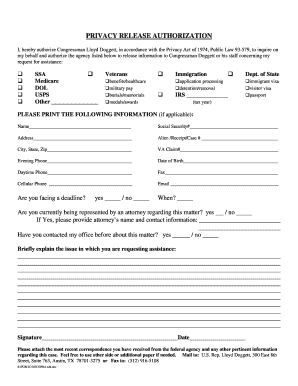

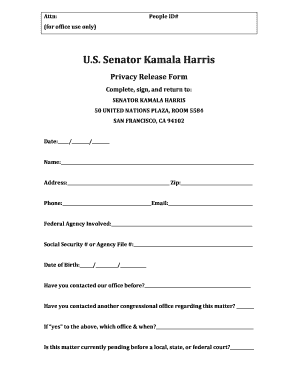
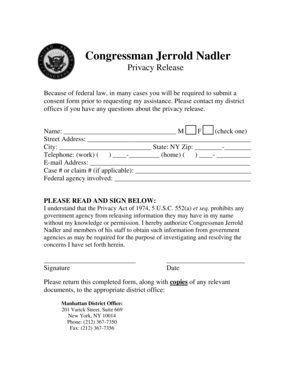
Get the latest insights from our blog



If you believe that this page should be taken down, please follow our DMCA take down process
here
.
This form may include fields for payment information. Data entered in these fields is not covered by PCI DSS compliance.