
Last updated on
Oct 19, 2026

Get the free Revocation of Statutory General Power of Attorney
We are not affiliated with any brand or entity on this form

Fill out
Complete the form online in a simple drag-and-drop editor.

eSign
Add your legally binding signature or send the form for signing.

Share
Share the form via a link, letting anyone fill it out from any device.

Export
Download, print, email, or move the form to your cloud storage.
Why pdfFiller is the best tool for your documents and forms


End-to-end document management
From editing and signing to collaboration and tracking, pdfFiller has everything you need to get your documents done quickly and efficiently.
Accessible from anywhere
pdfFiller is fully cloud-based. This means you can edit, sign, and share documents from anywhere using your computer, smartphone, or tablet.
Secure and compliant
pdfFiller lets you securely manage documents following global laws like ESIGN, CCPA, and GDPR. It's also HIPAA and SOC 2 compliant.
What is Power of Attorney Revocation
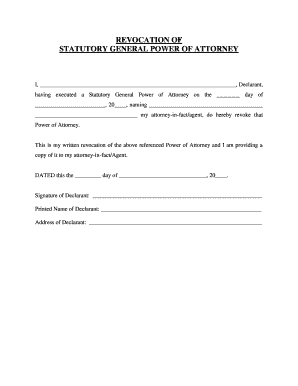
The Revocation of Statutory General Power of Attorney is a legal document used by declarants to formally nullify a previously executed Statutory General Power of Attorney.
pdfFiller scores top ratings on review platforms




Who needs Power of Attorney Revocation?
Explore how professionals across industries use pdfFiller.

Power of Attorney Revocation is needed by:
-
Individuals who wish to revoke a power of attorney.
-
Legal representatives managing power of attorney instruments.
-
Family members involved in legal decisions.
-
Estate planners requiring updates to legal documents.
-
Anyone needing to notify an agent of revoked authority.
Comprehensive Guide to Power of Attorney Revocation
What is the Revocation of Statutory General Power of Attorney?
The Revocation of Statutory General Power of Attorney is a legal document that cancels a previously granted Statutory General Power of Attorney.
This form serves to officially notify the attorney-in-fact or agent of the revocation. Understanding its purpose is critical for ensuring that responsibilities and rights are clearly defined.
Notifying the attorney-in-fact of the revocation is important, as it prevents misunderstandings regarding authority and decision-making.
Purpose and Benefits of the Revocation of Statutory General Power of Attorney
Revoking an existing power of attorney provides many advantages. It allows individuals to regain control and ensures that their decisions align with current wishes.
Several scenarios may necessitate revocation, such as changes in personal circumstances, shifting relationships, or a desire to appoint a new attorney-in-fact.
Executing this revocation also offers critical legal protection, eliminating the risk of unwanted decisions being made on one’s behalf.
Who Needs the Revocation of Statutory General Power of Attorney?
This document is particularly beneficial for individuals who have previously granted a power of attorney. It serves to clarify their current intentions regarding the authority granted.
Understanding the conditions that warrant the use of this revocation document is essential for all parties involved, especially the declarant.
Being aware of your role as the declarant ensures that you can effectively manage your legal powers and make informed choices moving forward.
How to Fill Out the Revocation of Statutory General Power of Attorney (Step-by-Step)
To accurately complete the revocation form, you will need certain information, such as your name, address, and signature. Make sure you have the following details ready:
-
Name of the declarant.
-
Address of the declarant.
-
Date of the revocation.
-
Details of the previously executed power of attorney.
It's crucial to break down the form field by field, providing clear instructions for each section.
Avoid common mistakes such as skipping fields, incorrect signatures, or failing to date the document, as these can lead to delays or invalidation.
Submitting Your Revocation of Statutory General Power of Attorney
Submission of the revocation can be done through various methods, including in-person delivery or mail. Choose the method that is most convenient for you.
After submission, it is advisable to confirm receipt and track the status to ensure the process is completed successfully.
Be aware of any potential fees, deadlines, and processing times associated with the submission to avoid any unexpected complications.
Potential Consequences of Not Filing Your Revocation on Time
Failing to submit the revocation on time can lead to serious legal implications, including the possibility of old powers remaining valid.
Inaction may complicate future legal matters, as retaining an unwanted power of attorney could result in decisions being made without your consent.
Additionally, emotional and relational impacts could arise, especially if decisions are made by individuals no longer aligned with your interests.
Sample of a Completed Revocation of Statutory General Power of Attorney
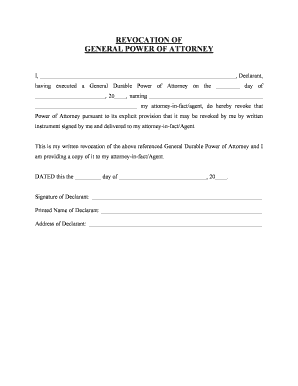
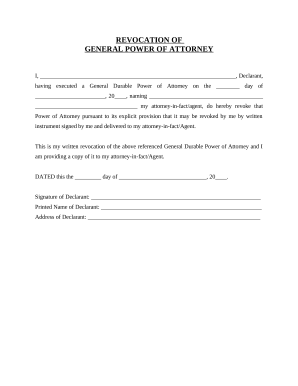
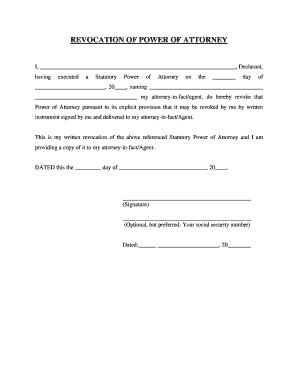
Providing a visual reference, a completed revocation form shows how accurate and clear inputs contribute to validity.
It is crucial to carefully consider comments on the fields and inputs, ensuring that all required information is provided correctly.
Accuracy and clarity in completing the form not only validate the revocation but also safeguard against future legal disputes.
How pdfFiller Simplifies the Revocation Process
pdfFiller enhances the revocation process by offering user-friendly features to fill out legal forms efficiently, including eSignature functionality.
Security measures, such as 256-bit encryption, ensure that sensitive information remains protected during the process.
Utilizing pdfFiller allows for a hassle-free experience, making the completion of the revocation form straightforward and secure.
Ensuring Compliance and Data Protection with Your Revocation Form
pdfFiller meets essential compliance standards, including GDPR and HIPAA, ensuring that your data is handled with the utmost care.
It is important to securely retain records after submission to maintain a reliable account of your legal documents.
Best practices for handling sensitive documents securely include using encrypted storage solutions and regularly reviewing access permissions.
Next Steps After Completing Your Revocation of Statutory General Power of Attorney
After completing the revocation form, follow up with required actions such as confirming submission status and keeping copies for your records.
Understanding how to amend or update the revocation when circumstances change will ensure that your legal powers remain relevant and aligned with your current wishes.
How to fill out the Power of Attorney Revocation
-
1.Access the Revocation of Statutory General Power of Attorney form on pdfFiller by searching for the document in the search bar or following a direct link if available.
-
2.Once the form is open, begin by filling in your personal information, including your full name and address in the designated fields.
-
3.Navigate to the section pertaining to the original power of attorney you are revoking. Ensure that you provide accurate details such as the original document's dates and the name of the agent involved.
-
4.Look for the signature field, where you will need to sign the document to affirm the revocation. Make sure your signature matches your name as listed on the form.
-
5.After completing all the required fields, take a moment to review the information to ensure everything is accurate and complete before finalizing the document.
-
6.Once satisfied with your entries, save your work by clicking on the 'Save' button within pdfFiller. You may also download a copy for your records if needed.
-
7.If desired, submit the form directly through pdfFiller's submission options, or choose to print it for physical submission to the relevant parties.

Who is eligible to use the Revocation of Statutory General Power of Attorney?
Any person who has previously executed a Statutory General Power of Attorney and wishes to revoke it is eligible to use this form. Ensure you are the declarant and provide the necessary information.
Is notarization required for this form?
No, the Revocation of Statutory General Power of Attorney does not require notarization. However, you must sign the document to make it valid.
How do I submit the completed form?
You can submit the completed form by electronically sending it via pdfFiller or by printing it out and delivering it personally to the attorney-in-fact or any relevant authorities.
What information do I need before filling out the form?
Before starting the form, gather personal information, including your full name, address, and details of the original power of attorney, such as dates and the agent's name.
What common mistakes should I avoid when filling out the form?
Be sure to double-check all personal information for accuracy and completeness. Common mistakes include forgetting to sign the document or providing incorrect details of the original power of attorney.
Are there any fees associated with this form?
Typically, there are no fees directly related to completing the Revocation of Statutory General Power of Attorney unless your local jurisdiction imposes filing fees or other service fees.
How long does it take for the revocation to take effect?
The revocation takes effect immediately upon signing the document, but you should notify the former attorney-in-fact as soon as possible to avoid any confusion.
Related Content
Related Forms



Get the latest insights from our blog


If you believe that this page should be taken down, please follow our DMCA take down process
here
.
This form may include fields for payment information. Data entered in these fields is not covered by PCI DSS compliance.