
Last updated on
Nov 7, 2026

MTM Distance Verification Form 2014 free printable template
We are not affiliated with any brand or entity on this form

Fill out
Complete the form online in a simple drag-and-drop editor.

eSign
Add your legally binding signature or send the form for signing.

Share
Share the form via a link, letting anyone fill it out from any device.

Export
Download, print, email, or move the form to your cloud storage.
Why pdfFiller is the best tool for your documents and forms


End-to-end document management
From editing and signing to collaboration and tracking, pdfFiller has everything you need to get your documents done quickly and efficiently.
Accessible from anywhere
pdfFiller is fully cloud-based. This means you can edit, sign, and share documents from anywhere using your computer, smartphone, or tablet.
Secure and compliant
pdfFiller lets you securely manage documents following global laws like ESIGN, CCPA, and GDPR. It's also HIPAA and SOC 2 compliant.
What is MTM Distance Verification Form
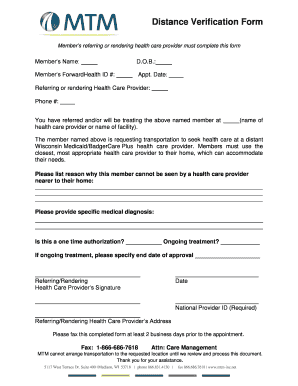
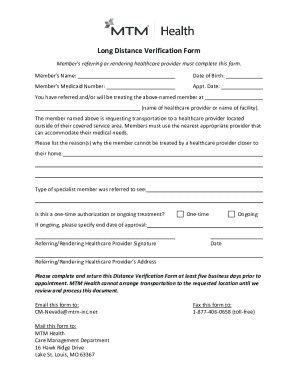
The Distance Verification Form is a medical consent document used by healthcare providers in Missouri to authorize transportation for Medicaid recipients to providers outside their service area.
pdfFiller scores top ratings on review platforms




Who needs MTM Distance Verification Form?
Explore how professionals across industries use pdfFiller.

MTM Distance Verification Form is needed by:
-
Healthcare providers referring patients for Medicaid transportation
-
Medical facilities requiring transportation verification for treatment
-
Medicaid recipients needing transportation to specific healthcare services
-
Administrators managing patient transportation logistics
-
Insurance representatives validating transportation claims
Comprehensive Guide to MTM Distance Verification Form
What is the Distance Verification Form?
The Distance Verification Form is an essential document utilized in Missouri's healthcare system, primarily for Medicaid and CSHCN recipients. This form assists in securing transportation authorization to access medical services beyond one's local coverage area. It requires detailed information including a medical diagnosis and the rationale for seeking care from a distant provider.
Transportation authorization is critical for Medicaid recipients, as it ensures they can reach specialized care when local options are insufficient. Understanding the form's requirements, such as documenting the patient’s condition and the need for distant care, is vital for compliance and efficient processing.
Why Use the Distance Verification Form?
Employing the Distance Verification Form greatly facilitates the process of obtaining transportation for medical services outside the covered area. The benefits of utilizing this form extend to both healthcare providers and recipients, as it streamlines access to specialized treatment that may not be available locally.
Additionally, using the form ensures adherence to Medicaid regulations, thus supporting both the recipient's health needs and the provider's obligations. Compliance through proper documentation is essential for effective medical care delivery.
Who Needs to Complete the Distance Verification Form?
Several stakeholders are involved in completing the Distance Verification Form. Primarily, healthcare providers are responsible for signing the document to confirm the medical necessity for transportation support.
Eligibility criteria are also essential; the form is designated for Medicaid and CSHCN recipients. Healthcare providers may act as either Referring or Rendering Providers, depending on their role in the patient's care continuum. Understanding these roles helps ensure accurate completion and submission of the form.
How to Fill Out the Distance Verification Form Online
Filling out the Distance Verification Form using pdfFiller is a straightforward process. First, access pdfFiller to retrieve the form. Once you have the form open, follow these instructions:
-
Enter the Recipient’s Name in the designated field.
-
Provide the Recipient's Date of Birth (D.O.B.).
-
Complete all required fields with accurate information.
-
Review the form for any missing information or errors.
-
Obtain the necessary signatures from the healthcare provider.
Remember to complete the form before the submission deadline to ensure timeliness in processing your request.
Submission Guidelines for the Distance Verification Form
After completing the Distance Verification Form, proper submission is crucial. Submit the completed form to the designated agency determined by your healthcare provider.
Ensure that you include any required documents with your submission. It is recommended to submit all materials at least five business days prior to your medical appointment to avoid any delays in transportation authorization.
Common Errors to Avoid When Completing the Distance Verification Form
Several common mistakes can occur during the completion of the Distance Verification Form, which can lead to processing delays. Here are the frequent errors to watch for:
-
Incomplete fields may cause the form to be returned for revisions.
-
Missing signatures are a common oversight that can delay authorization.
To prevent these issues, it is wise to create a review checklist to ensure all information is accurate and complete before submission.
Security and Privacy Considerations in Handling the Distance Verification Form
When using pdfFiller to fill out the Distance Verification Form, you can rely on the platform's robust security measures. pdfFiller is equipped with 256-bit encryption and complies with HIPAA regulations, ensuring that sensitive patient information remains private and protected.
Understanding the importance of data privacy is crucial when handling healthcare forms. pdfFiller implements numerous security protocols to safeguard your data throughout the form-filling and submission process.
How pdfFiller Can Simplify Your Form-Filling Experience
pdfFiller offers numerous features that make completing the Distance Verification Form easy and efficient. Users have convenient access to fillable forms alongside electronic signatures.
With an intuitive interface, pdfFiller empowers users to edit, save, and share forms effortlessly, ensuring a smooth document management experience. These capabilities simplify the ordinarily tedious process of managing healthcare forms, particularly for individuals needing swift completion.
Sample Completed Distance Verification Form
Providing users with an example can be invaluable. Below is an illustration of a correctly filled Distance Verification Form:
In the sample, annotations highlight key areas, such as Recipient’s Name and the provider's signature. Utilizing this reference can guide you in accurately completing your own form.
Enhancing Your Efficiency in Managing Healthcare Forms
Leveraging pdfFiller for all your healthcare-related document needs can significantly increase your efficiency. Managing various forms through one platform helps streamline your processes, leading to organized and quick access to necessary documentation.
Consider pdfFiller for not only the Distance Verification Form but also for other essential medical consent forms and healthcare provider authorization documents, ensuring all your administrative needs are covered effectively.
How to fill out the MTM Distance Verification Form
-
1.Access the Distance Verification Form by visiting the pdfFiller website and using the search feature to locate the form.
-
2.Once you find the form, click to open it in the editor interface of pdfFiller, allowing you to interact with the document.
-
3.Before filling out the form, gather necessary information such as the recipient's name, date of birth, the healthcare provider's signature, and relevant medical diagnosis details.
-
4.Begin by clicking on the designated fields and enter the recipient’s name and date of birth in the appropriate areas.
-
5.Fill in the healthcare provider's information, including their name and signature, indicating whether they are a referring or rendering provider.
-
6.Specify the medical diagnosis that necessitates transportation and provide a valid explanation for why a closer provider cannot be utilized.
-
7.Indicate whether the treatment is a one-time event or ongoing, utilizing the checkboxes or text fields as applicable.
-
8.Review all entered information for accuracy, ensuring that no required fields are overlooked or misspelled.
-
9.After verifying that all information is correct, save your progress and choose the appropriate option to download or submit the completed form.
-
10.Connect with relevant healthcare administrators to ensure submission meets their requirements, maintaining compliance with specified deadlines.

Who is eligible to use the Distance Verification Form?
The Distance Verification Form is eligible for use by healthcare providers referring Medicaid recipients needing transportation for treatment outside their covered service area.
What is the deadline for submitting the form?
The form must be completed and returned at least five business days prior to the scheduled appointment to allow time for processing.
How should I submit the completed Distance Verification Form?
Once completed, the form can typically be submitted directly to the healthcare provider's administrative office or the relevant Medicaid authority as specified in submission guidelines.
What supporting documents are required with this form?
While specific supporting documents are not mandatory, it is advisable to include any relevant medical records or evidence that may substantiate the patient’s need for transportation.
What common mistakes should I avoid when filling out the form?
Ensure that all required fields are filled out completely and accurately. Common mistakes include missing signatures, incorrect patient details, and failing to provide a rationale for transportation needs.
How long does it take to process the Distance Verification Form?
Processing times vary by provider and agency, but it generally takes between a few days to a week, so early submission is crucial.
What if I have questions while filling out the form?
If you have questions while filling out the form, consult with your healthcare provider’s administrative team or use resources on pdfFiller to assist with form completion.
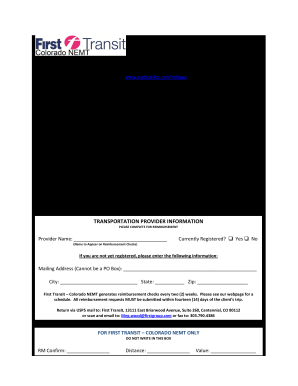
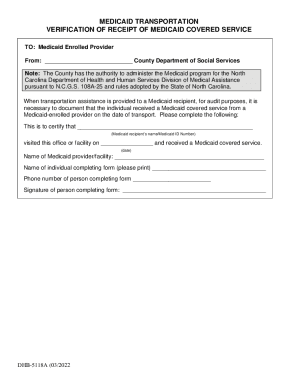
MTM Distance Verification Form Form Versions
Related Forms



Get the latest insights from our blog


If you believe that this page should be taken down, please follow our DMCA take down process
here
.
This form may include fields for payment information. Data entered in these fields is not covered by PCI DSS compliance.