
Last updated on
Nov 7, 2026
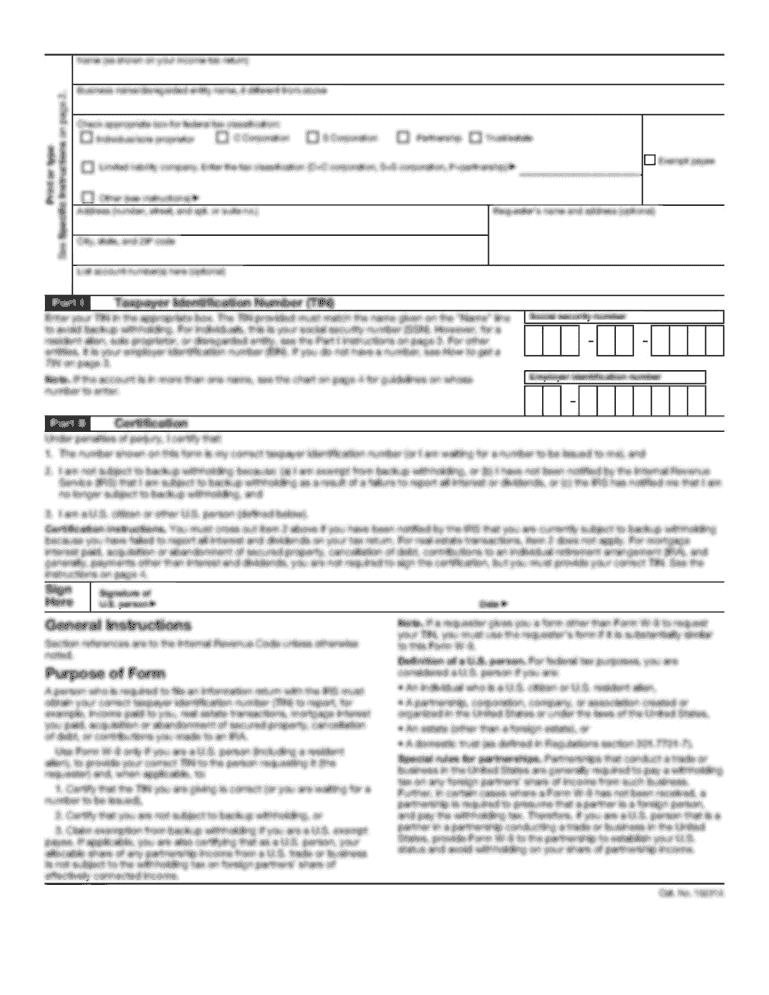
MO Meredith Morrow Illa Workers’ Compensation Form 2008-2026 free printable template
pdfFiller is not affiliated with any government organization

Fill out
Complete the form online in a simple drag-and-drop editor.

eSign
Add your legally binding signature or send the form for signing.

Share
Share the form via a link, letting anyone fill it out from any device.

Export
Download, print, email, or move the form to your cloud storage.
Why pdfFiller is the best tool for your documents and forms


End-to-end document management
From editing and signing to collaboration and tracking, pdfFiller has everything you need to get your documents done quickly and efficiently.
Accessible from anywhere
pdfFiller is fully cloud-based. This means you can edit, sign, and share documents from anywhere using your computer, smartphone, or tablet.
Secure and compliant
pdfFiller lets you securely manage documents following global laws like ESIGN, CCPA, and GDPR. It's also HIPAA and SOC 2 compliant.
What is MO Meredith Morrow Illa Workers’ Compensation Form
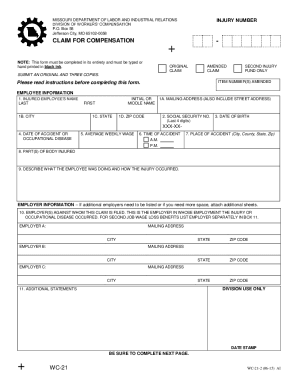
The Workers' Compensation Form is an essential document used by employees to report work-related injuries or illnesses to their employer and insurance carriers.
pdfFiller scores top ratings on review platforms




Who needs MO Meredith Morrow Illa Workers’ Compensation Form?
Explore how professionals across industries use pdfFiller.

MO Meredith Morrow Illa Workers’ Compensation Form is needed by:
-
Employees involved in workplace injuries or illnesses
-
Employers seeking to process employee claims
-
Human resources departments managing employee welfare
-
Insurance representatives handling workers' comp claims
-
Legal professionals assisting with injury cases
Comprehensive Guide to MO Meredith Morrow Illa Workers’ Compensation Form
What is the Workers' Compensation Form?
The Workers' Compensation Form is a crucial document for reporting work-related injuries or illnesses. It plays a significant role in communication between employees, employers, and insurance carriers. This form not only facilitates the reporting process but is also a legal requirement, particularly during meetings with attorneys regarding workplace injuries. Properly completing this form is essential to ensure that all necessary information is conveyed effectively.
Purpose and Benefits of the Workers' Compensation Form
This form is vital for both employees and employers, providing multiple benefits in the documentation process. By utilizing the Workers' Compensation Form, employees can accurately document their incidents, which leads to efficient reporting. The form also streamlines the processing of workers’ compensation claims, ensuring that employees' rights are upheld throughout the process.
Utilizing the form helps employees secure their entitlements and assists employers in managing claims effectively.
Who Should Fill Out the Workers' Compensation Form?
The primary users of the Workers' Compensation Form are employees who have experienced workplace injuries or illnesses. Additionally, employers and insurance representatives are involved in the process, ensuring that the necessary reports are filed accurately. It is essential to distinguish when this form should be used, particularly in cases where injuries are reported versus situations where they may not necessitate the use of this document.
How to Fill Out the Workers' Compensation Form Online
Filling out the Workers' Compensation Form online can be simple when following step-by-step instructions. Begin by accessing the form through a reliable platform. The fields within the form include essential information such as:
-
Name of the employee
-
Date of injury
-
Reporting status
To avoid common errors, make sure to verify the information entered and ensure completeness before submission. This accuracy can significantly improve the processing of your claim.
Common Mistakes and How to Avoid Them
When completing the Workers' Compensation Form, several common mistakes can hinder the process. To enhance the accuracy of your submissions, consider the following tips:
-
Double-check entries for spelling and correctness
-
Validate all necessary information is included
-
Review the form thoroughly before submission
These steps are crucial for ensuring compliance and minimizing issues down the line.
Submission Process for the Workers' Compensation Form
After filling out the Workers' Compensation Form, understanding the submission process is essential. There are various methods for submitting the form, including:
-
Online submission
-
Mailing the form
-
In-person delivery
Each method has its benefits, and it is important to be aware of any deadlines associated with submissions, as well as any potential fees related to processing. Proper adherence to this process will help ensure your claim is handled efficiently.
What Happens After You Submit the Workers' Compensation Form?
Once the Workers' Compensation Form is submitted, it undergoes a review by employers and insurance companies. It is vital for employees to understand the follow-up steps after submission, which may include:
-
Tracking the status of the claim
-
Responding to requests for additional information
This proactive approach is essential for ensuring your claim progresses smoothly.
How pdfFiller Can Simplify the Workers' Compensation Process
pdfFiller offers a range of features designed to assist users in filling out the Workers' Compensation Form efficiently. With capabilities for editing, completing, and securely managing the form online, users can benefit from enhanced productivity. Key features include:
-
Electronic signatures
-
Robust document management tools
These features ensure sensitive information is protected while offering a seamless user experience.
Security and Compliance When Handling the Workers' Compensation Form
When handling the Workers' Compensation Form, security and compliance are paramount. Adhering to HIPAA and GDPR regulations is essential to protect sensitive information. Important security measures include:
-
Data encryption
-
Compliance with established regulations
Maintaining privacy throughout the submission process is critical to safeguard personal information.
Get Started with Your Workers' Compensation Form Today!
Initiating the process of completing your Workers' Compensation Form is straightforward with pdfFiller. The platform is designed for ease of use, allowing you to:
-
Register for an account
-
Select the Workers' Compensation Form
-
Fill out the form promptly
Begin your process today and take advantage of the user-friendly features available.
How to fill out the MO Meredith Morrow Illa Workers’ Compensation Form
-
1.Access the Workers' Compensation Form on pdfFiller by searching for the form title in the search bar or navigating through the Employment Forms section.
-
2.Once opened, familiarize yourself with the form's layout and each of its sections. Use the menu on the left to jump to different parts of the form as needed.
-
3.Gather necessary information before filling out the form, including your personal details, employment information, specifics of the injury, and any medical treatment you received.
-
4.Begin completing the form by filling in your name, date of injury, and selecting relevant options such as whether you reported the accident to your employer.
-
5.Make sure to provide as much detail as possible in the narrative sections, explaining how the injury occurred and what treatments have been provided.
-
6.Review your entries carefully, ensuring all fields are filled where required and double-checking for accuracy to prevent mistakes.
-
7.Once satisfied with the filled form, finalize it on pdfFiller by saving your progress, downloading the completed form, or submitting it directly through the platform.

Who is eligible to use the Workers' Compensation Form?
Any employee who has suffered a work-related injury or illness can use the Workers' Compensation Form to report their case to their employer and insurance carrier.
What is the deadline for submitting the Workers' Compensation Form?
It is essential to submit the Workers' Compensation Form promptly after the injury occurs. Delays can affect claim processing times, so completions should ideally occur within a few days of the incident.
How do I submit the Workers' Compensation Form?
You can submit the completed Workers' Compensation Form by downloading it from pdfFiller and handing it to your employer or insurance representative, or by submitting it electronically if your employer allows it.
What supporting documents might I need to submit with the form?
You may need to include supporting documents like medical reports, treatment receipts, and any witness statements related to the workplace injury when submitting the Workers' Compensation Form.
What are common mistakes to avoid when filling out this form?
Common mistakes include leaving fields blank, not providing detailed descriptions of the incident, and failing to date the form. Ensure all sections are complete and accurate.
How long does it take for the claim to be processed?
The processing time for claims submitted through the Workers' Compensation Form can vary but typically ranges from a few weeks to a couple of months, depending on the specific case and state regulations.
Can the form be filled out on pdfFiller?
Yes, the Workers' Compensation Form can be filled out electronically on pdfFiller, allowing for easy edits, saves, and submissions.
Related Content
Related Forms


Related Catalogs
Get the latest insights from our blog


If you believe that this page should be taken down, please follow our DMCA take down process
here
.
This form may include fields for payment information. Data entered in these fields is not covered by PCI DSS compliance.