
Last updated on
Oct 31, 2026

Get the free Safety Orientation Form
We are not affiliated with any brand or entity on this form

Fill out
Complete the form online in a simple drag-and-drop editor.

eSign
Add your legally binding signature or send the form for signing.

Share
Share the form via a link, letting anyone fill it out from any device.

Export
Download, print, email, or move the form to your cloud storage.
Why pdfFiller is the best tool for your documents and forms


End-to-end document management
From editing and signing to collaboration and tracking, pdfFiller has everything you need to get your documents done quickly and efficiently.
Accessible from anywhere
pdfFiller is fully cloud-based. This means you can edit, sign, and share documents from anywhere using your computer, smartphone, or tablet.
Secure and compliant
pdfFiller lets you securely manage documents following global laws like ESIGN, CCPA, and GDPR. It's also HIPAA and SOC 2 compliant.
What is Safety Orientation
The Safety Orientation Form is an employment document used by employers to document safety training completion for new employees.
pdfFiller scores top ratings on review platforms




Who needs Safety Orientation?
Explore how professionals across industries use pdfFiller.

Safety Orientation is needed by:
-
New Employees undergoing safety training
-
Supervisors overseeing employee safety
-
HR personnel managing employee documentation
-
Safety officers ensuring compliance
-
Training coordinators planning orientation sessions
Comprehensive Guide to Safety Orientation
What is the Safety Orientation Form?
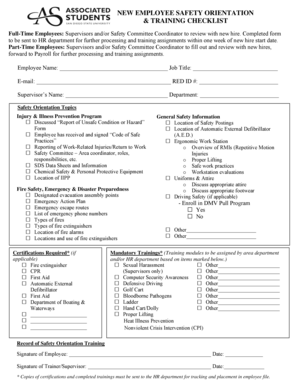
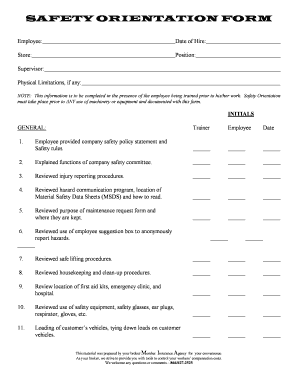
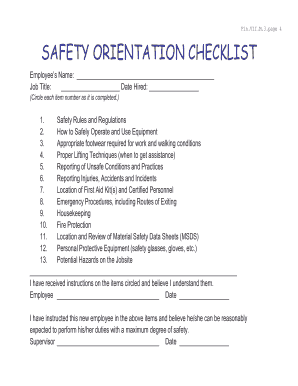
The Safety Orientation Form is a crucial document utilized in employee safety training. Its primary purpose is to ensure that new hires receive essential training regarding workplace safety protocols. The form is structured with various checkboxes for different safety topics and includes signature lines for both employees and supervisors, signifying acknowledgment of the training completed. This structured format helps organizations document the fulfillment of mandatory safety training requirements, promoting a culture of safety and compliance in the workplace.
Purpose and Benefits of the Safety Orientation Form
The Safety Orientation Form plays a vital role in fostering workplace safety by ensuring all employees are well-informed about safety procedures. The completion of this form offers numerous benefits, including clarity on safety expectations and accountability for both employees and employers. It helps create a safer work environment by ensuring that critical safety topics are reviewed, and serves to meet legal compliance obligations that organizations must adhere to.
-
Document completion of mandatory safety training.
-
Enhance safety awareness among employees.
-
Establish accountability for safety training completion.
-
Assist with regulatory compliance in workplace safety.
Key Features of the Safety Orientation Form
This form includes essential elements that contribute to its effectiveness. It contains required checklists covering general safety rules, emergency procedures, and the proper use of personal protective equipment. One of its standout features is the fillable format that allows for easy online completion, making it user-friendly for all employees. This accessibility ensures that new hires can familiarize themselves with safety protocols efficiently.
-
Includes checkboxes for safety topics.
-
Requires signatures from both employees and supervisors.
-
Covers general safety rules, emergency procedures, and PPE.
-
User-friendly fillable format available online.
Who Needs the Safety Orientation Form?
The primary audience for the Safety Orientation Form includes new employees and their respective supervisors. It is crucial for both parties to acknowledge the completion of safety training through their signatures on the form. Additionally, various organizational policies may mandate the use of this form as part of the onboarding process, ensuring that all necessary safety training is formally recorded.
How to Fill Out the Safety Orientation Form Online (Step-by-Step)
Filling out the Safety Orientation Form online can be easily accomplished using pdfFiller. Here is a step-by-step guide to help you:
-
Access the Safety Orientation Form on pdfFiller.
-
Fill in the required fields, including checkboxes for each safety topic.
-
Provide your signature and the supervisor’s signature in the designated lines.
-
Review all entries for accuracy to avoid common errors.
-
Submit the form electronically to the relevant department.
Common Errors and How to Avoid Them
While completing the Safety Orientation Form, users often make several common mistakes that can lead to incomplete submissions. To prevent these errors, it is advisable to follow best practices during form completion.
-
Ensure all checkboxes are marked appropriately.
-
Double-check spelling and date entries.
-
Verify that both signatures are included before submission.
Utilizing a review checklist can also help validate the form before final submission, minimizing the risk of mistakes.
Digital Signature vs. Wet Signature Requirements
In completing the Safety Orientation Form, users may choose between a digital signature and a traditional wet signature. Digital signatures, especially through pdfFiller’s eSigning capabilities, offer a convenient alternative that meets legal standards. Organizations may have specific preferences regarding which type of signature is acceptable, emphasizing the importance of compliance with internal policies.
Understanding these preferences is critical to ensure that the completed form is recognized as valid within your organization.
Where to Submit the Safety Orientation Form
Once the Safety Orientation Form is completed, submission can occur through various methods. Employees can submit the form online via pdfFiller or provide printed copies designated for their supervisors or the HR department. It is essential to be aware of specific departmental requirements for submission to ensure proper tracking and confirmation of receipt.
Security and Compliance for the Safety Orientation Form
Handling the Safety Orientation Form requires strict adherence to security protocols to protect sensitive information. pdfFiller incorporates advanced security features such as 256-bit encryption, ensuring the confidentiality of data. Additionally, compliance with HIPAA and GDPR standards further fortifies the document security process, making it essential for organizations to prioritize privacy during form handling.
Utilizing pdfFiller for Your Safety Orientation Form Needs
pdfFiller provides a robust platform for efficiently managing the Safety Orientation Form. Key functionalities include document editing, streamlined eSigning, and effective document management features. On top of ease of use, pdfFiller assures users of security, making it an ideal solution for completing the Safety Orientation Form.
How to fill out the Safety Orientation
-
1.To begin, visit pdfFiller and log in or create an account if you don’t have one.
-
2.Once logged in, use the search bar to find the 'Safety Orientation Form' and click on it to open.
-
3.Familiarize yourself with the form's layout. The checklist will guide you through the safety topics that need to be reviewed.
-
4.Before filling out the form, gather information including general safety rules, emergency procedures, and personal protective equipment guidelines pertinent to your workplace.
-
5.Begin entering the required information in the designated fields, making sure to check each box as topics are covered during the training.
-
6.Both the employee and supervisor need to sign the form. Locate the signature fields at the end of the document.
-
7.Once completed, review the form for accuracy and ensure all necessary boxes have been checked.
-
8.To finalize, click on the save icon, then choose whether to download a copy for your records or submit it electronically as required.

Who is required to fill out the Safety Orientation Form?
The Safety Orientation Form must be filled out by new employees and their supervisors to document the completion of safety training sessions.
Is there a deadline for submitting the Safety Orientation Form?
Typically, the Safety Orientation Form should be completed and submitted by the new employee's first week on the job, ensuring they are trained before starting work.
What is the best way to submit the Safety Orientation Form after completion?
After filling out the form, you can either save and download it for your records or submit it electronically through pdfFiller or your organization's HR platform.
Are there any documents required alongside the Safety Orientation Form?
While additional documentation isn't typically required for the Safety Orientation Form, it’s good practice to attach any relevant safety training materials or certifications for reference.
What common mistakes should I avoid when filling out the form?
Ensure all fields are filled completely, signatures are current, and all checkboxes reflecting safety training topics are checked to avoid processing delays or incomplete submissions.
How long does it take to process the Safety Orientation Form?
Processing times can vary, but typically the form is reviewed within a few business days; ensure all information is accurate to expedite the process.
Can the Safety Orientation Form be filled out electronically?
Yes, the Safety Orientation Form can be filled out electronically using pdfFiller's interface, allowing for easy access and submission.
Related Forms






Get the latest insights from our blog


If you believe that this page should be taken down, please follow our DMCA take down process
here
.
This form may include fields for payment information. Data entered in these fields is not covered by PCI DSS compliance.