
Last updated on
Nov 7, 2026

NJ NJ-1040-O 2021 free printable template
pdfFiller is not affiliated with any government organization

Fill out
Complete the form online in a simple drag-and-drop editor.

eSign
Add your legally binding signature or send the form for signing.

Share
Share the form via a link, letting anyone fill it out from any device.

Export
Download, print, email, or move the form to your cloud storage.
Why pdfFiller is the best tool for your documents and forms


End-to-end document management
From editing and signing to collaboration and tracking, pdfFiller has everything you need to get your documents done quickly and efficiently.
Accessible from anywhere
pdfFiller is fully cloud-based. This means you can edit, sign, and share documents from anywhere using your computer, smartphone, or tablet.
Secure and compliant
pdfFiller lets you securely manage documents following global laws like ESIGN, CCPA, and GDPR. It's also HIPAA and SOC 2 compliant.
What is NJ NJ-1040-O
The NJ-1040-O E-File Opt-Out Form is a tax document used by New Jersey taxpayers to opt out of electronic filing for their 2021 New Jersey Income Tax return.
pdfFiller scores top ratings on review platforms




Who needs NJ NJ-1040-O?
Explore how professionals across industries use pdfFiller.

NJ NJ-1040-O is needed by:
-
New Jersey taxpayers who wish to file their tax returns on paper
-
Spouses or civil union partners of taxpayers completing the NJ-1040-O form
-
Tax preparers assisting clients with paper filings
-
Individuals concerned about electronic filing security
-
People seeking to submit their 2021 New Jersey tax return with an opt-out request
Comprehensive Guide to NJ NJ-1040-O
What is the NJ-1040-O E-File Opt-Out Form?
The NJ-1040-O form is a crucial document for New Jersey taxpayers who wish to opt out of electronic filing for their income tax returns. This form must be submitted along with a paper NJ-1040 or NJ-1041 when choosing to file using traditional methods. For individuals who prefer to maintain physical records, the NJ-1040-O form offers an essential alternative to electronic filing.
Purpose and Benefits of the NJ-1040-O E-File Opt-Out Form
Opting out of electronic filing through the NJ-1040-O form provides several advantages to taxpayers. One of the key benefits is that it grants taxpayers greater control over their preferred submission method. Additionally, this option can address privacy concerns associated with e-filing. Maintaining a physical record of tax submissions is also vital, offering reassurance and evidence of submission when needed.
Who Needs the NJ-1040-O E-File Opt-Out Form?
The NJ-1040-O form is intended for various groups, including individual taxpayers, spouses or civil union partners, and authorized tax preparers. Certain scenarios warrant opting out of electronic filing, especially for those who prefer traditional methods due to personal preferences or specific financial situations.
Eligibility Criteria for the NJ-1040-O E-File Opt-Out Form
Eligibility for utilizing the NJ-1040-O form depends on several criteria defined by New Jersey tax laws. Taxpayers must ensure they meet certain qualifications, including individual status and filing requirements. Specific rules may apply, reflecting the state's regulations surrounding income tax filings.
How to Fill Out the NJ-1040-O E-File Opt-Out Form Online (Step-by-Step)
Filling out the NJ-1040-O form requires attention to detail. Follow these steps to ensure accuracy:
-
Enter your last name, first name, and Social Security Number (SSN).
-
Provide your complete address as required.
-
Complete all signature lines, remembering to sign and date the form.
-
Double-check entries for accuracy and completeness to avoid issues in processing.
Submission Methods for the NJ-1040-O E-File Opt-Out Form
After completing the NJ-1040-O form, it must be submitted correctly to ensure timely processing. Available submission methods include mailing the form alongside the NJ-1040 or NJ-1041. Taxpayers should be aware of filing deadlines and potential penalties for late submissions, emphasizing the importance of following the correct submission process diligently.
What Happens After You Submit the NJ-1040-O E-File Opt-Out Form
Upon submission of the NJ-1040-O form, taxpayers can expect processing timelines to be communicated. Confirmation of receipt will be provided, allowing taxpayers to track the status of their submission. Should any issues arise with the submitted form, understanding the next steps is crucial for resolution.
Security and Compliance for the NJ-1040-O E-File Opt-Out Form
Utilizing pdfFiller to fill out the NJ-1040-O form incorporates essential security features, ensuring document integrity during the process. Compliance with data protection regulations, such as HIPAA and GDPR, safeguards sensitive information entered on the form. Taxpayers can feel assured that their privacy is a priority when submitting their details.
Common Errors and How to Avoid Them When Submitting the NJ-1040-O E-File Opt-Out Form
Taxpayers frequently encounter errors when filling out the NJ-1040-O form. Common mistakes include incorrect SSN entries or missing signatures. To avoid rejection, consider the following tips:
-
Double-check all entries before submission.
-
Ensure all required fields are completed accurately.
If assistance is needed, contact the tax office or a qualified tax preparer for clarity on the form submission.
Empower Your Filing Process with pdfFiller
Leveraging pdfFiller for the NJ-1040-O form simplifies the filing experience significantly. Users benefit from features such as easy filling, signing, and secure submission of the form. With the added advantages of online accessibility and document security, utilizing pdfFiller can help streamline the overall tax filing process.
How to fill out the NJ NJ-1040-O
-
1.Access the NJ-1040-O E-File Opt-Out Form by visiting pdfFiller and using the search function to find the specific form.
-
2.Open the form for editing in pdfFiller’s interface, which allows you to fill in the required information seamlessly.
-
3.Before beginning, gather all necessary personal information, including the taxpayer’s full name, Social Security Number, addresses, and any information required for both the taxpayer and tax preparer.
-
4.Complete all fillable fields on the form, ensuring each field is filled accurately. Utilize the PDF tools in pdfFiller to add your text where needed.
-
5.Make sure to check any relevant checkboxes according to your filing preference, as per the explicit instructions included in the form.
-
6.Review all entered information for accuracy, paying particular attention to names, SSNs, and addresses to avoid any mistakes.
-
7.Finalizing the form involves ensuring that both the taxpayer and spouse or civil union partner's signatures are in place if required.
-
8.Once reviewed, save your completed NJ-1040-O form within pdfFiller by choosing the relevant option, ensuring that you have a copy for your records.
-
9.Download the completed form to your device in the preferred format for submission.
-
10.Submit the NJ-1040-O along with your paper NJ-1040 or NJ-1041 to the appropriate office in New Jersey as instructed.

Who is eligible to use the NJ-1040-O E-File Opt-Out Form?
Any New Jersey taxpayer who prefers to file their 2021 income taxes on paper instead of electronically can use the NJ-1040-O E-File Opt-Out Form.
What is the deadline for submitting the NJ-1040-O form?
The NJ-1040-O must be submitted along with your New Jersey Income Tax return, typically by the April 15th deadline. Ensure to check for any extensions that may apply.
How should I submit the NJ-1040-O form?
Once completed, the NJ-1040-O form should be enclosed with your paper NJ-1040 or NJ-1041, then mailed to the designated New Jersey tax office.
Are there any supporting documents required to submit the NJ-1040-O?
You do not need additional documents specifically for the NJ-1040-O, but ensure your paper tax return is properly filled out and includes all necessary supporting documents as per New Jersey tax guidelines.
What are common mistakes to avoid when filling out the NJ-1040-O form?
Common mistakes include incorrect personal information, missing signatures, or failing to check appropriate boxes. Double-check all fields before submission.
How long does it take for the NJ-1040-O to be processed?
Processing times can vary, but typically, paper submissions may take several weeks longer than electronic filings. Check the New Jersey Division of Taxation for specific updates.
Is notarization required for the NJ-1040-O E-File Opt-Out Form?
No, notarization is not required for the NJ-1040-O E-File Opt-Out Form, but signatures from all required parties must be included.
NJ NJ-1040-O Form Versions
Related Forms

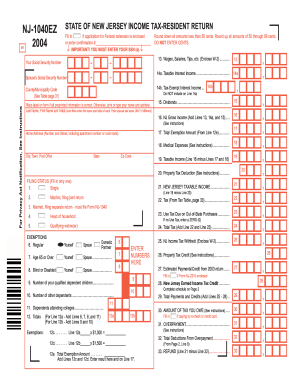
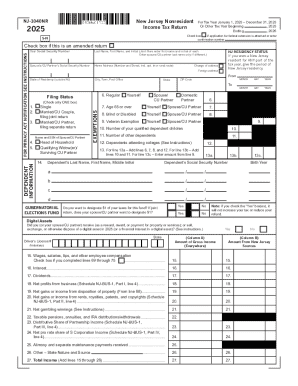


Get the latest insights from our blog


If you believe that this page should be taken down, please follow our DMCA take down process
here
.
This form may include fields for payment information. Data entered in these fields is not covered by PCI DSS compliance.