
Last updated on
Nov 7, 2026

CT Thomaston Savings Bank Direct Deposit Transfer Letter 2023-2026 free printable template
pdfFiller is not affiliated with any government organization

Fill out
Complete the form online in a simple drag-and-drop editor.

eSign
Add your legally binding signature or send the form for signing.

Share
Share the form via a link, letting anyone fill it out from any device.

Export
Download, print, email, or move the form to your cloud storage.
Why pdfFiller is the best tool for your documents and forms


End-to-end document management
From editing and signing to collaboration and tracking, pdfFiller has everything you need to get your documents done quickly and efficiently.
Accessible from anywhere
pdfFiller is fully cloud-based. This means you can edit, sign, and share documents from anywhere using your computer, smartphone, or tablet.
Secure and compliant
pdfFiller lets you securely manage documents following global laws like ESIGN, CCPA, and GDPR. It's also HIPAA and SOC 2 compliant.
What is CT Thomaston Savings Bank Direct Deposit Transfer Letter
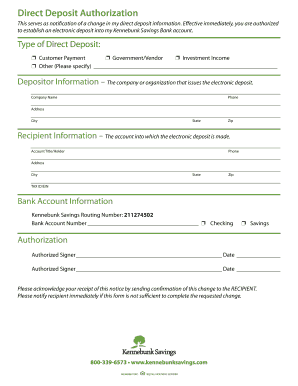
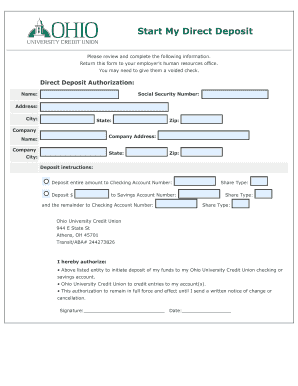
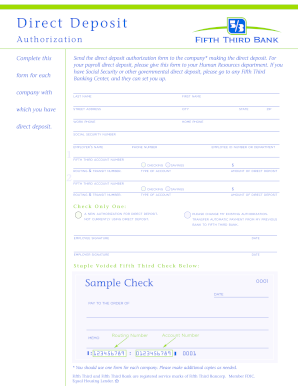
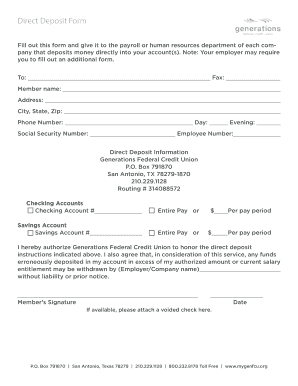
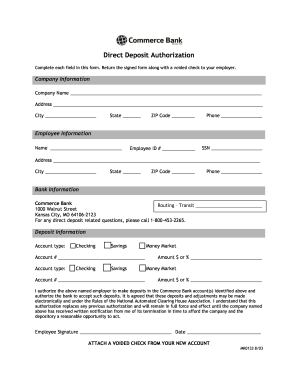
The Direct Deposit Authorization Form is a financial document used by employees to establish or change direct deposit instructions for payroll deposits.
pdfFiller scores top ratings on review platforms




Who needs CT Thomaston Savings Bank Direct Deposit Transfer Letter?
Explore how professionals across industries use pdfFiller.

CT Thomaston Savings Bank Direct Deposit Transfer Letter is needed by:
-
Employees receiving payroll through direct deposit
-
Employers implementing direct deposit for employee payroll
-
Payroll departments managing direct deposit transactions
-
Human resources personnel handling employee documentation
-
Banks dealing with direct deposit arrangements
Comprehensive Guide to CT Thomaston Savings Bank Direct Deposit Transfer Letter
What is the Direct Deposit Authorization Form?
The Direct Deposit Authorization Form is a critical document that enables employees to authorize their employers to deposit their paycheck directly into their bank accounts. By using this form, employees streamline the payroll process, enhancing efficiency and ensuring timely payments. Typically, both employees and employers utilize this form to establish direct deposits, making it an essential tool in payroll management.
Importance of the Direct Deposit Authorization Form
This form plays a significant role in simplifying payroll processes for both employees and employers. By facilitating direct deposits, it ensures employees receive their payments promptly without delay. The convenience of direct deposits not only enhances financial security for employees but also reduces the paperwork burden for employers, contributing to reliable payroll management.
Key Features of the Direct Deposit Authorization Form
Several essential components make up the Direct Deposit Authorization Form. To fill out the form correctly, it is important to include:
-
Employee details such as name, ID, and Social Security Number
-
Banking information, including routing numbers and account types
-
Signature line, indicating the employee's consent
Additionally, submitting a voided check is crucial, as it ensures accuracy in the banking details provided. Using tools like pdfFiller enhances the ease of completing this fillable form effectively.
Who Needs the Direct Deposit Authorization Form?
This form is essential for employees who are submitting their payroll information to their employers. Employers may also need to update existing direct deposit details for various reasons, such as employee account changes. Professions across many industries, particularly those that prioritize timely payment systems, heavily utilize the Direct Deposit Authorization Form.
How to Fill Out the Direct Deposit Authorization Form Online (Step-by-Step)
To fill out the Direct Deposit Authorization Form online effectively, follow these steps:
-
Gather necessary information, including personal and bank details.
-
Access the form online through pdfFiller.
-
Complete each section accurately, ensuring all fields are filled out.
-
Double-check for common errors, such as incorrect routing or account numbers.
-
Save the completed form before submission.
Preparing in advance minimizes mistakes and ensures a smoother process.
How to Submit the Direct Deposit Authorization Form
Once the form is filled out, you can submit it through various methods. Common submission methods include:
-
Emailing the completed form to your payroll department
-
Delivering it in person to HR or payroll
-
Accessing payroll systems for electronic submission
Before submission, verify that all information is complete and correct. Following up with the receiving party can ensure your submission has been received and processed.
Security and Compliance with the Direct Deposit Authorization Form
When handling the Direct Deposit Authorization Form, there are vital security measures in place to protect sensitive information. Compliance with applicable laws and regulations regarding employee privacy ensures that the personal data shared is managed securely. Platforms like pdfFiller employ advanced security features, including encryption, to safeguard information during the submission process.
Why Choose pdfFiller for Your Direct Deposit Authorization Form?
pdfFiller enhances the experience of filling out the Direct Deposit Authorization Form through a user-friendly interface and robust capabilities. Key benefits of using this platform include:
-
Cloud-based access allows users to fill out forms from anywhere
-
Edit capabilities enable modifications before submission
-
eSigning features simplify the signing process
These functionalities help meet legal compliance while ensuring a secure environment for handling confidential documents.
Final Thoughts on the Direct Deposit Authorization Process
Utilizing the Direct Deposit Authorization Form correctly is crucial for both employees and employers. This form not only simplifies payroll but also enhances security for sensitive information. Using tools like pdfFiller can ensure an efficient and effective experience throughout the direct deposit setup process.
How to fill out the CT Thomaston Savings Bank Direct Deposit Transfer Letter
-
1.To begin, access pdfFiller and locate the Direct Deposit Authorization Form in the template library by using the search function.
-
2.Once opened, review the fields that need to be completed. Ensure you are familiar with the personal and banking information required.
-
3.Gather necessary information including your name, employee ID, social security number, and banking details such as routing number and account number.
-
4.Utilize the fillable fields on pdfFiller to input your information clearly. Click on each field to activate it, and use your keyboard to fill in the data.
-
5.Double-check that your entries are correct and complete, referring to any bank documents if needed, especially for the routing and account numbers.
-
6.Make sure to fill in your company’s details such as name and address accurately as well, as this information is crucial for processing deposits.
-
7.Once all fields are filled, review the information again to ensure all sections are complete and accurate, including signature and date fields.
-
8.When satisfied with the form, navigate to the top menu on pdfFiller to save the completed form. Choose 'Download' if you wish to save a copy to your device.
-
9.If needed, you may also submit the form directly through pdfFiller by following the prompts to send the document to the appropriate party, typically through email.

Who is eligible to fill out the Direct Deposit Authorization Form?
Employees who receive payroll from their employer are eligible to fill out the Direct Deposit Authorization Form. Make sure you have a valid bank account to direct deposits.
What information do I need to complete this form?
To complete the Direct Deposit Authorization Form, you need personal identification details, including your name, employee ID, SSN, and banking information such as your account number and routing number.
How do I submit the Direct Deposit Authorization Form once completed?
After completing the form on pdfFiller, you can submit it directly through the provided submission option or download it and email it to your employer along with any required documents.
Is there a deadline for submitting this form?
It's recommended to submit the Direct Deposit Authorization Form as soon as possible to ensure timely processing for your next payroll cycle. Check with your employer for specific submission deadlines.
What common mistakes should I avoid when completing this form?
Common mistakes include incorrect bank details, missing signatures, or providing incomplete personal information. Double-check everything before submitting the form to avoid delays.
How long does it take to process the Direct Deposit Authorization Form?
Processing times can vary but expect it to take a few business days. Confirm with your employer for specific timelines related to your direct deposit setup.
Do I need to provide any supporting documents with this form?
Typically, a voided check or bank documentation may be required along with the Direct Deposit Authorization Form to validate the bank account details provided.
CT Thomaston Savings Bank Direct Deposit Transfer Letter Form Versions
Related Content
Related Forms



Get the latest insights from our blog


If you believe that this page should be taken down, please follow our DMCA take down process
here
.
This form may include fields for payment information. Data entered in these fields is not covered by PCI DSS compliance.