
Last updated on
Nov 9, 2026

Canada Fidelity Investments RESP Redemption Form 2024-2026 free printable template
We are not affiliated with any brand or entity on this form

Fill out
Complete the form online in a simple drag-and-drop editor.

eSign
Add your legally binding signature or send the form for signing.

Share
Share the form via a link, letting anyone fill it out from any device.

Export
Download, print, email, or move the form to your cloud storage.
Why pdfFiller is the best tool for your documents and forms


End-to-end document management
From editing and signing to collaboration and tracking, pdfFiller has everything you need to get your documents done quickly and efficiently.
Accessible from anywhere
pdfFiller is fully cloud-based. This means you can edit, sign, and share documents from anywhere using your computer, smartphone, or tablet.
Secure and compliant
pdfFiller lets you securely manage documents following global laws like ESIGN, CCPA, and GDPR. It's also HIPAA and SOC 2 compliant.
What is Canada Fidelity Investments RESP Redemption Form
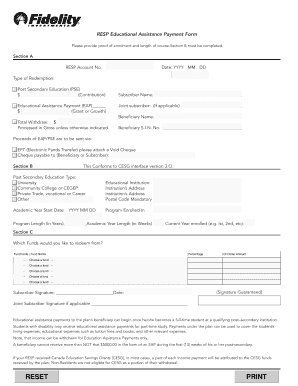
The RESP Redemption Form is a financial document used by subscribers and beneficiaries to withdraw funds from a Registered Education Savings Plan (RESP) for educational purposes.
pdfFiller scores top ratings on review platforms




Who needs Canada Fidelity Investments RESP Redemption Form?
Explore how professionals across industries use pdfFiller.

Canada Fidelity Investments RESP Redemption Form is needed by:
-
Subscribers of Registered Education Savings Plans
-
Beneficiaries planning to withdraw funds for education
-
School registrars confirming student enrollment
-
Parents looking to utilize educational savings
-
Students enrolled in post-secondary education
Comprehensive Guide to Canada Fidelity Investments RESP Redemption Form
What is the RESP Redemption Form?
The RESP Redemption Form is a crucial document that facilitates the withdrawal of funds from a Registered Education Savings Plan (RESP). This form is designed to assist subscribers and beneficiaries in accessing their savings for both educational and non-educational purposes. It is essential to understand the distinction between these two types of withdrawals: educational withdrawals necessitate proof of enrollment, whereas non-educational withdrawals do not.
Utilizing the RESP redemption form ensures that fund withdrawals adhere to the specific guidelines and limits set forth by regulatory authorities, offering a streamlined process for users.
Why Use the RESP Redemption Form?
The RESP Redemption Form provides significant advantages for both subscribers and beneficiaries. By using this form, individuals can effectively manage their educational funding, accessing funds in compliance with the rules governing RESPs. This form supports educational assistance payments and includes details necessary for applying for the Canada education savings grant.
Moreover, utilizing the form helps ensure that all withdrawals are appropriately documented, safeguarding against potential financial discrepancies or regulatory issues.
Who Needs the RESP Redemption Form?
Various parties are involved in the completion and submission of the RESP Redemption Form. Primarily, the roles include:
-
Subscribers, who must sign the form to authorize fund withdrawals.
-
Beneficiaries, who generally do not require a signature but may need to provide relevant information.
-
School Registrars, who provide verification of student enrollment and also require signing.
Understanding the requirements for each role is vital to ensure a complete and valid submission, maintaining compliance with educational funding regulations.
Eligibility Criteria for the RESP Redemption Form
To successfully access funds using the RESP Redemption Form, both subscribers and beneficiaries must meet specific eligibility criteria. Some key requirements include:
-
Proof of enrollment for educational withdrawals, confirming that the beneficiary is attending a qualifying educational institution.
-
Verification of identity for subscribers and beneficiaries.
Ensuring that all necessary documentation is provided will prevent delays in processing and facilitate a smoother withdrawal experience.
How to Fill Out the RESP Redemption Form Online (Step-by-Step)
Filling out the RESP Redemption Form online can be simplified by following these steps:
-
Access the form through the online platform.
-
Input the 'Beneficiary Name' and 'Beneficiary Address'.
-
Specify the 'EAP amount' and detail any 'Post-Secondary Education (PSE) Withdrawal' amounts.
-
Review all entries for accuracy and completeness before final submission.
Accurate completion of the form ensures adherence to all regulatory requirements, optimizing the chances of smooth processing.
Review and Validation Checklist for the RESP Redemption Form
Before submitting the RESP Redemption Form, it is advisable to conduct a thorough review of all provided information. A helpful checklist includes:
-
Confirm that all required fields are filled out correctly.
-
Check for any common errors, such as missing signatures or incorrect beneficiary details.
Taking the time to validate the information can prevent unnecessary delays and complications during the processing of withdrawals.
How to Sign the RESP Redemption Form
When signing the RESP Redemption Form, it is essential to adhere to specific signing requirements. Subscribers must sign the form, while beneficiaries typically do not. Notably, digital signatures are widely accepted; however, in certain cases, a wet signature may be required. Verification of any notarization needs is also crucial, depending on the withdrawal type.
Where and How to Submit the RESP Redemption Form
Submitting the RESP Redemption Form can be achieved through several methods, including:
-
Email submission to the designated processing department.
-
Online submission through the relevant platform.
-
Physical submission to specified locations.
It is important to note significant deadlines associated with submissions to ensure timely processing and to follow up on the status of the submission accordingly.
Security and Compliance when Submitting the RESP Redemption Form
Ensuring the security of sensitive documents like the RESP Redemption Form is paramount. Users must understand the privacy and data protection standards applicable during submission. Compliance with existing regulations is crucial to safeguard personal information and to facilitate seamless processing of the form.
Enhance Your Experience with pdfFiller for the RESP Redemption Form
Utilizing pdfFiller can significantly enhance the process of completing the RESP Redemption Form. This cloud-based platform allows users to create, edit, and securely manage their forms without the need for downloads. Key capabilities include easy eSigning, document organization, and secure document handling, all designed to streamline the experience of managing the RESP Redemption Form.
How to fill out the Canada Fidelity Investments RESP Redemption Form
-
1.To access the RESP Redemption Form on pdfFiller, start by searching for the form name in the platform’s search bar or navigating to the education forms section.
-
2.Once you find the form, click on it to open the document within the pdfFiller interface, ready for editing.
-
3.Before you begin filling out the form, gather necessary information such as beneficiary name, address, EAP amount, confirmation of enrollment, and any required signatures.
-
4.Utilize the fillable fields to enter all required information accurately. Click on each field to type in your details, and use pdfFiller's tools to edit as needed.
-
5.Be sure to cross-check that you have completed all relevant sections, including any areas requiring subscriber and school registrar signatures.
-
6.Once you have entered all information, take a moment to review the form for any potential mistakes or missing fields. Adjust as necessary to ensure completeness.
-
7.When you are satisfied with your responses, save your progress and choose whether to download the form as a PDF or submit it electronically through pdfFiller.
-
8.If submitting electronically, follow the prompts to complete the submission and ensure you receive confirmation for your records.

Who is eligible to use the RESP Redemption Form?
Subscribers and beneficiaries of Registered Education Savings Plans are eligible to use the RESP Redemption Form. Additionally, school registrars may need to confirm enrollment when educational withdrawals are requested.
What supporting documents are required for this form?
You will need proof of enrollment for educational withdrawals. Ensure to have documents that verify the beneficiary's enrollment in a post-secondary institution attached with your form.
How do I submit the RESP Redemption Form?
You can submit the RESP Redemption Form electronically through pdfFiller or download it and mail it to Fidelity Investments Canada ULC, depending on your preference.
Are there deadlines I need to be aware of when submitting this form?
While specific deadlines may vary, it is advised to submit the form as soon as you have secured enrollment to avoid delays in fund access for your educational needs.
What common mistakes should I avoid when filling out this form?
Ensure that all required fields are filled out accurately and completely, double-check signature requirements for subscribers and registrars, and confirm that you have attached necessary enrollment documents.
What are the processing times for the RESP Redemption Form?
Processing times can vary depending on Fidelity Investments. Typically, it may take a few business days after submission, but ensure to check for specific timelines if you are in a hurry.
Are there tax implications when withdrawing funds from an RESP?
Yes, withdrawals from an RESP may be subject to tax implications. Be sure to familiarize yourself with tax rules related to educational assistance payments to avoid unexpected liabilities.
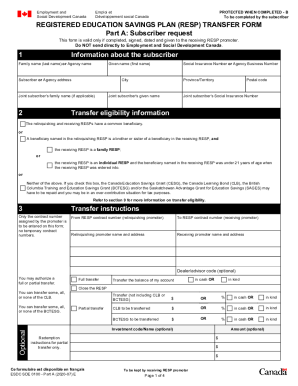
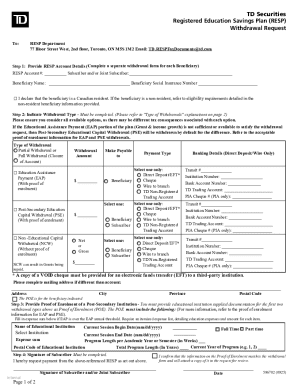
Canada Fidelity Investments RESP Redemption Form Form Versions
Related Forms




Get the latest insights from our blog


If you believe that this page should be taken down, please follow our DMCA take down process
here
.
This form may include fields for payment information. Data entered in these fields is not covered by PCI DSS compliance.