
Last updated on
Nov 7, 2026

CA LACIV 185 2023-2026 free printable template
pdfFiller is not affiliated with any government organization

Fill out
Complete the form online in a simple drag-and-drop editor.

eSign
Add your legally binding signature or send the form for signing.

Share
Share the form via a link, letting anyone fill it out from any device.

Export
Download, print, email, or move the form to your cloud storage.
Why pdfFiller is the best tool for your documents and forms


End-to-end document management
From editing and signing to collaboration and tracking, pdfFiller has everything you need to get your documents done quickly and efficiently.
Accessible from anywhere
pdfFiller is fully cloud-based. This means you can edit, sign, and share documents from anywhere using your computer, smartphone, or tablet.
Secure and compliant
pdfFiller lets you securely manage documents following global laws like ESIGN, CCPA, and GDPR. It's also HIPAA and SOC 2 compliant.
What is CA LACIV 185
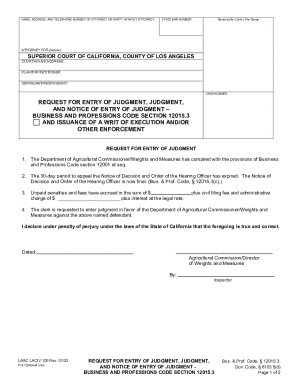
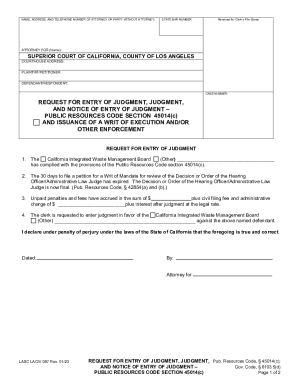
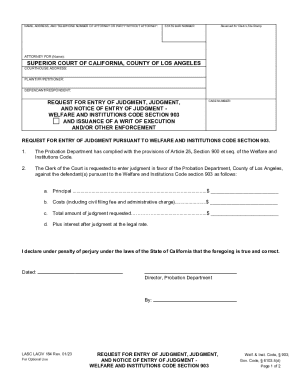
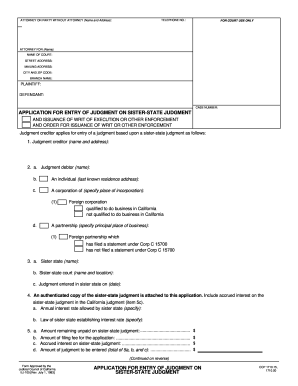
The California Request for Entry of Judgment is a legal document used by plaintiffs to request a judgment for unpaid penalties related to vehicle code violations.
pdfFiller scores top ratings on review platforms




Who needs CA LACIV 185?
Explore how professionals across industries use pdfFiller.

CA LACIV 185 is needed by:
-
Plaintiffs seeking judgment for vehicle code penalties
-
Attorneys representing clients in vehicle code violation cases
-
Clerks of Court processing legal documents in California
-
Individuals in Los Angeles dealing with traffic-related penalties
-
Legal professionals handling court filings in California
Comprehensive Guide to CA LACIV 185
What is the California Request for Entry of Judgment?
The California Request for Entry of Judgment is a legal form utilized in the Superior Court of California. This document is essential for requesting the entry of judgment on unpaid penalties associated with vehicle code violations. Under Vehicle Code sections 40220 and 40267, this form supports plaintiffs in formalizing their claims in court. Its legal significance lies in establishing a pathway for collecting dues while adhering to California's judicial procedures.
Purpose and Benefits of the California Request for Entry of Judgment
This form plays a crucial role in legal proceedings by allowing plaintiffs to clarify and formalize judgments regarding unpaid penalties. Using the California Request for Entry of Judgment enables legal compliance, streamlines processes, and enhances user experience through platforms like pdfFiller. Additional benefits include straightforward documentation processes and ease of access, making it less daunting for individuals unfamiliar with legal filings.
Who Needs the California Request for Entry of Judgment?
The primary users of this document are attorneys and clerks of court, both requiring signatures to validate the form. Specifically, plaintiffs pursuing judgments for vehicle code violations are the target audience, ensuring their claims are recognized legally. Understanding the roles involved helps streamline the process of filing and exercising rights under California law.
Eligibility Criteria for the California Request for Entry of Judgment
To use the California Request for Entry of Judgment, specific legal criteria must be met. Applicants must fulfill certain financial and jurisdictional requirements, ensuring they are eligible to file the form. Prior actions, such as providing documentation of the original penalties and compliance with the requisite vehicle code sections, are essential steps for eligibility.
How to Fill Out the California Request for Entry of Judgment Online
To complete the form digitally, access the California Request for Entry of Judgment through pdfFiller. Users should follow these steps:
-
Navigate to the official pdfFiller website.
-
Locate and select the form from the available options.
-
Fill in the required fields, ensuring accuracy at each step.
-
Review all entered information before finalizing the form.
-
Submit electronically for processing.
This process simplifies filling out legal forms while ensuring compliance with necessary regulations.
Common Errors and How to Avoid Them
While completing the California Request for Entry of Judgment, users may encounter several common pitfalls that can lead to form rejection. Typical mistakes include:
-
Omitting required fields or entering incorrect information, which may delay processing.
-
Failing to include necessary signatures from all parties involved.
-
Submitting outdated versions of the form.
To avoid these errors, users should verify all information thoroughly and double-check against filing guidelines before submission.
Submission Methods for the California Request for Entry of Judgment
Completed forms can be submitted through various methods, including electronic and paper options. When submitting, consider the following:
-
Ensure all necessary documentation is included, including any prior communications or evidence of penalties.
-
Confirm that signatures are present where required.
-
Adhere to any specified deadlines for submission to guarantee timely processing.
What Happens After You Submit the California Request for Entry of Judgment?
After submission, the California Request for Entry of Judgment enters a processing phase. Users can typically expect the following:
-
Processing timelines may vary, but confirmation notifications are usually provided.
-
Users may track the status of their submission through the court’s designated platforms or services.
-
Follow-up actions may be necessary depending on the court's response.
Security and Compliance Considerations When Filing the Form
Maintaining the confidentiality of sensitive information is paramount during the filing process. pdfFiller ensures the security of user data through robust encryption methods and compliance with relevant legal standards such as HIPAA and GDPR. These security features are key in reassuring users about the integrity and protection of their documents throughout the submission process.
Maximize Your Experience with pdfFiller for Your California Request for Entry of Judgment
Utilizing pdfFiller for the California Request for Entry of Judgment significantly enhances the document management experience. This platform offers multiple capabilities, including editing, eSigning, and sharing features that simplify the form-filling process. Emphasizing ease of access and stringent security measures, pdfFiller supports users in navigating legal procedures efficiently.
How to fill out the CA LACIV 185
-
1.Access pdfFiller and search for 'California Request for Entry of Judgment' to find the form.
-
2.Open the form and review the instructions provided within the document to familiarize yourself with the fields.
-
3.Gather all necessary information, including details on unpaid penalties and defendant's information, before starting to fill in the form.
-
4.Begin by entering the plaintiff's information in the designated fields, ensuring accurate and complete data.
-
5.Proceed to fill in the defendant's details next, making sure to match all names and addresses precisely.
-
6.Complete the sections regarding the unpaid penalties and any applicable charges, following the relevant Vehicle Code sections outlined in the form.
-
7.Use the checkboxes where applicable to declare compliance with California laws as specified in the instructions.
-
8.Finalize the form by declaring under penalty of perjury that the information provided is truthful.
-
9.Review the entire document to verify that all entries are accurate and consistent with supporting documents.
-
10.Once completed, save the form in pdfFiller and choose to download it or submit it electronically as instructed.

Who is eligible to use the California Request for Entry of Judgment?
Typically, individuals or entities that have incurred unpaid penalties or fees related to vehicle code violations in California are eligible to use this form. Plaintiffs seeking to enforce a judgment can file this request.
What supporting documents are required when submitting this form?
When submitting this form, it is important to include any supporting documents that validate the unpaid penalties. This may include notices of violation or correspondence related to the penalties.
Are there any deadlines for submitting the California Request for Entry of Judgment?
Yes, there may be deadlines related to filing this request, especially if associated with court cases. It’s best to check local court rules or consult with an attorney for any specific time constraints.
How can I submit the completed form?
You can submit the form either electronically through pdfFiller or print and mail it to the appropriate court address. Ensure to check submission guidelines applicable in your jurisdiction.
What are some common mistakes to avoid when filling out this form?
Common mistakes include providing incorrect information about the penalties, not signing the declaration, or failing to include relevant documentation. Always double-check all details before submission.
How long does it take to process the Request for Entry of Judgment?
Processing times can vary, but typically it may take several weeks depending on the court’s backlog. Always check with the court for specific timelines regarding your request.
Is notarization required for the California Request for Entry of Judgment?
No, notarization is not required for this form. However, all provided information must be signed by the plaintiff under penalty of perjury.
CA LACIV 185 Form Versions
Related Content
Related Forms




Get the latest insights from our blog


If you believe that this page should be taken down, please follow our DMCA take down process
here
.
This form may include fields for payment information. Data entered in these fields is not covered by PCI DSS compliance.