
Last updated on
Oct 15, 2026

NY DTF NYS-100-I 2024 free printable template
pdfFiller is not affiliated with any government organization

Fill out
Complete the form online in a simple drag-and-drop editor.

eSign
Add your legally binding signature or send the form for signing.

Share
Share the form via a link, letting anyone fill it out from any device.

Export
Download, print, email, or move the form to your cloud storage.
Why pdfFiller is the best tool for your documents and forms


End-to-end document management
From editing and signing to collaboration and tracking, pdfFiller has everything you need to get your documents done quickly and efficiently.
Accessible from anywhere
pdfFiller is fully cloud-based. This means you can edit, sign, and share documents from anywhere using your computer, smartphone, or tablet.
Secure and compliant
pdfFiller lets you securely manage documents following global laws like ESIGN, CCPA, and GDPR. It's also HIPAA and SOC 2 compliant.
What is NY DTF NYS-100-I
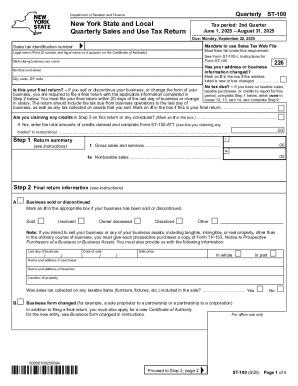
The New York State Quarterly Sales and Use Tax Return is a tax form used by sales tax vendors to report taxable sales, purchases, and credits in New York.
pdfFiller scores top ratings on review platforms




Who needs NY DTF NYS-100-I?
Explore how professionals across industries use pdfFiller.

NY DTF NYS-100-I is needed by:
-
Sales tax vendors in New York
-
Retail businesses collecting sales tax
-
E-commerce businesses operating in New York
-
Service providers selling taxable goods
-
Businesses with quarterly sales tax obligations
-
Financial professionals assisting with tax filings
Comprehensive Guide to NY DTF NYS-100-I
What is the New York State Quarterly Sales and Use Tax Return?
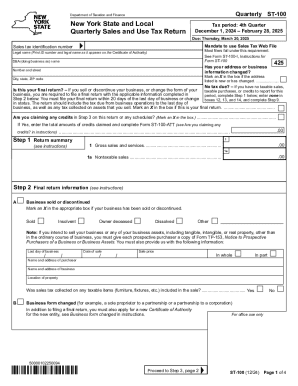
The New York State Quarterly Sales and Use Tax Return, known as form ST-100, serves a critical role for sales tax vendors operating in New York. This form enables businesses to report taxable sales, purchases, and any applicable credits reflecting their sales tax obligations.
Filing the ST-100 is significant because it impacts how businesses manage their sales and use tax liabilities. Understanding when and how to use this form is paramount for vendors to remain compliant with state tax laws.
This form is essential for various entities including retailers and service providers who must account for their taxable activities in a quarterly submission.
Purpose and Benefits of the New York State Quarterly Sales and Use Tax Return
Filing the New York State Quarterly Sales and Use Tax Return accurately and on time offers numerous benefits. Timely submissions help businesses avoid unnecessary penalties and interest, fostering better financial health.
Moreover, accurate reporting not only ensures compliance but also lays the foundation for better tax planning. Businesses can effectively strategize their finances based on their reported sales and discover potential tax credits available for qualifying sales.
Key Features of the New York State Quarterly Sales and Use Tax Return
The ST-100 form encompasses several crucial components that facilitate effective reporting. Key sections include taxable sales, the calculation of taxes owed, and the presentation of any applicable credits.
It is also vital for vendors to understand specific types of sales covered within this return, such as those related to solar energy systems. Compliance demands a thorough understanding of the reporting requirements stipulated for vendors, ensuring they correctly reflect their business activities.
Who Needs to File the New York State Quarterly Sales and Use Tax Return?
Eligibility to file the ST-100 is determined by the nature and level of a business's taxable activities. Generally, businesses with annual taxable sales exceeding a certain threshold are required to file this form quarterly.
There may be exceptions for certain businesses that qualify for a monthly filing schedule based on their tax obligations. Understanding the specific criteria applicable to varying types of vendors—such as retailers and service providers—is crucial for maintaining compliance.
When and How to Submit the New York State Quarterly Sales and Use Tax Return
Filing deadlines for the New York State Quarterly Sales and Use Tax Return are rigid, with submissions required at the end of each calendar quarter. Adhering to these deadlines is essential to avoid late filing penalties.
Businesses can submit the ST-100 form through various methods including online platforms or traditional paper submissions. It's important to clarify any associated fees with filing, as well as the consequences of late submission, which can affect business operations.
Step-by-Step Guide: How to Fill Out the New York State Quarterly Sales and Use Tax Return Online
To fill out the ST-100 form online, follow a clear sequence of steps to ensure accuracy:
-
Access the online form through the New York State Department of Taxation and Finance website.
-
Complete each section methodically, entering information on taxable sales and credits as required.
-
Review your entries against a pre-filing checklist to validate completeness.
Referencing visual guides, if available, can enhance understanding and streamline the completion process.
Common Errors and How to Avoid Them in the New York State Quarterly Sales and Use Tax Return
When preparing the ST-100 form, businesses often encounter common pitfalls such as miscalculating taxable sales or failing to report eligible credits. Awareness of these frequent errors can mitigate potential issues.
Implementing thorough review strategies can significantly reduce inaccuracies. It is advisable to double-check all calculations and details prior to submission to ensure compliance and accuracy.
Supporting Documents and Information Required for the New York State Quarterly Sales and Use Tax Return
Before filing the ST-100, vendors should gather several essential documents. Key items include financial data, sales receipts, and records of all taxable purchases.
Maintaining accurate records can facilitate a smoother filing process and prepare businesses for potential audits. A pre-filing checklist will help ensure all necessary documents are accounted for before submission.
Security and Compliance When Handling the New York State Quarterly Sales and Use Tax Return
The security of sensitive documents, such as tax returns, is non-negotiable. Utilizing platforms like pdfFiller provides enhanced security features during the filing process, ensuring compliance with privacy standards such as HIPAA and GDPR.
It is vital to adopt best practices for securely storing tax information, safeguarding against unauthorized access and data breaches.
Empowering Your Tax Filing with pdfFiller
pdfFiller enhances the experience of filling out the New York State Quarterly Sales and Use Tax Return with its user-friendly interface and robust security features. The platform allows easy access to forms online, ensuring a seamless filing process.
Utilizing pdfFiller for tax documents not only simplifies the filing experience but also provides peace of mind concerning security and compliance. Take the first step towards efficient tax filing today with the advantages offered by modern document management solutions.
How to fill out the NY DTF NYS-100-I
-
1.To access the ST-100 form on pdfFiller, go to the pdfFiller website and use the search bar to find 'ST-100'. Click on the form to open it.
-
2.Once the form is opened, familiarize yourself with pdfFiller's interface, which includes toolbar options for editing and filling in fields.
-
3.Before starting to complete the form, gather necessary information such as your business's taxable sales figures, purchases, and any credits you may claim.
-
4.Begin filling in the required fields by clicking on each one. Use the toolbar to add text, dates, and any other necessary information as prompted on the form.
-
5.Review all entries for accuracy as you fill in the form. Pay close attention to sections related to specific sales categories like solar energy systems.
-
6.Once all fields are complete, utilize the review feature to check for any errors or fields that may have been missed.
-
7.After reviewing, save your progress. You can download a copy for your records or submit the form directly through pdfFiller’s submission options.

Who is eligible to file the ST-100 form?
Any sales tax vendor operating in New York must file the ST-100 if they make taxable sales or purchases. It's essential to file quarterly unless you qualify for monthly filing.
What is the filing deadline for the ST-100 form?
The ST-100 form is typically due on the 20th of the month following the end of each quarter. Ensure timely submission to avoid penalties.
Where can I submit the ST-100 form?
You can submit the ST-100 form online through the New York State Department of Taxation and Finance's e-file system or by mailing a printed copy to the designated address.
What supporting documents are needed for the ST-100 filing?
While specific supporting documents are not required, you should keep accurate records of your sales, purchases, and any applicable credits. This will help substantiate your tax return.
What are common mistakes when filing the ST-100?
Common errors include miscalculating the tax due, failing to report all taxable sales, and submitting after the deadline. Double-check all figures before submitting.
How long does it take to process the ST-100 form?
Processing times for the ST-100 form may vary, but expect up to several weeks after submission, especially if filed by mail. E-filed submissions are typically processed faster.
Are there any fees associated with filing the ST-100 form?
There are no fees for filing the ST-100 form; however, interest and penalties may apply for late submissions or underpayment of taxes.
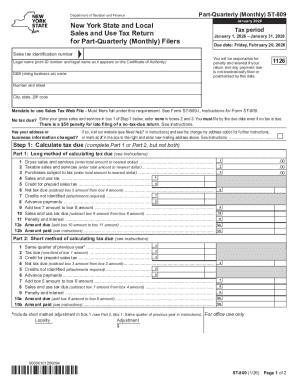
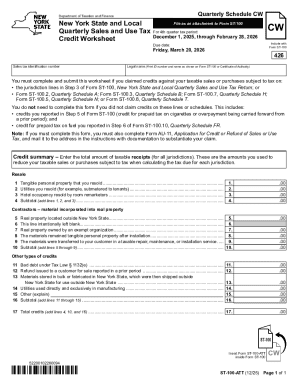
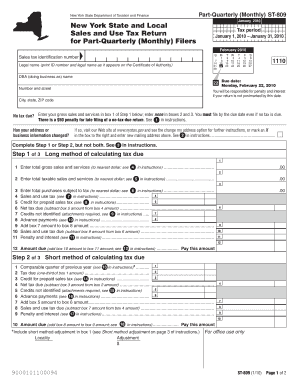
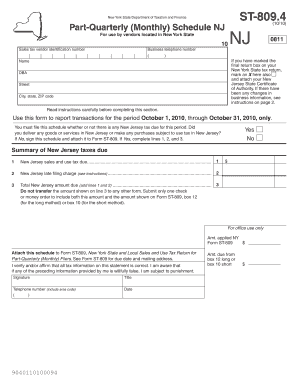
NY DTF NYS-100-I Form Versions
Related Content
Related Forms


Get the latest insights from our blog


If you believe that this page should be taken down, please follow our DMCA take down process
here
.
This form may include fields for payment information. Data entered in these fields is not covered by PCI DSS compliance.