
Last updated on
Oct 19, 2026

IRS 14310 2024 free printable template
pdfFiller is not affiliated with IRS

Fill out
Complete the form online in a simple drag-and-drop editor.

eSign
Add your legally binding signature or send the form for signing.

Share
Share the form via a link, letting anyone fill it out from any device.

Export
Download, print, email, or move the form to your cloud storage.
Why pdfFiller is the best tool for your documents and forms


End-to-end document management
From editing and signing to collaboration and tracking, pdfFiller has everything you need to get your documents done quickly and efficiently.
Accessible from anywhere
pdfFiller is fully cloud-based. This means you can edit, sign, and share documents from anywhere using your computer, smartphone, or tablet.
Secure and compliant
pdfFiller lets you securely manage documents following global laws like ESIGN, CCPA, and GDPR. It's also HIPAA and SOC 2 compliant.
What is IRS 14310
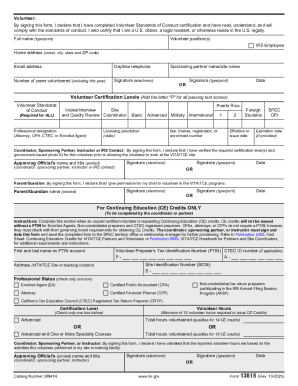
The IRS Form 14310 is a government document used by individuals to sign up as VITA/TCE Partners and Volunteers for the 2024 tax year.
pdfFiller scores top ratings on review platforms




Who needs IRS 14310?
Explore how professionals across industries use pdfFiller.

IRS 14310 is needed by:
-
Individuals interested in volunteering for VITA or TCE programs
-
Community organizations looking for tax assistance partners
-
Non-profits seeking to engage volunteers in tax preparation
-
Tax professionals wanting to support VITA/TCE initiatives
-
Students seeking community service opportunities in tax assistance
Comprehensive Guide to IRS 14310
What is IRS Form 14310 Partner and Volunteer Sign Up?
IRS Form 14310 serves as the official document for individuals wishing to enroll as partners or volunteers in the VITA (Volunteer Income Tax Assistance) and TCE (Tax Counseling for the Elderly) programs. This form is essential for those who want to contribute their time and skills to help others navigate their tax filings, thereby strengthening community ties. It is authorized for use during the 2024 tax year, ensuring that the sign-up process aligns with current regulatory standards.
Purpose and Benefits of IRS Form 14310
The existence of IRS Form 14310 is tied to its role in fostering community support through volunteer programs. Volunteers providing assistance through VITA/TCE programs gain several benefits:
-
Enhancement of personal skills in tax preparation and customer service.
-
Opportunity to make a significant impact on clients' financial well-being.
-
Access to training and resources provided by the IRS and related organizations.
By signing up as a VITA/TCE volunteer, individuals help empower their communities while also gaining valuable experience.
Eligibility Criteria for IRS Form 14310 Partner and Volunteer Sign Up
Potential applicants for IRS Form 14310 must meet specific eligibility requirements to ensure they are qualified to assist in tax preparation. These criteria include:
-
Being at least 18 years old.
-
Possessing a commitment to community service and helping others.
-
Completing any required background checks or training programs as dictated by the sponsoring organization.
These measures guarantee that volunteers are equipped to offer safe and effective assistance.
How to Fill Out IRS Form 14310 Online (Step-by-Step)
Completing IRS Form 14310 online is a straightforward process. Follow these steps to ensure proper submission:
-
Access the online submission portal.
-
Enter personal information, including your name, email, and address, in the specified fields.
-
Review your entries for accuracy to avoid common pitfalls such as typographical errors.
-
Submit the completed form electronically.
Pay attention to common mistakes like leaving mandatory fields blank to ensure a smooth submission experience.
What Information You'll Need to Gather for IRS Form 14310
Before starting to fill out IRS Form 14310, it is crucial to have the following information readily available:
-
Your first and last name.
-
Email address and telephone number.
-
Residential address including city, state, and ZIP code.
-
Details regarding your volunteering interests and availability.
Ensure all gathered information is accurate to facilitate your application process effectively.
Submission Methods for IRS Form 14310
After completing IRS Form 14310, there are several submission methods available:
-
Online submission through the IRS portal or affiliated organizations.
-
Selection between digital signatures or wet signatures if needed.
-
Follow-up on your submission status using the provided tracking options.
Understanding these methods enhances your experience and ensures timely processing of your application.
What Happens After You Submit IRS Form 14310?
Post-submission, your IRS Form 14310 will undergo a review process by the IRS. Here’s what to expect:
-
The IRS will evaluate your application for completeness and compliance with the requirements.
-
You may receive follow-up requests if additional information is necessary.
-
You can check your application status via the IRS portal or the organization through which you submitted.
Being aware of this process can help you navigate any potential challenges smoothly.
Why Choose pdfFiller for IRS Form 14310?
pdfFiller stands out as a trusted platform for filling out IRS forms, including Form 14310. Key benefits of using pdfFiller include:
-
Easy editing of text and images within the form fields.
-
Convenient electronic signing options to save time.
-
Strong security features, including 256-bit encryption, to protect sensitive information.
Choosing pdfFiller ensures a streamlined, secure, and user-friendly experience.
Start Your IRS Form 14310 Partner and Volunteer Sign Up Today!
Take the initiative to begin your IRS Form 14310 sign-up process. The ease of use and efficiency that pdfFiller provides allows you to complete the form without hassle. Remember, timely submission is crucial to meet application deadlines for the upcoming tax year.
How to Fill Out Small Business Tax Forms Online with pdfFiller
Struggling with your Schedule C or not sure how to file business taxes as a sole proprietor, LLC, or self-employed professional? This step-by-step pdfFiller tutorial walks you through completing IRS Schedule C quickly and accurately — no printing, no scanning, no stress. Whether you're handling small business tax deductions, tracking self-employed taxes, or preparing your full business tax return, pdfFiller makes it simple right in your browser.

How to fill out the IRS 14310
-
1.Access the IRS Form 14310 through pdfFiller by searching for the form's name in their document library.
-
2.Open the form once you locate it, and familiarize yourself with the fillable fields provided in the interface.
-
3.Gather necessary information before starting to fill in the form, including your name, email, telephone number, and address.
-
4.Navigate to the first field labeled 'First name' and enter your first name using the keyboard.
-
5.Continue to fill in each subsequent field, including 'Last name', 'Email address', and 'Telephone number', ensuring accuracy.
-
6.Add your city, state, and ZIP code in the designated fields, double-checking for any typos.
-
7.Locate the checkboxes relating to your interest in partnering or volunteering and select 'Yes' or 'No' as appropriate.
-
8.Once all fields are completed, review the information for any errors or omissions, making necessary corrections.
-
9.Use pdfFiller's preview feature to see how your completed form will look before submission.
-
10.Save your work frequently as you proceed, using the save function in pdfFiller.
-
11.After thorough review, choose the option to submit the form online through pdfFiller, ensuring you follow any additional prompts.
-
12.Finally, download a copy of your submission for your own records once the form has been sent.

What are the eligibility requirements to use IRS Form 14310?
IRS Form 14310 is designed for individuals who wish to volunteer or partner with VITA/TCE programs. Generally, anyone interested in providing free tax assistance can complete this form.
What is the deadline for submitting IRS Form 14310?
While specific deadlines can vary, it is advisable to submit IRS Form 14310 as early as possible, ideally before the start of the tax season to ensure participation in VITA or TCE programs.
How do I submit IRS Form 14310?
You can submit IRS Form 14310 directly online through pdfFiller. Follow the instructions for completing the form and use the submission feature provided in the tool.
What supporting documents do I need for this form?
No specific supporting documents are required to complete IRS Form 14310. However, you should have personal identification information ready, such as your name, email, and contact details.
What common mistakes should I avoid when filling out this form?
Common mistakes include typos in contact information, forgetting to select interests in volunteering roles, and not reviewing the form before submission. Always double-check your entries.
How long will it take to process my application with IRS Form 14310?
Processing times for IRS Form 14310 can vary. Typically, you should expect follow-up contact from partnering organizations within a few weeks after submission.
Is there a fee to submit IRS Form 14310?
There is no fee to submit IRS Form 14310. Participating as a volunteer or partner in VITA/TCE programs is a free service to support communities.
IRS 14310 Form Versions
Related Content
Related Forms

Get the latest insights from our blog


If you believe that this page should be taken down, please follow our DMCA take down process
here
.
This form may include fields for payment information. Data entered in these fields is not covered by PCI DSS compliance.