
Last updated on
Oct 19, 2026

Canada Request to Extend or Shorten Time - Ontario 2022-2026 free printable template
We are not affiliated with any brand or entity on this form

Fill out
Complete the form online in a simple drag-and-drop editor.

eSign
Add your legally binding signature or send the form for signing.

Share
Share the form via a link, letting anyone fill it out from any device.

Export
Download, print, email, or move the form to your cloud storage.
Why pdfFiller is the best tool for your documents and forms


End-to-end document management
From editing and signing to collaboration and tracking, pdfFiller has everything you need to get your documents done quickly and efficiently.
Accessible from anywhere
pdfFiller is fully cloud-based. This means you can edit, sign, and share documents from anywhere using your computer, smartphone, or tablet.
Secure and compliant
pdfFiller lets you securely manage documents following global laws like ESIGN, CCPA, and GDPR. It's also HIPAA and SOC 2 compliant.
What is Canada Request to Extend or Shorten Time - Ontario
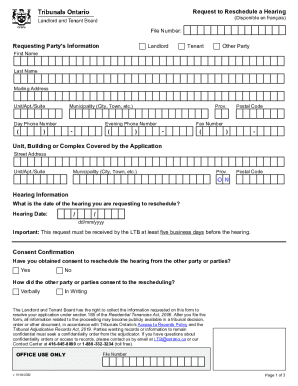
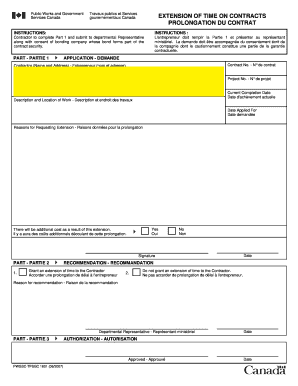
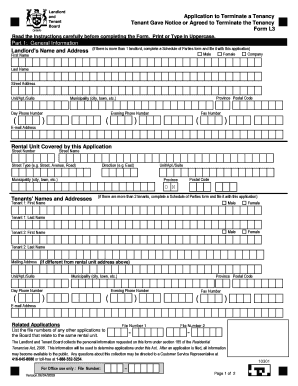
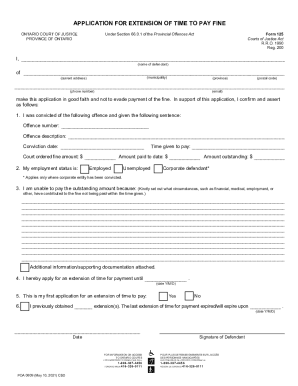
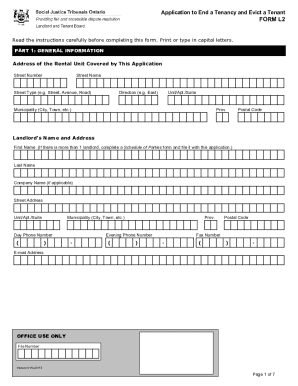
The Request to Extend or Shorten Time is a legal form used by landlords, tenants, and other parties in Ontario to modify deadlines or hearing schedules with the Landlord and Tenant Board (LTB).
pdfFiller scores top ratings on review platforms




Who needs Canada Request to Extend or Shorten Time - Ontario?
Explore how professionals across industries use pdfFiller.

Canada Request to Extend or Shorten Time - Ontario is needed by:
-
Landlords seeking to adjust hearing dates
-
Tenants requesting deadline extensions
-
Legal representatives involved in disputes
-
Property managers handling tenant inquiries
-
Others participating in landlord-tenant disputes
Comprehensive Guide to Canada Request to Extend or Shorten Time - Ontario
What is the Ontario Request to Extend or Shorten Time Form?
The Ontario Request to Extend or Shorten Time Form is an essential legal document utilized within Ontario's legal system. This form serves to facilitate requests to the Landlord and Tenant Board (LTB) for modifications regarding deadlines or hearing schedules. Landlords, tenants, and other involved parties may use this form to navigate disputes effectively.
This form is particularly important in various dispute scenarios, as it allows parties to address and potentially alter time-sensitive aspects of their cases. Types of disputes commonly associated with this form include eviction hearings, rent disputes, and lease agreements that require urgent attention.
Purpose and Benefits of the Ontario Time Extension Request
The primary purpose of the Ontario Time Extension Request is to allow individuals to modify their deadlines effectively. By submitting this request, parties can gain valuable benefits, such as ensuring that they have adequate time to prepare their cases, which can lead to more favorable legal outcomes.
Submitting timely requests to extend or shorten deadlines can significantly impact the outcome of legal matters. When parties act swiftly, it can prevent prejudice, fostering a fair and just process in their legal proceedings. Use cases often arise where an unforeseen circumstance may necessitate the need for additional preparation or a quicker resolution.
Who Needs the Ontario Request to Extend or Shorten Time Form?
Various parties may require the Ontario Request to Extend or Shorten Time Form, including landlords, tenants, and other involved parties. Each role has distinct responsibilities and scenarios that necessitate the submission of this request.
-
Landlord: A landlord may submit the request if they need more time to respond to a complaint or prepare for a hearing.
-
Tenant: Tenants might use this form to request additional time for legal representation or to gather necessary documents.
-
Other Parties: Other individuals involved, such as property managers or legal representatives, may also submit the form on behalf of their clients.
Additionally, it is crucial to clarify signing requirements for each role involved, as all parties are generally required to sign the form to validate their requests.
Eligibility Criteria and State-Specific Rules for the Form
To be eligible to file the Request to Extend or Shorten Time, parties must meet specific conditions. These eligibility criteria ensure that requests are valid and grounded in the established legal framework.
-
Parties must be directly involved in the dispute handled by the LTB.
-
Requests should be based on legitimate reasons, such as unforeseen circumstances.
-
Each party must be compliant with jurisdiction-specific statutes in Ontario.
Furthermore, it is important to address any legal prerequisites that must be fulfilled before submitting the request. This may include filing any necessary preliminary documents or adhering to specific timelines determined by the LTB.
How to Fill Out the Ontario Request to Extend or Shorten Time Online
Completing the Ontario Request to Extend or Shorten Time Form online involves several straightforward steps. Begin by accessing the fillable form, ensuring all required fields are filled accurately.
-
Review the form carefully to identify all fillable sections.
-
Include any necessary supporting documents that justify your request.
-
Double-check for common errors, such as incorrect information or missed fields.
Providing thorough explanations and justifications enhances the chances of your request being accepted by the LTB.
Submission Guidelines for the Ontario Time Extension Request
Submitting the completed Ontario Request to Extend or Shorten Time Form can be done through various methods. Parties should choose the method that best suits their needs to ensure their request is processed efficiently.
-
Online Submission: Most efficient and recommended method to file your request directly through the LTB’s portal.
-
Mail: Requests can be sent via mail, but be mindful of additional processing times.
-
In-Person Submission: Parties may submit their requests at designated LTB offices if required.
It is also essential to be aware of any associated fees and to adhere to deadlines imposed by the LTB for processing submissions.
What Happens After You Submit the Request?
After submitting the Ontario Request to Extend or Shorten Time Form, applicants can expect a series of confirmation steps. First, the LTB will provide a notification confirming the receipt of your application.
-
Applicants can track the status of their request through the LTB’s tracking system.
-
Potential outcomes of the request may vary based on the LTB’s assessment, leading to either acceptance or rejection.
-
If accepted, further instructions or next steps will be communicated.
Maintaining Security and Compliance When Using the Form
Security and compliance are paramount when handling sensitive legal documents. Utilizing platforms like pdfFiller ensures the protection of submitted forms through robust security measures.
-
pdfFiller employs 256-bit encryption to safeguard user data.
-
The platform complies with GDPR and HIPAA regulations, ensuring user privacy.
-
Adopting best practices for data protection, such as avoiding public Wi-Fi during submissions, enhances security.
Streamline Your Process with pdfFiller
pdfFiller provides an efficient solution for filling out the Ontario Request to Extend or Shorten Time Form. This platform simplifies the process with features designed to enhance user experience.
-
The convenience of eSigning enables quick and secure submissions of documents.
-
Through document management capabilities, users can access and organize their submissions easily.
-
With millions of users, pdfFiller is a trusted tool known for its reliability and efficiency.
How to fill out the Canada Request to Extend or Shorten Time - Ontario
-
1.To access the Request to Extend or Shorten Time form, visit pdfFiller's website and search for the form by name or category.
-
2.Once located, click to open the form in pdfFiller’s interface, where you can view the fillable fields.
-
3.Before beginning the form, gather all necessary information including property details, parties involved, and specific requests you wish to make.
-
4.Proceed to fill out each section of the form, utilizing pdfFiller's tools to navigate between fields, add information, and checkboxes as needed.
-
5.Ensure you provide detailed explanations in designated spaces to justify your request to the LTB, as this information may influence their decision.
-
6.Once you have completed all required fields, take a moment to review the entire form for accuracy and completeness.
-
7.Check for any missing sections or signatures that need attention before finalizing your submission.
-
8.Once satisfied with the form, utilize pdfFiller’s options to save your document, download it in your preferred format, or submit directly online—even sending it to multiple recipients if necessary.

Who is eligible to use the Request to Extend or Shorten Time form?
This form is designed for landlords, tenants, and other parties involved in disputes within Ontario who need to request changes to deadlines or hearing schedules with the LTB.
Are there deadlines for submitting this form?
Yes, it's important to submit the Request to Extend or Shorten Time as soon as possible before the original deadline to ensure that the LTB can properly consider your request.
How do I submit the completed form?
After completing the form on pdfFiller, you can submit it either electronically through the platform or print it out for postal submission to the appropriate LTB office in Ontario.
What supporting documents are required with the form?
You may need to provide supporting documents such as correspondence related to the matter, any evidence supporting your request, or explanations that address the reasons for your deadline modification.
What are common mistakes to avoid when filling out the form?
Common mistakes include incomplete sections, missing signatures, and failing to provide adequate justification for the extension or shortening of time being requested. Review the form thoroughly before submission.
How long does it take for the LTB to process my request?
Processing times can vary depending on current workloads at the LTB. Typically, you should expect a response within a few weeks, but it's advisable to check for specific timelines related to your situation.
Can I fill out the form electronically?
Yes, the Request to Extend or Shorten Time can be filled out electronically using pdfFiller, which allows you to easily navigate the fillable fields and submit your request conveniently online.
Canada Request to Extend or Shorten Time - Ontario Form Versions
Related Forms

Get the latest insights from our blog


If you believe that this page should be taken down, please follow our DMCA take down process
here
.
This form may include fields for payment information. Data entered in these fields is not covered by PCI DSS compliance.