
Last updated on
Nov 6, 2026

Get the free Civil Action Notice
We are not affiliated with any brand or entity on this form

Fill out
Complete the form online in a simple drag-and-drop editor.

eSign
Add your legally binding signature or send the form for signing.

Share
Share the form via a link, letting anyone fill it out from any device.

Export
Download, print, email, or move the form to your cloud storage.
Why pdfFiller is the best tool for your documents and forms


End-to-end document management
From editing and signing to collaboration and tracking, pdfFiller has everything you need to get your documents done quickly and efficiently.
Accessible from anywhere
pdfFiller is fully cloud-based. This means you can edit, sign, and share documents from anywhere using your computer, smartphone, or tablet.
Secure and compliant
pdfFiller lets you securely manage documents following global laws like ESIGN, CCPA, and GDPR. It's also HIPAA and SOC 2 compliant.
What is Civil Complaint
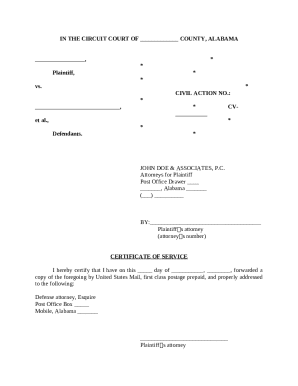
The Civil Action Notice is a legal notice form used by a plaintiff's attorney to certify the service of a pleading to the defendant's counsel.
pdfFiller scores top ratings on review platforms




Perfect... Thank you so much. Expensive but the experience has been worth the cost.
it is so much easily to redact any confidential information.
so far Has been time and work saving! love it so far!
LOVE it so far, but still learning....lots of features.
me ayuda de mucho en verdad gracias a los creadores de esta gran idea para resolver los problemas de modificaciones en la los documentos
Works as it should
Works as it should, easy to navigate
Who needs Civil Complaint?
Explore how professionals across industries use pdfFiller.

Civil Complaint is needed by:
-
Plaintiff attorneys preparing a case in Alabama
-
Legal firms representing clients in civil actions
-
Individuals involved in lawsuits needing to document service
-
Court clerks managing legal filings within the district
-
Private process servers assisting in legal notifications
-
Defendants seeking proof of service for responsive action
Comprehensive Guide to Civil Complaint
What is the Civil Action Notice?
The Civil Action Notice is a crucial legal document utilized in the U.S. District Court system. It serves to certify the service of pleadings to the defendant's counsel, ensuring that all parties are adequately notified of legal proceedings. This document is particularly significant for a plaintiff's attorney, who must ensure proper legal filing.
-
The Civil Action Notice is essential for maintaining transparency in legal processes.
-
It confirms that the defendant's counsel has received the required legal documents.
-
This notice plays a vital role for plaintiff attorneys in streamlining their legal filings.
Purpose and Benefits of the Civil Action Notice
The Civil Action Notice not only fulfills legal requirements but also offers several advantages to parties involved in civil litigation. By ensuring compliant notifications, this document plays a key role in facilitating the legal process.
-
It helps to provide proper and legal notification to all parties involved in a lawsuit.
-
Ensures compliance with both jurisdictional rules and legal standards.
-
Aids in the smooth progression of civil cases, thus enhancing efficiency.
Who Needs the Civil Action Notice?
The primary users of the Civil Action Notice are typically the plaintiff’s attorney and the defendant’s counsel. Understanding the parties involved and the scenarios that necessitate this notice is essential for effective legal proceedings.
-
The plaintiff's attorney is responsible for initiating the Civil Action Notice.
-
Defendant's counsel needs this notice to be informed about the ongoing legal action.
-
Any plaintiff initiating a civil lawsuit requires the Civil Action Notice for notification purposes.
How to Fill Out the Civil Action Notice Online (Step-by-Step)
Filling out the Civil Action Notice online is straightforward if you follow the right steps. Here’s a systematic approach to ensure accuracy during completion.
-
Enter the date in the designated field.
-
Indicate the method of service used.
-
Fill out the recipient's address accurately.
-
Review each section for any missing or incorrect information.
-
Ensure all required fields are completed before submission.
Common Errors and How to Avoid Them
Avoiding mistakes when completing the Civil Action Notice is crucial for a successful filing. Familiarizing yourself with common errors can prevent delays in the legal process.
-
Incorrectly filled fields are one of the most common mistakes.
-
Failure to review the document thoroughly before submission may lead to inaccuracies.
-
Ensure signatures are properly affixed where needed to validate the document.
How to Sign the Civil Action Notice
Signing the Civil Action Notice accurately is an essential step in the documentation process. Knowing whether to use a digital or wet signature can also impact the validity of the form.
-
A digital signature may be accepted depending on court requirements.
-
Provide clear instructions on how a plaintiff’s attorney should sign the document.
-
Check if any notarization is needed for your specific case.
Submission Methods and Delivery
Understanding how to submit the completed Civil Action Notice is vital for compliance. There are various methods available for this process.
-
You can submit the form in person, by mail, or electronically.
-
Ensure you know the specific location in Alabama where the Civil Action Notice should be sent.
-
Research any applicable submission fees and available tracking options for your notice.
Security and Compliance for the Civil Action Notice
Handling sensitive legal documents requires stringent security measures. The Civil Action Notice is no exception, and understanding compliance requirements is essential for data protection.
-
Implement security measures when handling sensitive legal documents.
-
Ensure compliance with HIPAA, GDPR, and other relevant regulations.
-
Using platforms like pdfFiller enhances data protection in document management.
How pdfFiller Can Help You with the Civil Action Notice
pdfFiller offers various features that can simplify the process of managing the Civil Action Notice. Utilizing a cloud-based platform enhances efficiency and convenience.
-
Edit and fill out the form easily using pdfFiller's intuitive interface.
-
Utilize eSigning capabilities to expedite the signing process.
-
Benefit from cloud-based access and secure storage options for all your documents.
Sample or Example of a Completed Civil Action Notice
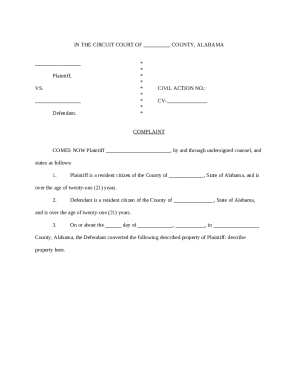
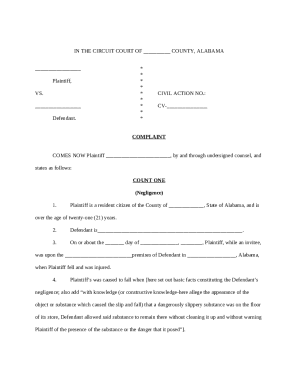
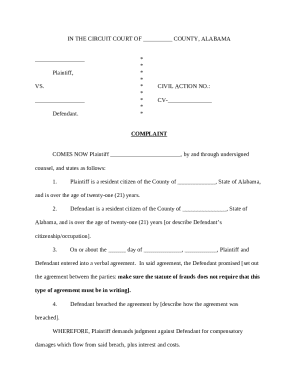
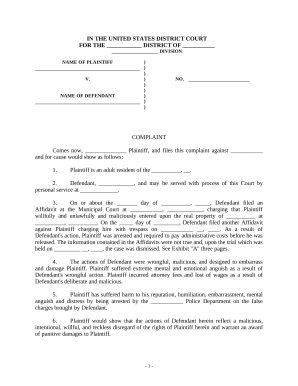
Having a visual reference can be incredibly helpful for users filling out the Civil Action Notice. A well-completed example can guide you through the process.
-
Download a sample filled-out Civil Action Notice for reference.
-
Pay attention to key sections and notes on the information included.
-
Ensure that you follow the correct format and include all necessary details.
How to fill out the Civil Complaint
-
1.Access the Civil Action Notice form on pdfFiller by visiting the website and using the search function to locate the form.
-
2.Once you find the form, click on it to open the document in the interactive pdfFiller interface.
-
3.Before beginning to fill out the form, gather necessary information such as the plaintiff's attorney's name, the date of service, the method of service, and the recipient's address.
-
4.Start by entering the date of service in the appropriate field using the calendar feature for accuracy.
-
5.Next, fill in the method of service by selecting from the available options or by typing in the method beside the designated area.
-
6.Input the recipient's name and address ensuring all details are accurate and complete, which is crucial for the certification process.
-
7.Remember to complete all mandatory fields marked clearly within the form to avoid submission issues.
-
8.Review all entries carefully for any spelling or information errors that could affect the validity of the notice.
-
9.After confirming everything is filled correctly, locate the signature line and sign using your electronic signature if pdfFiller offers this option.
-
10.Finalize the filling process by saving your completed document, choosing the save option from the menu.
-
11.You also have the option to download the form in PDF format, which can be printed or sent directly through the platform for submission.

Who can fill out the Civil Action Notice?
The Civil Action Notice should be filled out by the plaintiff's attorney representing the party in a civil action. It's crucial for the attorney to provide accurate information regarding the service of notice.
Is notarization required for this form?
No, the Civil Action Notice does not require notarization. However, it must be signed by the plaintiff's attorney to validate the document.
What should I do if I make a mistake while filling out the form?
If you make a mistake, you can easily correct it using pdfFiller's editing tools. Simply click on the incorrect field, make your adjustment, and ensure all other information is accurate before finalizing.
How do I submit the completed Civil Action Notice?
After completing the Civil Action Notice, you can submit it by downloading the form and printing it for physical submission to the relevant court or by using an electronic method if allowed in your jurisdiction.
Are there any deadlines for submitting this notice?
Yes, submission deadlines may vary based on the court's requirements and the specifics of the case. Always check with the relevant court for any applicable deadlines to ensure compliance.
What information is necessary before completing the form?
You need the plaintiff's attorney's details, including their name, service date, method of service, and the address of the recipient to accurately complete the Civil Action Notice.
Can this form be used outside Alabama?
No, the Civil Action Notice is tailored specifically for use in the United States District Court for the Southern District of Alabama and may not be valid in other jurisdictions.


Get the latest insights from our blog


If you believe that this page should be taken down, please follow our DMCA take down process
here
.
This form may include fields for payment information. Data entered in these fields is not covered by PCI DSS compliance.