
Last updated on
Oct 31, 2026

Get the free Employment Application Form
We are not affiliated with any brand or entity on this form

Fill out
Complete the form online in a simple drag-and-drop editor.

eSign
Add your legally binding signature or send the form for signing.

Share
Share the form via a link, letting anyone fill it out from any device.

Export
Download, print, email, or move the form to your cloud storage.
Why pdfFiller is the best tool for your documents and forms


End-to-end document management
From editing and signing to collaboration and tracking, pdfFiller has everything you need to get your documents done quickly and efficiently.
Accessible from anywhere
pdfFiller is fully cloud-based. This means you can edit, sign, and share documents from anywhere using your computer, smartphone, or tablet.
Secure and compliant
pdfFiller lets you securely manage documents following global laws like ESIGN, CCPA, and GDPR. It's also HIPAA and SOC 2 compliant.
What is Employment Application
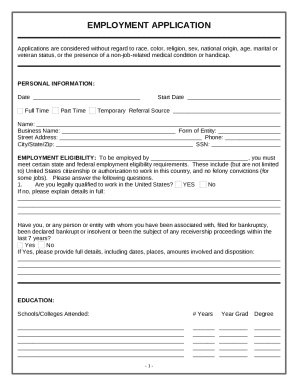
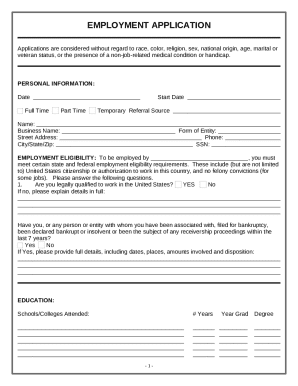
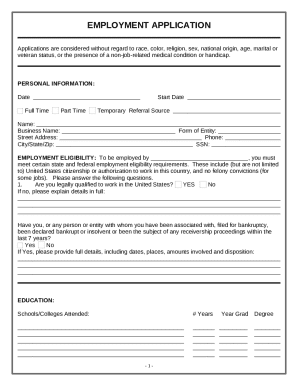
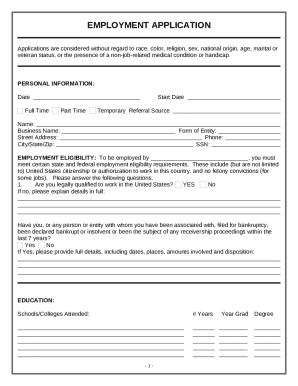
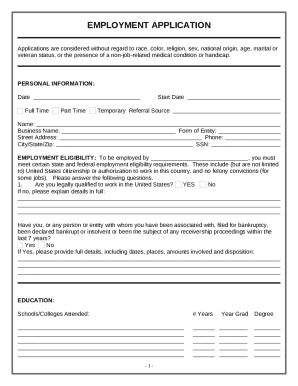
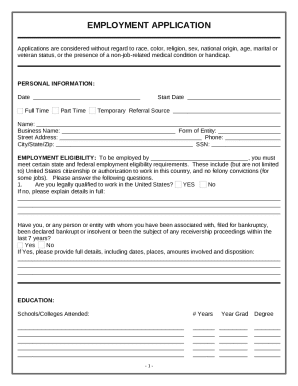
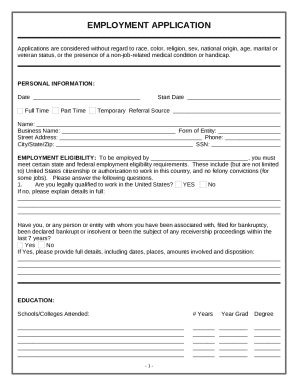
The Employment Application Form is a standard document used by job applicants to provide essential details to potential employers during the hiring process.
pdfFiller scores top ratings on review platforms




I've used PDFFiller to complete several government documents, and it has been very user-friendly each time.
VERY GOOD
Very useful & effective
AWESOME
it made it very fast and simple to get my new lease signed.
A wonderful app, highly recommended.
Who needs Employment Application?
Explore how professionals across industries use pdfFiller.

Employment Application is needed by:
-
Job seekers looking for new employment opportunities
-
Hiring managers and recruiters conducting applicant assessments
-
Human resources departments managing recruitment processes
-
Students or recent graduates entering the job market
-
Individuals changing careers or industries
Comprehensive Guide to Employment Application
What is the Employment Application Form?
The Employment Application Form plays a vital role in the job application process. This form is designed for applicants to provide essential information such as personal details and work history. It is crucial for candidates to complete the form truthfully, as it often includes authorization for background checks to validate the information provided.
Purpose and Benefits of the Employment Application Form
Applicants and employers both benefit significantly from the Employment Application Form. This structured document assists in evaluating the qualifications and backgrounds of candidates, making the hiring process smoother. Additionally, it helps ensure that all necessary information is collected in an organized manner, reducing the likelihood of oversights.
-
Standardizes data collection for easier comparison of applicants.
-
Enhances efficiency in processing applications for employers.
Key Features of the Employment Application Form
The Employment Application Form includes several key features to facilitate the application process. Fillable fields allow applicants to enter their information directly, while sections and checkboxes help categorize data efficiently. Employers also have the option to customize the form to meet their specific needs.
-
Security features that ensure the protection of applicant information.
-
Options for necessary signatures, including digital signatures.
Who Needs the Employment Application Form?
This form is essential for various groups, including job seekers across different industries and positions. Employers and HR departments utilize the form to standardize applications, facilitating their selection process. Additionally, freelance, contract, and part-time workers can also benefit from having a formal application to present their skills and experience.
How to Fill Out the Employment Application Form Online
Filling out the Employment Application Form online requires careful preparation. Begin by gathering the necessary information to ensure a smooth process. Applicants should follow clear instructions for each section to avoid errors and should take time to verify their details before submission.
-
Organize personal and employment information in advance.
-
Double-check for any missing fields or inaccuracies.
Review and Validation Checklist for Your Application
Submitting a complete and accurate application is critical for success. Applicants should be aware of common errors to avoid, such as typos and omitted data. It is equally important to review personal and professional references for accuracy to enhance credibility during the assessment process.
-
Ensure all required sections are completed.
-
Verify the accuracy of contact and reference information.
How to Sign or eSign the Employment Application Form
Understanding the signing requirements for the Employment Application Form is essential. There are differences between digital signatures and wet signatures, with eSignatures gaining popularity for their convenience. Using platforms like pdfFiller, applicants can sign the form securely, which is crucial for legal compliance.
-
Follow instructions to eSign the form using a secure platform.
-
Ensure your signature meets any specified requirements.
Where and How to Submit the Employment Application Form
Submission methods for the Employment Application Form can vary. Applicants may submit the form online, via mail, or in person, depending on the employer’s preferences. It's important to be aware of any deadlines and potential fees associated with the submission process to ensure timely application.
-
Check specific submission methods preferred by the employer.
-
Be mindful of application processing times.
What Happens After You Submit the Employment Application Form?
Once the Employment Application Form is submitted, candidates should be prepared for the next stages of the hiring process. Employers typically review applications thoroughly, and candidates can check their application status through designated channels. Understanding common rejection reasons can help applicants improve future submissions.
Take the Next Step with pdfFiller for Your Employment Application
For those looking to simplify their form-filling experience, pdfFiller offers robust features tailored to the Employment Application Form. The platform allows for easy editing, signing, and sharing of documents, ensuring that sensitive information is handled securely along the way.
How to fill out the Employment Application
-
1.To access the Employment Application Form on pdfFiller, visit the pdfFiller website and log in to your account. Use the search feature to find the Employment Application Form, and click on it to open.
-
2.Once the form is open, familiarize yourself with the layout. You will see various sections with blank fields, checkboxes, and instructions guiding you on what information to provide.
-
3.Before starting to fill out the form, gather necessary information such as your personal details, previous employment history, educational qualifications, references, and any relevant certifications or licenses.
-
4.Begin completing the form by entering your name and contact information in the designated fields. Be sure to provide accurate and up-to-date details.
-
5.Proceed to the employment history section by listing your previous jobs, including the company names, positions held, dates of employment, and responsibilities.
-
6.Next, fill out your educational background, including institutions attended, degrees earned, and other relevant qualifications.
-
7.In the reference section, include contact information for professional references who can vouch for your qualifications and work ethic.
-
8.As you complete each section, utilize the checkboxes for options such as language skills or certifications as applicable.
-
9.After filling out all sections, take time to review all entered information for accuracy and completeness. Ensure that all required fields are filled.
-
10.Once satisfied with your application, click the save button to store your form securely. You can then download a copy in PDF format or submit it directly via email through pdfFiller.

What are the eligibility requirements for this Employment Application Form?
To fill out the Employment Application Form, you typically need to be a job seeker, which means you should be actively looking for employment and possess the necessary qualifications for the positions you are applying for.
Are there any deadlines for submitting the Employment Application Form?
Deadlines for submitting the Employment Application Form often depend on the employer's hiring timeline. It's advisable to submit your application as soon as possible to ensure consideration before the closing date.
How should I submit the completed Employment Application Form?
The completed Employment Application Form can usually be submitted via email, as an attachment, or through an employer's online portal, depending on their specific process. Always follow the instructions provided by the employer.
What supporting documents are required with the Employment Application Form?
Typically, you may need to provide supporting documents like your resume, cover letter, and copies of relevant certifications or licenses along with the Employment Application Form. Check the job listing for specific requirements.
What are some common mistakes to avoid when filling out the Employment Application Form?
Common mistakes include providing inaccurate information, neglecting to sign the form, or failing to review the application for spelling and grammatical errors. Double-checking your entries can prevent these issues.
How long does it take to process the Employment Application Form?
The processing time for the Employment Application Form varies by employer but typically ranges from a few days to several weeks, depending on their review process and the number of applications received.
Can I save my progress on the Employment Application Form in pdfFiller?
Yes, pdfFiller allows you to save your progress while filling out the Employment Application Form. You can come back to complete it later without losing any information.
Related Forms



Get the latest insights from our blog


If you believe that this page should be taken down, please follow our DMCA take down process
here
.
This form may include fields for payment information. Data entered in these fields is not covered by PCI DSS compliance.