
Last updated on
Nov 6, 2026
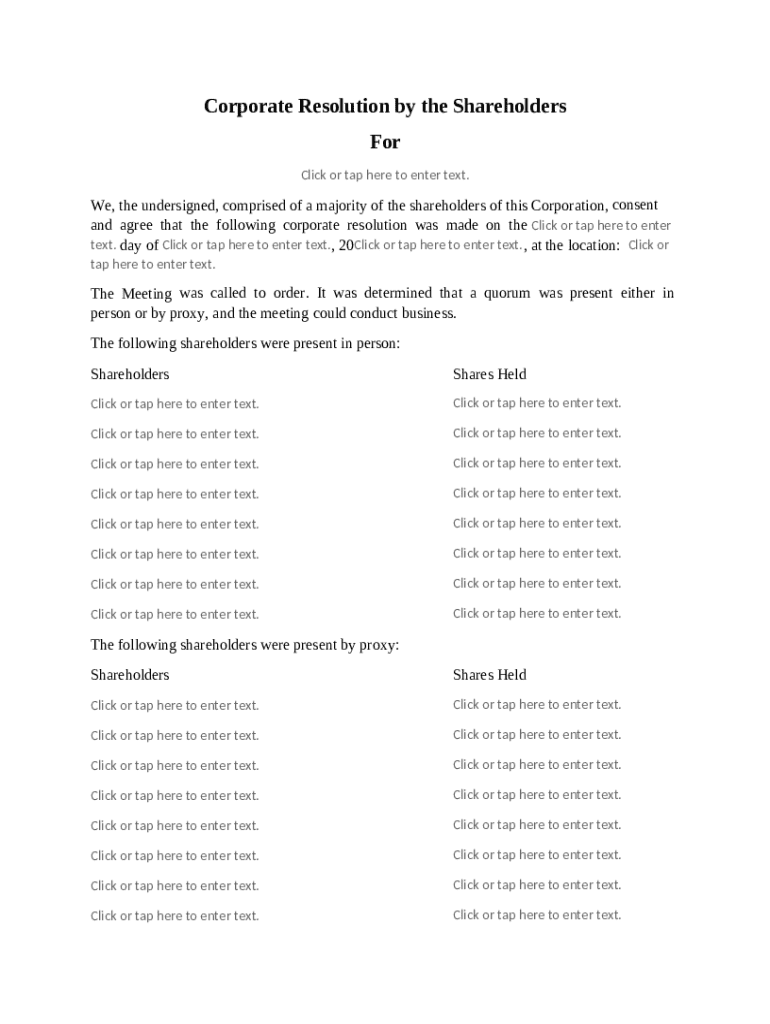
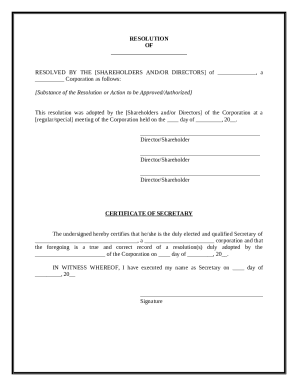
Get the free Corporate Shareholders Resolution Form
We are not affiliated with any brand or entity on this form

Fill out
Complete the form online in a simple drag-and-drop editor.

eSign
Add your legally binding signature or send the form for signing.

Share
Share the form via a link, letting anyone fill it out from any device.

Export
Download, print, email, or move the form to your cloud storage.
Why pdfFiller is the best tool for your documents and forms


End-to-end document management
From editing and signing to collaboration and tracking, pdfFiller has everything you need to get your documents done quickly and efficiently.
Accessible from anywhere
pdfFiller is fully cloud-based. This means you can edit, sign, and share documents from anywhere using your computer, smartphone, or tablet.
Secure and compliant
pdfFiller lets you securely manage documents following global laws like ESIGN, CCPA, and GDPR. It's also HIPAA and SOC 2 compliant.
What is Shareholders Resolution
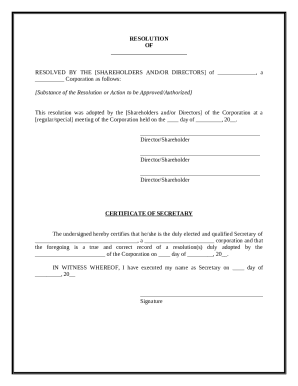
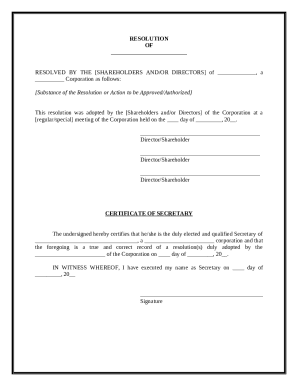
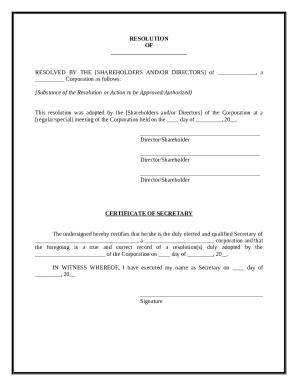
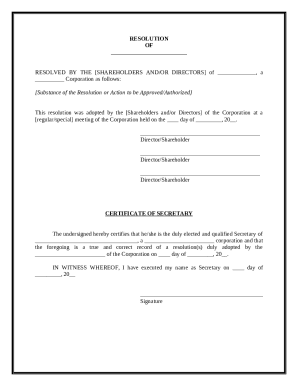
The Corporate Shareholders Resolution Form is a business document used by shareholders to consent to a corporate resolution and authorize significant corporate actions.
pdfFiller scores top ratings on review platforms




LOVE IT AND ITS SO EASY AND QUICK TO USE!!!!!
Great, works well. Only complaint is hard to save versions
Great application for getting forms filled out quickly and efficiently. Love the feature of being able to mail directly from the application and have used that several times.
Simple to use and gives the ability to 'fill' otherwise inaccessible PDF documents.
This is by far the best system I have seen
The forms are easy to fill out and the online chat help was great. But I was a little confused when I was first starting and seemingly just thrown into the fire so to speak after what I thought was just filling in a form and really didn't have a 'how to video' before I was already in ther.
Who needs Shareholders Resolution?
Explore how professionals across industries use pdfFiller.

Shareholders Resolution is needed by:
-
Corporate shareholders looking to document their resolutions.
-
Business secretaries responsible for corporate governance.
-
Corporate lawyers needing to establish formal shareholder agreements.
-
Company executives involved in decision-making processes.
-
Investors seeking legal documentation of corporate actions.
Comprehensive Guide to Shareholders Resolution
What is the Corporate Shareholders Resolution Form?
The Corporate Shareholders Resolution Form is a crucial document in corporate governance. This form serves to document the consensus among shareholders regarding significant corporate decisions.
Typically, shareholders and the corporate secretary are authorized to complete and sign this form. It captures essential details such as the resolutions adopted and the signatures of those present.
Purpose and Benefits of the Corporate Shareholders Resolution Form
This form plays an essential role in documenting decisions made by shareholders, ensuring clarity and legal validity. Its significance extends to compliance with corporate bylaws and relevant state regulations.
Utilizing an official corporate resolution template streamlines the documentation process and adds a layer of formality compared to informal agreements, thereby reducing ambiguity in corporate actions.
Key Features of the Corporate Shareholders Resolution Form
The Corporate Shareholders Resolution Form includes multiple fillable fields designed to capture detailed information efficiently. Signature requirements are crucial, requiring both shareholders and the corporate secretary to endorse the document.
Additionally, this template features editable sections, enabling users to tailor the document as necessary. The integration with pdfFiller's tools enhances usability, allowing for seamless completion and storage of corporate bylaws forms.
Who Needs the Corporate Shareholders Resolution Form?
Various stakeholders within a corporation may need to use the Corporate Shareholders Resolution Form. Situations such as major corporate actions, including mergers and elections of directors, necessitate its completion.
Corporate secretaries also play a vital role in documenting agreements reached by shareholders, ensuring compliance and clarity in all corporate decisions.
How to Fill Out the Corporate Shareholders Resolution Form Online
To fill out the Corporate Shareholders Resolution Form using pdfFiller, follow these steps:
-
Navigate to the Corporate Shareholders Resolution Form on the pdfFiller platform.
-
Complete each section according to the specific requirements listed.
-
Ensure all information is accurate and compliant with legal standards before finalizing the document.
These tips can help streamline the process and enhance the accuracy of your submissions.
Common Mistakes to Avoid When Completing the Corporate Shareholders Resolution Form
Users frequently encounter pitfalls when completing this form. Common mistakes include overlooking signature requirements and failing to validate information accurately.
To mitigate these errors, always double-check the completed form against corporate compliance resources before submission.
How to Sign and Submit the Corporate Shareholders Resolution Form
Understanding the signing and submission process is crucial. Digital signatures hold the same validity as wet signatures, providing flexibility in how the form can be completed.
Submission options through pdfFiller allow users to send the completed form conveniently. After submission, processing times may vary; it’s important to stay informed about the next steps.
Security and Compliance While Using the Corporate Shareholders Resolution Form
When utilizing the Corporate Shareholders Resolution Form, security and compliance are paramount. pdfFiller employs 256-bit encryption and adheres to privacy laws, assuring users that their sensitive corporate documents are protected.
This commitment to data safety emphasizes the importance of confidentiality when handling corporate forms and documents.
Ready to Get Started with Your Corporate Shareholders Resolution Form?
Start utilizing pdfFiller for a streamlined experience in completing your Corporate Shareholders Resolution Form. The platform’s user-friendly features make it simple to edit, securely sign, and manage documents efficiently.
Explore the ease of saving, sharing, and eSigning your forms through pdfFiller’s secure environment.
How to fill out the Shareholders Resolution
-
1.Access pdfFiller and log in to your account. If you don't have an account, sign up for a free trial or purchase a plan if necessary.
-
2.Locate the Corporate Shareholders Resolution Form by using the search bar or browsing through the business forms category.
-
3.Open the form and ensure all fields are clear. Familiarize yourself with the layout, which includes multiple fillable fields and checkboxes.
-
4.Gather necessary information, including shareholder names, addresses, and signatures, along with details of the resolution that needs to be agreed upon.
-
5.Begin filling out the form by clicking on the designated fields where you can enter text. Use the instruction prompts to guide you.
-
6.Always double-check entered information for accuracy. You can use pdfFiller's built-in features to highlight or validate your inputs.
-
7.Once completed, review the document thoroughly, ensuring that each section, including signatures from the shareholders and secretary, is filled out correctly.
-
8.Save your changes regularly while filling out the form. This ensures no information is lost if your session times out.
-
9.After reviewing, save or download the finalized document in your preferred format. You may also directly submit it as required through pdfFiller.
-
10.Consider exploring additional options, such as printing or sharing links to the completed form, for easy distribution to relevant parties.

Who is eligible to use the Corporate Shareholders Resolution Form?
The form is intended for shareholders of a corporation and the designated secretary. All parties involved must be authorized to make decisions on behalf of the corporation.
Is there a deadline for submitting the Corporate Shareholders Resolution Form?
Deadlines can vary based on corporate bylaws and state regulations. It is advisable to submit the resolution promptly after approval by shareholders to ensure compliance with corporate governance.
How do I submit the Corporate Shareholders Resolution Form?
The completed form can be submitted electronically via pdfFiller, printed and mailed, or directly provided to your corporation’s secretary or legal counsel for official records.
What supporting documents are required with this form?
Generally, no supporting documents are required, but it’s recommended to keep meeting minutes or any related correspondence as a record alongside the resolution.
What are common mistakes to avoid when filling out this form?
Common mistakes include missing signatures, entering incorrect information, or failing to verify that all shareholder consent is accurately documented. Review the form thoroughly before finalizing.
How long does it take to process the Corporate Shareholders Resolution Form?
Processing time is typically immediate if submitted electronically. However, if mailed, allow several business days for the resolution to reach its destination and be officially recognized.
Can the Corporate Shareholders Resolution Form be notarized?
This particular form does not require notarization. However, some corporations may have different policies or practices, so check your bylaws for specific requirements.
Related Forms


Get the latest insights from our blog


If you believe that this page should be taken down, please follow our DMCA take down process
here
.
This form may include fields for payment information. Data entered in these fields is not covered by PCI DSS compliance.