
Last updated on
Oct 19, 2026
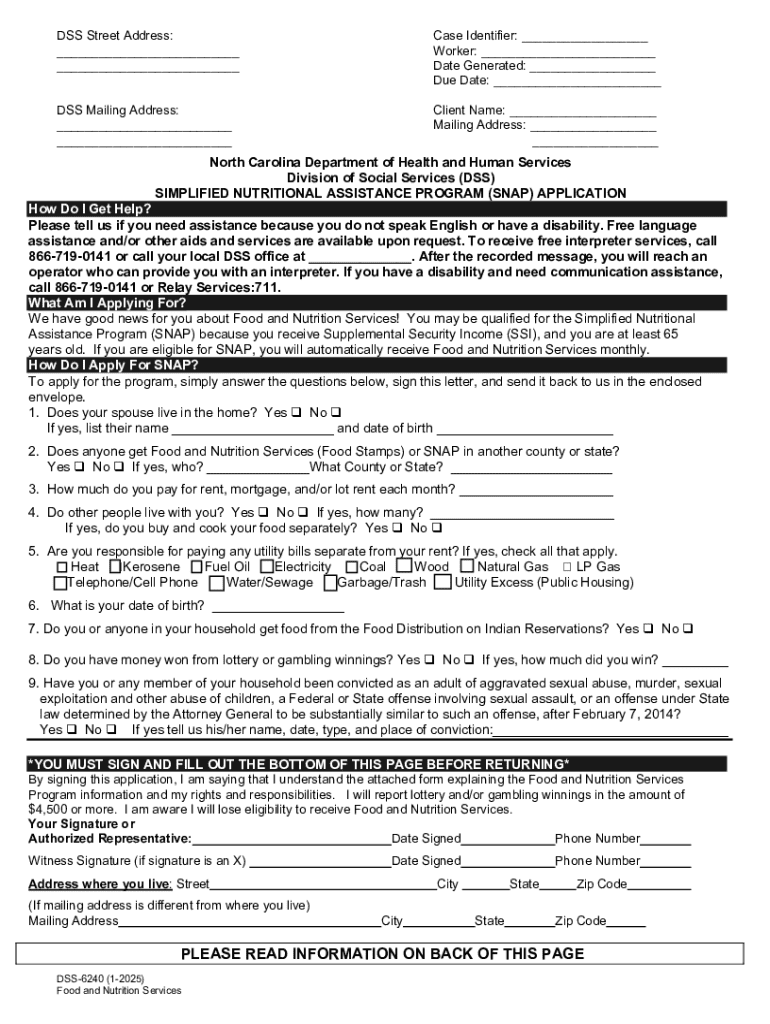
NC DSS-6240 2025-2026 free printable template
pdfFiller is not affiliated with any government organization

Fill out
Complete the form online in a simple drag-and-drop editor.

eSign
Add your legally binding signature or send the form for signing.

Share
Share the form via a link, letting anyone fill it out from any device.

Export
Download, print, email, or move the form to your cloud storage.
Why pdfFiller is the best tool for your documents and forms


End-to-end document management
From editing and signing to collaboration and tracking, pdfFiller has everything you need to get your documents done quickly and efficiently.
Accessible from anywhere
pdfFiller is fully cloud-based. This means you can edit, sign, and share documents from anywhere using your computer, smartphone, or tablet.
Secure and compliant
pdfFiller lets you securely manage documents following global laws like ESIGN, CCPA, and GDPR. It's also HIPAA and SOC 2 compliant.
What is NC DSS-6240
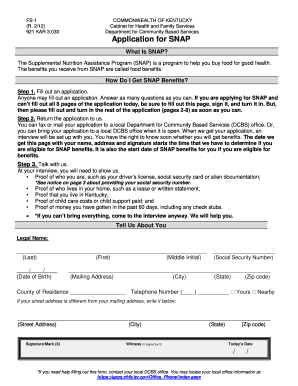
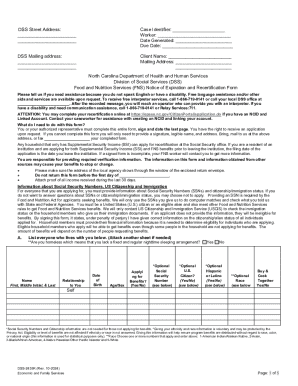
The North Carolina SNAP Application is a government form used by residents of North Carolina to apply for food assistance through the Simplified Nutritional Assistance Program (SNAP).
pdfFiller scores top ratings on review platforms




Who needs NC DSS-6240?
Explore how professionals across industries use pdfFiller.

NC DSS-6240 is needed by:
-
Individuals aged 65 and older receiving Supplemental Security Income (SSI)
-
Low-income families seeking food assistance in North Carolina
-
Residents of North Carolina applying for SNAP benefits
-
Caregivers or representatives of eligible individuals
-
Witnesses required to sign on behalf of applicants
Comprehensive Guide to NC DSS-6240
What is the North Carolina SNAP Application?
The North Carolina SNAP application is designed to facilitate access to food assistance programs for eligible individuals. This application is crucial for those needing help in securing nutritious meals. For applicants who are 65 years or older and receive Supplemental Security Income (SSI), the DSS-6240 form plays a vital role in the application process, ensuring they receive the support they need.
Purpose and Benefits of the North Carolina SNAP Application
The primary purpose of the North Carolina SNAP application is to assist individuals in obtaining food assistance through the state’s food stamps program. By completing this application, eligible individuals can access benefits that significantly improve their quality of life. One notable advantage is the Electronic Benefits Transfer (EBT) card, which beneficiaries use to purchase food items efficiently.
Who Needs the North Carolina SNAP Application?
The SNAP application is intended for various demographics, including low-income families, seniors, and disabled individuals. These applicants typically struggle to meet their nutritional needs and may benefit from the Simplified Nutritional Assistance Program. Completing this application can lead to significant food security improvements for these groups.
Eligibility Criteria for the North Carolina SNAP Application
To qualify for the North Carolina SNAP application, applicants must meet specific eligibility requirements. These include income thresholds that vary based on household size and residency in North Carolina. Additionally, special conditions apply, particularly concerning age and disability status, ensuring that vulnerable populations are prioritized in the food assistance program.
How to Fill Out the North Carolina SNAP Application Online (Step-by-Step)
Filling out the North Carolina SNAP application online involves several key steps:
-
Visit the official online application portal.
-
Complete each section of the application form with accurate personal information.
-
Attach any necessary documentation to support your eligibility.
-
Review all entries to ensure accuracy before submission.
-
Submit the application electronically.
Double-checking personal and household details is crucial for a successful application.
Field-by-Field Instructions for the North Carolina SNAP Application
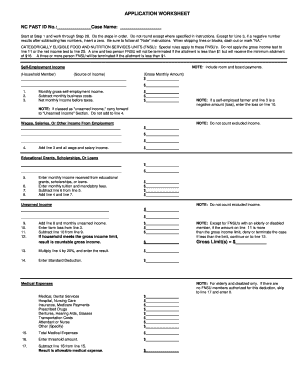
Breaking down the application form into manageable sections can simplify the submission process. Key fields to focus on include personal information, income details, and household structure. Here are some tips for avoiding common mistakes:
-
Ensure names are spelled correctly.
-
Double-check income figures for accuracy.
-
Provide complete household details.
Digital Signature vs. Wet Signature Requirements for Submission
Applicants must understand the signature requirements for the North Carolina SNAP application. A digital signature may be accepted in certain circumstances, while others may require a traditional wet signature. It is crucial to comply with the specific requirements outlined in the application process to avoid delays in processing.
Where to Submit the North Carolina SNAP Application
Submission methods for the North Carolina SNAP application are as follows:
-
Submit online through the state’s official application portal.
-
Mail completed forms to designated processing locations.
-
Deliver forms in person to local Department of Social Services (DSS) offices.
Each method has specific instructions that applicants should follow for timely processing.
What Happens After You Submit the North Carolina SNAP Application?
Once the North Carolina SNAP application is submitted, applicants can expect a processing timeline that varies based on the volume of applications. It is important to track your application status using the available resources after submission. If further information is needed, you will be notified regarding the next steps in the process.
Leveraging pdfFiller for a Smooth Application Process
pdfFiller simplifies the North Carolina SNAP application process by providing a user-friendly platform for filling out, signing, and submitting forms securely. The cloud-based platform prioritizes the security of your information, thanks to 256-bit encryption and compliance with privacy regulations. Utilizing pdfFiller ensures a smooth and efficient application experience for all users seeking food assistance.
How to fill out the NC DSS-6240
-
1.To access the North Carolina SNAP Application on pdfFiller, visit the website and search for the 'DSS-6240 form'. Ensure you are using a compatible browser for optimal performance.
-
2.Once the form opens, you'll see various fields and checkboxes in the pdfFiller interface. Begin by clicking on the fields to enter your personal information as instructed.
-
3.Gather necessary information like your Social Security Number, household details, and income information before starting to fill out the form. This will ensure your application is complete and accurate.
-
4.Carefully navigate through each section, filling in all required fields. Make sure to review the instructions provided in the form to ensure compliance.
-
5.After completing all sections, go back through your entries to double-check that all information is accurate and correctly filled out. Make corrections as needed.
-
6.Once satisfied with your application, save your progress. You can download the form or opt to submit it directly through pdfFiller for review.
-
7.To submit your application, follow the prompts on pdfFiller for submission. Ensure you complete any required signature fields before finalizing your submission.

Who is eligible to apply for the North Carolina SNAP Application?
Eligibility for the North Carolina SNAP Application includes individuals aged 65 and older receiving Supplemental Security Income (SSI) and low-income families or individuals in North Carolina seeking food assistance.
What are the common mistakes to avoid when filling out the SNAP application?
Common mistakes include skipping required fields, providing incorrect or incomplete personal information, and forgetting to sign the form as required. Review all entries carefully before submission.
What is the submission process for the SNAP application?
You can submit the North Carolina SNAP Application through pdfFiller directly after completing your form, or by printing it and sending it via regular mail to the appropriate local DSS office in North Carolina.
Is there a deadline for submitting the North Carolina SNAP Application?
While there may not be a strict deadline for submission, applications are processed on a rolling basis. For timely assistance, it is best to submit your application as soon as you meet eligibility requirements.
What supporting documents may be required with the SNAP application?
You may need to provide proof of identity, income, residency, and household composition. Check the specific requirements detailed in the application instructions.
What processing times should I expect after submitting my application?
Processing times for the SNAP application may vary, but typically it takes several weeks to receive a determination. Check with local DSS offices for more specific timelines.
NC DSS-6240 Form Versions
Related Forms




Get the latest insights from our blog


If you believe that this page should be taken down, please follow our DMCA take down process
here
.
This form may include fields for payment information. Data entered in these fields is not covered by PCI DSS compliance.