
Last updated on
Oct 6, 2026
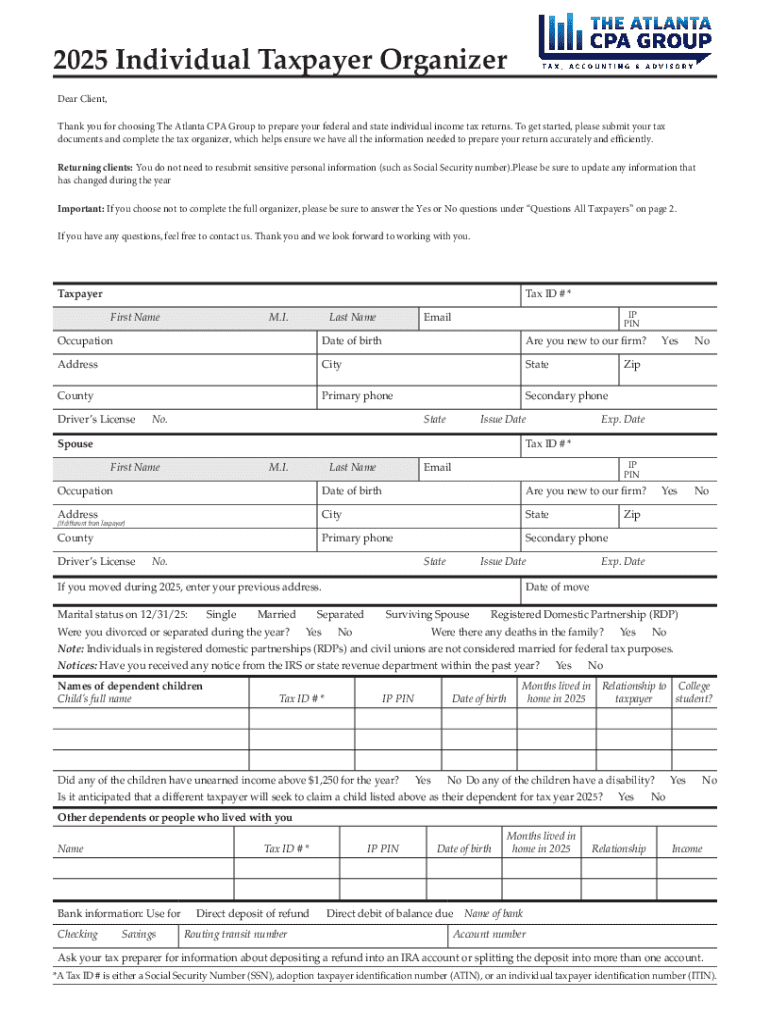
Get the free 2025 Individual Taxpayer Organizer
We are not affiliated with any brand or entity on this form

Fill out
Complete the form online in a simple drag-and-drop editor.

eSign
Add your legally binding signature or send the form for signing.

Share
Share the form via a link, letting anyone fill it out from any device.

Export
Download, print, email, or move the form to your cloud storage.
Why pdfFiller is the best tool for your documents and forms


End-to-end document management
From editing and signing to collaboration and tracking, pdfFiller has everything you need to get your documents done quickly and efficiently.
Accessible from anywhere
pdfFiller is fully cloud-based. This means you can edit, sign, and share documents from anywhere using your computer, smartphone, or tablet.
Secure and compliant
pdfFiller lets you securely manage documents following global laws like ESIGN, CCPA, and GDPR. It's also HIPAA and SOC 2 compliant.
What is Tax Organizer 2025
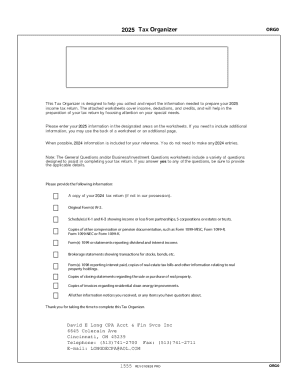
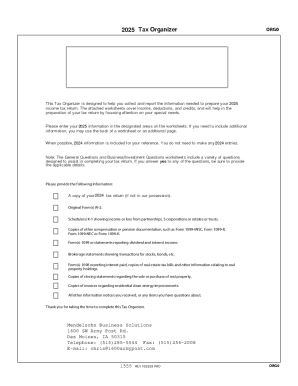
The 2025 Individual Taxpayer Organizer is a document used by clients to gather necessary information for the preparation of federal and state individual income tax returns.
pdfFiller scores top ratings on review platforms




Who needs Tax Organizer 2025?
Explore how professionals across industries use pdfFiller.

Tax Organizer 2025 is needed by:
-
Individuals preparing to file their federal and state taxes
-
Tax professionals and CPAs assisting clients with tax preparation
-
Self-employed workers documenting income and expenses
-
Students or dependents claiming tax benefits
-
Homeowners seeking deductions related to property
-
Taxpayers filing for the first time or making changes to their submissions
Comprehensive Guide to Tax Organizer 2025
What is the 2025 Individual Taxpayer Organizer?
The 2025 Individual Taxpayer Organizer is a crucial tool utilized by individuals preparing their federal and state individual income tax returns. This form collects essential information necessary for accurate tax preparation, ensuring that all personal and financial details are documented effectively.
This organizer aids taxpayers by streamlining data collection and enhancing the efficiency of the tax preparation process. Providing accurate information through the 2025 Individual Taxpayer Organizer is vital for maximizing deductions and credits during tax filing.
Purpose and Benefits of the 2025 Individual Taxpayer Organizer
The primary purpose of the 2025 Individual Taxpayer Organizer is to gather comprehensive personal and financial information for both taxpayers and tax professionals. This organizer simplifies the overall tax preparation process, ensuring no critical details are overlooked.
By utilizing the tax organizer, individuals can streamline their submissions significantly. This tool assists in maximizing potential deductions and credits related to their specific tax situations.
Key Features of the 2025 Individual Taxpayer Organizer
The 2025 Individual Taxpayer Organizer comes equipped with several noteworthy attributes. Key features include:
-
Fillable fields for important details like taxpayer ID, personal information, and various income sources.
-
Checkboxes and clear instructions to guide users in completing the form.
-
Compatibility with popular online editing tools and document management platforms, enhancing accessibility.
Who Needs the 2025 Individual Taxpayer Organizer?
This form is designed for a diverse range of users, primarily including:
-
Individuals filing their federal and state income taxes.
-
Tax professionals who require an efficient method for gathering client data.
-
Taxpayers with dependents or complex financial profiles needing detailed documentation.
How to Fill Out the 2025 Individual Taxpayer Organizer Online (Step-by-Step)
To complete the 2025 Individual Taxpayer Organizer online, follow these straightforward steps:
-
Access the form using pdfFiller's online tools.
-
Begin by filling out the required fields, including taxpayer ID and personal details.
-
Pay attention to any sections requiring additional information or documentation.
-
Ensure all entries are accurate and complete before submitting.
-
Utilize features for saving and sharing the form if needed.
Common Errors and How to Avoid Them
When completing the 2025 Individual Taxpayer Organizer, users should be aware of potential pitfalls:
-
Missing critical fields, which can lead to processing delays.
-
Incorrect information that may affect tax returns.
-
Neglecting to review the completed form with a qualified tax professional.
Strategies for avoiding these errors include double-checking all entries and ensuring comprehensive completion of the form.
Submission Methods and Delivery for the 2025 Individual Taxpayer Organizer
Once the 2025 Individual Taxpayer Organizer is completed, users have several submission options:
-
Submitting the form electronically via tax software or directly through tax platforms.
-
Mailing a physical copy to the appropriate tax authorities.
-
Understanding submission deadlines and anticipated processing times for timely filings.
Tracking the submission status is crucial for confirming receipt and maintaining peace of mind.
Security and Compliance When Handling the 2025 Individual Taxpayer Organizer
Security is paramount when dealing with sensitive documents like the 2025 Individual Taxpayer Organizer. pdfFiller employs advanced security measures, including:
-
256-bit encryption that protects user data throughout the completion process.
-
Compliance with stringent regulations regarding data privacy and security.
-
Ensuring adherence to federal standards for handling sensitive tax information.
Why Choose pdfFiller for Completing the 2025 Individual Taxpayer Organizer?
pdfFiller stands out for its user-friendly design and powerful functionalities. Key advantages of using pdfFiller include:
-
A highly intuitive interface that simplifies the editing process.
-
The capability to eSign and securely share completed forms.
-
Support for comprehensive PDF management, facilitating easier tax preparation.
Get Started with Your 2025 Individual Taxpayer Organizer Today!
Engage with the 2025 Individual Taxpayer Organizer by accessing it through pdfFiller. Experience the simplicity of form completion with quick setup and user-friendly features that ensure accurate and compliant tax preparation.
How to fill out the Tax Organizer 2025
-
1.To access the 2025 Individual Taxpayer Organizer, open your web browser and visit pdfFiller's website. Search for the form in their library or navigate directly if you have a link.
-
2.Once you find the form, click on it to open it in the pdfFiller interface. You will see an interactive version of the form.
-
3.Before you begin filling out the form, gather all pertinent information. This includes your Taxpayer Tax ID, personal details, income sources, deductions, and dependent information.
-
4.Start filling out the required fields in the form. Click on each blank area or checkbox to enter your information. Use the tab key to navigate between fields efficiently.
-
5.For each section, such as personal details and income, ensure that you provide accurate and thorough information. Input your name, address, and email in the designated fields.
-
6.After filling out the form, take a moment to review all the information you have entered. Make sure that all required fields are completed and there are no typos.
-
7.To finalize your changes on pdfFiller, you can use the 'Save' option to ensure that you do not lose any entered data.
-
8.Once you have reviewed and are satisfied with your information, you can download the completed form or submit it electronically through pdfFiller’s submission options. Ensure you choose the best method based on your filing needs.

What are the eligibility requirements for using the 2025 Individual Taxpayer Organizer?
The 2025 Individual Taxpayer Organizer is designed for individuals who need to prepare their federal and state income tax returns. It is suitable for anyone who has income, dependents, or deductions to claim.
Are there any deadlines associated with this form?
While the form itself doesn’t have a specific deadline, it should be completed and submitted by the tax filing deadlines, which typically fall on April 15 for most taxpayers. Always check for any specific state filing requirements.
How can I submit the completed form?
You can submit the completed 2025 Individual Taxpayer Organizer electronically through pdfFiller if your tax professional allows electronic submissions. Otherwise, you may need to print it and submit it via mail.
What supporting documents do I need to complete the form?
Common supporting documents include tax documents such as W-2s, 1099 forms, receipts for deductions, and prior year tax returns. Collect these before starting to ensure a smooth filling process.
What are common mistakes to avoid when filling out this form?
Common mistakes include missing required fields, typos in crucial information like Tax ID numbers, and forgetting to sign the form. Double-check all entries for accuracy and completeness.
How long does it take to process submissions of this form?
Processing times vary based on submission method and your specific tax situation. Electronic submissions may be faster, while mailed forms can take weeks; always check with your tax professional for typical timelines.
Can I edit the form after initial submission?
Once the completed form is submitted, you typically cannot edit it unless you file an amended return. Ensure all information is accurate before submitting to avoid issues.
Related Forms




Get the latest insights from our blog


If you believe that this page should be taken down, please follow our DMCA take down process
here
.
This form may include fields for payment information. Data entered in these fields is not covered by PCI DSS compliance.