
Last updated on
Oct 19, 2026

Get the free SF-429-B Real Property Status Report
We are not affiliated with any brand or entity on this form
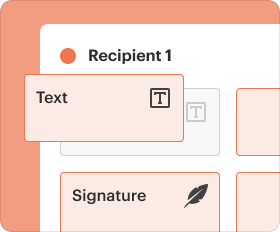
Fill out
Complete the form online in a simple drag-and-drop editor.
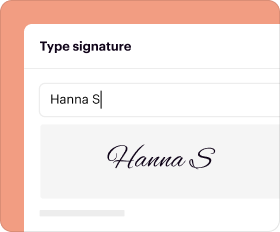
eSign
Add your legally binding signature or send the form for signing.
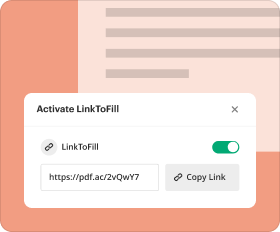
Share
Share the form via a link, letting anyone fill it out from any device.

Export
Download, print, email, or move the form to your cloud storage.
Why pdfFiller is the best tool for your documents and forms


End-to-end document management
From editing and signing to collaboration and tracking, pdfFiller has everything you need to get your documents done quickly and efficiently.
Accessible from anywhere
pdfFiller is fully cloud-based. This means you can edit, sign, and share documents from anywhere using your computer, smartphone, or tablet.
Secure and compliant
pdfFiller lets you securely manage documents following global laws like ESIGN, CCPA, and GDPR. It's also HIPAA and SOC 2 compliant.
What is SF-429-B Report
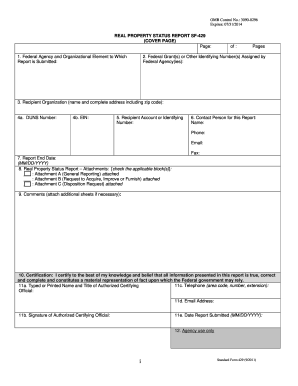
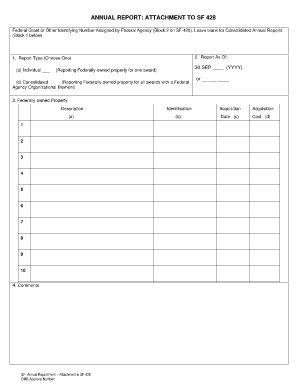
The SF-429-B Real Property Status Report is a federal document used by grant recipients to report the status of real property acquisitions and improvements funded by federal grants.
pdfFiller scores top ratings on review platforms




Who needs SF-429-B Report?
Explore how professionals across industries use pdfFiller.

SF-429-B Report is needed by:
-
Federal grant recipients
-
Non-profit organizations managing federal funds
-
State and local government agencies
-
Educational institutions receiving federal grants
-
Property management entities involved in federal projects
Comprehensive Guide to SF-429-B Report
What is the SF-429-B Real Property Status Report?
The SF-429-B Real Property Status Report is a essential federal form, used specifically within the context of federal grants. This document captures necessary details about real property that an entity acquires, improves, or furnishes. It ensures compliance with Office of Management and Budget guidelines, particularly OMB 4, which mandates proper documentation in federal funding scenarios.
This form plays a critical role by informing federal authorities about the status and management of real property, thereby facilitating better decision-making concerning funding and property utilization.
Purpose and Benefits of the SF-429-B Real Property Status Report
The SF-429-B form serves multiple significant functions in the realm of federal grants and property management. Accurate reporting through this form is crucial for adhering to federal regulations, providing transparency and accountability in the use of public funds.
Entities receiving federal grants or funding greatly benefit from utilizing this form, as it fosters an organized approach to real property management. Proper documentation not only simplifies compliance but also enhances informed decision-making related to real property transactions.
Who Needs the SF-429-B Real Property Status Report?
Submissions of the SF-429-B form are required from various entities engaged in federal grant processes. A diverse range of organizations falls within its scope, including:
-
State governments
-
Local governments
-
Non-profit organizations
-
Educational institutions
Understanding typical scenarios where the report is necessary helps in recognizing its critical role in ensuring compliance that can directly impact federal funding eligibility.
How to Fill Out the SF-429-B Real Property Status Report Online
Filling out the SF-429-B form online is a straightforward process when following specific steps. Key fields to pay attention to include ownership type, intended use of the property, and necessary environmental compliance requirements.
When using the pdfFiller platform, users can navigate through the form with ease. It also includes noteworthy security features ensuring that sensitive data remains protected during submission.
Field-by-Field Instructions for the SF-429-B Real Property Status Report
The SF-429-B form consists of multiple fillable fields and checkboxes needing careful attention. A detailed breakdown includes fields such as property ownership status and projected use, which require precise inputs.
To ensure accurate reporting, users should consider tips like evaluating energy consumption metrics. Avoiding common pitfalls, such as overlooking cut-off dates for submissions, is crucial for efficient completion of the form.
Common Errors and Solutions When Filling Out the SF-429-B
Errors during the submission of the SF-429-B form can lead to compliance issues. Frequent mistakes include incorrect information in ownership fields and failing to meet environmental compliance standards.
To mitigate these risks, users should follow these solutions:
-
Double-check all entries for accuracy.
-
Review federal guidelines to ensure compliance.
-
Consult resources for clarification on complex fields.
Thoroughly checking the form prior to submission can prevent delays and improve compliance outcomes.
Submission Methods for the SF-429-B Real Property Status Report
Submitting the SF-429-B form can be accomplished through various methods. Users have options for both digital and physical submission based on their preferences.
It is important to keep deadlines in mind when submitting the form, as tracking submissions ensures that all necessary documentation is received. Proof of submission is equally crucial to confirm compliance with federal requirements.
Security and Compliance Considerations for the SF-429-B Report
When handling the SF-429-B Real Property Status Report, security and compliance are paramount. pdfFiller employs robust security measures, including encryption and adherence to HIPAA and GDPR regulations, offering users peace of mind in data protection.
Ensuring compliance with federal regulations while managing sensitive property information is essential for both organizational integrity and public trust.
Enhancing Your Experience with pdfFiller for the SF-429-B Real Property Status Report
To streamline the process of filling out the SF-429-B form, users are encouraged to leverage unique features offered by pdfFiller. This platform simplifies the entire process of completion and submission, catering to user needs.
Utilizing a trusted platform like pdfFiller enables users to edit and sign forms efficiently while exploring additional services related to document management.
Your Next Steps in Managing the SF-429-B Real Property Status Report Efficiently
The importance of timely submission and accuracy in reporting cannot be overstated when managing the SF-429-B form. Utilizing tools like pdfFiller can significantly enhance the efficiency of form completion.
Embrace cloud-based document handling to ensure a seamless experience while maximizing the benefits and ease of managing the SF-429-B Real Property Status Report.
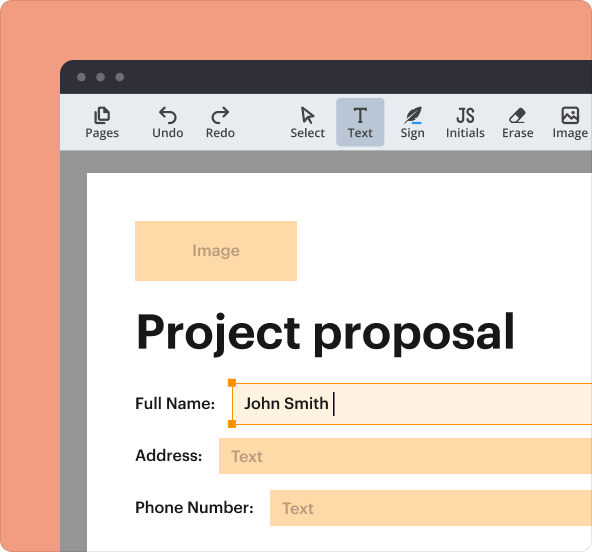
How to fill out the SF-429-B Report
-
1.To begin, visit pdfFiller's website and search for the SF-429-B Real Property Status Report using the search bar.
-
2.Once you find the form, click on it to open it in the pdfFiller editor.
-
3.Before you start filling out the form, gather all necessary information regarding the property, such as ownership details, intended usage, and compliance documentation.
-
4.Use the fillable fields in the pdfFiller interface to enter the required data. Hover over fields for tooltips if you need help understanding what information is necessary.
-
5.It's essential to accurately check all applicable checkboxes related to environmental compliance and energy usage as they are crucial components of the report.
-
6.After completing the form, it's advisable to review all entries for accuracy and completeness. Utilize the 'review' mode for a final check.
-
7.Once you're satisfied with the filled-out form, you can save your work by selecting the 'Save' option in pdfFiller.
-
8.If you need to submit the form, you may do so directly through pdfFiller, or download it in your preferred format for emailing or printing.
What are the eligibility requirements for the SF-429-B form?
To submit the SF-429-B Real Property Status Report, you must be a recipient of federal grants that involve real property acquisitions or improvements. This typically includes non-profits, government entities, and educational institutions.
Is there a deadline for submitting the SF-429-B form?
Submission deadlines for the SF-429-B form depend on the specific terms of the federal grant award. Ensure to check your grant agreement for any time-sensitive reporting requirements.
How do I submit the SF-429-B form?
You can submit the SF-429-B form through pdfFiller by using the 'Submit' function after filling it out, or download it and send it via email or traditional postal mail depending on your agency’s submission guidelines.
What supporting documents are required with the SF-429-B form?
Typically, you must include documentation supporting property ownership, intended use, and compliance with federal regulations, such as environmental assessments or energy reports, along with the SF-429-B form.
What are common mistakes to avoid when filling out the SF-429-B form?
To avoid delays, ensure all fields are filled out completely and accurately, check that all applicable checkboxes are marked, and confirm that gathered supporting documents are included with your submission.
What is the processing time for the SF-429-B form?
Processing times for the SF-429-B form can vary based on the specific agency receiving it. It's prudent to follow up if you do not receive confirmation of receipt within a few weeks.
Are there any fees associated with submitting the SF-429-B form?
Generally, there are no fees associated with the submission of the SF-429-B Real Property Status Report itself, but you may incur costs related to gathering supporting documentation, depending on your situation.
Related Forms





Get the latest insights from our blog


If you believe that this page should be taken down, please follow our DMCA take down process
here
.
This form may include fields for payment information. Data entered in these fields is not covered by PCI DSS compliance.