
Last updated on
Oct 3, 2026

Get the free Real Property Status Report SF-429-A
We are not affiliated with any brand or entity on this form
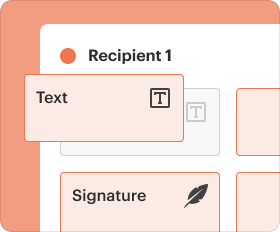
Fill out
Complete the form online in a simple drag-and-drop editor.
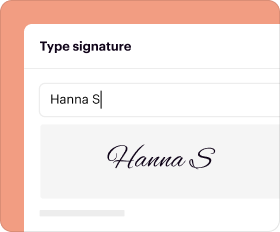
eSign
Add your legally binding signature or send the form for signing.
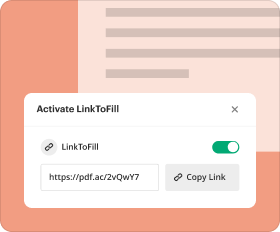
Share
Share the form via a link, letting anyone fill it out from any device.

Export
Download, print, email, or move the form to your cloud storage.
Why pdfFiller is the best tool for your documents and forms


End-to-end document management
From editing and signing to collaboration and tracking, pdfFiller has everything you need to get your documents done quickly and efficiently.
Accessible from anywhere
pdfFiller is fully cloud-based. This means you can edit, sign, and share documents from anywhere using your computer, smartphone, or tablet.
Secure and compliant
pdfFiller lets you securely manage documents following global laws like ESIGN, CCPA, and GDPR. It's also HIPAA and SOC 2 compliant.
What is SF-429-A Report
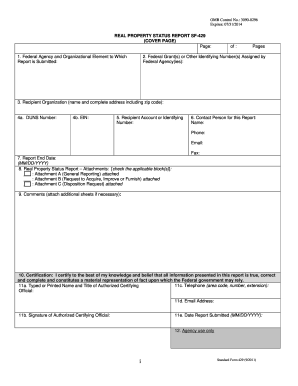
The Real Property Status Report SF-429-A is a formal document used by organizations receiving federal financial assistance to report on the status of real property.
pdfFiller scores top ratings on review platforms




Who needs SF-429-A Report?
Explore how professionals across industries use pdfFiller.

SF-429-A Report is needed by:
-
Federal grant recipients
-
Nonprofit organizations managing real estate
-
Government agencies overseeing property compliance
-
Contractors involved in federal projects
-
Banks or lenders handling federal loans
Comprehensive Guide to SF-429-A Report
What is the Real Property Status Report SF-429-A?
The Real Property Status Report SF-429-A is a critical form designed to report on real property utilized under federal financial assistance programs. This form serves the purpose of ensuring transparency and compliance. Users must provide specific information, including a detailed property description, ownership type, and associated costs. Accurate completion of the SF-429-A form is essential for entities managing federally funded properties.
Purpose and Benefits of the Real Property Status Report SF-429-A
The real property status report is vital for compliance with federal regulations governing financial assistance. Filing this report enables organizations to effectively communicate the status and utilization of federally supported properties. Benefits for entities receiving federal grants or assistance include maintaining eligibility for future funding and upholding accountability standards.
Who Needs the Real Property Status Report SF-429-A?
This report is primarily needed by entities that receive federal financial assistance. Organizations such as non-profits, educational institutions, and government agencies must submit this form. Scenarios requiring the report can range from construction projects funded by federal grants to inventory assessments of real estate holdings benefitting from similar financial support.
How to Fill Out the Real Property Status Report SF-429-A Online (Step-by-Step)
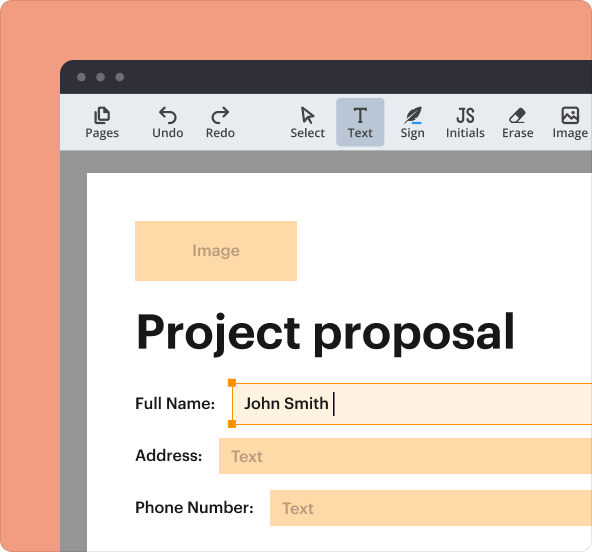
Completing the Real Property Status Report SF-429-A can be simplified using pdfFiller. Follow these steps to ensure proper submission:
-
Access the SF-429-A form on pdfFiller.
-
Fill in the 'Description of Real Property' field with accurate details.
-
Complete the 'Address of Real Property' section precisely.
-
Enter the 'Real Property Cost' accurately to reflect the financial aspect.
-
Review your entries for any discrepancies before submission.
Common Errors and How to Avoid Them
Even experienced users may encounter pitfalls when filling out the SF-429-A form. Common errors include:
-
Incorrect property descriptions leading to misunderstandings.
-
Omitting ownership type, which can delay processing.
-
Not providing accurate cost information, resulting in compliance issues.
To prevent these mistakes, double-check all fields before submitting the form to ensure accuracy and completeness.
Submission Methods and Delivery for the Real Property Status Report SF-429-A
Entities have several options for submitting the Real Property Status Report SF-429-A, either electronically or via mail. When filing, include any necessary supporting documents, such as ownership proof or prior submissions, to facilitate the review process. Be mindful of any associated fees or deadlines specific to your federal agency.
What Happens After You Submit the Real Property Status Report SF-429-A?
Upon submission, the report undergoes a thorough review process. Users may track their application status through designated federal channels. Understanding common rejection reasons, such as incomplete information or discrepancies, can streamline future submissions and enhance success rates.
Security and Compliance for the Real Property Status Report SF-429-A
pdfFiller prioritizes security when handling sensitive forms like the SF-429-A. The platform employs 256-bit encryption and complies with regulations such as SOC 2 Type II, HIPAA, and GDPR. Ensuring data protection and privacy is paramount for users submitting vital information through this form.
Sample or Example of a Completed Real Property Status Report SF-429-A
Users can benefit from a sample form of the SF-429-A as a reference. This example provides guidance on how to properly complete each section. By interpreting the sample accurately, users can apply the insights to their form, ensuring a correctly filled document.
Enhance Your Experience with pdfFiller
Utilizing pdfFiller enhances the overall experience of filling out the Real Property Status Report SF-429-A. The platform allows users to fill out, edit, and eSign the report quickly and securely. Accessing the form online provides immediate support features that facilitate efficient completion, making the process straightforward and user-friendly.
How to fill out the SF-429-A Report
-
1.Begin by accessing pdfFiller and searching for 'Real Property Status Report SF-429-A' in the document library.
-
2.Once located, click on the form to open it in the pdfFiller editor.
-
3.Familiarize yourself with the form layout and the fillable fields available for completion.
-
4.Before filling in the form, gather all necessary information regarding each property, such as descriptions, addresses, costs, and ownership details.
-
5.Start filling in the form by entering details in the 'Description of Real Property' field, ensuring accuracy and completeness.
-
6.Proceed to fill in the 'Address of Real Property' and input the location details carefully to avoid any errors.
-
7.When reaching the 'Real Property Cost' section, provide clear and precise financial data, including acquisition costs and any related expenses.
-
8.If the form includes sections regarding environmental compliance or changes to property status, ensure these areas are thoroughly addressed.
-
9.After filling out all required fields, take a moment to review the information entered for any possible errors or missing details.
-
10.Utilize the preview feature in pdfFiller to see how your completed form will appear once finalized.
-
11.Once satisfied, save your work using the save option, ensuring you choose a recognizable file name.
-
12.To download the completed form, select the download option and choose a format that suits your needs.
-
13.If submission is necessary, check the guidelines for how to submit via pdfFiller, either directly online or by downloading and mailing.
Who is eligible to use the Real Property Status Report SF-429-A?
Organizations receiving federal financial assistance, including nonprofits and local governments, are eligible to use the SF-429-A to report on their real property holdings.
What is the deadline for submitting the SF-429-A form?
Deadlines for submitting the form typically align with grant reporting periods or specific requests from funding agencies. It's crucial to check the guidelines provided by the funding agency for exact dates.
How do I submit the Real Property Status Report SF-429-A?
The completed form can be submitted electronically via designated online platforms, or you may need to download and mail a physical copy, depending on the requirements specified by your funding agency.
What supporting documents do I need to submit with the SF-429-A?
Generally, no additional supporting documents are required with the SF-429-A, but it is good practice to have records available showing property descriptions, costs, and any relevant compliance information.
What common mistakes should I avoid when filling out the SF-429-A?
Common mistakes include omitting key information, misreporting property costs, and failing to review the form before submission. Always double-check for accuracy and completeness.
How long does it take to process the SF-429-A submission?
Processing times can vary based on the funding agency, so it's important to follow up with them if you do not receive confirmation of your submission within a reasonable timeframe.
Is notarization required for the Real Property Status Report SF-429-A?
No, notarization is not required for the SF-429-A, but make sure to sign where indicated to certify the authenticity of the information provided.
Related Forms



Get the latest insights from our blog


If you believe that this page should be taken down, please follow our DMCA take down process
here
.
This form may include fields for payment information. Data entered in these fields is not covered by PCI DSS compliance.