
Last updated on
Oct 7, 2026

Get the free Sports Physical Form Template
We are not affiliated with any brand or entity on this form

Fill out
Complete the form online in a simple drag-and-drop editor.

eSign
Add your legally binding signature or send the form for signing.

Share
Share the form via a link, letting anyone fill it out from any device.

Export
Download, print, email, or move the form to your cloud storage.
Why pdfFiller is the best tool for your documents and forms


End-to-end document management
From editing and signing to collaboration and tracking, pdfFiller has everything you need to get your documents done quickly and efficiently.
Accessible from anywhere
pdfFiller is fully cloud-based. This means you can edit, sign, and share documents from anywhere using your computer, smartphone, or tablet.
Secure and compliant
pdfFiller lets you securely manage documents following global laws like ESIGN, CCPA, and GDPR. It's also HIPAA and SOC 2 compliant.
What is Sports Physical Form
The Sports Physical Form Template is a medical examination document used by athletes to certify their fitness for sports participation.
pdfFiller scores top ratings on review platforms




Who needs Sports Physical Form?
Explore how professionals across industries use pdfFiller.

Sports Physical Form is needed by:
-
Athletes requiring a sports physical examination
-
Parents needing medical documentation for their children
-
Schools or sports organizations mandating physical exams
-
Healthcare providers conducting sports physicals
-
Coaches ensuring athletes meet health requirements
Comprehensive Guide to Sports Physical Form
What is the Sports Physical Form Template?
The Sports Physical Form Template serves a crucial role in documenting a medical examination necessary for participation in various sports activities. It ensures that student-athletes are healthy and fit to compete, thereby prioritizing their well-being. This form contains essential components that detail the medical examination process, highlighting the importance of a thorough assessment.
One of the key requirements of this form is obtaining a doctor's signature, which certifies that the examination has been conducted. This certification not only communicates the athlete's health status but also reinforces responsibility within sports organizations and schools.
Purpose and Benefits of the Sports Physical Form Template
The necessity of the Sports Physical Form Template cannot be overstated, particularly for student-athletes and the institutions overseeing their participation. This form not only safeguards the health and safety of participants but also serves as a reliable record of their medical history in relation to athletic involvement.
Using a template enhances convenience, allowing users to quickly and efficiently fill out necessary information without error. This structured approach contributes significantly to the organization and streamlined processing in sports settings.
Key Features of the Sports Physical Form Template
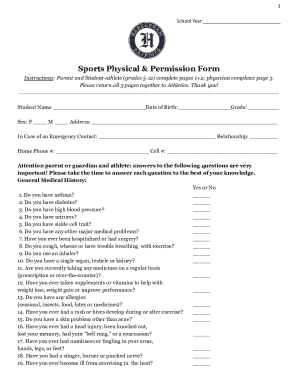
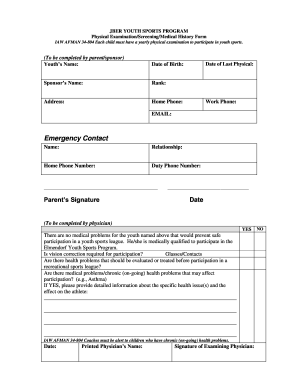
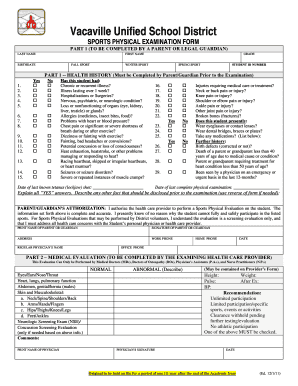
The Sports Physical Form Template encompasses various fillable fields that capture critical information. These fields typically include sections for personal details, emergency contacts, and results from physical examinations. The template is designed to facilitate data input while ensuring that nothing important is overlooked.
Customization options through platforms like pdfFiller allow users to tailor the form to meet specific needs, accommodating different sports organizations and requirements with ease.
Who Needs the Sports Physical Form Template?
The primary audience for the Sports Physical Form Template includes student-athletes and their guardians, who are responsible for ensuring compliance with participation requirements. Many sports organizations and schools mandate this form to verify that athletes meet necessary health guidelines before engaging in sports activities.
Considerations such as age restrictions and eligibility criteria also play a significant role in determining who must fill out this medical examination form, ensuring all participants can compete safely.
How to Fill Out the Sports Physical Form Template Online
Filling out the Sports Physical Form Template online is straightforward when utilizing pdfFiller. Here is a step-by-step guide to help you navigate the process:
-
Access the Sports Physical Form Template via pdfFiller's platform.
-
Complete the personal information section, including name, date of birth, and contact details.
-
Fill out the physical examination results and any medical history relevant to sports participation.
-
Include emergency contact information for added safety.
-
Review the form thoroughly to confirm all sections are accurate and complete.
pdfFiller's platform emphasizes ease of use, with its accessible tools designed for all users, making form completion a seamless experience.
Common Errors and How to Avoid Them
When completing the Sports Physical Form Template, users often encounter common pitfalls. To minimize errors, consider these helpful tips:
-
Double-check all entries to ensure accuracy in personal details and medical information.
-
Be mindful of the doctor's signature; it is crucial for form acceptance.
-
Ensure that no sections are left blank, especially those requiring critical medical information.
Careful review of the form before submission can prevent unnecessary rejections, ensuring that all necessary information is provided and correctly documented.
How to Sign the Sports Physical Form Template
Signing the Sports Physical Form Template can be done in several ways, including the use of digital signatures, which are gaining popularity due to their convenience. Digital signatures offer a compliant method for certifying the form electronically.
For those opting for traditional methods, wet signatures are also accepted. pdfFiller streamlines the process of obtaining a signature through its digital signing capabilities, ensuring compliance with all signing requirements.
Security and Compliance of the Sports Physical Form Template
When using the Sports Physical Form Template on platforms like pdfFiller, users can be assured of robust security measures such as 256-bit encryption. This commitment to security is vital, especially when handling sensitive medical documents.
Compliance with regulations such as HIPAA and GDPR further demonstrates the platform's dedication to maintaining user privacy and data protection, essential for trust in managing health-related forms.
Where to Submit the Sports Physical Form Template
Submission methods for the Sports Physical Form Template can vary, including online submissions, mailing, or delivering in person. It is vital to be aware of specific deadlines that often accompany submissions, particularly tied to school or sports organization requirements.
In addition, users should check whether submission fees apply and what payment options are available, ensuring a smooth process from completion to submission.
Experience the Ease of Managing Your Sports Physical Form with pdfFiller
Utilizing pdfFiller for managing the Sports Physical Form Template allows users to take advantage of comprehensive features for editing and sharing documents. The benefits of cloud-based editing, along with convenient eSigning, enhance the user experience significantly.
Join the community of users who trust pdfFiller for fulfilling their document needs, ensuring that managing sports physical forms is efficient and secure.
How to fill out the Sports Physical Form
-
1.To begin, access the Sports Physical Form Template on pdfFiller by navigating to the site and logging into your account. Use the search bar to enter the form’s name.
-
2.Once you have the form open, familiarize yourself with its structure. The form includes various sections like general information, emergency contacts, and examination results.
-
3.Before filling out the form, gather all necessary information such as personal details, medical history, and emergency contact information to ensure a smooth process.
-
4.Start by filling out the personal information section. Enter the participant's name, age, and other requested details directly into the designated text fields.
-
5.Proceed to the emergency contact section, making sure to include a name, relationship, and phone number for any urgent situations.
-
6.Carefully complete the physical examination results section. If a doctor has already performed the examination, record their findings or leave space for future entries by the physician.
-
7.Remember, a doctor's signature is required to validate the form. Ensure you highlight this area to remind the healthcare provider to complete that section before submission.
-
8.Once all fields are completed, review the entire form for accuracy. Double-check all information entered to avoid common mistakes such as typos or omitted details.
-
9.To save or download the completed form, use the appropriate options in pdfFiller. You can also directly submit the form to the intended recipient if necessary.

What are the eligibility requirements to fill out the Sports Physical Form?
The Sports Physical Form is typically required for athletes of various ages participating in sports activities. Generally, a medical examination is recommended by a healthcare provider to ensure safety during participation.
Are there any deadlines for submitting the Sports Physical Form?
Deadlines for submitting the Sports Physical Form may vary depending on the sports organization or school. It's advisable to check with the relevant authority for specific submission dates to ensure compliance.
How should I submit the Sports Physical Form once completed?
You can submit the Sports Physical Form either by printing it out and handing it in physically to the relevant organization or by using pdfFiller's submission options directly if the recipient supports this method.
What supporting documents are required with the Sports Physical Form?
Usually, no additional documents are needed other than the completed form itself. However, it's wise to check with the specific organization or school for any specific requirements that they may have.
What common mistakes should be avoided when filling out the form?
Common mistakes include leaving fields blank, providing incorrect information, and forgetting to obtain the necessary doctor’s signature. Review the form thoroughly to ensure accuracy and completeness.
How long does it take to process the submitted Sports Physical Form?
Processing times for the Sports Physical Form can vary by organization. Generally, allow a week or two to receive confirmation after submission, but inquire directly for specific timelines.
What if my doctor refuses to sign the Sports Physical Form?
If a doctor declines to sign the form, it may be due to health findings. It is advisable to discuss any concerns with the healthcare provider and obtain further evaluation or documentation as needed.
Related Forms





Get the latest insights from our blog


If you believe that this page should be taken down, please follow our DMCA take down process
here
.
This form may include fields for payment information. Data entered in these fields is not covered by PCI DSS compliance.